
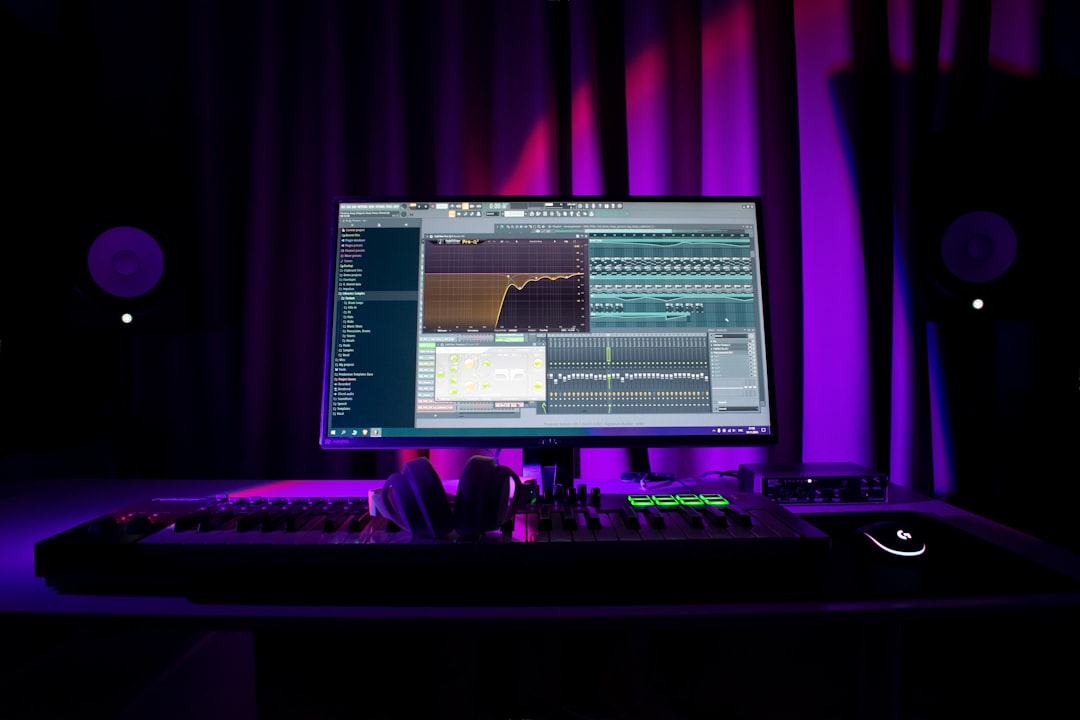
Learning how to organize a DAW project is the difference between a session you can mix in an afternoon and one you dread opening. Good organization means clear track names, sensible colours, logical grouping, and a tidy folder of audio files. It costs a few minutes upfront and saves hours later, especially once a project grows past a handful of tracks. The principles below apply to every DAW.
Name everything as you go
The single biggest improvement is naming tracks the moment you create them. “Lead Vocal”, “Kick”, “Bass DI” and “Room Mic” are infinitely easier to navigate than “Audio 1” through “Audio 12”. Rename clips too, because clear clip names carry through when you bounce stems or hand a session to someone else. Build this habit into a starting DAW template so every project begins tidy.
Use colour coding consistently
Colours let your eye find things instantly. Pick a scheme and stick to it across projects, for example:
- Drums — one colour family (reds or oranges).
- Bass — its own colour.
- Vocals — a distinct, easy-to-spot colour.
- Instruments and keys — another family.
- Buses and returns — a neutral colour so they stand apart from sources.
Consistency matters more than the exact colours. When every project follows the same logic, you navigate on instinct.
Group and bus related tracks
Collapse related tracks into folders or groups so you can fold them away and treat them together. Route them to buses — a drum bus, a vocal bus, an instrument bus — so you can control whole sections with one fader and process them as a unit. This also sets you up for shared effects via sends and returns. Keeping your routing logical also keeps your gain staging predictable from source to master.
Keep a tidy session order
Order tracks the way you think about the music, typically drums first, then bass, instruments, then vocals, with buses and the master at the bottom or top. A consistent layout means you always know where to look. Hide or freeze tracks you are not actively editing to reduce clutter; see how to freeze tracks in a DAW for the performance benefit too.
Manage your files and backups
Save each project in its own folder and let your DAW collect or consolidate audio into that folder, so nothing goes missing if you move the project. Save versions as you reach milestones (for example “Mix v1”, “Mix v2”) so you can roll back. Back up regularly to a second drive or cloud. Losing a nearly-finished mix to a corrupt file is avoidable with a five-minute backup habit.
Use markers to navigate the arrangement
Most DAWs let you drop markers on the timeline to label song sections such as intro, verse, chorus and bridge. Adding these takes seconds and transforms how quickly you move around a project, because you can jump straight to the chorus instead of scrubbing for it. Markers also help anyone you collaborate with understand the arrangement at a glance, and they make it easier to talk through edits (“the second chorus is dragging”) without hunting for the right bar. Combine markers with clear track names and colour coding and even a large session becomes easy to read. If you reuse the same song structure often, you can pre-place section markers in your template so they appear automatically.
Build a naming convention you can read at a glance
Naming is more useful when it follows a pattern rather than being ad hoc. A simple convention is source first, then detail: “VOX Lead”, “VOX Harm 1”, “GTR Rhythm L”, “GTR Rhythm R”, “DRM Kick In”, “DRM Kick Out”. Grouping by a short prefix means related tracks sort together alphabetically and read consistently even in a crowded mixer. Keep names short enough to survive in a narrow channel strip, because a name that gets truncated to “Lead Voc…” is only half as useful. The same logic applies to buses and returns: label them clearly as “BUS Drums” or “FX Reverb” so a send destination is never a mystery. Once a convention feels natural, bake it into your template and you will never have to think about it again.
Common organization mistakes to avoid
A few habits quietly turn a manageable session into a mess. Watch for these:
- Leaving default track names. “Audio 7” tells you nothing six weeks later. Rename before you record, not after.
- Colouring tracks at random. Inconsistent colours are worse than none, because they actively mislead your eye. Stick to one scheme.
- Hoarding dead tracks. Muted takes, abandoned ideas and empty lanes pile up. Clear them out so the session reflects the song as it actually stands.
- Scattering audio across folders. If your samples and recordings live in a dozen locations, moving the project breaks it. Consolidate everything into the project folder.
- Saving over a single file. One file with no version history means one mistake can cost you the whole mix. Save incrementally instead.
- Skipping buses until late. Adding group routing halfway through a mix forces you to redo balances. Set up your main buses early.
None of these takes long to fix, and avoiding them keeps your attention on the music rather than on housekeeping.
Clean up before you mix
Before the mix stage, delete unused tracks, mute lanes you rejected while you comp vocals, consolidate edited clips, and label your buses. A clean session lets you focus on creative decisions instead of hunting for things. From here, our beginner’s guide to mixing your first song takes over, and the mixing and mastering hub has the rest of the workflow.
Frequently asked questions
What is the most important organization habit?
Naming tracks and clips as you create them. Everything else builds on it. A session full of clearly named tracks is fast to navigate, easy to mix, and painless to share or revisit months later.
Should I use buses even on small projects?
It is worth it once you have more than a few related tracks. A drum bus or vocal bus lets you control a whole section with one fader and apply shared processing, which keeps your mix tidy and your decisions simple.
How should I save project versions?
Save incremental versions at milestones, such as after tracking, after editing, and at each mix stage. Keep them in the project’s own folder. This lets you return to an earlier state if a later decision does not work out.
How often should I tidy a session?
Little and often beats one big cleanup. Name and colour as you go, and do a quick pass to remove dead tracks at the end of each working session. That way the project never drifts far from tidy, and you are never faced with untangling a chaotic session right when you want to start mixing.



