
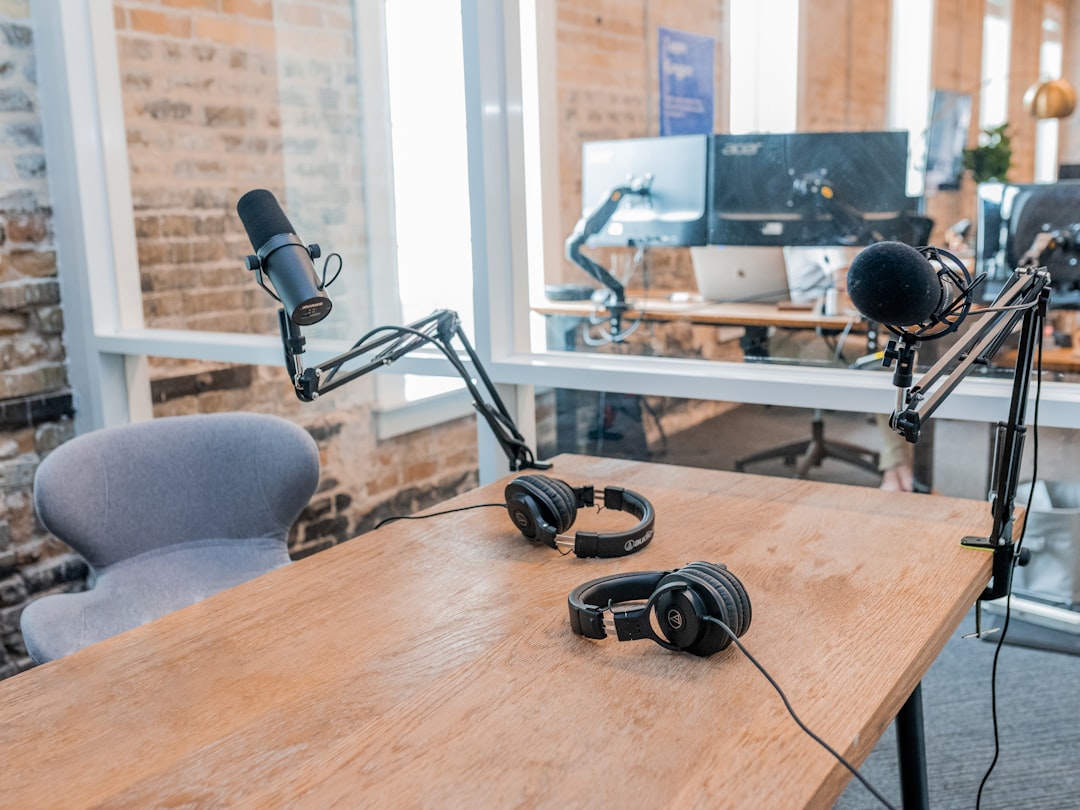
Learning how to get your podcast on Apple Podcasts means submitting your show’s RSS feed through Apple Podcasts Connect, verifying that you own it, and waiting for Apple’s review. Apple is stricter than some directories about feed formatting and artwork, so getting the details right the first time saves you a resubmission. Here is the full process.
What you need first
- A published episode live on your podcast host.
- Your RSS feed URL from that host. New to feeds? Read what an RSS feed for podcasts is.
- An Apple Account to sign in to Apple Podcasts Connect.
- Compliant cover art — square, high-resolution, and within Apple’s size range. See how to create podcast cover art.
If you are still at the planning stage, start with our complete guide to starting a podcast.
Step-by-step submission
- Copy your RSS feed URL from your podcast host’s dashboard.
- Go to Apple Podcasts Connect and sign in with your Apple Account.
- Choose to add a show by RSS feed and paste your feed URL.
- Apple validates the feed and shows you a preview pulled from your metadata and episodes — check the title, description, category, and artwork all look right.
- Verify ownership using the code Apple sends to the email address in your feed.
- Submit for review.
The whole submission takes only a few minutes once your feed is ready. The slow part is almost never the form itself — it is making sure the feed behind it is clean before you ever paste the URL. Spend your effort there and the rest is straightforward.
How review and approval work
Apple manually reviews new shows, so approval typically takes longer than some other directories — often a day or two. Once approved, your show appears in the Apple Podcasts app and on the web, and future episodes sync automatically from your feed.
It is worth understanding what happens after that first approval. You only submit the show once. From then on, Apple polls your RSS feed on its own schedule and pulls in new episodes as you publish them through your host. You do not log back into Apple Podcasts Connect for every episode. That also means any mistake in a future episode — a broken audio link, a missing title — can quietly stop it appearing, even though the show as a whole is already approved. If a new episode fails to show up after a few hours, the problem is almost always in that single episode’s feed entry, not in your Apple account.
Common reasons Apple rejects a feed
If your show is rejected or stuck, it is almost always one of these:
- Artwork problems — wrong dimensions, too low a resolution, or a non-square image.
- Missing required tags — title, description, category, language, or explicit flag not set correctly in the feed.
- An inaccessible feed — still private, or returning errors.
- Episodes that will not play — broken audio file links.
A good podcast host generates a clean, Apple-compliant feed for you, which is one of the reasons it is worth choosing carefully — compare options in our best podcast hosting platforms guide.
How to avoid a rejection in the first place
Resubmitting after a rejection means going back to the queue, so it pays to get the feed right before you submit. Run through this short checklist first:
- Open your feed URL in a browser and confirm it loads as XML rather than prompting a download or showing an error page. If you cannot reach it, neither can Apple.
- Check the owner email in your host’s settings is an address you can actually access — that is where the verification code is sent, and it is the most common reason people get stuck.
- Confirm the show is set to public on your host, not in draft or private mode.
- Set the explicit flag honestly. Marking a clean show as explicit, or the reverse, can trigger a manual flag and slow approval.
- Make sure at least one episode is fully published with working audio. Apple will not approve an empty feed.
- Double-check your artwork meets the square, high-resolution requirement before you submit, not after. Artwork is the single most common point of failure.
If everything on this list checks out, your submission should pass on the first attempt.
Optimise your Apple listing
Apple Podcasts is a major discovery surface, so make your listing work hard:
- Write a clear, natural show description that explains who the show is for.
- Pick the most accurate primary category — it strongly affects where you can be found.
- Use clean episode titles and useful show notes for each episode.
- Encourage ratings and reviews, which influence visibility.
Treat the first line of your description as the part that does the heavy lifting. In search results and on small screens, listeners often see only that opening sentence before deciding whether to tap through, so lead with what the show is and who it is for rather than a slow build-up. Keep your category accurate rather than ambitious; sitting in a smaller, well-matched category usually beats being lost in a huge one. And remember that ratings and reviews build slowly — the most reliable way to earn them is simply to ask your existing listeners at the end of an episode, where they are already paying attention. Getting listed is only the first step, so once you are live it is worth turning your attention to growing your podcast audience in earnest.
Get listed everywhere else too
Apple and Spotify together cover most listeners, so once you are on Apple, follow our guide to getting your podcast on Spotify, then mop up the remaining platforms with our guide to submitting a podcast to all the directories.
Frequently asked questions
Is it free to list a podcast on Apple Podcasts?
Yes. Submitting your show to Apple Podcasts through Apple Podcasts Connect is free. You only pay for your separate podcast host, and optionally for Apple’s paid subscription features if you choose to offer them later.
How long does Apple Podcasts approval take?
Because Apple reviews shows manually, approval usually takes a day or two, sometimes longer for a brand-new feed. If it stalls beyond that, recheck your artwork and feed tags, then contact Apple’s support if everything looks correct.
Do I need a Mac or iPhone to submit?
No. Apple Podcasts Connect runs in a web browser on any device. You only need an Apple Account to sign in, not Apple hardware, to submit and manage your podcast.
Can I move my podcast to a new host without resubmitting to Apple?
Yes, as long as you handle the move properly. The clean way is to use a redirect from your old feed to the new one, which most hosts support, so Apple follows the change automatically and your subscribers stay intact. If you simply paste a new feed URL into Apple Podcasts Connect without a redirect, you risk creating a duplicate listing and losing your ratings and reviews, so always set up the redirect first.



