
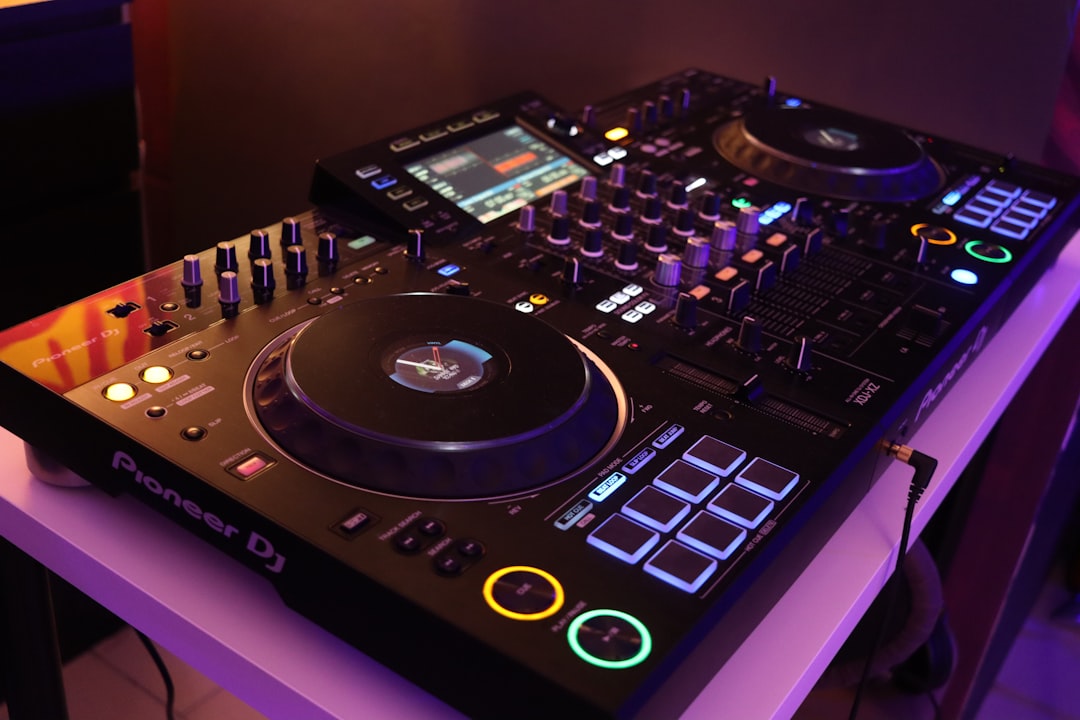
A loop repeats a chosen section of a track over and over, giving you extra time to mix, build tension, or extend a part you want to dwell on. To use DJ loops, you set a start and end point, the deck plays that slice on repeat, and you exit when you are ready. It is one of the most practical tools for smoother, more creative sets.
Here is how looping works and how to put it to use musically.
What a loop actually is
A loop has two markers: an in point and an out point. The deck plays from the in point to the out point, then jumps back to the in point and repeats. Loops are usually measured in beats or bars — common lengths are 1, 2, 4, 8 and 16 beats — so they stay in time with the music.
You will find looping controls on virtually every modern setup: Pioneer DJ DDJ controllers, CDJ-3000 and XDJ players, Denon DJ Prime gear, and software like Serato DJ Pro, rekordbox, Traktor Pro and Mixxx.
Auto loops vs manual loops
- Auto loops snap to a set number of beats. Press the 4-beat button and you instantly loop four beats perfectly in time. Fast, reliable, and great for beginners.
- Manual loops let you tap an in point and an out point by hand. More flexible — you can loop an odd-length section or a specific phrase — but it takes practice to land cleanly on the beat.
Most DJs start with auto loops and reach for manual loops when they want something a grid length cannot give them.
Practical uses for loops
Extend a short intro or outro
Some tracks have very short mixable sections. Loop the intro or outro to give yourself more bars to blend into or out of, which makes mixing two songs together far less rushed.
Build energy and tension
Loop the last bar before a drop, then halve the loop length (8 beats to 4 to 2 to 1) to ramp up intensity before releasing it on the downbeat. This “loop roll” effect is a staple of energetic transitions.
Fix or rescue a track
If a track has an awkward breakdown or a section you do not want to play, you can loop past it or hold on a cleaner part until you are ready to move on.
Create a longer blend
Looping the playing track’s groove gives you a steady bed to bring the next track in over, which pairs naturally with smooth DJ transitions.
How to set and exit a loop cleanly
- Decide where you want the loop and how long it should be.
- For an auto loop, press your chosen beat length on a downbeat.
- For a manual loop, tap the in point on a beat, then the out point a musical distance later (the deck’s beat-grid quantize can help it snap into time).
- Use the loop in/out adjust controls to nudge the markers if the loop drifts.
- Exit by pressing the loop button again so playback continues past the out point in time with the track.
Turn on quantize in your software if you want loops to snap to the beat grid automatically — it makes clean looping much easier while you learn, much like it does when you are beatmatching by ear.
How to choose the right loop length
The length you pick should match what you are trying to do, and it should always line up with a musical phrase so the repeat feels natural rather than abrupt. As a rough guide:
- 16 and 8 beats — best for extending intros, outros and breakdowns. These are long enough to give you breathing room to beatmatch and ride the faders without the loop drawing attention to itself.
- 4 beats — a versatile workhorse. One bar of a four-on-the-floor track loops cleanly and is short enough to keep energy up while you cue the next tune.
- 2 and 1 beat — for tension and movement. Shorter loops start to sound like a deliberate effect, which is exactly what you want heading into a drop.
- Half and quarter beats — these stop sounding like a section of music and become a stutter or buzz. Reserve them for brief, dramatic moments rather than holding them for long.
A useful habit is to think in phrases of eight or sixteen bars, the way most dance music is written. If your loop length divides neatly into that phrase, it will almost always sit in the pocket — the same instinct that underpins phrase mixing.
Loops vs hot cues
Loops and hot cues are often confused. A hot cue is a saved jump point you can trigger to start playback from a specific place; a loop is a repeating section. Many DJs combine them — jump to a saved hot cue, then drop straight into a loop to hold that section. Saved loops (stored loop points you can recall) blur the line further and are great for tracks you play often.
Common looping mistakes to avoid
Looping is forgiving once it clicks, but a few habits trip up most people early on. Watching for these will make your loops sound intentional rather than accidental.
- Looping off the downbeat. If you start a loop in the middle of a bar, the repeat lands in an odd place and the groove stumbles. Set loops on beat one of a bar wherever you can.
- Holding a loop too long. A loop is a tool, not a parking space. Four or eight bars of the same phrase is usually plenty before the crowd starts to feel the repetition. Have your exit planned before you engage.
- Ignoring the energy of the loop. Looping a flat, low-energy section kills momentum. Pick a part with movement — a groove, a vocal, a rolling bassline — so the repeat keeps people engaged.
- Trusting a loose beat grid. Auto loops are only as accurate as the track’s analysis. If a tune has a wandering tempo or a grid that was set wrong, your loop will gradually drift. Check and correct beat grids during prep.
- Forgetting to exit in time. Dropping out of a loop a beat late is as obvious as a bad transition. Practise releasing on the downbeat so playback rejoins the track seamlessly.
Tips for using loops well
- Stay on the grid. Loops that are not aligned to the beat will sound jarring. Quantize helps.
- Do not over-loop. Holding a loop too long gets repetitive and the crowd notices, so watch their response and read the room before you let a section run on. Use it with purpose.
- Practise loop rolls. Halving and doubling loop lengths in time is a reliable way to add excitement.
- Save loops you reuse. Prepping loop and cue points during your library organisation saves you scrambling mid-set.
Frequently asked questions
What length should a DJ loop be?
It depends on the goal. Longer loops (8 or 16 beats) work for extending intros and outros, while short loops (1 or 2 beats) build tension before a drop. Match the loop to a musical phrase so it stays in time.
Do I need quantize on to use loops?
No, but it helps a lot when learning. Quantize snaps your loop points to the beat grid so they stay in time. Experienced DJs sometimes turn it off for manual, off-grid looping, but it is a safe default for clean loops.
Are loops and hot cues the same thing?
No. A hot cue is a saved point you can jump to and start playback from, while a loop repeats a section of the track. They work well together — you can trigger a hot cue and then drop into a loop at that spot.
What is a loop roll?
A loop roll is when you repeatedly halve the loop length in time with the music — for example from 4 beats to 2 to 1 to half — so the section repeats faster and faster. It builds intensity quickly and is most effective in the last bar or two before a drop, released cleanly on the downbeat.
Can I save loops to use again later?
Yes. Most software and standalone players let you store loop points alongside your hot cues, so they load with the track every time. Setting up saved loops on tracks you play often during library prep means you can recall a tested, in-time loop instantly instead of building one on the fly.



