Standalone DJ players let you mix entire sets without a laptop — the music lives on a USB stick or SD card, and the deck does all the analysis, waveform display and effects on its own. If you want to step up from a controller, or play on club gear, understanding standalone DJ players and CDJs is the natural next move. This guide covers what they are, how to choose, and the real-world options worth knowing.
Violet Recording is reader-supported — we may earn a commission from links on this page, at no extra cost to you.
Quick answer: what to look for in standalone DJ players
- Built-in screen and analysis — load tracks from USB/SD and see waveforms, BPM and key without a computer.
- Software ecosystem — most players prep their libraries in rekordbox (Pioneer DJ) or Engine DJ (Denon DJ).
- Connectivity — link multiple players to one mixer, or buy an all-in-one system with players and mixer combined.
- Club compatibility — Pioneer DJ CDJs are the de facto standard in most clubs, which matters if you plan to gig.
What is a standalone DJ player?
A standalone player is a deck that reads and plays your music files directly — no laptop required. You plug a USB drive or SD card into the unit, it analyses the tracks (or reads analysis you already prepared at home), and you mix using jog wheels, tempo faders, cues and loops. Two or more players connect to a separate DJ mixer, exactly like the classic CDJ-plus-mixer club setup. If you are still weighing your options, our breakdown of DJ controllers vs turntables vs CDJs explains where standalone players sit.
The trade-off versus a controller is independence and reliability: nothing crashes because your laptop went to sleep. The cost is usually higher, and you do more library prep up front.
CDJs and standalone players worth knowing
Pioneer DJ CDJ-3000 and XDJ players
The CDJ-3000 is the current flagship media player and the unit you are most likely to find installed in clubs. It pairs with a Pioneer DJM mixer and reads libraries prepared in rekordbox. Pioneer’s XDJ line offers more affordable standalone options, including all-in-one systems that combine two players and a mixer in one chassis.
If you want to learn on exactly what you will meet in club booths, the Pioneer DJ CDJ-3000 paired with a DJM mixer is the reference setup, though it is very much a professional-tier investment. For a more accessible single-unit standalone player, the Pioneer DJ XDJ-1000MK2 runs straight from a USB drive without a laptop while keeping a familiar CDJ-style layout.
Denon DJ Prime series (SC6000 and all-in-one consoles)
Denon DJ’s Prime range, including the SC6000 media players, is the main competitor. These units feature large touchscreens, dual-layer playback and prep through Engine DJ. Denon also makes all-in-one Prime consoles that put everything — players, mixer and screen — in a single unit, which is popular for mobile and bedroom setups.
The Denon DJ SC6000 is the standout here: a large touchscreen, dual-layer playback that effectively turns one unit into two decks, and built-in streaming and Wi-Fi library access set it apart from the classic CDJ workflow. It is a natural choice if you want media-player independence but prefer the Engine DJ ecosystem over rekordbox.
All-in-one standalone systems
If you want the standalone workflow without a separate mixer and cabling, all-in-one systems are the practical choice. They behave like a controller in form factor but run fully without a computer. They are ideal if you have decided you do not want to rely on a laptop to DJ.
The Pioneer DJ XDJ-RX3 is a popular all-in-one option, combining two decks, a mixer and a large central screen in a single laptop-free unit that runs from a USB drive prepared in rekordbox. On the Denon side, the Prime 4 and the more affordable SC LIVE 4 offer four-channel all-in-one consoles with built-in streaming, which suits mobile and bedroom DJs who want everything in one box.
Separate players vs all-in-one systems
There are two ways to build a standalone setup, and the right one depends on how you play and travel.
Separate players plus a mixer is the classic club layout: two or more media players feed a standalone DJ mixer. It is the most flexible and upgrade-friendly approach — you can replace a player or the mixer independently, add a third or fourth deck, and you are practising on the exact format installed in most clubs. The downsides are cost, the space it takes up, and more cabling to manage.
All-in-one systems combine the players, mixer and screen into a single chassis. They are cheaper, far more portable, and quicker to set up — plug in a USB stick and go. For bedroom DJs and mobile/wedding work, an all-in-one is often the smarter buy. The trade-off is that everything is fixed together, so you cannot mix and match components or expand as easily.
Why prep software matters
Every standalone ecosystem is built around a library-management program, and choosing a player effectively means choosing its software too. Pioneer DJ players use rekordbox; Denon DJ Prime gear uses Engine DJ. You analyse tracks, fix BPM and key data, set hot cues and loops, and build playlists in that software at home, then export everything to a USB drive. Some players also link to streaming services over Wi-Fi, letting you pull tracks you have not pre-loaded — handy, but a stable local library remains the backbone of a reliable set.
If you have not committed to an ecosystem yet, it is worth comparing the workflows the way we do in Serato vs rekordbox, since the prep software shapes your day-to-day far more than any single spec on the player.
How to choose the right standalone player
- Where will you play? If you want to gig in clubs, learning on the Pioneer DJ ecosystem makes the transition seamless because CDJs are everywhere.
- Separate players or all-in-one? Separate players plus a mixer is the most flexible and upgrade-friendly. An all-in-one is cheaper, more portable and simpler to set up.
- Library prep software — rekordbox and Engine DJ both let you set cues, loops and playlists at home, then export to USB. Whichever you pick, commit to keeping your library tidy.
- Screen size and feel — bigger touchscreens make waveform reading and browsing easier, especially under pressure.
- Jog wheel quality — the feel of the platter affects nudging, beatmatching and any scratching you do, so try before you buy if you can.
- Features you will actually use — stems, performance pads, looping and key sync are great, but reliability and a clear screen matter more day to day.
The standard club setup, and why it matters
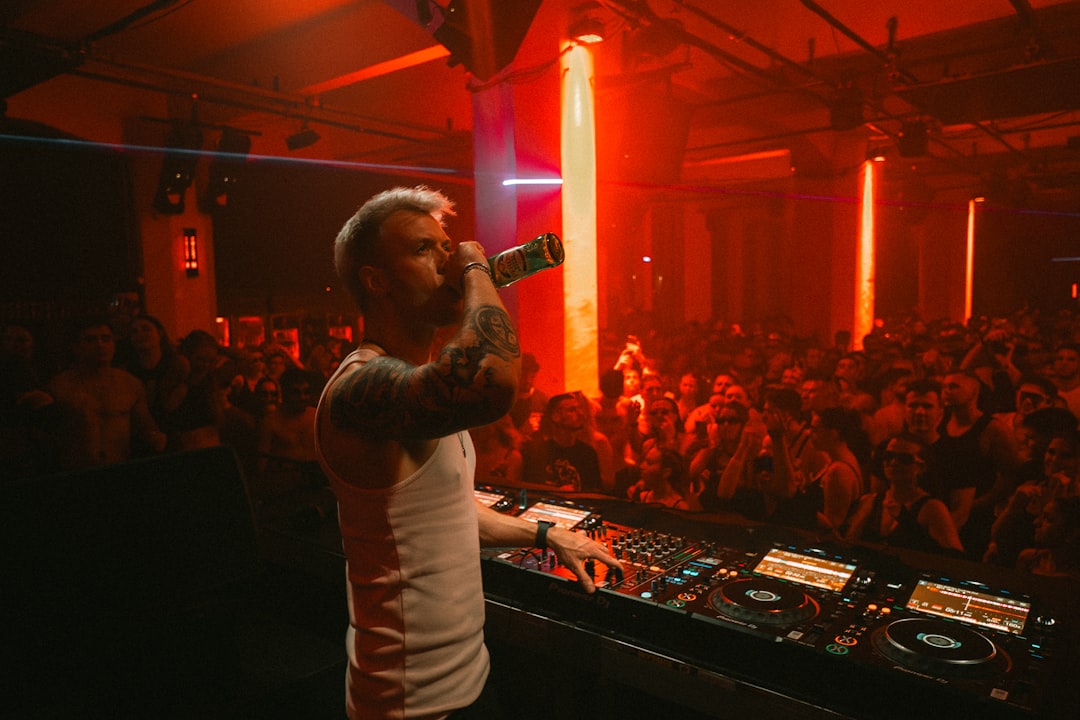
In most clubs and bars you will arrive to find a pair of Pioneer DJ CDJs and a DJM mixer already installed. That is why so many DJs learn on, or prep their libraries for, the Pioneer ecosystem: you can walk in with a USB stick and play on familiar gear with no setup at all. If your ambition is to gig out, factoring this standard into your buying decision saves friction later. It does not mean you must buy Pioneer at home — plenty of DJs learn on Denon or a controller and adapt — but rekordbox prep travels most smoothly to club booths. For the bigger picture on building toward gigs, see the beginner’s guide to DJing.
Prep your music before you play
The biggest difference between standalone and laptop DJing is that you do your organising in advance. Analyse tracks, fix any wrong BPM or key readings, set hot cues and build playlists in your prep software, then copy everything to a USB drive. Good habits here pay off — see our guide on how to organize your music library for DJing. It also helps to understand how to mix in key so your key tags actually guide your selections.
Frequently asked questions
Do I need a laptop with standalone DJ players?
No — that is the whole point. You prepare your library on a computer beforehand, but you play from a USB stick or SD card with the laptop nowhere in sight. Some players also support streaming services directly over Wi-Fi.
Are CDJs and standalone players the same thing?
CDJ is Pioneer DJ’s brand name for its media players, and it has become a generic term for club-style decks. All modern CDJs are standalone players, but not every standalone player is a Pioneer CDJ — Denon DJ’s Prime units are standalone players too.
Should a beginner start on standalone players?
Most beginners start cheaper on a controller, then move to standalone gear once they want to gig. If your goal is club work from the outset and budget allows, learning directly on the standalone workflow is a sensible shortcut. Either way, the core skills carry over.
Shop related gear
Mix without a laptop:
Mix without a laptop using built-in screens and storage.