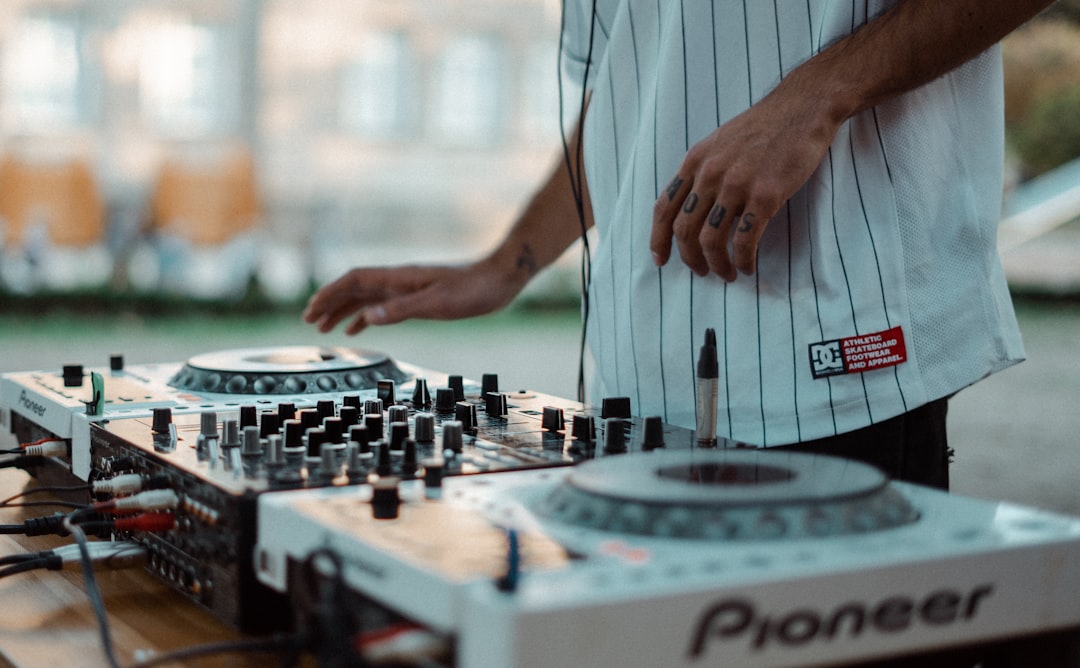
rekordbox is Pioneer DJ’s software for managing your music and performing, and it is the standard tool for preparing tracks to play on Pioneer’s CDJ and XDJ players. If you plan to play in clubs on standard Pioneer gear, learning rekordbox is close to essential. This guide explains what it does and how to get going.
Comparing platforms first? See our roundup of the best DJ software. This guide focuses on rekordbox itself.
What rekordbox is for
rekordbox does two jobs. First, it is library-prep software: you import music, analyse it for BPM and key, set cue points and loops, and organise everything into playlists. Second, it is performance software: connected to a compatible controller, it works like a full DJ setup on your laptop.
Its biggest strength is the link to Pioneer hardware. Prep your tracks in rekordbox, export to a USB stick, and plug straight into the CDJs found in most clubs — no laptop needed at the gig.
Export mode vs performance mode
rekordbox broadly works in two modes:
- Export (prep) mode: analyse tracks, set cues and loops, build playlists, and export to a USB drive for CDJs and XDJ players. This is how you prepare for club gigs.
- Performance mode: connect a supported controller and mix live from your laptop, similar to other DJ software.
Some features sit behind paid subscription tiers, while core prep and export features are available for free. Check the current plan details before relying on a specific feature.
Getting started: your first session
The first thing to do after installing rekordbox is point it at your music. Add your music folders to the collection so the software can see every track, then let it analyse them. Analysis is the foundation of everything else: it reads each file to work out the tempo, lay down a beat grid and detect the musical key. Without accurate analysis, your loops will drift and your cues will land in the wrong place.
Get into the habit of analysing tracks in batches as you import them, rather than at the last minute before a gig. Analysis takes processing time, and trying to grid a hundred tracks the night before a set is a recipe for stress. Once a track is analysed, that data stays attached to it, so the work is only done once.
It is also worth spending a little time tidying your collection early. Consistent file naming, correct genre and artist tags, and sensible playlist folders all make the software far easier to navigate when you are searching for a track mid-set. Good library organisation pays off every single time you play.
Preparing a USB for CDJs
One of the main reasons DJs learn rekordbox is USB prep for club players:
- Import and analyse your tracks so they have grids, BPM and key data.
- Set hot cues, loops and memory cues where you want them.
- Build playlists for the gig.
- Format a USB drive and export your playlists to it from rekordbox.
- Plug the USB into the CDJs and your prepared cues, grids and playlists travel with you.
This workflow is why rekordbox is the go-to for DJs aiming to play on standard club gear. To understand how those players fit alongside controllers and turntables, see our controller vs turntables vs CDJs comparison.
A couple of practical tips make exports more reliable. Use a reasonably fast, dedicated USB drive rather than the cheapest stick you can find, and keep a second drive as a backup in case one fails or goes missing at the gig. Re-export after any changes to your playlists or cues, because the CDJs only ever see what was on the drive at the moment you exported it.
Core features you will use
- Track analysis: automatic BPM, beat grids and key detection.
- Cues and loops: hot cues, memory cues and loops that export to hardware.
- Key and grid editing: fine-tune beat grids and use key info for harmonic mixing.
- Playlists and tags: organise by genre, energy or gig. Strong library organisation makes prep far faster.
- Performance tools: effects, sampler and more when used with a controller.
Using key data for harmonic mixing
One feature worth understanding properly is key detection. rekordbox analyses the musical key of each track, which lets you mix harmonically — blending tracks whose keys sit comfortably together so the transition sounds smooth rather than clashing. The software can display keys in standard notation or in a colour-coded wheel system that makes compatible keys easy to spot at a glance.
You do not have to mix in key all night, and rigidly sticking to it can box you in. But knowing the key of your tracks gives you another tool for building energy and avoiding jarring clashes, especially during long blends in melodic genres. Treat it as guidance rather than a rule.
Common mistakes to avoid
- Trusting auto-grids blindly: automatic beat grids are usually close but not always perfect, particularly on older recordings or tracks with live drumming. Spot-check the grid on important tracks and correct the downbeat if it is off.
- Leaving prep until the last minute: analysing and cueing tracks the night before a gig invites mistakes. Build your library steadily over time.
- Editing on the drive instead of the collection: always make changes in your main rekordbox collection, then re-export to the USB, so your source library stays the single point of truth.
- No backup: drives fail and get lost. Keep a second exported USB and back up your rekordbox library itself.
Who rekordbox suits
rekordbox is the natural choice if you want to play in clubs on Pioneer CDJs and XDJs, or you own a Pioneer controller built around it like the DDJ series. It is also a fine all-round performance platform. If you are weighing it against Serato — popular with scratch and mobile DJs — read our Serato vs rekordbox comparison. Many DJs who tour clubs lean rekordbox specifically for the USB-to-CDJ workflow.
Frequently asked questions
Is rekordbox free?
Core library prep and USB export features are available for free, which covers most DJs preparing for CDJ gigs. Some performance and cloud features sit behind paid subscription tiers. Check the current plans, as Pioneer DJ adjusts what each tier includes over time.
Do I need rekordbox to play on CDJs?
You do not strictly need it — CDJs can read analysed tracks and some support other software — but rekordbox is the standard way to prep USB drives with your cues, grids and playlists for Pioneer players. Learning it makes club gigs much smoother.
Can I use rekordbox with non-Pioneer controllers?
rekordbox supports a range of controllers, primarily Pioneer DJ’s own hardware. Compatibility with other brands is more limited than Serato’s broad ecosystem, so check that a specific controller is supported before buying if you plan to use rekordbox.
How long does it take to learn rekordbox?
You can learn enough to analyse tracks, set cues and export a USB for a gig in an afternoon. The core export workflow is straightforward once you have done it once. Mastering grid editing, harmonic mixing and the performance tools takes longer, but those skills build naturally as you prepare more sets.