Violet Recording is reader-supported — we may earn a commission from links on this page, at no extra cost to you.
Part of our DJing guide — explore the full guide →
The best DJ software for you usually comes down to one thing first: what your controller supports. Beyond that, the leading options — Serato DJ Pro, rekordbox, Traktor Pro, djay Pro, VirtualDJ and the free, open-source Mixxx — differ in workflow, library management, stems and which gear they pair with. This guide explains the strengths of each so you can match software to your setup and goals.
Quick answer: If you want club portability, rekordbox aligns with Pioneer CDJs. Serato DJ Pro is a long-time favourite for controllers and scratch DJs. Traktor Pro suits effects-heavy electronic mixing. Mixxx is the best free starting point. Here’s how to choose.
How to choose DJ software
Start with your hardware
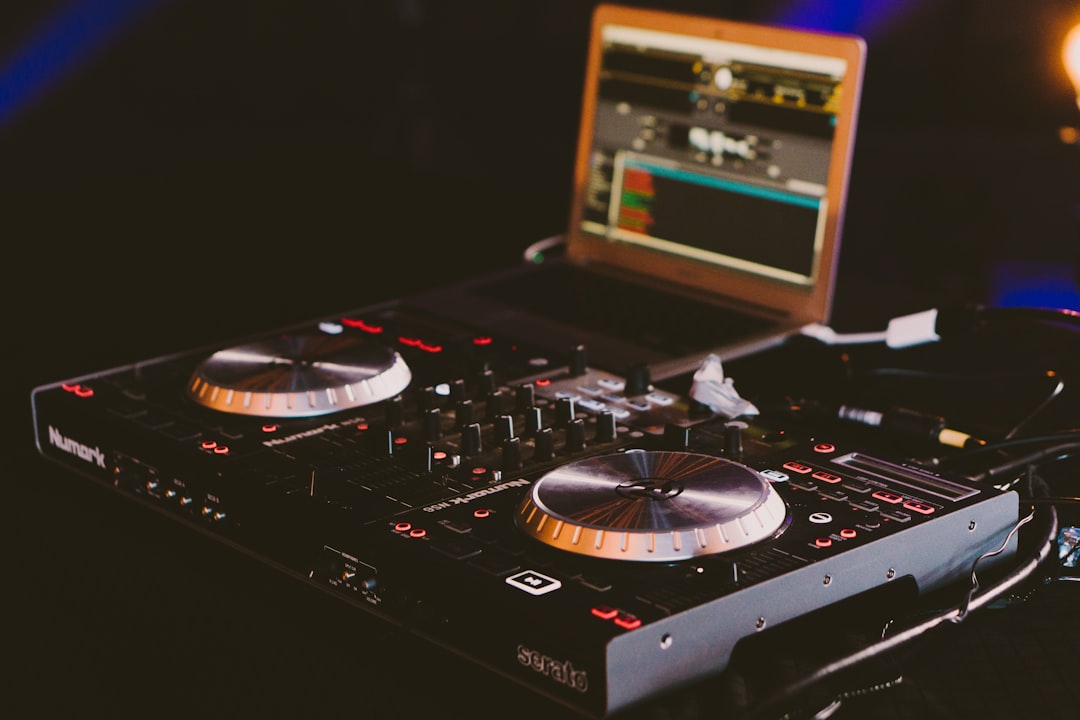
Most controllers are built around specific software and ship with a licence for it. The simplest path is to use what your controller supports rather than fighting it. Check compatibility before you buy either — our best DJ controllers guide notes which ecosystems common units belong to.
Think about where you’ll play
If you plan to play clubs that use Pioneer CDJs, software that exports to USB in a CDJ-readable format keeps your cues and library intact at the venue. This is rekordbox’s traditional strength.
Library and prep features
Good software lets you tag tracks, set hot cues, build loops, and analyse key for harmonic mixing. Solid prep is half of good DJing — see how to organize your music library for DJing.
Stems and effects
Most major packages now offer real-time stem separation, letting you split a track into vocals, drums and more on the fly. If creative, effects-driven mixing appeals, weigh this — and read what are DJ stems.
Streaming, subscriptions and offline play
Several packages now integrate music-streaming services so you can pull tracks straight into your decks without storing whole libraries locally. That is convenient, but two things are worth understanding before you rely on it. First, streamed tracks usually cannot be played offline, so a venue with weak internet can leave you stranded — most working DJs still keep their core set as downloaded files. Second, check whether the software is a one-off purchase, a subscription, or free with paid tiers, and whether your controller’s bundled licence is the full version or a limited one. The headline price is rarely the whole story.
If you would rather mix on a phone or tablet, our roundup of the best DJ apps covers the strongest mobile options.
Try the free AI Stem Splitter →
Serato DJ Pro
A long-standing favourite, especially for controller users and scratch DJs. It pairs with a wide range of hardware and is known for a stable, straightforward workflow. There’s a deeper walk-through in our guide to Serato DJ, and a head-to-head in Serato vs rekordbox.
rekordbox
Pioneer DJ’s software, built to integrate tightly with Pioneer CDJs, XDJs and DDJ controllers. Its big advantage is preparing tracks at home and carrying them to a club on USB without losing your cues. See our guide to rekordbox.
Traktor Pro
Native Instruments’ software, popular with electronic-music DJs for its effects, remix tools and tight integration with Traktor Kontrol hardware. More in our guide to Traktor.
djay Pro
Known for an approachable interface, strong streaming integration and capable stem features, and available across desktop and mobile. A good fit if you value flexibility and ease of use.
VirtualDJ
A long-established, feature-rich option supporting a huge range of controllers, with stems and broad format support. It’s widely used by mobile and party DJs.
Mixxx (free)
Free and open-source, Mixxx supports many controllers and includes beatmatching, EQ, looping and effects. It’s the best way to learn without spending anything, and a genuine option for ongoing use.
At a glance
| Software | Best known for |
|---|---|
| Serato DJ Pro | Controllers, scratch DJs, stable workflow |
| rekordbox | Pioneer CDJ club integration |
| Traktor Pro | Effects and electronic mixing |
| djay Pro | Ease of use, streaming, cross-device |
| VirtualDJ | Broad hardware support, mobile/party DJs |
| Mixxx | Free, open-source, learning |
Common mistakes when choosing DJ software
Buying the controller before checking the software
It is easy to fall for a controller’s looks or price and only later discover that the bundled software is a stripped-back version, or an ecosystem you do not enjoy using. Decide which workflow suits you, then buy hardware that runs it fully. The two decisions are really one decision — and it’s one of several common DJ mistakes to avoid.
Treating stem separation as a substitute for skill
Real-time stems are powerful, but they are a creative tool, not a shortcut around learning to beatmatch, EQ and read a crowd. Lean on stems for transitions and acapella-style tricks once your fundamentals are solid, rather than as a crutch from day one.
Ignoring how you will back up your library
Your cues, loops, grids and crate structure represent hours of prep. Whichever package you choose, learn early how it stores that data and keep a backup of both your music files and the software’s library database. A failed drive should cost you a download, not your entire collection of work.
Frequently asked questions
Can I switch DJ software later?
You can, but your prepared cues, loops and grids may not carry over cleanly between packages, and your controller may only fully support one. It’s worth choosing carefully up front.
Is free software good enough to start?
Yes. Mixxx includes the core tools you need to learn beatmatching, EQ mixing and looping. Many people start there and upgrade only when a specific feature or controller demands it.
Does the software matter for sound quality?
The audio engines are all capable. Sound quality depends far more on your files, gain structure and speakers than on which package you run. Choose based on workflow and hardware fit.
Do I need a powerful computer to run DJ software?
Modern packages run comfortably on most recent laptops, but real-time stem separation and heavy effects are more demanding. If you plan to use stems live, favour a machine with a reasonably current processor and enough RAM, and always close background apps before a set to keep performance stable.
Can I use two different DJ programs side by side?
You can install several, but you should commit to one for any given gig. Each stores its analysis and cues in its own library, so splitting your prep across two packages means duplicated work and a real risk of turning up with the wrong version of a track ready to play.