
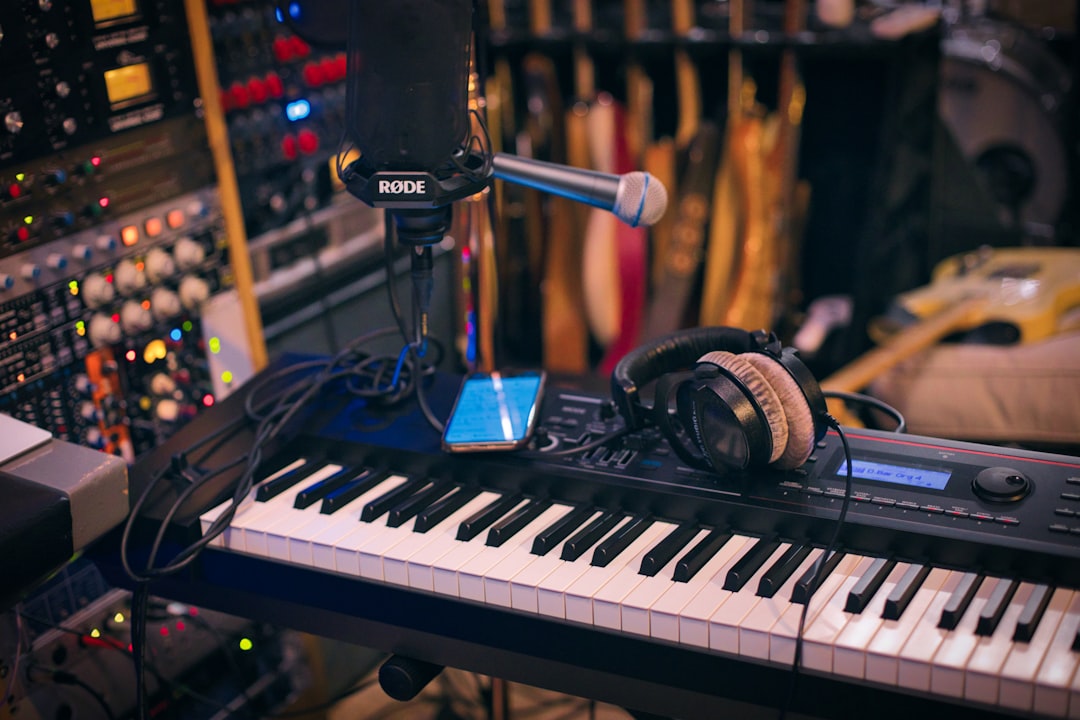
When desk space is tight or you produce on a laptop, a compact controller is all you need to sketch melodies, program drums and tweak plugins. The best 25-key MIDI keyboards pack two octaves, pads and assignable knobs into a slim, often bus-powered body that slips into a backpack. Here’s how to pick one and the real models worth buying.
Quick answer
For most small setups, the Akai MPK Mini is the default recommendation thanks to its pads, joystick and bundled software. The Arturia MiniLab is the pick if you want a nicer keybed and a big sound library, and the Novation Launchkey Mini shines for Ableton users. M-Audio’s Oxygen Pro Mini is a solid feature-rich alternative.
Why a 25-key controller works for small setups
Two octaves are enough to play one-handed melodies, basslines and chord stabs, and to trigger drums on the pads. You transpose octaves with a button when you need a wider range. The trade-off is you can’t comfortably play two-handed piano parts — for that, step up to the best 49-key MIDI keyboards, or go all the way to a fully weighted 88-key controller if realistic piano feel matters. But for laptop production, cramped desks and travel, 25 keys is the most practical size. It pairs perfectly with a tidy, minimal rig like the one in our small room studio setup guide.
How to choose a 25-key MIDI keyboard
- Pads: Velocity-sensitive pads make finger-drumming and clip launching far easier. Eight pads is typical; some offer banks for more. If your workflow leans heavily on beats, a dedicated unit from our roundup of the best MIDI pad controllers may suit you better.
- Knobs and controls: Assignable knobs let you tweak filters and plugin macros without a mouse. A pitch/mod control (wheel or joystick) helps with expression.
- Keybed: These are mini-keys, narrower than full size. Some feel cramped; others are surprisingly playable. If you have large hands, check the key spacing.
- Power and portability: Almost all are USB bus-powered, so one cable does everything. Weight and a slim profile matter for travel.
- Bundled software: Many include lite DAWs and instruments, a real plus if you’re starting out — see our best free DAWs for beginners.
Two more details are easy to overlook but make a daily difference. The first is how well the controller maps to your software out of the box. A unit with auto-mapping or DAW-specific integration lets transport buttons, knobs and pads control your project the moment you plug in, with no manual MIDI assignment. The second is connectivity: most compact controllers use a single USB-C or micro-USB port for both data and power, but if you plan to play hardware synths you’ll want a five-pin MIDI out, which only some models include. Decide whether the keyboard is purely a software controller or part of a hybrid setup before you buy.
Compared at a glance
| Pick | Why it stands out |
|---|---|
| Akai MPK Mini | The most popular compact controller for good reason: eight MPC-style pads, eight knobs, a four-way thumbstick for… |
| Arturia MiniLab | Arturia’s MiniLab is prized for its keybed feel and its endless rotary encoders, plus the bundled Analog Lab library… |
| Novation Launchkey Mini | Built for Ableton Live, the Launchkey Mini adds scale modes, a chord mode and a capable arpeggiator that help you… |
| M-Audio Oxygen Pro Mini and Korg nanoKEY | The Oxygen Pro Mini packs faders, pads and smart chord/arp features into a compact frame. |
Full picks and details below.
The best 25-key MIDI keyboards
Akai MPK Mini
The most popular compact controller for good reason: eight MPC-style pads, eight knobs, a four-way thumbstick for pitch and mod, and a generous software bundle. It’s the safe, do-everything choice for beatmakers and laptop producers.
Arturia MiniLab
Arturia’s MiniLab is prized for its keybed feel and its endless rotary encoders, plus the bundled Analog Lab library that gives you a deep palette of synth and keys sounds. A great pick if you care about playability and sound design in a tiny box.
Novation Launchkey Mini
Built for Ableton Live, the Launchkey Mini adds scale modes, a chord mode and a capable arpeggiator that help you play parts even with limited keyboard skills. Light, affordable and well-mapped to Live’s session view.
M-Audio Oxygen Pro Mini and Korg nanoKEY
The Oxygen Pro Mini packs faders, pads and smart chord/arp features into a compact frame. At the ultra-portable end, Korg’s nanoKEY strips things down to a slim, keys-only controller that’s ideal as a travel backup or a second device.
Getting the most from two octaves
A small keyboard rewards a few good habits. Record one part at a time and use the octave-shift buttons freely: lay down a bassline an octave or two down, then jump up for a lead or chord part. Lean on the pads for drums and one-shot samples so your hands aren’t fighting over the keys. If your controller has scale and chord modes, switch them on early — they keep you in key and let you trigger full chords with single notes, which is a genuine help if your keyboard technique is still developing. For anything that needs to sound human, such as strings or piano, draw or play in velocity and timing variation rather than leaving every note identical, because mini-key controllers make it tempting to play stiff, machine-like parts.
Common mistakes to avoid
- Buying on key count alone. A 25-key unit with great pads and integration will serve you better than a featureless one with more keys. Match the controls to how you actually work.
- Ignoring the keybed. Mini keys vary a lot between brands. If you can, try one in person, or read closely how a model’s keys feel before committing.
- Forgetting it makes no sound on its own. A MIDI controller is an input device; it needs software instruments and an interface to record audio.
- Overlooking the bundled software. The instruments and lite DAW included can be worth as much as the hardware when you’re starting out, so factor them into the value.
Fitting it into your workflow
A 25-key controller drives software instruments over USB and triggers nothing on its own, so you’ll still want a DAW and an interface for recording audio. If you’re building a portable laptop rig, pairing it with one of the best laptop stands for music production raises the screen to a comfortable height and frees desk space for the controller. Our essential home-studio gear checklist and the home studio setup hub cover the rest of the chain. For cheaper full-size options, see the best cheap MIDI keyboards under $100.
Frequently asked questions
Are 25 keys enough to make full tracks?
Yes. Plenty of producers build entire songs on a 25-key controller, recording parts one at a time and transposing octaves as needed. It’s less convenient for live two-handed piano, but for layered production it’s perfectly capable.
Do mini keys feel too small to play?
It depends on the model and your hands. Mini keys are narrower than full-size, so chords can feel tight. Many players adapt quickly, but if realistic feel is a priority, choose a full-size controller instead.
Can I use a 25-key controller with an iPad?
Often yes, via a USB adapter and a class-compliant connection. Many compact controllers are class-compliant, meaning no drivers are needed. Check the manufacturer’s notes for iOS compatibility before relying on it.
Do I need a sustain pedal input?
It’s a nice extra if you play keys-driven parts like piano or pads, since holding notes with a pedal frees your hands. Not every compact controller has a pedal jack, so check for one if that matters to your playing.



