
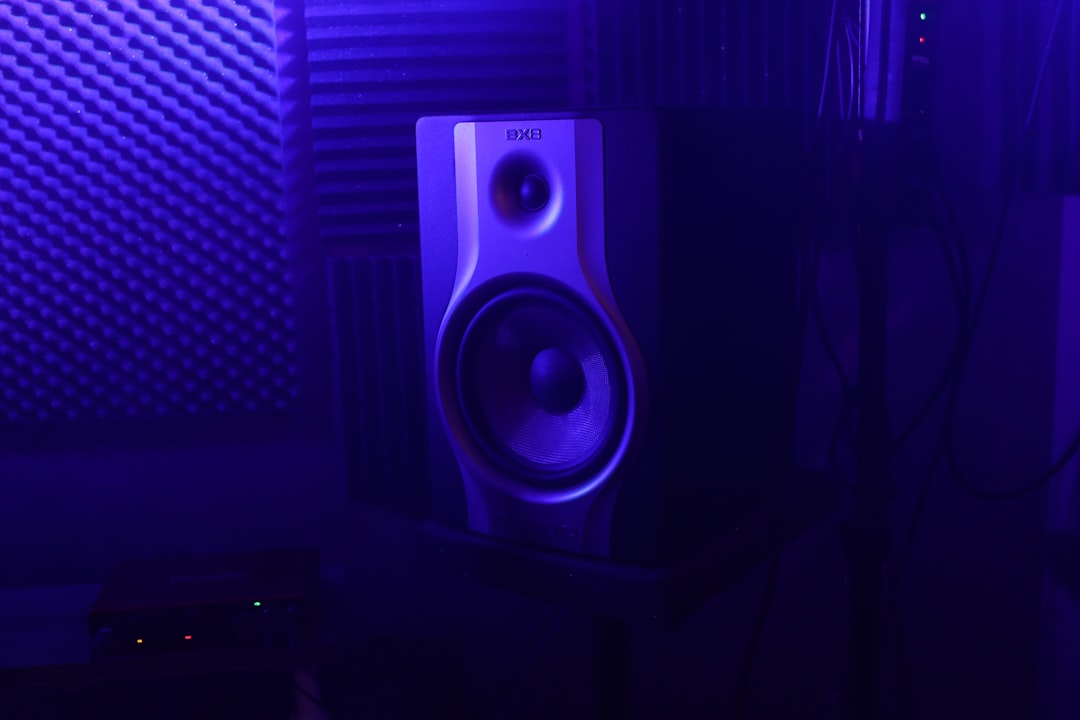
A solid home studio setup needs surprisingly little: a computer, an audio interface, a microphone, a pair of headphones or monitors, and a quiet, treated corner of a room. Everything else is an upgrade. This guide walks you through what to buy, how it all connects, and how to arrange it so you can start recording good audio quickly.
What a home studio setup actually requires
Here’s the core signal chain, in the order audio travels:
- Computer + DAW: almost any modern laptop or desktop works. The DAW (recording software) is where you record, edit and mix.
- Audio interface: the heart of the setup. It converts your mic and instrument signals into digital audio and your digital audio back out to speakers and headphones.
- Microphone: for vocals, acoustic instruments and voiceover.
- Headphones and/or studio monitors: for monitoring while recording and for mixing.
- Cables, a mic stand and a pop filter: the small but essential bits.
If you want a shopping list to print out, our essential home studio gear checklist lays it all out, including budget-friendly choices to get started cheaply.
Choosing the core gear
The audio interface
A 2-in/2-out USB interface is the standard starting point and covers solo recording comfortably. It provides the mic preamp, phantom power for condenser mics, and low-latency monitoring. See how to set up an audio interface for the full walkthrough.
When you outgrow it, the question is usually channel count rather than headline specifications. If you want to record yourself singing and playing at the same time, or capture a small group, look for an interface with two or more mic preamps. Otherwise, a clean two-channel unit from any reputable maker is more than good enough to learn on, and the converters in even modestly priced interfaces are far better than most beginners’ rooms or performances will reveal.
The microphone
For a typical bedroom, a large-diaphragm condenser captures detail well, while a dynamic mic rejects more room noise and is more forgiving in untreated spaces. Choose based on your room and the source you record most.
The honest rule of thumb is that a dynamic mic in an untreated room often beats an expensive condenser in the same room, because the condenser hears every reflection and rattle around you. If your space is loud, lively or shared, start with a dynamic. If it’s quiet and you’ve added some absorption, a condenser will reward you with more air and detail. One good microphone you understand is worth more than three you don’t.
Monitors or headphones
You can start with headphones alone and add monitors later. Closed-back headphones are best for tracking; open-back or studio monitors are better for mixing. Whichever you choose, place them carefully for an honest picture of your sound.
Connecting it all together
- Connect the audio interface to your computer (usually USB-C or USB).
- Install the interface driver and set it as the input/output device in your DAW.
- Plug your microphone into the interface’s mic input with an XLR cable. Enable phantom power if it’s a condenser mic.
- Connect headphones to the interface’s headphone output, or connect monitors to the line outputs.
- Set your sample rate and buffer size in the DAW. A lower buffer means less latency while recording, at the cost of more CPU load.
Set your levels properly
Before you hit record, set your input gain so the loudest part of your performance peaks comfortably below clipping — leaving headroom rather than pushing into the red. Clean, consistent levels at the source make everything downstream easier.
A practical target is to have your loudest moments land somewhere in the middle of the meter, not pinned near the top. Digital recording has plenty of room, so there is no benefit to recording hot, and clipped peaks cannot be repaired afterwards. Perform a real take at full volume while you set the gain — people almost always get louder once the red light is on than they were during the soundcheck.
Arranging the room
Placement matters more than most beginners expect. A few principles:
- Set up on the short wall and sit facing into the longer dimension of the room for more even bass response.
- Position monitors in an equilateral triangle with your head, tweeters at ear height, slightly angled inward — see how to position studio monitors.
- Avoid recording in the centre of the room or right against a wall, both of which exaggerate room problems.
- Treat the room, don’t just soundproof it. Absorbing reflections improves your recordings and mixes far more than blocking outside noise, and it’s worth understanding the difference between soundproofing and acoustic treatment before you spend. Our guide to acoustic treatment for home studios covers the priorities.
In a tight space, pull the desk slightly off the front wall where you can and keep the listening position out of the exact centre and corners of the room.
Software and a recording workflow
Pick a DAW and learn it well rather than collecting many. Several capable options are free DAWs for beginners that cost nothing to start with. Once installed, set your project to a sensible sample rate, arm a track, set levels, and record a test take. Build a repeatable template so you spend your energy on the music, not the setup.
A useful starting template includes a couple of pre-armed input tracks, your headphone monitoring routed and balanced, and a simple reference chain on the master bus that you trust. Save it as your default so every new project opens ready to record. The aim is to remove every avoidable decision from the moment inspiration strikes — the less friction between an idea and a recorded take, the more you will actually finish.
Common mistakes to avoid
Most home-studio frustration comes from a handful of repeat offenders rather than the gear itself:
- Buying before treating. Spending on a pricier mic or interface while the room stays bare gives you a higher-resolution recording of a bad-sounding space. Treatment almost always returns more per pound.
- Chasing latency with the wrong fix. If monitoring feels delayed, lower the buffer size or use the interface’s direct monitoring rather than blaming the computer.
- Ignoring gain staging. Recording too quietly and compensating later raises the noise floor; recording too hot risks clipping. Aim for healthy, consistent levels at the source.
- Mixing on consumer earbuds or hi-fi speakers. They flatter the sound and hide problems. Reference your mixes on more than one set of playback if you can.
A sensible upgrade path
Start minimal and upgrade where you actually hit limits: acoustic treatment first (biggest improvement for the money), then better monitors, then a second mic or a more capable interface as your projects grow. Browse the full home studio setup hub for deeper guides on each piece.
If you are buying for a producer rather than building your own setup, our guide to gifts for music producers follows the same upgrade logic.
Frequently asked questions
How much does a basic home studio setup cost?
A functional beginner setup — interface, microphone, headphones and cables — can be assembled at the budget end, with a computer you likely already own. Costs rise as you add monitors, acoustic treatment and better gear; our breakdown of how much a home studio costs goes through realistic numbers, but you don’t need much to start recording usable audio.
Do I need an audio interface, or can I use a USB mic?
A USB mic is simpler and cheaper for a single voice or instrument. An audio interface is more flexible — it lets you use professional XLR mics, record multiple sources, and expand later. If you plan to grow, an interface is the better long-term choice.
Is acoustic treatment necessary for a home studio?
It’s not strictly required to record, but it has a bigger impact on sound quality than almost any gear upgrade. Even a few absorption panels at the key reflection points will noticeably improve both your recordings and your mixing decisions.
Can I record professional-quality audio in a bedroom?
Yes. Plenty of released records have vocals and instruments tracked in spare rooms. The limiting factor is rarely the room’s size — it’s how well you’ve tamed reflections, chosen a mic suited to the space, and set your levels. Get those right and a modest bedroom can produce results that hold up against a commercial room.



