Good DJ headphones are the difference between cueing the next track cleanly and guessing in a loud room. The best DJ headphones seal out the booth, fold up to travel, survive being yanked around, and let you hear bass clearly so you can beatmatch by ear. This guide explains what matters and which models DJs trust.
Violet Recording is reader-supported — we may earn a commission from links on this page, at no extra cost to you.
Quick picks at a glance
| Pick | Best for |
|---|---|
| Sennheiser HD 25 | The safe first pick |
| Pioneer DJ HDJ-X7 | Over-ear comfort, Pioneer setups |
| Audio-Technica ATH-M50x | DJing plus studio work |
| AIAIAI TMA-2 | Modular, customizable build |
Quick answer: what makes good DJ headphones
- Strong isolation — closed-back cups block the loud monitors so you can hear your cue.
- Punchy low-end — you need to feel the kick to beatmatch and EQ accurately.
- Tough, serviceable build — replaceable cables and pads extend their life.
- Comfortable fit — you may wear them for hours, often on one ear.
- Swivel cups — single-ear monitoring is standard DJ practice.
Why DJ headphones differ from studio headphones
Studio headphones are tuned for a flat, revealing sound so you can mix and master. DJ headphones prioritise isolation, durability and a slightly hyped low-end so a kick drum cuts through a loud club. That said, the line blurs — many DJs happily use closed-back studio cans. If you want the wider picture, see open-back vs closed-back headphones; for DJing you always want closed-back for isolation.
The best professional DJ headphones to consider
Sennheiser HD 25
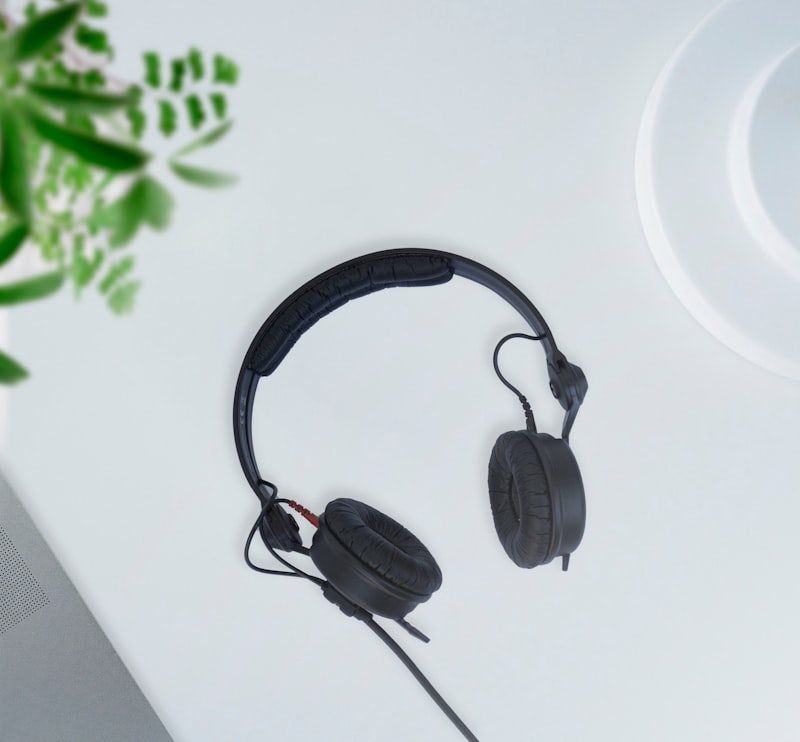
The HD 25 is the long-running default in many DJ booths. It is light, extremely durable, isolates well for an on-ear design, and every part is replaceable. The clamp is firm, which helps single-ear cueing stay put. If you want one safe pick, this is it.
For most DJs the Sennheiser HD 25 is the headphone to buy first. The firm clamp and on-ear fit can feel tight during very long sessions, but in return you get isolation, a punchy low end that cuts through a loud room, and a design where any worn part — pads, cable, headband — can be swapped rather than replaced wholesale.
Pioneer DJ HDJ series
Pioneer DJ’s HDJ headphones are built specifically for DJs, with strong isolation, swivelling cups for one-ear monitoring and a robust folding design for transport. They are an easy match if the rest of your setup is Pioneer.
The Pioneer DJ HDJ-X7 is the sensible pick in this line: an over-ear closed-back design that isolates well, swivels for one-ear cueing and folds down for the bag. If you want a more premium build with a wider, more refined sound, the HDJ-X10 sits above it as the flagship.
Audio-Technica ATH-M50x
The ATH-M50x is a closed-back studio favourite that crosses over well to DJing thanks to its isolation, detachable cable and swivel cups. If you also produce or mix, it doubles as a studio headphone — useful if you plan to go from DJ to producer.
The Audio-Technica ATH-M50x is the strongest dual-purpose choice: its flatter, more revealing sound is less hyped than a pure DJ headphone, which makes it better for studio work while still isolating enough to cue in a booth. If you want a more modular, customisable alternative in the same spirit, the AIAIAI TMA-2 lets you build the headphone from swappable parts.
Best budget DJ headphones
You do not need flagship cans to learn to beatmatch. What matters on a budget is the same as at the top end: a closed-back design that seals well, a swivel ear cup for one-ear cueing, enough output to be heard over a loud monitor, and a detachable or replaceable cable. Entry-level DJ models such as the Pioneer DJ HDJ-CUE1, and closed-back studio models like the Audio-Technica ATH-M40x, cover those basics for far less than the pro picks above.
Skip anything open-back, anything without a proper seal, and fashion headphones with a heavy “consumer” bass boost — they make it harder to hear the kick drum you are trying to line up. If you are just starting out, pair a budget set with one of the best DJ controllers for beginners and put the savings into practice time.
The key features that matter
Isolation and seal
This is the single most important quality in a DJ headphone. In a loud booth, the speakers are louder than your cue, so the headphones must physically block outside sound for you to hear what you are doing. Closed-back designs with a firm seal — whether on-ear with strong clamp or over-ear with deep pads — win every time. Open-back headphones, however good they sound, are the wrong tool here.
Low-end and tuning
You beatmatch by lining up kick drums, so you need to hear and feel the bass clearly. DJ headphones tend to have a slightly emphasised low-end so the kick cuts through. A little extra bass is helpful for cueing; just be aware it is not a flat, neutral sound, which is why DJ headphones are not ideal for detailed studio mixing.
Build, cables and repairability
Headphones lead a hard life in a booth — yanked off, dropped, stuffed in a bag. Models with detachable or coiled cables and replaceable ear pads last far longer, because the cable almost always fails first and a frayed cable on a fixed-cable model can mean a new headphone. Look for a brand with available spare parts.
Comfort and fit
You may wear these for hours, often pressed to one ear. Too loose and they slip during single-ear cueing; too tight and they ache after an hour. Over-ear cups are generally more comfortable for long sets, while light on-ear models are easier to flip on and off.
How to choose DJ headphones
- Isolation first — if you cannot hear your cue over the speakers, nothing else matters. Closed-back with a firm seal wins.
- On-ear vs over-ear — on-ear models (like the HD 25) are light and easy for single-ear cueing; over-ear cans are more comfortable for long sessions and isolate more.
- Build and repairability — coiled or detachable cables and replaceable pads save money long term, because cables fail first.
- Portability — folding designs and a hard case help if you travel to gigs.
- Comfort and clamp — too loose and they slip during one-ear cueing; too tight and they hurt after an hour.
- Wired, not wireless — Bluetooth latency makes beatmatching impossible, so use a wired connection for DJing.
How to use headphones to cue and beatmatch
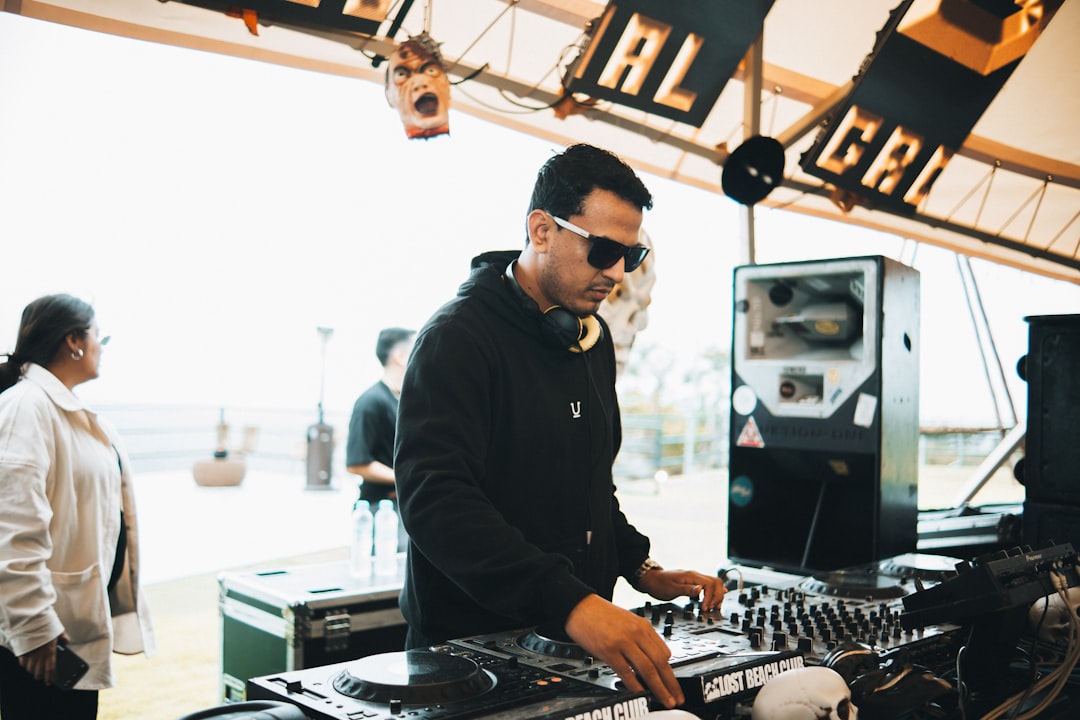
Headphones are your private monitor for the next track before the crowd hears it. The workflow is the same on a controller or club mixer: press the cue button on the channel you want to preview, and that deck plays only in your headphones while the master keeps feeding the speakers. You set the track’s start point, then beatmatch — adjusting tempo and nudging the jog wheel until the cued kick lines up with the playing track. Many DJs split the cups, keeping one ear on the headphones and one on the room. Once the beats match, you bring the track in with the fader. Reliable, well-isolating headphones make this whole process far less stressful, especially while you are still learning what beatmatching is and practising mixing two songs together.
Wireless DJ headphones: are they worth it?
For actual mixing, wireless DJ headphones are a compromise. Bluetooth adds a small but noticeable delay between what the deck plays and what you hear, which is enough to throw off beatmatching by ear. Battery life is another failure point you do not want mid-set.
Where wireless makes sense is as a second mode: some DJ headphones come in Bluetooth variants that you use for casual listening or prep on the move, then switch to the included cable when you play. If you want one pair for commuting and DJing, look for that dual design — and always cue with the cable plugged in.
If you want a dedicated pair for commuting and casual listening instead, see our guide to the best wireless headphones for music.
Headphones and your wider setup
Your headphones are only one part of monitoring. You also want decent DJ speakers for the room and a clear understanding of how to EQ mix as a DJ, since you will judge a lot of your blends in the cans before you bring a track into the mix. Reliable headphones make beatmatching by ear far less stressful.
Common mistakes when buying DJ headphones
- Chasing audiophile sound over isolation — a beautifully detailed, bass-light headphone is useless if it does not block the booth. Function beats fidelity here.
- Buying open-back by mistake — open-back models are wonderful for relaxed home listening and some studio mixing, but they leak and let the room in, so they fail at cueing.
- Ignoring repairability — a fixed, non-detachable cable means a frayed lead can write off the whole headphone. Replaceable cables and pads pay off.
- Going wireless for performance — Bluetooth latency makes it impossible to line up beats accurately. Keep Bluetooth for casual listening only.
- Overlooking comfort — if they hurt after an hour, you will not want to wear them, and clamp that is too loose slips during single-ear cueing.
Get isolation, durability and fit right, and a good pair of DJ headphones will outlast several controllers. They are one of the few purchases that carry across every setup you ever own, from your first controller to club mixers and standalone players.
A solid pair of headphones is also one of the safest presents for a DJ; see our list of gifts for DJs for more ideas.
Frequently asked questions
Can I use studio headphones for DJing?
Yes, as long as they are closed-back and isolate well. Many DJs use closed-back studio headphones happily. Avoid open-back models for DJing — they leak sound and let the room in, which makes cueing nearly impossible in a loud space.
Do DJ headphones need to be wired?
Wired is still the standard for DJing because it has no latency and no battery to die mid-set. Bluetooth introduces delay that ruins beatmatching. Some headphones offer wireless for casual listening but ship with a cable for actual DJ use.
Why do DJs wear headphones on one ear?
So you can hear the cued (next) track in one ear while monitoring what the crowd hears in the other. You line up the beats in your headphones, then bring the track into the mix. Swivelling cups make this single-ear position comfortable.
What are the best DJ headphones overall?
For most DJs the Sennheiser HD 25 is the one safe pick: light, extremely durable, well isolating for an on-ear design, and fully repairable. If you prefer over-ear comfort, the Pioneer DJ HDJ-X7 is the sensible choice, and the Audio-Technica ATH-M50x is the strongest option if you also produce or mix in the studio.
Are the best DJ headphones under 50 worth buying?
Budget headphones can get you started if they are closed-back and seal firmly, since isolation matters more than fidelity for cueing. Expect compromises: fixed cables, non-replaceable pads and flimsier hinges, and the cable is usually what fails first. If you can stretch, a repairable model like the HD 25 works out cheaper over its lifetime.
Do I need noise cancelling DJ headphones?
No. Active noise cancelling is designed for steady background noise like engine rumble, and it adds batteries and processing you do not want mid-set. What blocks a loud booth is passive isolation: a closed-back design with a firm seal, either on-ear with strong clamp or over-ear with deep pads. Every pick in this guide isolates that way.
Which headphones are best for a beginner DJ?
Start with something closed-back, durable and repairable rather than chasing audiophile sound. The Sennheiser HD 25 is the classic first purchase because it survives being yanked around and every part can be replaced. If you also want to learn production, the Audio-Technica ATH-M50x doubles as a studio headphone, so one pair covers both jobs.
Shop related gear
Rugged, isolating cans built for DJing: