
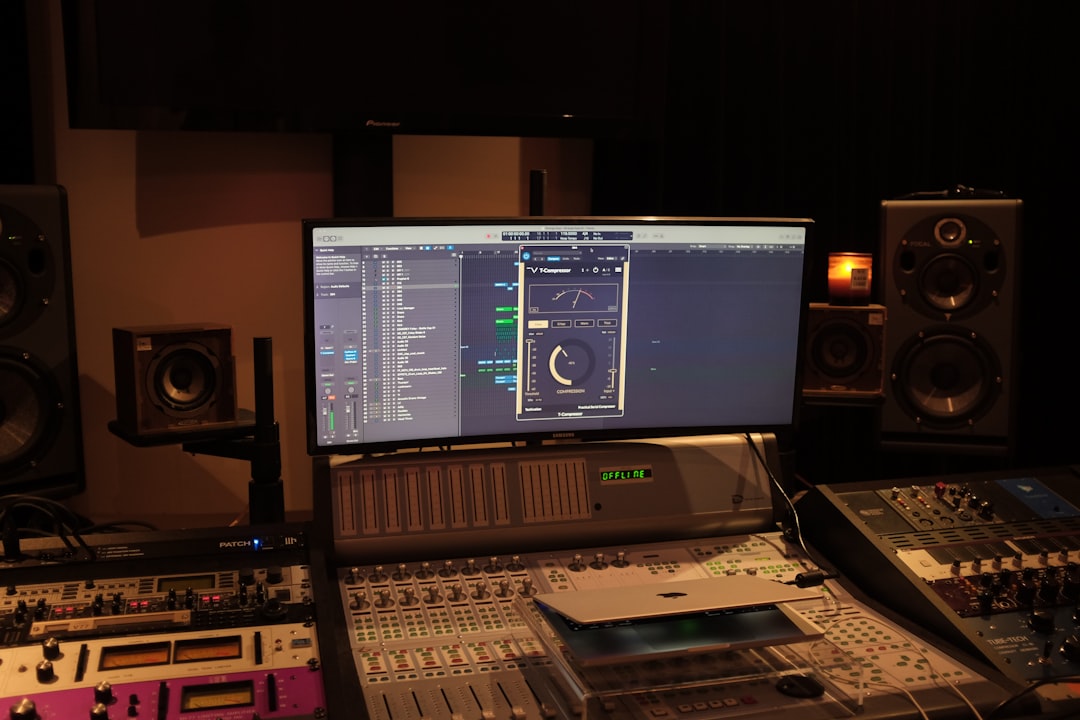
What is a phaser? A phaser is a modulation effect that creates a sweeping, swirling, slightly hollow character by splitting your signal, shifting the phase of one copy, and mixing it back with the original. As the two copies interact, they cancel and reinforce each other at moving frequency points, producing a series of notches that glide up and down the spectrum. That gliding motion is the sound you know from funk guitar, warm electric pianos, and evolving synth pads.
It is one of the oldest and most musical effects in the box, and it is easy to use once you understand what is actually moving. This guide explains how a phaser works, what each control does, where it shines, and the mistakes that make it sound cheap.
Violet Recording is reader-supported — we may earn a commission from links on this page, at no extra cost to you.
What is a phaser in audio production?
A phaser is a type of modulation effect, in the same family as chorus and flanger but with its own distinct fingerprint. Internally it runs your signal through a chain of all-pass filters. An all-pass filter is a clever thing: it lets every frequency through at the same volume, but it delays some frequencies more than others, shifting their phase relationship. On its own you would barely hear it. The magic happens when the phase-shifted copy is mixed back with the original, dry signal.
Where the two signals are out of phase, they cancel and you get a deep dip, or notch, in the frequency response. Where they line up, they reinforce. A phaser with more all-pass stages produces more notches. A low-frequency oscillator (the LFO) then slowly moves those notches up and down the spectrum, and that motion is what your ear reads as the classic “whoosh” or “jet” sweep. The more stages, the richer and more complex the sweep.
This is the key difference from a flanger. A flanger uses a short, modulated time delay, which creates evenly spaced notches like a comb — a metallic, tunnel-like sound. A phaser’s notches are not evenly spaced, so the result is smoother, warmer, and less obviously “effect-y”. If you want the whole family in context, our guide to reverb and delay covers the time-based side, and this one handles the phase-based side.
The controls every phaser gives you
Almost every phaser, hardware or plugin, shares the same handful of parameters. Learn these five and you can drive any of them.
Rate (or Speed). How fast the LFO moves the notches up and down. Slow rates give a gentle, breathing swirl that works on pads and whole mixes; fast rates produce a nervous, warbly wobble. Many plugins let you sync the rate to your project tempo so the sweep locks to the beat.
Depth. How far the notches travel across the spectrum. Low depth is a subtle shimmer; high depth is a dramatic, full-range sweep. Depth and rate together define most of the character.
Feedback (or Resonance / Regeneration). This sends the output back into the input, sharpening the notches and making them ring. A little feedback adds richness and a vocal, resonant quality; too much turns the effect harsh and whistling. This is the control that separates a lush phaser from a cheap one.
Stages. The number of all-pass filters, which sets how many notches you get. Classic pedals are often 4-stage (smooth and subtle) or 8-stage (thick and pronounced). More stages means a denser, more three-dimensional sweep.
Mix (or Wet/Dry). The balance between the processed and dry signal. A phaser only produces its cancellation notches when both are present, so 50/50 is usually the deepest setting. Pulling the mix back keeps the effect present but gentler.
Some units add a centre frequency or range control to set where the sweep sits, and a stereo or spread control that offsets the LFO between left and right for a wide, immersive image.
How to use a phaser on real instruments
Electric guitar. This is the phaser’s spiritual home. A slow, shallow setting on a clean guitar gives that liquid, watery funk-rhythm tone; push the rate and feedback for a more psychedelic swirl on leads. Because phasers are subtle by nature, they sit well under a mix without smearing your other tracks.
Synths and pads. A phaser turns a static pad into something that breathes and evolves. Slow-rate, high-depth settings add motion across long, sustained notes so the sound never feels frozen. Producers reach for it constantly in electronic and ambient music. If you are still choosing instruments, our roundup of the best free synth VSTs pairs perfectly with a phaser on the output.
Electric piano and keys. A gentle phaser on a Rhodes or Wurlitzer is a signature soul and R&B sound. Keep the depth moderate and let the sweep add warmth rather than obvious wobble.
Vocals. Used sparingly, a slow phaser adds a dreamy, otherworldly shimmer to background vocals or an ad-lib. It is easy to overdo, so automate it in only where you want the effect and pull it out for the main lines — the same restraint we preach in how to mix vocals.
Drums and full buses. A subtle phaser on a drum loop or across a submix adds movement and glue. Very slow rates work best here, so the effect feels like the mix is gently breathing rather than seasick.
Common phaser mistakes to avoid
The number one mistake is too much of everything. Max feedback plus max depth plus a fast rate is a recipe for a dizzying, one-trick sound that fights the rest of the mix. Phasers reward subtlety; a little goes a long way.
The second is ignoring the mix control. Because the effect depends on the dry and wet signals cancelling, a phaser set to 100% wet often loses its depth. Keep the dry signal in the blend.
Third, watch your low end. A deep sweep across bass frequencies can make kick and bass feel unstable and phasey in a bad way. Roll the effect off the lows or keep the sweep range in the mids and highs on bass-heavy sources.
Finally, remember a phaser adds phase cancellation by design. On mono-summed systems — club PAs, phones, some streaming setups — an aggressive stereo phaser can partially collapse. Check your mix in mono, a habit that also matters for EQ and compression fundamentals, and dial the effect back if it disappears.
Where to get a phaser plugin
Good news: you almost certainly already own one. Every major DAW — Logic, Ableton Live, FL Studio, Cubase, Studio One, Reaper — ships with a capable stock phaser, and for most jobs it is all you need. Start there before spending anything.
When you want a specific vintage character or a more flexible modern design, third-party plugins model classic pedals and studio units in detail. A well-stocked store like Plugin Boutique carries the full range, from faithful analogue emulations to creative multi-stage modulators, and regularly runs sales worth watching.
Free phaser plugins worth trying: a few genuinely good ones cost nothing. TAL-Chorus-LX from TAL Software is chorus rather than phaser but lives in the same modulation toolkit; for true phasing, Blue Cat’s Chorus and the modulation tools from Melda‘s free MFreeFXBundle (which includes MPhaser) are reliable and cross-platform. Kilohearts also offers a free Phaser snapin. Download any of these and you have a professional phaser at no cost. For more no-cost tools, see our mixing and mastering hub.
Frequently asked questions
What is the difference between a phaser and a flanger?
Both are modulation effects that create moving notches, but a flanger uses a short, swept time delay that produces evenly spaced, comb-like notches for a metallic, jet-plane sound. A phaser uses all-pass filters, so its notches are unevenly spaced and the result is smoother, warmer and more subtle. If it sounds like a jet, it is usually a flanger; if it sounds like a gentle swirl, it is a phaser.
When should I use a phaser versus a chorus?
Use a chorus when you want to thicken and widen a sound by adding detuned copies — great for making a single guitar or vocal feel like several. Use a phaser when you want movement and a sweeping, hollow character rather than extra width. Chorus adds body; a phaser adds motion. Many producers keep both on hand and pick by feel.
Does a phaser go before or after distortion?
It depends on the sound you want. A phaser before distortion gets squashed and becomes more subtle and gritty, blending into the tone. A phaser after distortion keeps its full, clean sweep and sits on top as an obvious effect. Neither is wrong — try both and let your ears decide.



