
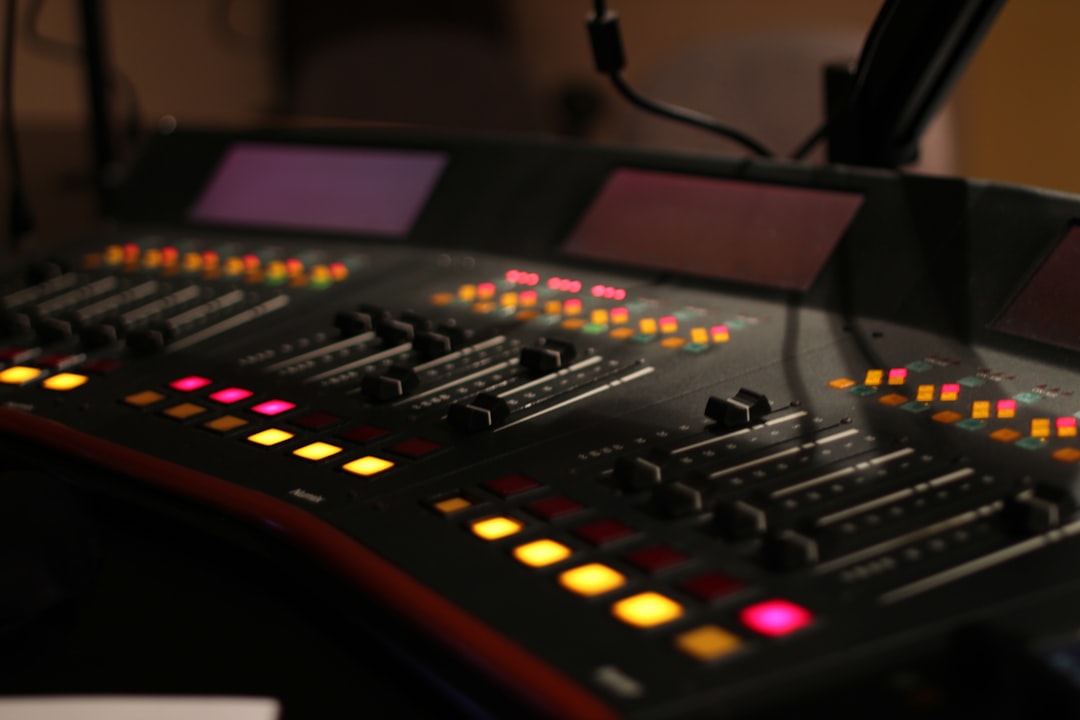
When more than one person needs to hear the same mix, you need a way to feed several headphones from one output. The best headphone splitters let two to eight people share a monitor mix cleanly — but a passive splitter and a powered headphone amp do very different jobs. Here is how to choose the right one and the brands worth buying.
Violet Recording is reader-supported — we may earn a commission from links on this page, at no extra cost to you.
Quick answer
- Two listeners, casual: a passive Y-splitter from Hosa or Mogami.
- Several listeners, each with their own volume: a powered headphone amp like the Behringer HA400 (4-way) or HA8000, ART HeadAmp, or PreSonus HP series.
- Best for tracking bands: a multi-channel headphone amp so everyone sets their own level.
Passive splitter vs powered headphone amp
A passive splitter is a simple Y-cable or small box that wires one output to several jacks. It is cheap and needs no power, but it divides the available signal: plug in two pairs and each gets quieter, and with high-impedance or multiple headphones the volume can drop noticeably. It is fine for two people sharing a casual listen.
A powered headphone amp takes one input and drives several outputs with its own amplifier, usually with a volume knob per output. Everyone gets full, independent level, which is what you want for tracking sessions, podcast guests, or a band recording together. For more than two people, this is almost always the right tool.
There is a third option worth knowing about: many audio interfaces and small mixers already have two headphone outputs, or a headphone out plus a line-level monitor send. If you only need to feed two people, you may not need any extra hardware at all — just use both outputs your gear already provides. The splitter or amp earns its place once you outgrow what the interface offers on its own.
How to choose the best headphone splitters
Count your listeners — and plan ahead
Two people can share a passive splitter. Three or more, or anyone who needs their own volume, calls for a powered amp. Buy one with a couple more outputs than you need today.
Independent volume per output
The big advantage of a powered amp is that each person sets their own level. Singers usually want themselves louder; the engineer wants the full mix. Per-output knobs keep everyone happy without touching the main mix.
Connector types
Most amps use 1/4″ (6.35 mm) jacks; many consumer headphones use 3.5 mm. Keep a few quality adapters handy. For input, check whether the amp takes 1/4″, RCA, or balanced connectors and match it to your interface output.
Noise and headroom
A cheap, underpowered amp can hiss or run out of volume with high-impedance headphones. Pick an amp with enough output for your cans — this matters with demanding studio headphones. If you hear hiss, our guide on fixing hiss and noise covers the usual causes, many of which apply to headphone chains too.
Mono vs stereo, and balanced vs unbalanced
Check that the splitter or amp passes a proper stereo signal. Some cheap passive splitters and adapters are wired for mono, which collapses your left and right channels into one and ruins any sense of stereo image — fine for a quick check, frustrating for a real monitor mix. On the input side, remember that a balanced 1/4″ output (TRS) carries one mono channel, whereas a stereo headphone jack uses the same three contacts for left and right. Matching the wrong type is a common reason a session ends up sounding thin or one-sided.
Compared at a glance
| Pick | Why it stands out |
|---|---|
| Hosa & Mogami Y-splitters — best simple two-way | For sharing with one other person, a quality passive Y-cable from Hosa or Mogami is cheap and reliable. |
| Behringer HA400 Microamp — best budget 4-way | The Behringer HA400 is a tiny, inexpensive four-channel headphone amp with a volume knob per output. |
| ART HeadAmp series — best value step-up | ART’s HeadAmp 4 and 6 offer more outputs and cleaner, more powerful amplification than entry-level boxes, with the… |
| Behringer HA8000 — best for bigger sessions | The HA8000 drives up to eight headphones, each with its own level and a couple of input sources to choose from. |
| PreSonus HP series & Rolls — best for fixed studio rigs | PreSonus HP-series amps and Rolls headphone amps are well-regarded for clean, quiet operation in a permanent studio. |
Full picks and details below.
The best headphone splitters and amps
Hosa & Mogami Y-splitters — best simple two-way
For sharing with one other person, a quality passive Y-cable from Hosa or Mogami is cheap and reliable. Use a well-made cable to avoid intermittent connections, and accept that volume drops a little when both pairs are plugged in.
Behringer HA400 Microamp — best budget 4-way
The Behringer HA400 is a tiny, inexpensive four-channel headphone amp with a volume knob per output. It is the default starter pick for podcasters and small sessions, powered by an external supply and easy to tuck on a desk.
ART HeadAmp series — best value step-up
ART’s HeadAmp 4 and 6 offer more outputs and cleaner, more powerful amplification than entry-level boxes, with the headroom to drive higher-impedance headphones comfortably. A solid middle-ground choice.
Behringer HA8000 — best for bigger sessions
The HA8000 drives up to eight headphones, each with its own level and a couple of input sources to choose from. Ideal for tracking a band or running a multi-person podcast where everyone needs their own monitor level.
PreSonus HP series & Rolls — best for fixed studio rigs
PreSonus HP-series amps and Rolls headphone amps are well-regarded for clean, quiet operation in a permanent studio. Rack and desktop options make them easy to integrate into an existing monitoring setup.
Wiring it into your monitoring
Feed the headphone amp from a spare output or headphone out on your interface, then run each performer’s cans from the amp. If you’re recording several people at once, our guide to recording a podcast at home walks through the wider monitoring setup, and our piece on audio interface vs mixer helps if you’re deciding how to route everyone. Choosing the headphones themselves? See the best budget headphones for music production and the home studio setup hub.
When you set levels, start with every output knob turned down, then bring each one up to a comfortable listening level rather than diving straight to maximum. This gives you headroom to push a single performer louder later without anyone’s headphones distorting. Keep cable runs tidy and out of walkways — performers move during takes, and a yanked cable can pull an amp off the desk or, worse, ruin a perfect vocal pass. If the amp sits across the room from a singer, a set of good headphone extension cables keeps everyone connected without strain on the jacks.
Common mistakes to avoid
- Using a passive splitter for a full band. The volume drop and lack of individual control will frustrate everyone. Reach for a powered amp instead.
- Under-powering high-impedance headphones. Demanding cans need an amp with real output, or they will sound quiet and lifeless even at full volume.
- Forgetting adapters. A session can stall over a missing 1/4″-to-3.5 mm adapter. Keep a small bag of spares with the amp.
- Daisy-chaining splitters. Stacking passive splitters off one output compounds the signal loss and invites loose connections. Use a single amp with enough outputs instead.
Frequently asked questions
Does a headphone splitter reduce volume?
A passive splitter does, because it divides one signal between multiple pairs — the more headphones, the quieter each gets, especially with high-impedance models. A powered headphone amp avoids this by amplifying each output independently, so everyone gets full volume.
Passive splitter or headphone amp for a recording session?
Use a powered amp for any real session. It gives each performer full volume and their own level control, which a passive splitter can’t do. Save passive Y-cables for two people casually sharing a listen.
Can I plug different headphones into the same splitter?
Yes, but mismatched impedances behave differently on a passive splitter, so volumes won’t match. A powered amp with per-output knobs solves this by letting each listener adjust their own level. Keep 1/4″-to-3.5 mm adapters on hand for consumer headphones.
How many headphones can one amp drive?
It depends on the model: four- and six-output amps suit small sessions, while units like the HA8000 handle up to eight. The practical limit is power, not just sockets — an amp comfortably driving four low-impedance pairs may struggle if you fill every output with demanding high-impedance headphones, so leave a little headroom.



