
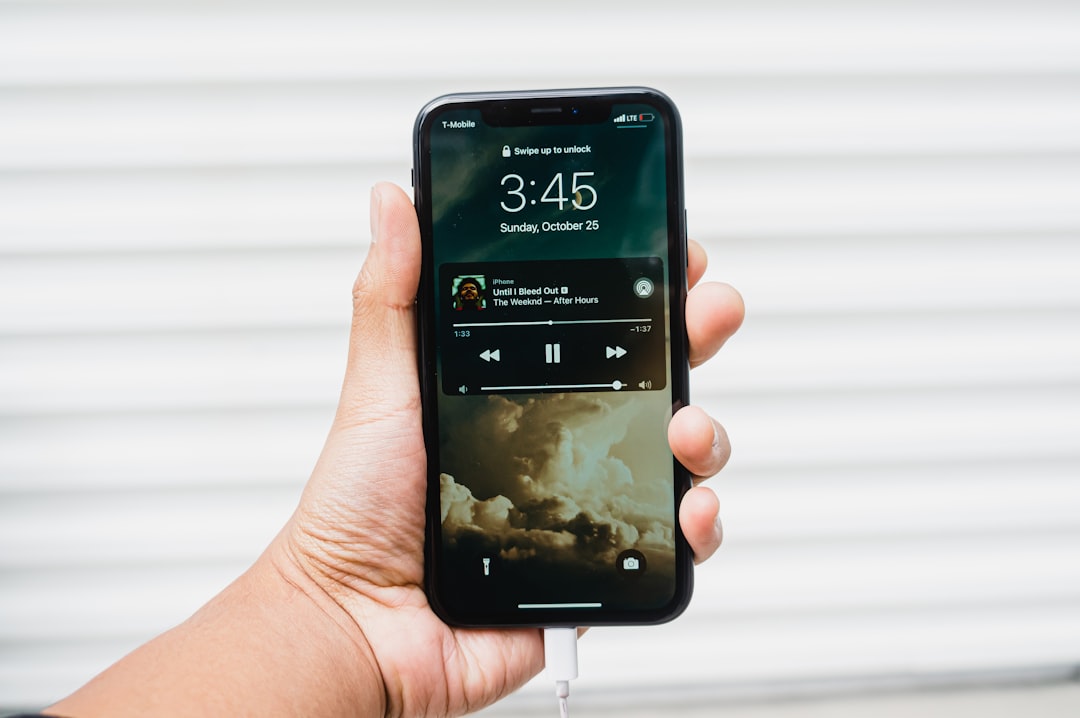
The best music apps for beginners are the ones that get you making sound in minutes without a manual: GarageBand on iOS, BandLab on iOS and Android, and FL Studio Mobile if you want room to grow. They keep the interface simple, include built-in sounds and loops, and let you record, arrange and export a finished track on your phone alone.
Violet Recording is reader-supported — we may earn a commission from links on this page, at no extra cost to you.
Quick answer
If you have an iPhone or iPad, start with GarageBand — it is free, friendly and powerful. On Android, start with BandLab, which is free, cloud-based and works almost everywhere. Want something built for beat-making across both platforms? FL Studio Mobile is the natural step up. These are the music apps for beginners we point newcomers to first.
What makes a music app beginner-friendly?
- Low barrier to first sound — built-in instruments, loops and templates so you are not staring at an empty screen.
- Simple interface — clear tracks, obvious record and play buttons, not a wall of options.
- Free or free to start — you can learn before spending anything.
- Everything in one app — record, arrange, mix and export without juggling tools.
- Room to grow — features you will appreciate as you improve.
Weight those criteria against what you actually want to do. If your goal is to finish a song this weekend, the low barrier to first sound matters most — pick the app that gives you loops and templates on day one. If you already know you want to make beats for the long haul, room to grow matters more than instant results, and a slightly steeper app is the better buy. Free is the right price for testing whether the hobby sticks; only pay once you have finished a few tracks and hit a wall the free app cannot get past.
If you are completely new, our overview of how to make music on your phone sets the scene before you pick an app.
Compared at a glance
| Pick | Why it stands out |
|---|---|
| Best for iPhone and iPad beginners — GarageBand | GarageBand (iOS/iPadOS only) is the easiest on-ramp on Apple devices. |
| Best cross-platform free app — BandLab | BandLab works on both iOS and Android, is free, and stores projects in the cloud so you can switch devices and… |
| Best for beat-makers — FL Studio Mobile | Available on iOS and Android, FL Studio Mobile is built around step-sequencing and beat-making, mirroring the logic… |
| Best for instant fun — loop and groove apps | Apps like Groovepad and Auxy let you build a track by tapping loops and patterns together, which is great for… |
| Best for sampling and creativity — Koala Sampler | Koala Sampler (iOS and Android) makes it dead simple to record any sound and turn it into a playable instrument,… |
Full picks and details below.
Our picks
Best for iPhone and iPad beginners — GarageBand
GarageBand (iOS/iPadOS only) is the easiest on-ramp on Apple devices. It is free, comes loaded with instruments and loops, includes Smart instruments that play in key, and supports recording real audio and AUv3 plugins as you advance. We dig into it in is GarageBand good for making music? For most Apple users it’s the obvious first download, with nothing to buy and plenty of room to grow.
Best cross-platform free app — BandLab
BandLab works on both iOS and Android, is free, and stores projects in the cloud so you can switch devices and collaborate. It is a genuine multitrack DAW wrapped in a beginner-friendly interface. See how to use BandLab to get going. It’s our top pick for Android beginners and anyone who wants a free app that follows them across phone, tablet and laptop.
Best for beat-makers — FL Studio Mobile
Available on iOS and Android, FL Studio Mobile is built around step-sequencing and beat-making, mirroring the logic of its famous desktop sibling. It has a slightly steeper start but huge potential. Our FL Studio Mobile guide walks through the basics. It’s a paid app, but the best pick for a beginner who knows from the start that beats are their focus.
Best for instant fun — loop and groove apps
Apps like Groovepad and Auxy let you build a track by tapping loops and patterns together, which is great for absolute first-timers who want a result in minutes before learning a full DAW. Groovepad (iOS and Android) is the easiest to recommend here, with free genre packs to get a great-sounding loop going right away. If this style clicks with you, our roundup of the best looper apps goes deeper.
Best for sampling and creativity — Koala Sampler
Koala Sampler (iOS and Android) makes it dead simple to record any sound and turn it into a playable instrument, which is a fun, hands-on way to learn how music is built. See how to use Koala Sampler. It’s inexpensive and works on both iOS and Android, making it a fun, low-risk way for a beginner to learn how beats are built from real sounds.
Which pick suits you?
A quick way to match app to person: the singer-songwriter who wants to record voice and guitar ideas is best served by GarageBand (Apple) or BandLab (either platform), because both record real audio well and keep arranging simple. The aspiring beat-maker should go straight to FL Studio Mobile, or start free in BandLab and move up later. Someone who just wants to play — a kid, or an adult testing the water — will get the fastest smiles from Groovepad or Koala Sampler. And if you and a friend want to work on songs together from different phones, BandLab’s cloud projects make it the easy choice.
iOS vs. Android: which apps you can run
Platform matters. GarageBand and most premium synth and host apps are iOS/iPadOS only. Android has strong options too — BandLab, FL Studio Mobile, n-Track Studio and Caustic — but a smaller catalogue of pro apps. If you are torn between the two free front-runners, our GarageBand vs BandLab comparison weighs them side by side. If you are choosing a device for music, read iPhone vs. Android for music production.
What to learn first
Whichever app you choose, the early wins are the same: lay down a beat, add a bassline, record or program a melody, then arrange and export. Start with making beats on your phone, and when you want structured lessons, the best apps to learn music production rounds up teaching tools.
Common beginner mistakes to avoid
- App-hopping. Downloading five apps and finishing nothing in any of them is the most common trap. Pick one, commit to it for a month, and finish tracks — even bad ones. Finishing teaches more than switching.
- Buying before learning. In-app sound packs and upgrades are tempting, but the stock sounds in every app here are more than enough for your first dozen tracks. Spend only when you can name the specific thing you are missing.
- Skipping headphones. Phone speakers hide the bass and much of the detail in your mix. Any wired earbuds or headphones you already own will give you a far more honest picture of what you have made.
- Never exporting. A project that only lives inside the app does not feel like a song. Export early and often, listen on different speakers, and share with a friend — feedback is how you improve.
Simple habits that help
A few low-effort habits make the learning curve gentler. Save or duplicate your project before big experiments, so a wild idea never destroys a good one. If your app offers cloud backup — BandLab does this automatically — turn it on, because phones get lost and replaced. Keep sessions short: twenty focused minutes a few times a week typically beats one marathon session. And record rough ideas the moment they arrive, even as a voice memo; you can rebuild them properly in your app later.
Do you need any gear?
No — you can make full tracks with just the app. As you progress, simple add-ons help: a basic microphone for your smartphone for recording, or a small MIDI controller for playing melodies. None of it is required to start.
Frequently asked questions
What is the best free music app for a complete beginner?
On iPhone or iPad, GarageBand is the best free starting point — powerful and easy. On Android, BandLab is the top free pick and also runs on iOS. Both let you make and export a full track without spending anything or buying gear.
Do I need to read music to use these apps?
No. Beginner apps include loops, Smart instruments and on-screen keyboards that keep you in key, so you can build music by ear and by feel. You will pick up musical ideas naturally as you go, without needing notation.
Can I use these apps on Android?
BandLab, FL Studio Mobile, n-Track Studio and Caustic all run on Android. GarageBand and many premium synth and host apps are iOS-only, so if you specifically want those, you would need an iPhone or iPad.
Are paid music apps worth it for a beginner?
Usually not on day one. The free options here cover recording, beats and full arrangements, so start free and learn the fundamentals first. A paid app like FL Studio Mobile becomes worth it once you know beats are your focus, or when you hit a specific limit in a free app. Prices change, so check the current listing in your app store before buying.



