
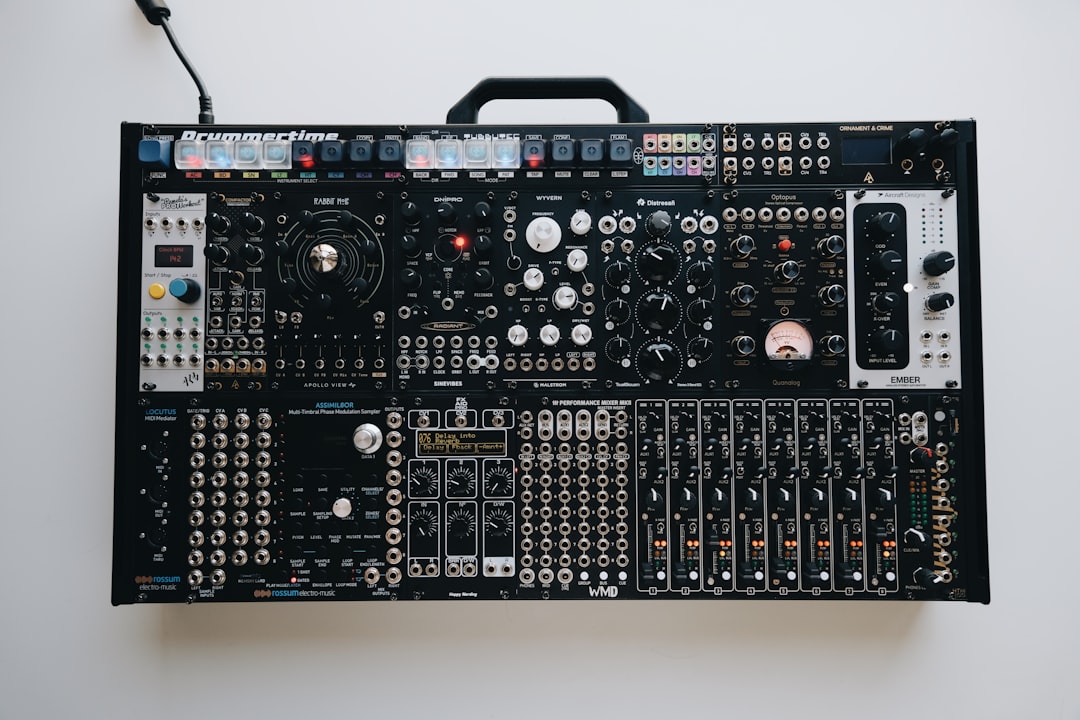
The essential Eurorack modules fall into two groups: the voice (oscillator, filter, VCA, envelope) that makes sound, and the utilities (mults, attenuators, mixers, clocks) that make everything else flexible. Get one solid example of each before buying anything exotic, and your modular will be capable, playable and far more fun than a case full of niche modules with gaps in the basics.
Violet Recording is reader-supported — we may earn a commission from links on this page, at no extra cost to you.
If you are still mapping the territory, our guides to what Eurorack is and VCO, VCF and VCA explain the signal types these modules pass around.
How to think about a starter rack
Aim for a complete voice plus utilities rather than several half-finished ideas. A complete voice means you can turn a note into a shaped sound. Utilities are the connective tissue that lets you route, scale and combine signals. With those two groups covered, almost any patch becomes possible.
Sound sources: oscillators and voices
The oscillator (VCO) is where tone begins. You can choose a classic analog oscillator from Doepfer or Make Noise, or a flexible digital voice such as Mutable Instruments Plaits, which offers many synthesis styles in one module. A versatile voice is a smart first sound source because it covers a lot of ground while you learn.
A versatile voice such as Mutable Instruments Plaits is a smart first oscillator, since it packs many synthesis styles into one module and covers a lot of ground while you learn. A simple analog VCO like a Doepfer A-110 or Make Noise STO is the alternative if you prefer one solid, classic waveform set to build on.
Filters (VCF)
A filter shapes timbre by removing or emphasising frequencies. Character matters here — different filters from Make Noise, Doepfer and Intellijel have distinct flavours, and a resonant low-pass filter is the most broadly useful first choice. Many people end up owning more than one filter purely for tonal variety.
A resonant low-pass filter is the most broadly useful first choice. Something like Mutable Instruments Ripples or a Doepfer A-120 gives you a clean, musical low-pass to shape your voice, and you can add a more characterful filter later once you know the flavour you want.
VCAs and envelopes
The VCA controls level, and the envelope shapes how that level (or the filter) moves over time. These two work together to articulate every note. Buy at least two VCAs — they are needed for both audio and modulation duties, and beginners almost always run out. A dual or quad VCA module is excellent value.
A quad module such as the Intellijel Quad VCA or Mutable Instruments Veils is excellent value here, since it covers both audio and modulation duties and you will not run out the way you would with a single VCA. Pair it with at least one dedicated envelope so you can shape how each note opens and closes.
Modulation: LFOs and randomness
Modulation brings a patch to life. An LFO adds cyclical movement; a random source such as Mutable Instruments Marbles adds controlled unpredictability that suits generative and ambient music. Even one good modulation source dramatically expands what your voice can do.
Mutable Instruments Marbles is a popular random source for generative and ambient patches, while Make Noise Maths doubles as both an LFO and a function generator, making it one of the most useful modulation modules you can own. Even one of these dramatically expands what a single voice can do.
Sequencing and clocking
Unless you are playing from a keyboard, you need something to generate notes and timing. Sequencers from Make Noise and Intellijel range from simple to deeply generative. A clock source keeps your sequencer, LFOs and effects in sync, which is essential once you sync the modular with other gear — see how to sync hardware synths.
Make Noise Maths or Intellijel Metropolix are common starting points depending on whether you want hands-on patterns or something more open-ended, and Mutable Instruments Marbles suits generative playing. For clocking, ALM Pamela’s New Workout is a widely used option that keeps your sequencer, LFOs and effects locked together.
The utilities people forget
Utilities are small and cheap but make or break a system:
- Multiples (mults) split one signal to several destinations.
- Attenuators and attenuverters scale and invert CV so modulation isn’t always full-strength.
- Mixers combine audio or CV.
- Logic and clock dividers create rhythmic variation.
- An output module tames the hot modular level to line level for recording.
If you only remember one thing: buy more utilities than feel exciting. They unlock the modules you already own.
Getting it into your DAW
Modular output is typically hotter than line level, so use an output module or set your interface gain carefully. Our guides on recording a hardware synth and gain staging cover clean capture. For planning the whole rig, see how to start a Eurorack system.
A sensible buying order
- Powered case and a way to play notes.
- One flexible voice (oscillator), one filter.
- Two VCAs and an envelope.
- One LFO or random source.
- Utilities: mults, attenuators, a mixer, an output.
- Then expand based on the gaps your patches reveal.
Frequently asked questions
What modules do I need first in Eurorack?
An oscillator, a filter, at least two VCAs, an envelope and a way to play notes — that is a complete voice. Add multiples, attenuators and a mixer so you can route and scale signals freely.
How many VCAs do I really need?
More than you think. VCAs handle both audio level and modulation amounts, so two is a practical minimum and four is comfortable. A dual or quad VCA is one of the best-value buys in a starter rack.
Do I need a separate sequencer module?
Only if you are not playing from a keyboard or sequencing from your DAW via MIDI-to-CV. If you want standalone, hands-on pattern-making, a dedicated sequencer is worth it; otherwise MIDI-to-CV lets your computer do the job.



