
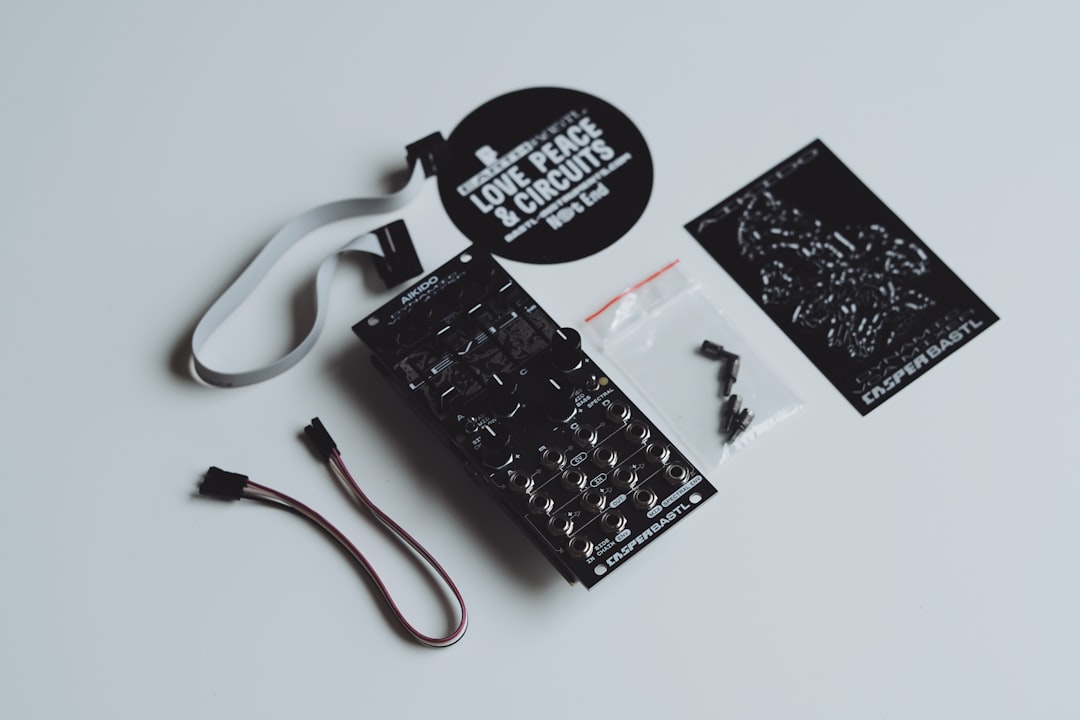
The hardware vs software synths question is less about which sounds better and more about how you like to work. Hardware gives you a physical, focused instrument; software gives you flexibility, recall and low cost. This guide breaks down the real trade-offs so you can choose with confidence.
Quick answer
Choose hardware if you value tactile control, a distraction-free workflow and a focused creative space. Choose software if you want low cost, total recall, unlimited instances and everything inside your DAW. Many producers use both, sequencing hardware from the computer.
Sound: is hardware really better?
Not categorically. Modern software synths model analog and digital engines so well that, in a finished mix, listeners rarely tell them apart. Some analog hardware has a subtle warmth and unpredictability that is hard to fully replicate, but plenty of acclaimed records are made entirely in software. Sound quality is rarely the deciding factor. If you want the underlying theory, our analog vs digital synths guide explains how the engines differ.
Workflow: the real difference
This is where the two genuinely diverge.
- Hardware puts a knob under every parameter, encourages happy accidents, and gets you away from the screen. The constraint of one instrument often sparks more finished ideas.
- Software lives in your DAW, recalls every setting instantly, and lets you run dozens of instances at once. Editing with a mouse is precise but less immediate.
If hardware’s workflow appeals, our companion piece on whether you should buy a hardware synth digs into the decision.
Cost and value
Software is far cheaper to get started with, and a single purchase can give you many synth types. Hardware costs more per instrument and you cannot duplicate it, but it holds resale value and never expires with an operating-system update. For affordable hardware entry points, see our budget hardware synths guide, and if you can stretch a little further our best synths under $500 picks bridge the gap.
Recall and reliability
| Factor | Hardware | Software |
|---|---|---|
| Total recall | Varies by model | Always exact |
| Instances | One physical unit | Effectively unlimited |
| CPU load | None on your computer | Uses computer resources |
| Longevity | Works for decades | Tied to OS and license updates |
| Portability | Physical to transport | Travels in a laptop |
How to decide what fits your studio
Rather than arguing the merits in the abstract, it helps to work through a few honest questions about how you actually make music. The right answer is the one that gets you finishing tracks, not the one that wins an internet debate.
- How do you start ideas? If you sit down and noodle on a keyboard until something sparks, a single hands-on hardware synth can be liberating. If you start by laying out a structure and arrangement, software keeps everything in one window where you can edit freely.
- How finished does your music need to be, and how often? If you reopen projects months later for revisions or client changes, software’s exact recall is a real time-saver. Hardware that does not save patches forces you to either commit early or photograph your knob positions.
- How much screen fatigue do you feel? Many producers find that staring at a monitor all day makes music feel like more work. A physical instrument breaks that pattern and can reignite the fun.
- What is your space and budget like? Hardware needs desk space, cables and often a dedicated audio input. Software needs none of that beyond the computer you already own.
A practical middle path is to start in software to learn synthesis cheaply, then buy one piece of hardware you genuinely connect with once you know what you are missing. If you are at that stage, our advice on what your first synth should be can steer the choice. Buying gear before you understand what you want is the most common way to waste money.
Common mistakes to avoid
- Buying hardware to fix a creativity problem. A new synth is exciting for a week, but it will not finish songs for you. Make sure you have a workflow first.
- Assuming plugins always sound “worse”. In a busy mix the difference is marginal at best. Chasing analog warmth on a part nobody can pick out is rarely worth the cost.
- Owning too much. Five plugins you know deeply will outperform fifty you have barely opened. The same applies to hardware. Depth beats breadth.
- Ignoring the practical chain. Hardware needs a spare interface input, gain staging and sometimes a MIDI connection. Factor that setup in before you buy, or the synth ends up in a cupboard.
- Not committing to audio. If you record hardware to audio early, you free up the unit for the next part and lock in a sound you are happy with rather than endlessly tweaking.
The case for using both
Most working producers do not choose one camp. A common setup sequences a hardware synth from the DAW, recording its audio while keeping software for layering and convenience. Our guide to connecting a hardware synth to your DAW shows how to bridge the two worlds with MIDI and audio.
Which should you choose?
- On a tight budget, or learning the basics? Start with software, then add hardware later.
- Distracted by the screen, or craving hands-on control? Hardware will likely make you more productive.
- Need many sounds in one project? Software’s recall and instance count win.
If you do go hardware, our best hardware synths roundup is the natural next step.
Frequently asked questions
Do hardware synths sound better than plugins?
In a mix, the difference is usually subtle and often inaudible. Some analog hardware has a particular warmth, but the bigger reason to choose hardware is workflow, not raw sound quality.
Can I use hardware and software together?
Yes, and many producers do. You sequence the hardware from your DAW over MIDI and record its audio through an interface, blending it with software instruments.
Is software cheaper than hardware?
Generally yes. Software costs less to start with and can provide many synth types from one purchase, while hardware is one physical instrument per unit but holds resale value.
Should a beginner start with hardware or software?
Software is the more forgiving starting point. It is affordable, recalls your work exactly, and lets you experiment with many synthesis styles without commitment. Once you understand what kind of sound and workflow you enjoy, you can add a hardware synth that complements it.
Will my software synths still work in a few years?
Usually, but they depend on your operating system and the developer keeping the plugin updated. Keep installers and licence details backed up, and bounce important synth parts to audio so your finished projects open correctly even if a plugin is ever discontinued.



