
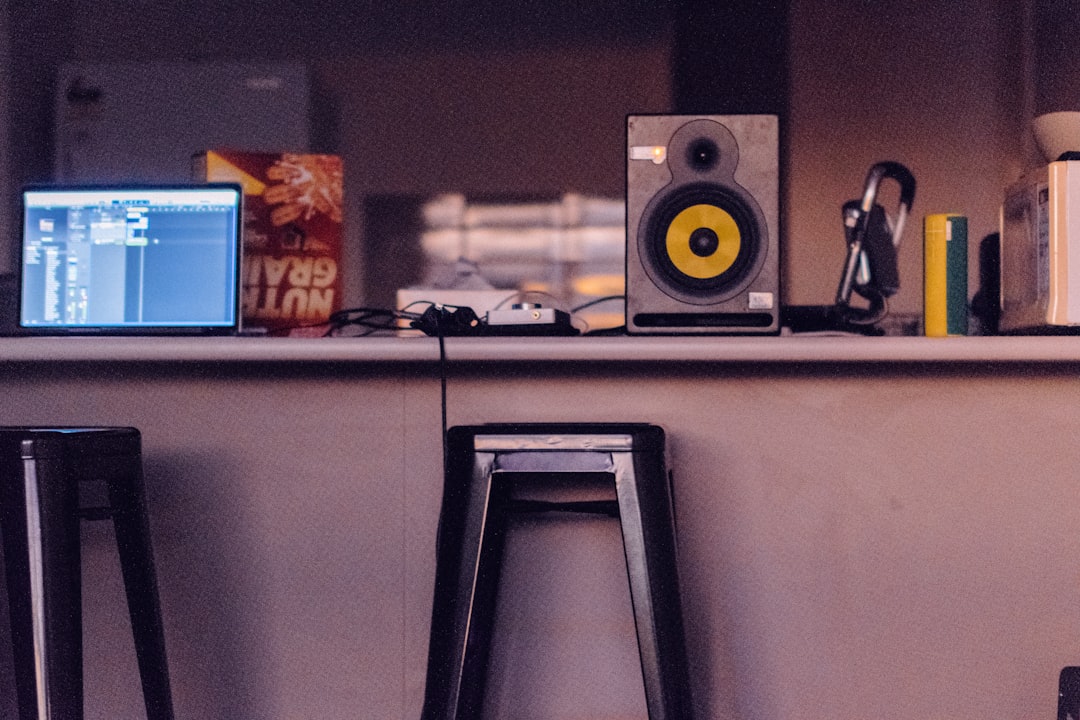
Learning how to make hip hop beats comes down to four building blocks: drums, a sample or chord loop, a bassline, and groove. Set a tempo around 85–95 BPM, program a kick-and-snare pattern with swung hats, add a melodic loop (sampled or played), drop a bassline under it, then mix for punch and warmth. Here’s the full process from empty project to finished beat.
Pick a tempo and lay the foundation
Classic boom-bap and modern hip hop usually sit between 80 and 95 BPM. Start a fresh project, set your tempo, and open a drum sampler or step sequencer. If you’re still fuzzy on what BPM actually means, it’s worth a quick read before you commit to a tempo. Everything else builds on top of a solid drum groove, so get that right first.
Program the drums
The core of a hip hop beat is the kick and snare conversation:
- Kick on beat 1, plus a syncopated hit around the “and” of 2 or beat 3.
- Snare firmly on beats 2 and 4.
- Hi-hats in eighths or sixteenths, with swing applied so they don’t sound stiff.
Add swing (around 55–62%) and vary your hi-hat velocities so the groove feels human. Layer a clap with your snare for weight, and consider a quiet shaker or percussion loop for texture.
Add a sample or chord loop
The melodic element gives the beat its identity. You have two routes:
- Sampling — chop a loop from an old soul, funk or jazz record (use cleared or royalty-free sources). Our guide on how to sample music walks through chopping, pitching and clearance.
- Playing your own chords — use seventh chords on a Rhodes, soft synth or strings for a similar warm, soulful feel.
Loop two or four bars, and resample or filter the loop to make it sit nicely under the drums.
Write the bassline
A simple bass following the root notes of your loop locks the low end together. Use a round bass sound — sub sine, electric bass or a sampled upright. Keep the rhythm in the pocket with the kick, and avoid clashing notes with your sample’s bass content (high-pass the sample if needed). If you’re working in FL Studio, our walkthrough on making a bassline in FL Studio shows the exact steps.
Layer textures and find the groove
What separates a flat beat from one that breathes is texture and feel. A few additions go a long way:
- Vinyl crackle or room noise under the whole beat for warmth and cohesion.
- Foley and percussion — finger snaps, vinyl pops, a quiet tambourine — placed off the main grid.
- Ad-lib chops or vocal stabs to mark section changes.
Groove is the secret ingredient. Nudge individual hits slightly ahead of or behind the grid, vary velocities, and apply swing until the loop makes your head nod on its own. If a beat feels stiff, it’s almost always a quantize-and-velocity problem rather than a sound-selection problem — learning how to quantize in a DAW without flattening the feel is half the battle. Trust your ear: loop two bars and keep tweaking the timing until it feels right.
Choosing sounds that sit together
Half the work of a great beat is finished before you touch the timing — it lives in the sounds you pick. Drum selection sets the era and mood more than any plugin will: a dusty, slightly detuned kick and a thick layered snare read as boom-bap, while a tight sub-heavy 808 and crisp clap lean modern. Audition kicks and snares against each other rather than in isolation, because two individually great samples can mask each other when they share the same frequency range.
For the melodic loop, look for something with character but space — a phrase that leaves gaps for the drums and vocal to breathe. Busy, wall-to-wall loops are hard to write to. If a sample feels too crowded, filter it, chop it down to a shorter phrase, or resample it through a tape or saturation chain so it sits behind the drums rather than fighting them. The goal is a palette where every element has its own pocket in the frequency spectrum and the arrangement, so the mix later becomes a matter of balancing rather than rescuing.
Arrange beyond the loop
A loop is a starting point, not a finished beat. To turn it into something an artist can write to, create variation across the arrangement: drop elements out for a verse, bring everything back for a hook, add a filtered intro and a stripped outro, and use small fills or transitions between sections. Even subtle changes — muting the hats for four bars, doubling the kick into a turnaround — keep a listener engaged across a full track.
Mix for punch and warmth
A great beat can sound amateur without a decent mix. Focus on:
- Balance — drums up front, sample supporting, bass solid underneath.
- EQ — carve space so the kick and bass don’t fight; see EQ and compression fundamentals, and our dedicated guide on mixing kick and bass together.
- Compression and saturation — glue the drums and add warmth.
- Gain staging — keep healthy headroom so nothing clips; our gain staging guide covers it.
If this is your first full mix, the beginner’s guide to mixing your first song is a good companion, and you can dig deeper anytime in our mixing and mastering hub.
Common beat-making mistakes to avoid
A handful of habits trip up almost every producer when they start out. Watch for these:
- Over-quantising everything. Snapping every hit hard to the grid kills the swing. Leave the hats and percussion slightly loose so the groove breathes.
- Stacking too many layers. If you can’t clearly hear each element, you have too many. Mute things until the beat sounds empty, then add back only what earns its place.
- Letting the sample and bass clash. Old records carry their own bass. High-pass the loop so your bassline owns the low end on its own.
- Mixing too loud, too early. Cranking the master fader hides problems. Work at a moderate level with headroom and your balance decisions will be far more honest.
- Never finishing. Endless tweaking is the biggest killer of all. Arrange a full version, bounce it, and move on — if this is a recurring trap, our guide on how to actually finish a song will help, because the next beat is where you’ll actually improve.
Frequently asked questions
What BPM is hip hop?
Most hip hop sits between 80 and 95 BPM. Boom-bap leans toward the slower end, while modern and trap-influenced styles can run faster, often with a half-time feel.
Do I have to sample to make hip hop beats?
No. Sampling is a cornerstone of the genre, but you can play your own chords and melodies on software instruments and produce a complete, authentic-sounding beat without sampling.
What’s the best DAW for hip hop beats?
FL Studio is hugely popular for beat-making thanks to its step sequencer, but Ableton Live, Logic Pro, Reaper and Studio One are all fully capable. Pick the one that feels most intuitive to you.
How long should a hip hop beat be?
A finished beat for an artist usually runs around two to three minutes, structured into intro, verses, hooks and an outro. For demos and beat tapes, a tight one-to-two-minute arrangement that clearly shows the main and stripped-back sections is plenty.
Why does my beat sound flat compared to professional tracks?
It is almost always a combination of stiff timing and an unfocused mix rather than a single missing plugin. Add swing and velocity variation to loosen the groove, make sure the kick and bass aren’t masking each other, and use light compression and saturation to glue the drums together.



