
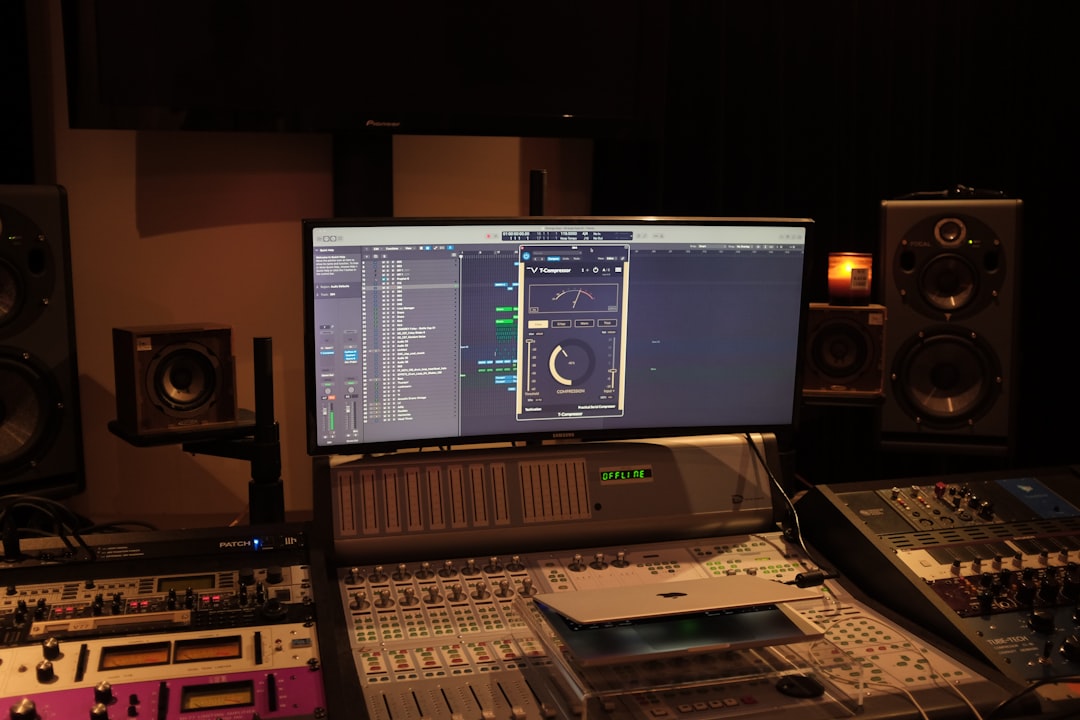
This iZotope Ozone review looks at whether Ozone’s AI-assisted mastering suite earns its place in a home studio, or whether a one-click cloud service does the job for less effort. Ozone is a full mastering plugin chain with a Master Assistant that listens to your track and builds a starting-point chain in seconds. It’s powerful, deep, and aimed at people who want control — not a black box.
Violet Recording is reader-supported — we may earn a commission from links on this page, at no extra cost to you.
Verdict: is iZotope Ozone worth it?
Rating: 4.5/5. Ozone is the most complete assisted-mastering suite you can buy for a home studio: the AI Master Assistant hands you a genuinely usable starting chain in seconds, and every decision it makes stays editable. It loses half a point only because the depth that makes it great is more than a producer who just wants a finished file will ever touch.
In short: Ozone is the standard for producers who want AI to start the master and then keep their hands on every dial. If you’d rather upload a file and get a finished master back with zero fiddling, a cloud service will suit you better. Ozone rewards people who want to learn and tweak.
iZotope Ozone review: what it is
iZotope Ozone is a mastering suite that runs as a plugin inside your DAW (and as a standalone app). Instead of a single “make it loud” button, it gives you a rack of mastering modules — EQ, dynamics, imaging, saturation, a maximiser and more — that you chain together on your final stereo mix. The headline feature is the Master Assistant: it analyses your track, optionally matches a reference, and generates a custom module chain you can then adjust by hand.
That’s the key thing to understand before any izotope ozone review makes sense: Ozone is assisted mastering, not automated mastering. The AI proposes; you dispose. If you’re new to the whole concept, our guide to what mastering actually does is a good primer before you spend money on any tool.
Key features
- Master Assistant — analyses your mix and builds a starting chain, with reference-track matching so you can aim your master at a song you like.
- Modular chain — EQ, Dynamic EQ, multiband dynamics, Imager, Exciter, and the Maximizer, each usable on its own or in sequence.
- Maximizer — the loudness stage, with modern limiting algorithms for getting competitive level without obvious pumping.
- Metering — integrated LUFS, true-peak and spectrum metering so you can hit streaming targets. If loudness targets are new to you, see LUFS explained.
- Tonal Balance targeting — visual guides that show whether your low, mid and high energy sits in a typical range for your genre.
- Standalone + plugin — works inside any major DAW or on its own for quick jobs.
- Module presets and I/O options — save chains you like and reuse them across projects, so your genre-specific settings become a repeatable starting point rather than a from-scratch build every time.
The practical upshot of all this is that Ozone can behave like two different products depending on how you use it. Lean on the Assistant and you have something close to a smart one-click master. Open up the chain and it becomes a precision toolkit that rivals mastering a track module by module by hand — which is exactly why it appeals to producers who eventually outgrow simpler tools.
How it performs
Ozone has been the reference point for assisted mastering for years, and its reputation is well earned. The Master Assistant’s real strength is that it produces a sensible chain rather than an aggressive one — it tends to make conservative, musical moves (gentle tonal correction, controlled loudness) that give you a solid base without over-processing your mix. On a clean, balanced source it often gets you most of the way there; on a problem mix it will still build a chain, but the results only underline that Ozone reacts to what you feed it and can’t fix mix-stage issues.
Where it stands out is the manual control underneath the Assistant. The Maximizer is widely regarded as one of the better transparent limiters available, the metering (LUFS, true-peak, Tonal Balance) is genuinely useful for hitting streaming targets, and reference matching gives you a concrete goal to aim at. The trade-offs are the ones you’d expect from a deep suite: it’s CPU-heavier than a single limiter plugin, the full module set takes time to learn, and the reference-matching feature is a guide rather than a guarantee. None of that undercuts the core verdict — for a producer who wants to learn and refine, it’s the most capable option in its class.
Pricing
Ozone is sold in several tiers (an entry edition, a mid, and a full edition), and iZotope runs frequent sales — the sticker price and the real price you pay are often very different. Because pricing and edition names change regularly, check the iZotope site for current terms before buying. Ozone is available both as a one-time perpetual purchase across its editions and as part of iZotope’s subscription bundles, and the company runs frequent, heavy sales — so the list price is rarely what you actually pay. Broadly, the more you spend, the more individual modules and standalone editing you unlock; the entry tier gives you the Assistant and the core chain, while the top edition adds the full module set. For exact edition names and today’s price, check the iZotope site for current terms.
Pros and cons
- Pro: AI gives you a genuinely usable starting chain in seconds, then gets out of the way.
- Pro: Deep, transparent control — you can hear and change every decision, which makes it a great way to learn mastering.
- Pro: Excellent metering and reference matching for hitting streaming loudness.
- Pro: One-time purchase options (no forced subscription) at the perpetual tiers.
- Con: Steeper learning curve than a “drag, drop, done” cloud service.
- Con: It’s a plugin — you master one track at a time inside your DAW, not a batch web workflow.
- Con: The full-featured edition isn’t cheap at list price (watch for sales).
How Ozone compares to cloud AI mastering
The real decision isn’t “Ozone or nothing” — it’s “hands-on plugin or hands-off web service”. Here’s the honest split:
| iZotope Ozone | Cloud AI mastering (LANDR / eMastered) | |
|---|---|---|
| Workflow | Plugin/standalone, in your DAW | Upload a file in the browser |
| Control | Full — every module editable | Limited — a few sliders/styles |
| Speed | Fast start, then you tweak | Fastest — near one-click |
| Learning curve | Moderate to steep | Minimal |
| Cost model | One-time (or tiered) purchase | Usually subscription / per-track |
| Best for | Producers who want control & to learn | People who want a finished master fast |
If the cloud route sounds more like you, we compare the main services in the best AI mastering services, and review the two big names in detail: LANDR and eMastered. Both reviews walk through how the hands-off route compares if you’d rather upload a file than build a chain.
Alternatives to iZotope Ozone
Ozone competes on two fronts. Against other plugin mastering chains, it wins on the maturity of its AI Assistant and metering. Against cloud services, it trades convenience for control. If you master often and want to own the process, Ozone is the pick. If you master occasionally and value speed, a subscription cloud tool is the pragmatic choice — start with our AI mastering services roundup and the LANDR and eMastered reviews. For the fundamentals that make any of these tools work better, read what is mastering and how loud your master should be.
Who iZotope Ozone is for
Buy Ozone if you’re a home producer who masters your own tracks regularly, wants to understand what’s happening to your audio, and likes the idea of AI doing the first 70% so you can refine the last 30%. It’s also a strong teaching tool — watching the Assistant’s choices and then adjusting them teaches you mastering faster than most tutorials.
Skip it if you just need a handful of tracks finished quickly with no learning overhead. In that case a cloud service is less friction and less money up front. And if you’re mastering AI-generated or from-scratch tracks and want the whole song made in one place, that’s a different workflow entirely — you can generate original songs in the browser with Solmi before you ever get to a mastering stage.
For more mixing and mastering guides, browse the Mixing & Mastering hub.
Getting the most out of Ozone
A few habits make Ozone pay off faster. First, always feed it a clean mix — the Master Assistant reacts to what you give it, so an unbalanced low end or a mix that’s already crushed will steer the AI toward a chain that fights your material rather than flattering it. Fix problems at the mix stage and Ozone has an easier job. Second, treat the Assistant’s chain as a first draft, not a final answer: bypass each module in turn and listen to what it’s actually doing, because that A/B habit is where the real learning happens. Third, lean on Tonal Balance and the LUFS meter to keep yourself honest — it’s easy to over-brighten or over-compress when a master sounds exciting on day one but fatiguing a week later. Used this way, Ozone becomes a teacher as much as a tool.
Frequently asked questions
Is iZotope Ozone good for beginners?
Yes, with a caveat. The Master Assistant gives beginners a solid starting master automatically, so you can get results on day one. But Ozone’s real value is the manual control underneath, which takes time to learn. Beginners who want zero learning curve may prefer a one-click cloud service; beginners who want to learn mastering will get more from Ozone.
Does iZotope Ozone replace a professional mastering engineer?
For home releases, demos, and streaming uploads, Ozone gets many home producers to a competitive, release-ready master. For high-stakes commercial releases, a human engineer still brings taste and context that AI doesn’t. Think of Ozone as raising your own floor, not replacing a specialist for critical work.
Ozone or a cloud service like LANDR — which should I choose?
Choose Ozone if you want control, plan to master often, and prefer a one-time purchase. Choose a cloud service if you want the fastest possible finished master with minimal effort and don’t mind a subscription. Our AI mastering services comparison breaks down the cloud options side by side.



