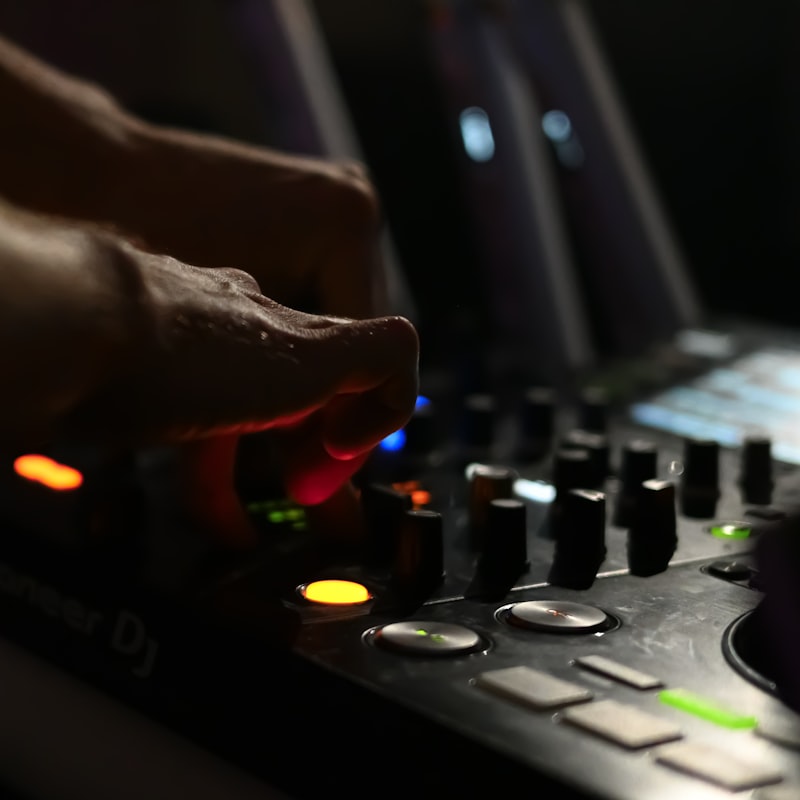
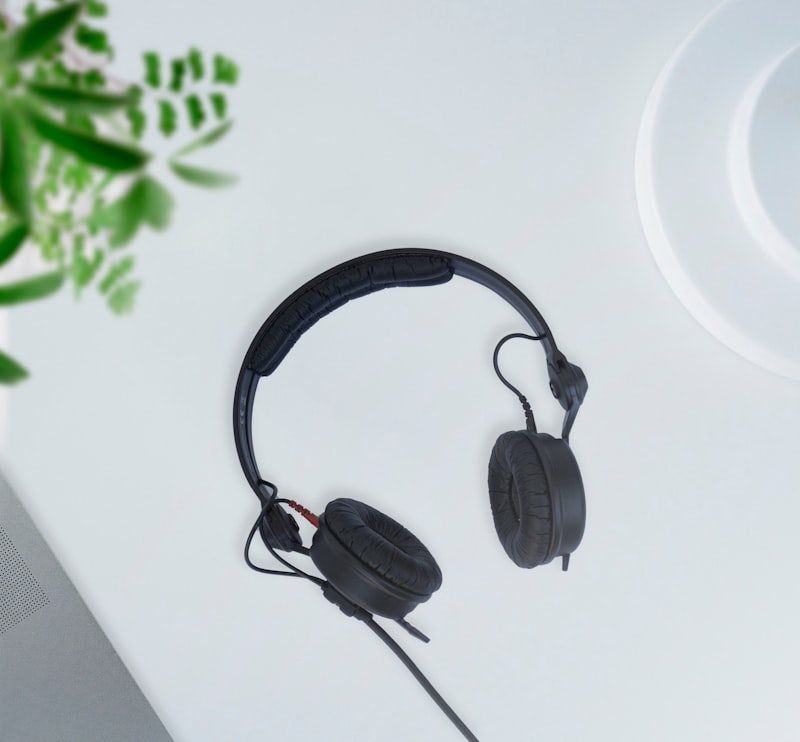
The essential DJ equipment for a beginner is short: a DJ controller (or another mixing device), DJ software, a pair of cueing headphones, and something to play sound through. That’s genuinely all it takes to start mixing at home. Everything beyond that is an upgrade, not a requirement.
Here’s what each piece does and how to choose without overspending.
The one thing that does the mixing
You need a device with two decks and a mixer between them. You have three main routes:
- A DJ controller — plugs into a laptop and controls DJ software. Cheapest and easiest to learn on. Examples: Pioneer DJ DDJ-FLX4, Hercules and Numark beginner models, Roland DJ-202.
- Turntables and a mixer — the traditional vinyl setup, or used with timecode control vinyl and software.
- Standalone players or CDJs — club-standard gear like the best standalone DJ players from Pioneer (CDJ/XDJ) and Denon DJ Prime that work without a laptop.
For most beginners a controller is the obvious choice. To weigh the options, read DJ controller vs turntables vs CDJs.
DJ software
If you use a controller, you need software to run it. The main options are Serato DJ Pro, rekordbox, Traktor Pro, VirtualDJ and djay Pro, plus the free, open-source Mixxx. Most controllers come bundled with one, so this often picks itself at the start. See the best DJ software for the differences.
Headphones
You cue the next track in your headphones before bringing it into the mix, so closed-back, isolating headphones are essential. Long-standing DJ favourites include the Sennheiser HD 25 and the Pioneer HDJ range. Studio headphones like the Audio-Technica ATH-M50x also work. More options in the best DJ headphones.
Speakers
For home practice, any decent powered speakers or studio monitors work fine. You only need louder, more robust DJ or PA speakers if you plan to play to a room. See the best DJ speakers when you reach that point.
A laptop (usually)
Most controller setups need a laptop to run the software. Standalone players don’t. If you’re wondering whether a computer is mandatory, our guide do you need a laptop to DJ covers it.
How the pieces connect
It helps to picture the signal path before you buy, because it makes clear why each piece is on the list and why the extras aren’t. With a controller setup the chain is simple: your music files live on the laptop, the software plays and beat-matches them, the controller sends your hand movements back to that software, and the controller’s built-in soundcard splits the audio two ways — the main mix goes out to your speakers, while a separate cue feed goes to your headphones. That split is the whole reason a DJ controller costs more than a toy mixer: it lets you hear the next track privately before the audience does.
A standalone player rearranges the same chain without a laptop. The music sits on a USB stick or internal drive, the unit does the playback and processing itself, and it sends the same two feeds — master out and headphone cue — from its own outputs. Once you understand that master-plus-cue structure, you can look at any setup and immediately tell what it can and can’t do.
How to choose your first controller
When you’re comparing beginner controllers, ignore the long feature lists and focus on a handful of things that actually affect learning:
- Two channels is plenty. A two-channel, two-deck layout matches how almost all mixing is taught, and the best 2-channel DJ controllers are where most beginners should start. Four-channel units add complexity you won’t use for months.
- Check the bundled software. A controller is built around one platform, so you’re really choosing software and hardware together. Make sure the included licence is the full version, not a time-limited trial.
- Jog wheels and a real crossfader. Decent-sized jog wheels and a smooth crossfader make beat-matching and basic scratching feel natural; tiny pads-only units are more limiting.
- Build and size. If you’ll carry it to friends’ places, weight and durability matter. If it lives on a desk, prioritise a layout you find readable.
- Headphone output that matches your headphones. Most controllers offer both 3.5mm and 6.3mm jacks, but it’s worth confirming so you’re not hunting for an adapter on day one.
Above all, buy something you can afford to start practising on today rather than saving for months for a club-standard unit. The core skills — phrasing, beat-matching, smooth transitions — transfer to any gear later.
Common beginner mistakes
A few avoidable errors cost new DJs money and momentum:
- Over-buying before the first mix. People spend on a four-channel mixer, effects units and a booth before they’ve learned to beat-match on two decks. Start minimal and let real needs guide upgrades.
- Skipping proper cueing headphones. Open-back or earbud-style headphones leak sound and don’t isolate, which makes cueing in a loud room almost impossible. Closed-back is not optional.
- Neglecting the music library. The best gear is wasted without tracks you know intimately. Build and organise your collection in parallel with learning the hardware.
- Relying on the sync button alone. Sync is a useful tool, but learning to beat-match by ear gives you control when tracks drift or a sync feature misreads a beat grid.
- Ignoring gain staging. Pushing every channel and the master into the red distorts your sound. Aim for healthy levels with headroom rather than maximum loudness.
What you can skip at first
You don’t need a four-channel mixer, a separate audio interface, fancy effects units, or a custom booth to learn. Add accessories — a controller stand, a carry case, a USB hub — only once you know what you’re missing. The best DJ accessories covers the nice-to-haves.
A realistic starter list
- Entry-level DJ controller (bundled software)
- Laptop you already own
- Closed-back cueing headphones
- Powered speakers or monitors
- A small library of tracks you love
That covers everything. For a full plan, see a DJ setup for beginners and how much it costs to start DJing.
Frequently asked questions
Do I need an audio interface to DJ?
No. A DJ controller has its audio output built in, including a separate headphone output for cueing. A standalone interface isn’t needed for a basic setup.
Can I DJ with just a laptop and no controller?
You can mix in software using only your keyboard and trackpad, and a “split cue” setup lets you preview tracks in headphones. It works for learning, but a controller makes hands-on mixing far more natural.
Is more expensive equipment easier to learn on?
Not really. Beginner controllers are designed to be approachable, and the core skills transfer to bigger gear later. Spend on practice time, not features you won’t use yet.
Do I need speakers, or are headphones enough to start?
You can learn the basics on headphones alone, and many people practise that way late at night. But mixing only in headphones can flatter your transitions, so listen on speakers regularly — it’s closer to how an audience will hear you and exposes problems headphones hide.
Shop related gear
The core of a first DJ setup: