
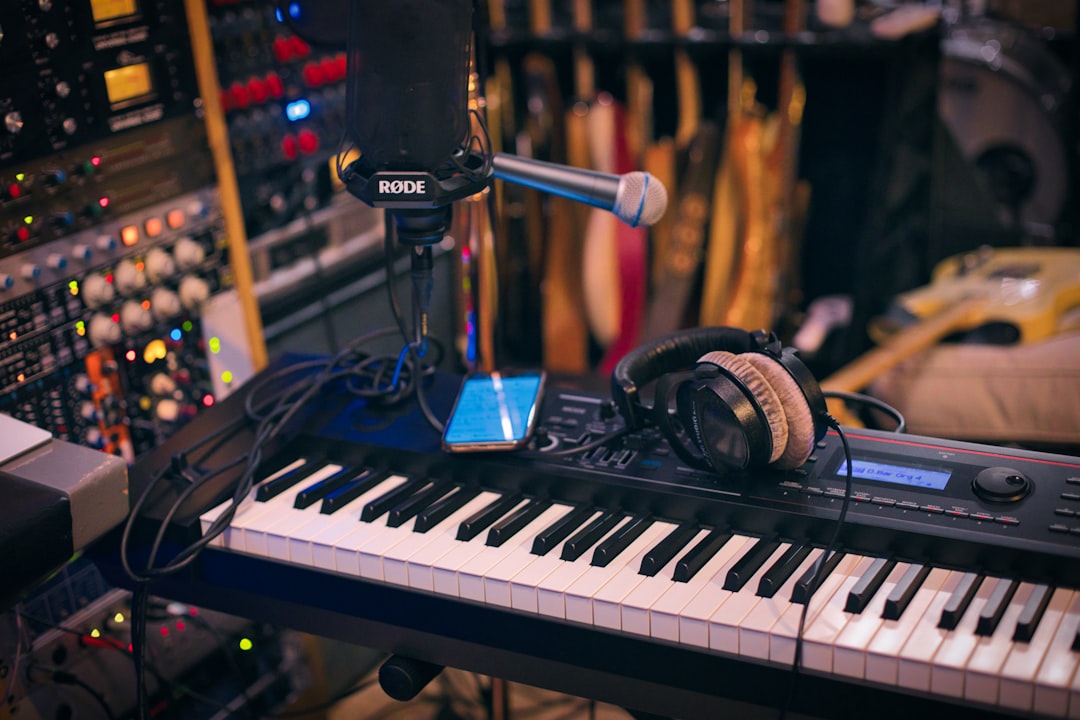
Overdubbing is the technique of recording a new part while listening back to tracks you’ve already recorded, layering it on top to build a full arrangement. It’s how almost every modern song is made: you record one element at a time — drums, then bass, then guitars, then vocals — instead of capturing everyone playing together live.
If you’ve ever recorded a vocal over a backing track, you’ve already overdubbed. Here’s a clear look at how it works and why it’s so central to home recording.
How overdubbing works
The process is simple. You record a first part — say a guitar — then create a new track, play back the guitar through your headphones, and record a second part (a vocal, bass line, or harmony) in time with it. Each new layer is a separate track you can edit and mix independently. Repeat as many times as the song needs.
Headphones are essential here: monitoring on speakers while overdubbing lets the existing tracks bleed into your microphone. Keeping each part isolated on its own track is what makes overdubbing so powerful for mixing later.
Behind the scenes your DAW is doing something clever: as you record the new take, it plays back the existing tracks in perfect sync and aligns the audio you capture to the same timeline. That sync is why overdubs stack so cleanly. The only thing you need to manage is timing — playing or singing in the pocket against what you hear — and the software takes care of the rest. Because every overdub lands on its own track, nothing you record is ever “baked in”; you can mute it, replace it, or rebalance it at any point without touching the parts around it.
Why it matters for home recording
Overdubbing is perfect for home and bedroom studios because you rarely have the space, gear, or other musicians to record a whole band at once. Instead, one person can build an entire production alone, part by part. It also gives you total control: you can fix a single instrument without re-recording everything, comp the best takes, and process each track separately. Explore related workflows in the recording techniques hub.
It also lowers the bar for room and equipment. Recording a full band live demands enough microphones, preamps, and headroom to capture everyone at once, plus a space quiet and controlled enough to keep instruments from spilling into each other’s mics. Overdubbing sidesteps all of that: you only ever need to record one source at a time, so a single decent microphone and a quiet corner can produce a surprisingly full-sounding record.
Common uses of overdubbing
- Vocals over a backing track — the most common overdub of all. See how to record vocals at home.
- Layering instruments — adding bass, rhythm guitar, lead lines, and keys one at a time.
- Harmonies and doubles — stacking extra vocal takes for thickness; our guide to how to layer vocals walks through it.
- Fixing mistakes (punch-ins) — re-recording just a small section over a take.
How to overdub well
A few habits make overdubs sound tight and professional:
- Use a steady reference — record to a metronome or solid rhythm part so everything locks together.
- Keep gain consistent — match levels across takes; our gain staging guide helps.
- Monitor with headphones — to prevent bleed and hear what you’re playing against.
- Watch latency — if there’s a delay between playing and hearing yourself, lower your buffer size. See what is audio latency.
- Match tone — keep mic placement and settings the same when double-tracking so the layers blend.
Common overdubbing mistakes to avoid
Most overdubbing problems are easy to prevent once you know what to listen for. Watch out for these:
- Drifting off the beat — without a strong reference it’s easy to rush or drag. If a part feels loose, check it against the metronome before piling more layers on top of it.
- Recording over good takes — rather than overwriting a take you might want back, record onto a fresh track or use your DAW’s take-comping feature so nothing is lost.
- Inconsistent tone between layers — if you move the mic, change your distance from it, or tweak settings between doubles, the layers won’t blend. Note your setup so you can match it.
- Building on a shaky foundation — if your first part is out of time or out of tune, every overdub inherits the problem. Get the foundation right before layering.
- Ignoring latency — even a small delay throws off your timing. Sort out your buffer size and monitoring before you commit to takes.
Overdubbing vs recording live
Recording live (everyone playing together) captures energy and interaction, but it’s harder to fix mistakes and needs more mics, inputs, and space. Overdubbing trades some live feel for control, convenience, and clean isolated tracks — which is why it dominates home and pop production. Many records combine both: a live rhythm section, then overdubbed vocals and solos. Once your parts are layered, mixing them is the next step — start with the beginner’s guide to mixing your first song.
Frequently asked questions
Is overdubbing the same as multitracking?
They’re related but not identical. Multitracking means recording onto multiple separate tracks; overdubbing is the act of adding new parts on top of already-recorded ones. Overdubbing is one of the main ways you build up a multitrack recording, layer by layer.
Do I need special software to overdub?
No — any modern DAW supports overdubbing out of the box. You just record one track, then create another and record while the first plays back. Even free DAWs handle this easily, so almost any home setup can do it.
Why do I need headphones to overdub?
Headphones let you hear the existing tracks while you record a new part without that playback leaking into your microphone. If you monitored on speakers, the previous tracks would bleed into the new recording and muddy your mix. Headphones keep each layer clean and isolated.
How many times can I overdub a song?
There’s no fixed limit — you can keep adding layers until the arrangement feels complete, and modern DAWs handle far more tracks than most songs ever need. In practice, taste is the real limit: too many competing parts can clutter a mix, so add layers because the song calls for them, not just because you can.



