
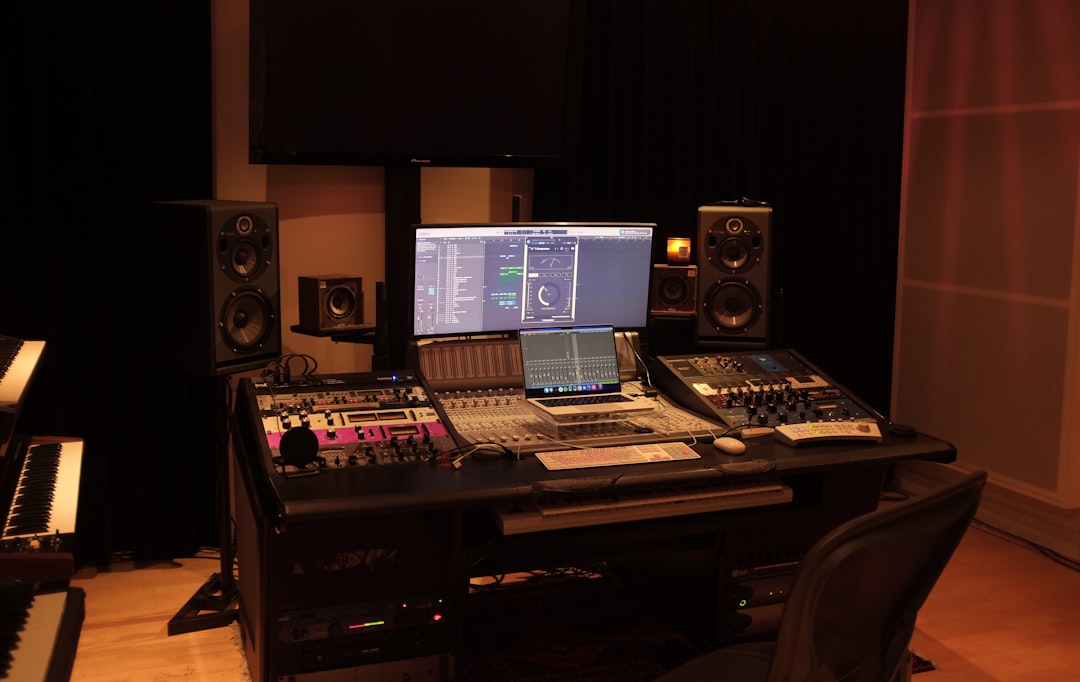
You don’t need a big plugin budget to make great records. The best free VST plugins rival paid tools for EQ, compression, reverb, synthesis, and metering — and many sit on commercial releases every day. New to the format? Our explainer on what a VST is covers the basics. This guide covers what to look for and names reliable, genuinely free options across every category a home studio needs.
Violet Recording is reader-supported — we may earn a commission from links on this page, at no extra cost to you.
How to choose free plugins worth installing
Free doesn’t mean low quality, but it pays to be selective. Use these criteria:
- Format and OS support. Check for VST3, AU, and AAX as needed, on your platform. Most modern hosts have dropped 32-bit support, so favour 64-bit.
- Maintained, not abandoned. Plugins that still get updates work in current DAWs and on Apple Silicon.
- No nag-ware or invasive registration. The best free tools either need no account or a simple one-time sign-up.
- CPU efficiency. Some free synths and reverbs are heavy. Watch your CPU meter on larger sessions.
- It fills a real gap. Pick tools that add something your DAW stock plugins don’t already do well.
One reminder: your DAW already ships with capable EQ, compression, and reverb. Free third-party plugins are best for character, specialist jobs, and instruments. New to DAWs entirely? Start with our roundup of the best free DAWs for beginners.
Best free EQ and channel tools
TDR Nova (Tokyo Dawn Records) is a dynamic parametric EQ that doubles as a multiband compressor — excellent for taming resonances and harsh vocals. TDR SlickEQ offers a musical, console-style EQ with a clean interface. For mid/side work and general surgical cuts, Voxengo Span (technically an analyser) pairs perfectly to show you exactly what you’re carving.
Best free compressors
TDR Kotelnikov is a transparent, mastering-grade bus compressor that’s hard to make sound bad. For colour and vibe, Klanghelm DC1A is a one-knob-style “make it punchy” compressor that’s a favourite on drums and mix bus, while its sibling MJUC jr. brings vari-mu warmth. These cover everything from gentle glue to obvious pump. If compression is still fuzzy, read our EQ and compression fundamentals.
Best free reverb and delay
Valhalla Supermassive from Valhalla DSP is a standout — lush, characterful reverbs and delays ranging from tight rooms to vast ambient washes, entirely free. OrilRiver is a natural-sounding algorithmic reverb with detailed controls that works beautifully on vocals and acoustic sources. Pair these with the techniques in how to use reverb and delay.
Best free synths and instruments
Vital is a powerful wavetable synth with a generous free tier — visually intuitive and capable of modern, complex sounds. Surge XT is a fully open-source hybrid synth packed with features and presets. For classic sounds, Spitfire LABS delivers free, high-quality sampled instruments (pianos, strings, textures), and Dexed recreates the legendary FM tones of the Yamaha DX7. If instruments are your priority, our dedicated guide to the best free synth VSTs goes deeper.
Best free metering and mastering utilities
For loudness, Youlean Loudness Meter (free version) gives clear LUFS readings so your masters hit streaming targets — see LUFS explained for the numbers. Voxengo Span handles spectrum analysis, and TDR Limiter 6 GE provides a flexible limiter for the end of your chain. Learn how these fit together in what is mastering.
How to install and manage your plugins
Most plugins arrive as an installer or a folder you point your DAW to. A little organisation now saves a lot of frustration later:
- Know your plugin folders. On Windows, VST3 plugins live in a standard system folder; on macOS, VST3 and AU each have their own location. Let installers use the default paths unless you have a reason not to — our step-by-step on how to install VST plugins walks through it.
- Rescan after installing. If a new plugin doesn’t appear, trigger a manual plugin rescan in your DAW’s preferences rather than restarting blindly.
- Prefer VST3 or AU over older formats. They handle sidechaining and parameter automation more cleanly, and they are what developers actively maintain.
- Keep installers and licences. Save the download files and any licence keys in one folder so reinstalling on a new machine is painless.
- Update in batches, not mid-project. Updating a plugin can occasionally change its sound or layout. Do it between projects, never the night before a deadline.
Common mistakes with free plugins
Free tools are powerful, but a few habits hold people back. Avoid these:
- Collecting instead of learning. Installing fifty plugins you never open won’t improve a mix. Pick one tool per job and learn it deeply.
- Ignoring stock plugins. Your DAW’s built-in EQ and compressor are often excellent and lower on CPU. Reach for a free third-party tool when it genuinely adds something, not by reflex.
- Overloading the chain. Stacking several reverbs or limiters muddies a mix fast. Fewer, well-chosen processors almost always sound cleaner.
- Mixing for the plugin, not the song. A characterful free compressor is fun, but the goal is the record. Use processing to serve the music, not to show off a tool.
- Downloading from the wrong place. Cracked or repackaged plugins are a real malware risk and often unstable. Stick to official developer sites every time.
Building a free starter chain
A complete free toolkit might be: TDR Nova for dynamic EQ, Klanghelm DC1A and TDR Kotelnikov for compression, Valhalla Supermassive and OrilRiver for space, Vital and Spitfire LABS for sounds, and Youlean plus Span for metering. That covers a full mix from tracking to master. For where these sit in a wider rig, see our mixing and mastering hub.
Frequently asked questions
Are free VST plugins good enough for professional work?
Yes. Tools like Valhalla Supermassive, the TDR range, and Vital are used on commercial releases. Quality comes from how you use a plugin, not its price. Free tools easily cover a full mix.
Where can I safely download free plugins?
Always download from the developer’s official website (Valhalla DSP, Tokyo Dawn Records, Vital Audio, Spitfire Audio, and so on). Avoid third-party “free download” sites and never use cracked versions, which carry malware risk.
Do I need paid plugins if I have good free ones?
Not to make finished, professional music. Paid plugins can offer convenience, specific analogue emulations, or refined workflows, but a thoughtful free toolkit plus your DAW’s stock plugins is enough to mix and master a release.
Will free plugins slow down my computer?
A few well-made free plugins won’t, but heavy synths and high-quality reverbs do use real CPU, and stacking many instances adds up. Watch your DAW’s CPU meter, freeze or bounce demanding tracks to audio when a session gets large, and raise your audio buffer size while mixing to keep playback smooth.
What does free actually mean here — any catches?
The tools above are free to download and use in your projects, though some are “freemium” with optional paid upgrades (Vital, for example, has paid tiers with more content). A handful ask for a one-time email sign-up. None require an ongoing subscription to keep using the free version, and there are no per-track or commercial-use fees.



