
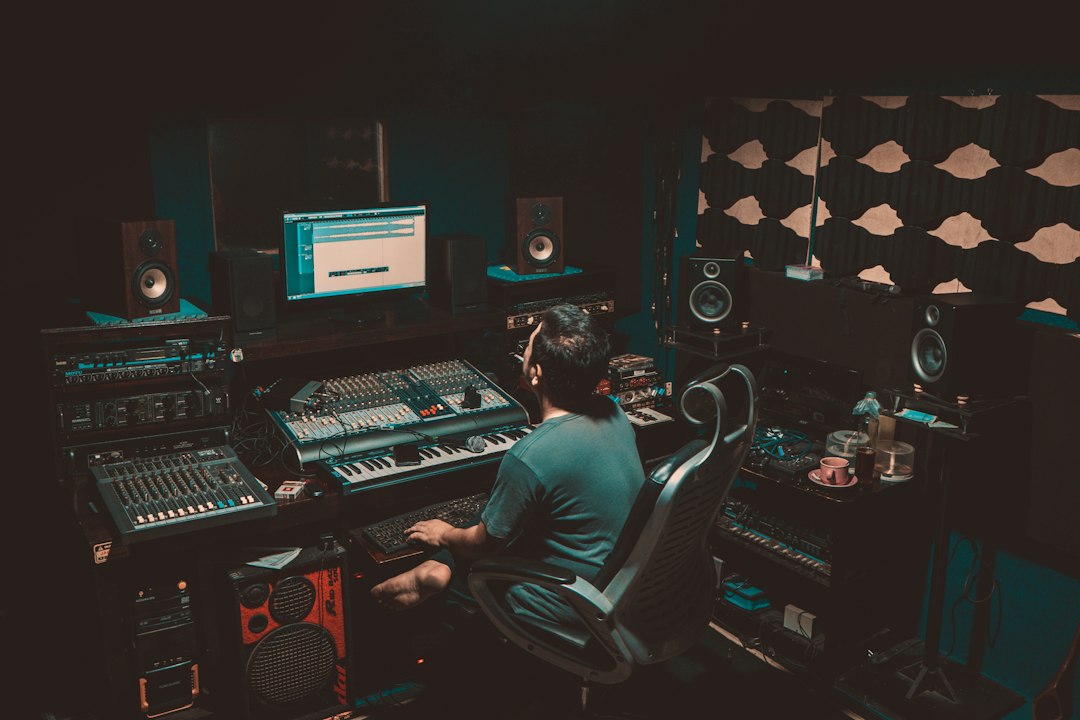
Piano is one of the friendliest instruments to start on: press a key and a good note comes out. The hard part comes a few weeks later, when the right hand knows the melody, the left hand knows the chords, and the two refuse to work together. The right lessons get you through that stage. This guide compares the main online beginner piano lessons, from interactive apps to video memberships and live teachers, and explains who each suits, what gear you need, and what a sensible first month looks like.
This is an editorial overview based on how each platform is designed and what it publishes about itself, written from the point of view of musicians and producers who play keys every day. We deliberately leave out prices, trial lengths and song counts, which change often. Check each platform directly before you subscribe.
How to choose beginner piano lessons
Online piano learning splits into three broad formats, and the right one depends on how you learn:
- Interactive apps (Simply Piano, Skoove, Playground Sessions, flowkey) listen to what you play, through your device’s microphone or a USB/MIDI connection, and tell you instantly whether you hit the right notes at the right time.
- Video memberships (Pianote and similar) are structured courses taught by real teachers on camera, usually with a method that runs from total beginner to intermediate and beyond.
- Live teachers, in person or by video call, watch your hands and posture and tailor the lessons to you.
Ask yourself three things. Do you want to read sheet music, or mainly play chords and songs by ear? Are you motivated by scores and streaks, or by a teacher explaining why? And are you learning for yourself, or choosing for a child? (Children have their own considerations, covered in our guide to piano lessons for kids.)
The best online piano lesson platforms compared
Simply Piano
Simply Piano is an interactive app that listens to the notes you play on any acoustic piano or keyboard and gives immediate feedback. Lessons are grouped into courses for different tastes and levels, from essentials to pop chords, classical and more. Steps are small and the app moves you on only when you have played a passage correctly, which makes the first weeks feel achievable.
Best for: adult and teen beginners who want to start today with no scheduling. Limitations: the app judges notes and timing, not hand shape, finger choice or tension, and the song arrangements are simplified. Some learners find the pop-chord route leaves gaps in reading.
flowkey
flowkey pairs a video of a pianist’s hands with scrolling sheet music. Its Wait Mode listens to your playing and pauses until you hit the right notes, and you can slow pieces down and practise each hand separately. The mix of video and notation makes it a good bridge for people who want to learn to read music without starting from dry exercises.
Best for: visual learners who want to play recognisable pieces and pick up reading along the way. Limitations: it is song-led, so technique and theory are less systematic than a full method, and there is no teacher checking your posture.
Pianote
Pianote, part of the Musora family alongside Drumeo and Singeo, is a video-lesson membership built around a structured, multi-level method that runs from complete beginner through chords, songs, sight reading and composition. It also offers song tutorials, courses and live sessions. Rather than one-to-one lessons, members can submit videos for public student reviews by the instructors.
Best for: adults who want a real teacher’s explanations, a clear path, and a community around them. Limitations: it is video, so you need the discipline to practise without an app scoring you, and feedback is occasional and public rather than private. Our Pianote review covers it in depth.
Skoove and Playground Sessions
Both are interactive piano courses with real-time feedback. Skoove recognises the notes you play and combines lessons with feedback on what went well and what to improve. Playground Sessions colour-codes each note as you play it to show whether it was right, wrong, or right but mistimed, and is generally at its most reliable with a keyboard connected over USB/MIDI.
Best for: learners who like the app format but want an alternative feel or song selection to Simply Piano. Limitations: the same as every app: excellent at “right note, right time”, unable to see what your hands are doing.
A private piano teacher
For piano in particular, a teacher earns their fee early on. Hand position, relaxed wrists, sensible fingering and using the sustain pedal correctly are all much easier to learn properly than to unlearn later. Online lessons over video call work if the camera can see the keyboard and your hands from the side. Many adults combine an app or membership for daily practice with a teacher every few weeks.
Quick comparison
| Route | Format | Feedback | Reading music |
|---|---|---|---|
| Simply Piano | Interactive app, courses by style | Real-time note and timing | Some, alongside chords |
| flowkey | Video of hands plus scrolling score | Wait Mode listens for correct notes | Strong, song-led |
| Pianote | Video membership, levelled method | Occasional instructor video reviews | Included in the method |
| Skoove / Playground Sessions | Interactive app courses | Real-time note and timing | Some |
| Private teacher | Live, in person or video call | Full: hands, posture, musicality | Whatever you need |
What you need to start
- A keyboard with touch-sensitive keys. Velocity sensitivity lets you play loud and soft, which every lesson will ask for. A light, affordable start is the Casio Casiotone CT-S1 (61 keys). If you are serious about piano, an 88-key weighted digital piano such as the Yamaha P-145BT feels much closer to an acoustic piano. Our guide to the best digital pianos for beginners compares more options.
- A sustain pedal. Many keyboards include a basic footswitch; you will want one within the first couple of months.
- Headphones. Essential for practising at night or in a shared flat. Closed-back studio headphones like the Audio-Technica ATH-M20x work well. Note that microphone-based apps cannot hear a keyboard through headphones, so you may need to connect over USB/MIDI or use speakers for those.
- A stand and a proper seat height. Forearms roughly level with the keys, feet flat. Ironing boards and beds lead to sore backs and bad habits.
- A metronome. Our free online metronome is enough to start.
A realistic first month
Aim for 15 to 25 minutes most days. Short, regular sessions build coordination faster than one long one.
- Week 1: Find middle C, learn the pattern of black keys (groups of two and three), and play five-finger positions in each hand separately. Name every note you play out loud.
- Week 2: Simple melodies in the right hand, single bass notes in the left. Start with hands separately, then together very slowly.
- Week 3: Your first chords: C, F and G major in root position in the right hand, a bass note in the left. Play them along with the metronome.
- Week 4: One complete beginner piece or simple song arrangement with both hands, plus ten minutes a day of note reading. Our guide on how to read sheet music helps here.
Hand independence is the first real plateau. It almost always yields to slowing down: play the tricky bar at half speed, hands together, until it is boring, then nudge the tempo up. For a fuller picture of the order in which to learn things, see our step-by-step guide on how to learn piano.
Our verdict
If you want to start tonight and need motivation, an interactive app such as Simply Piano or Skoove is the easiest on-ramp. If you want to read music and play real pieces, flowkey is a natural fit. If you want a teacher’s explanations and a structured method, Pianote is strong. Whatever you pick, a few sessions with a private teacher early on will protect your hands and posture, and that pays off for years.
FAQ
Can I learn piano with an app alone?
You can learn to play songs and basic reading with an app, and many people do. Apps cannot correct hand position or tension, though, so filming yourself or booking an occasional lesson is worth it.
Do I need 88 weighted keys as a beginner?
Not on day one. A 61-key touch-sensitive keyboard is fine for the first months. If you plan to play classical repertoire or move to an acoustic piano, 88 weighted keys make the transition much easier.
Is it better to learn chords or to read music first?
Ideally both, a little at a time. Chords get you playing songs quickly; reading opens up written music and makes lessons with any teacher easier. Most good beginner courses mix the two.



