
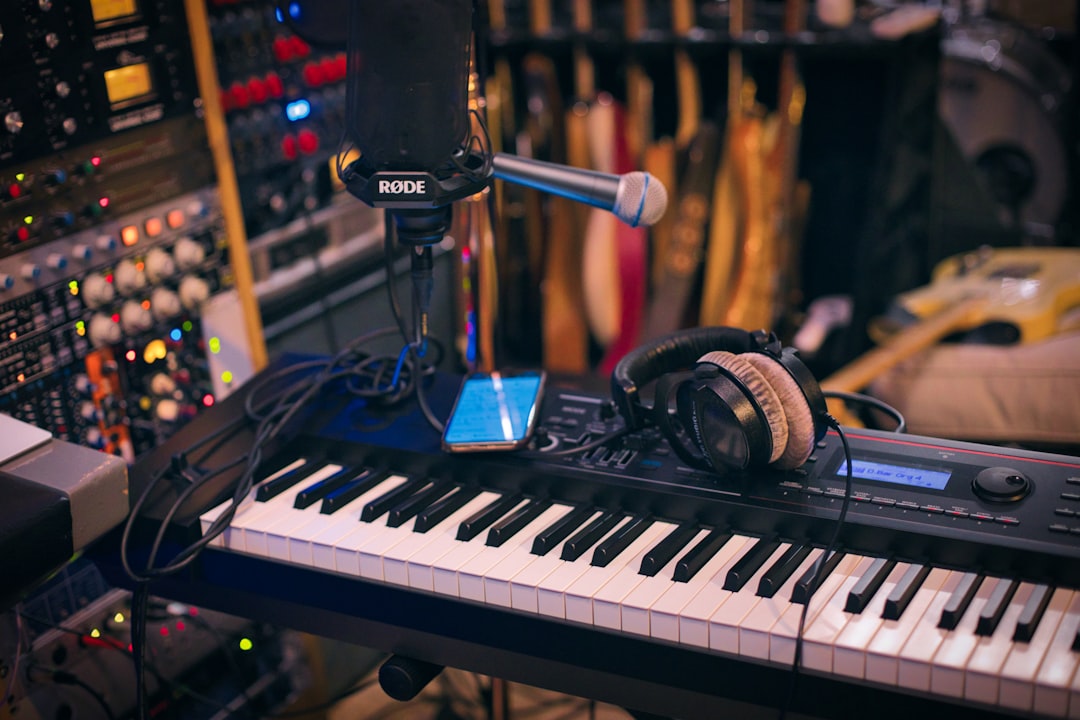
Knowing how to release an album comes down to a repeatable sequence: finish and master the songs, pick a digital distributor, lock a release date a few weeks out, upload your files and metadata, then run a pre-save and promo push into launch day. Get that order right and a self-release can land on Spotify, Apple Music and every other platform without a label — for the cost of a distribution plan and your own time.
Violet Recording is reader-supported — we may earn a commission from links on this page, at no extra cost to you.
Key takeaways before you release an album
- Master everything first. Streaming platforms want a consistent, competitive loudness — mastering is not optional.
- You need a distributor (DistroKid, TuneCore, CD Baby, Amuse, Ditto or LANDR) to get onto Spotify and Apple Music. Labels are not required.
- Give yourself 4–6 weeks between upload and release so playlist editors and pre-save campaigns have time to work.
- Metadata is money. Correct titles, credits, ISRCs and splits protect your royalties for the life of the record.
- Promotion beats perfection. A modest album with a real rollout out-performs a great album no one hears about.
Finish and master every track before anything else
An album release lives or dies on the audio, so treat mixing and mastering as the foundation, not an afterthought. Every song should be fully mixed and signed off before you even think about a release date. Once mixes are locked, the whole record needs mastering — the final polish that balances loudness, tone and dynamics across tracks so the album feels like one cohesive body of work instead of a folder of unrelated files.
Mastering matters more than beginners expect because streaming services normalise loudness, and a poorly mastered track will sound thin or quiet next to professionally finished releases. If you are mixing it yourself, our beginner’s guide to mixing your first song and our primer on what mastering actually is will get you oriented. For the loudness targets platforms expect, read how to master a song for streaming and our LUFS explainer.
You have three realistic mastering routes. A human mastering engineer gives you the most nuanced, album-aware result and is worth it for a flagship release. AI mastering — through a service like LANDR — turns tracks around fast and cheaply, which suits singles, demos and tight budgets. Or you master it yourself if you have the ears and the room. To weigh the trade-offs, see our comparison of AI mastering vs human mastering and our roundup of the best online mastering services. Whichever you choose, export high-resolution WAV files (at least 16-bit/44.1kHz, ideally 24-bit) — distributors prefer lossless masters, not MP3s.
How to release an album through a digital distributor
Here is the part most first-timers get stuck on: you cannot upload directly to Spotify or Apple Music yourself. You go through a distributor, which delivers your album to every streaming and download store and collects the royalties on your behalf. This is the single most important decision in the whole process, so choose deliberately.
The main players work in two pricing shapes. Flat-fee subscription distributors — DistroKid is the best-known — let you upload unlimited releases for an annual fee and typically let you keep all your streaming royalties. Per-release or revenue-share distributors such as TuneCore and CD Baby charge per upload or take a percentage but often bundle in extra publishing and sync services. Amuse and Ditto sit in the budget and free-tier space. LANDR is worth a look because it bundles distribution with its mastering tools in one workflow, which is convenient if you are mastering there anyway.
Costs and cuts change constantly, so do not take any figure you read online as gospel — pricing varies and you should check the provider’s current pricing before you commit. When you compare, look past the headline number at four things: whether you keep 100% of royalties, whether they collect publishing royalties too, how fast they pay out (and whether they support payouts in your region), and whether they charge you again every year to keep old releases live. That last one catches people out — some services take your music down if you stop paying.
Prepare your files, artwork and metadata correctly
Distributors reject or delay releases over sloppy metadata more than anything else, so get this right the first time. Your master audio should be lossless WAV. Your cover art needs to be a square image, usually 3000×3000 pixels, with no web addresses, no social handles, no pricing and no misleading logos — those are the most common rejection reasons.
Then there is the text data that follows your album forever:
- Track and album titles spelled and capitalised exactly how you want them to appear — fixing these after release is painful.
- Primary and featured artist credits, kept consistent with how you appear on other releases so platforms link them to one artist profile.
- Songwriter and producer splits — agree who owns what percentage in writing before you release, not after the money starts coming in.
- ISRC codes (a unique ID per track) and a UPC (one per album) — your distributor generates these free if you don’t have them.
- Genre, language and a release date set far enough ahead to plan a rollout.
Double-check every field. Accurate metadata is what makes sure the right people get paid every time your album is streamed, for as long as it exists.
Set a release date and plan the rollout
Do not release the moment the upload finishes. Set the date at least four to six weeks out and use that runway. Most distributors let you schedule a future date and generate a pre-save or pre-order link — that lets fans save the album to their library before it drops, and those early saves signal momentum to streaming algorithms on day one.
Fridays are the industry-standard release day because that is when the big new-music playlists refresh. Just as important, delivering your album a few weeks early is what makes you eligible to pitch it to Spotify’s editorial playlist team through their artist dashboard — a pitch you can only submit for unreleased music, which is reason enough on its own not to rush.
A simple rollout for an album might look like this: release one or two singles in the weeks beforehand to build an audience and give the algorithm data to work with, tease the album with short video clips and behind-the-scenes content, open pre-saves, then drop the full record on launch day and keep promoting it for weeks afterward. A release is a campaign, not a single button-press.
Promote the release without burning your budget
The mistake that sinks most independent albums is treating “release day” as the finish line. It is the starting line. You do not need a big advertising budget, but you do need consistent, genuine promotion. Focus your energy where it compounds:
- Pitch to playlists — Spotify editorial via your dashboard, plus independent curators and blogs relevant to your genre.
- Short-form video on TikTok, Reels and Shorts, built around the most hooky 15 seconds of your strongest songs.
- Email and your existing fans first — the people who already follow you drive the crucial early streams that platforms reward.
- Update every profile — claim Spotify for Artists and Apple Music for Artists so your bio, photo and links are correct on launch day.
If you want to turn attention into income beyond streaming, our guides on finding paid audio work and the wider music business category hub cover the revenue side once your release is out. Keep promoting the album for months — evergreen catalogue promotion outlasts any launch-week spike.
Frequently asked questions
Do I need a record label to release an album?
No. Any independent artist can release an album through a digital distributor such as DistroKid, TuneCore, CD Baby or LANDR, which places your music on Spotify, Apple Music and every major platform. A label can add marketing muscle and funding, but it is not required to get your album live and earning, and self-releasing means you keep control of your masters.
How much does it cost to release an album independently?
It varies widely depending on the route you choose. Distribution runs on either a flat annual subscription or a per-release or revenue-share model, and mastering ranges from budget-friendly AI services to premium human engineers. Because plans and rates change often, check the provider’s current pricing before you commit rather than trusting any figure you read secondhand.
How far in advance should I upload my album to a distributor?
Aim for at least four to six weeks before your target release date. That window lets you schedule the release, generate a pre-save link, and — importantly — submit your album to Spotify’s editorial playlist team, which only accepts pitches for unreleased music. Uploading early also gives you a buffer if any metadata or artwork needs fixing before it goes live.



