
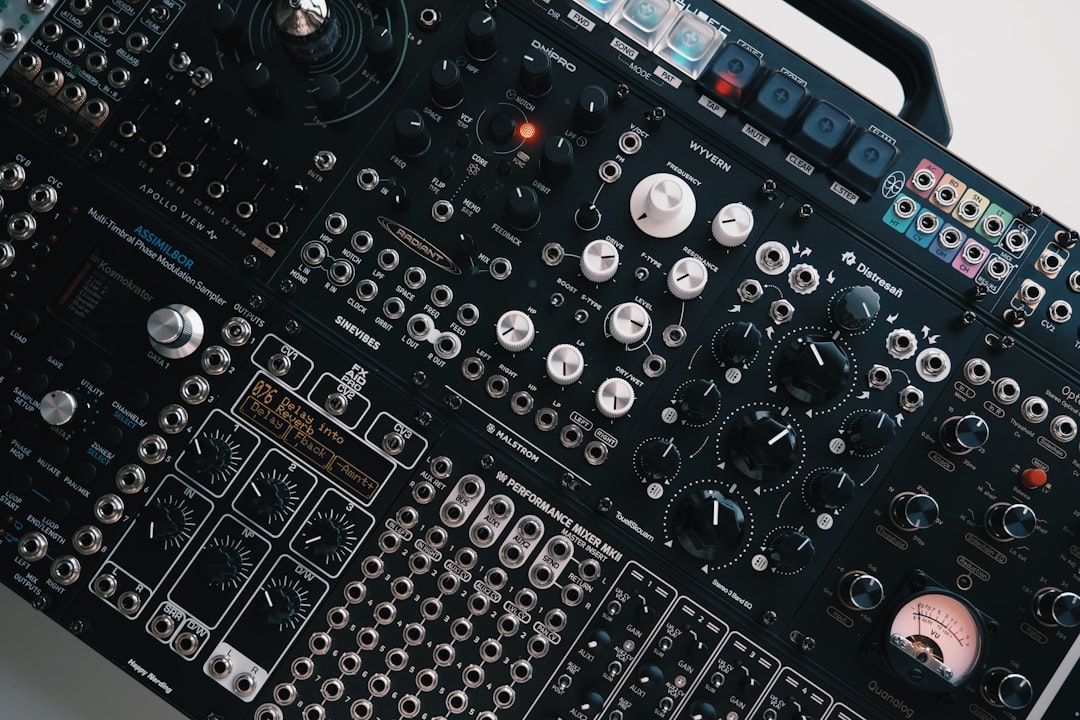
Resampling means recording your own audio back into your DAW as a new sample, then treating that recording as fresh raw material. Learning how to resample is one of the highest-leverage habits in sound design: it lets you commit complex processing, free up CPU, and stack effects in ways that would be impossible in a single live chain. Once you start resampling, you can build sounds in generations, each one impossible to recreate from scratch.
This guide explains why resampling matters, the exact workflow, and the creative doors it opens. It pairs closely with our sampler sound design guide.
What resampling is and why it helps
When you resample, you bounce or record a sound, whether a synth patch, a processed loop, or a reverb tail, into an audio file. That file is now just audio, with no live plugins attached. Knowing how to resample gives you several advantages at once:
- Commit the sound so it stops drifting and you can build on a fixed foundation.
- Save CPU by replacing heavy synth-plus-effects chains with a single audio clip.
- Stack processing beyond what one chain allows, distorting an already-distorted sound, for example.
- Manipulate audio directly: chop, reverse, time-stretch and re-pitch.
It helps to think of resampling as freezing a moment in your creative process. A live synth patch is a set of instructions that the computer recalculates every time you press play, and those instructions can change if you touch a knob or update a plugin. The moment you resample, you trade that flexibility for permanence, and that permanence is exactly what lets you treat the sound as a physical object you can cut, bend and rebuild.
How to resample in your DAW
Every DAW handles this slightly differently, but the concept is the same. There are two common approaches:
- Bounce / freeze a track — render the selected audio to a new clip or file. This is the cleanest method and captures exactly what you hear.
- Record an internal channel — set a record-armed track to capture the output of another track or your master bus, then play the sound and record it in real time. This is handy for capturing live tweaks and automation.
Either way, you end up with a new audio file you can drag into a sampler or chop on the timeline.
If your DAW supports internal routing, the record-an-internal-channel method is worth setting up properly once. Create an audio track, set its input to the output of the track you want to capture (or to the resampling bus your DAW provides), arm it, and hit record while the source plays. Because you are recording in real time, every fader move, filter sweep and automation curve is printed into the new file exactly as it happened. Freezing or bouncing, by contrast, is faster and removes the chance of a timing slip, so it suits sounds that are already static. Many producers keep a dedicated resampling track armed at all times so capturing an idea is never more than one keystroke away.
Build sounds in generations
The real power of resampling is iteration. Start with a basic sound, process it, resample, then process that result and resample again. Each pass adds character you could never dial in at once. A typical chain might be: synth tone, resample, add distortion and filtering, resample, reverse and add reverb, resample. By the end the sound is wholly original. This is how a lot of glitch sounds and textures and atmospheres are built.
Working in generations also changes how you make decisions. Because each layer is committed before you move on, you stop second-guessing earlier choices and start responding to what the sound actually became rather than what you planned. A small accident, a moment of distortion that pushed the tone somewhere unexpected, becomes the foundation for the next pass instead of something to undo. The trade-off is that you cannot easily go back and adjust an early stage, so it pays to save a copy of the source before each commit if you think you might want to revisit it.
Creative things to do with a resampled clip
- Chop it into a sampler and map slices across the keyboard to replay them out of order.
- Reverse it for risers and ghostly swells.
- Time-stretch a short clip into a long, evolving pad.
- Granular-process it for clouds of texture; see our granular synthesis guide.
- Re-pitch it down for weight or up for chimes.
Resampling for cleaner, simpler projects
Beyond creativity, resampling keeps sessions manageable. Heavy patches with multiple synths and effects can choke your computer, especially when you stack many of them. Committing finished sounds to audio lightens the load and makes mixing more predictable, since the sound no longer changes if a plugin updates or a setting slips. It also makes it easy to build a personal library, which feeds neatly into making your own sample pack.
Common resampling mistakes to avoid
Resampling is simple in principle, but a few habits separate clean results from frustrating ones. Watch out for these:
- Bouncing too hot. If the source is already pushing near the top of the meter, the rendered file can clip or sound brittle. Pull the level down a few decibels before you commit, since you can always bring it back up later.
- Cutting the tail short. Stopping the render the moment the note ends chops off reverb and delay tails, leaving an unnatural hard edge. Always let the sound ring out fully.
- Resampling at the wrong sample rate. Match the bounce to your project settings so you are not silently up- or down-converting and introducing artefacts.
- Forgetting to mute the source. If you record an internal channel without muting or removing the original, you can end up doubling the sound or printing it twice.
- Not labelling files. A folder full of clips called “audio 01” becomes useless within a week. Name things while the idea is fresh.
Tips for clean resampling
- Watch your levels so the bounce does not clip; leave headroom.
- Capture tails by letting reverbs and delays ring out before you stop the render.
- Name and organise your resampled files so you can find them later.
- Keep the source session or a copy in case you want to revisit the original chain.
Frequently asked questions
What is the difference between resampling and bouncing?
Bouncing is one method of resampling. Resampling is the broader idea of turning processed audio into a new sample so you can keep manipulating it, whether you bounce a track, freeze it, or record it internally.
Does resampling reduce audio quality?
No, as long as you bounce at your project’s sample rate and bit depth and avoid clipping. You are simply rendering the exact audio you already hear into a file.
Why do producers resample instead of just adding more effects?
Resampling lets you stack processing beyond a single chain, commit a sound so it stops changing, and save CPU. It also turns the result into editable audio you can chop, reverse and re-pitch like any sample.
How many times can I resample the same sound?
There is no fixed limit. As long as you keep your levels in check and bounce at the project’s sample rate and bit depth, you can resample as many generations as the sound needs. Most producers stop when the sound has the character they were after, not when they hit a technical ceiling.
Should I keep the original session after resampling?
Yes, it is good practice to save a copy of the source before you commit a generation. Resampling is a one-way street within the new file, so a backup is your only route back to the original chain if you want to take the sound in a different direction later.



