
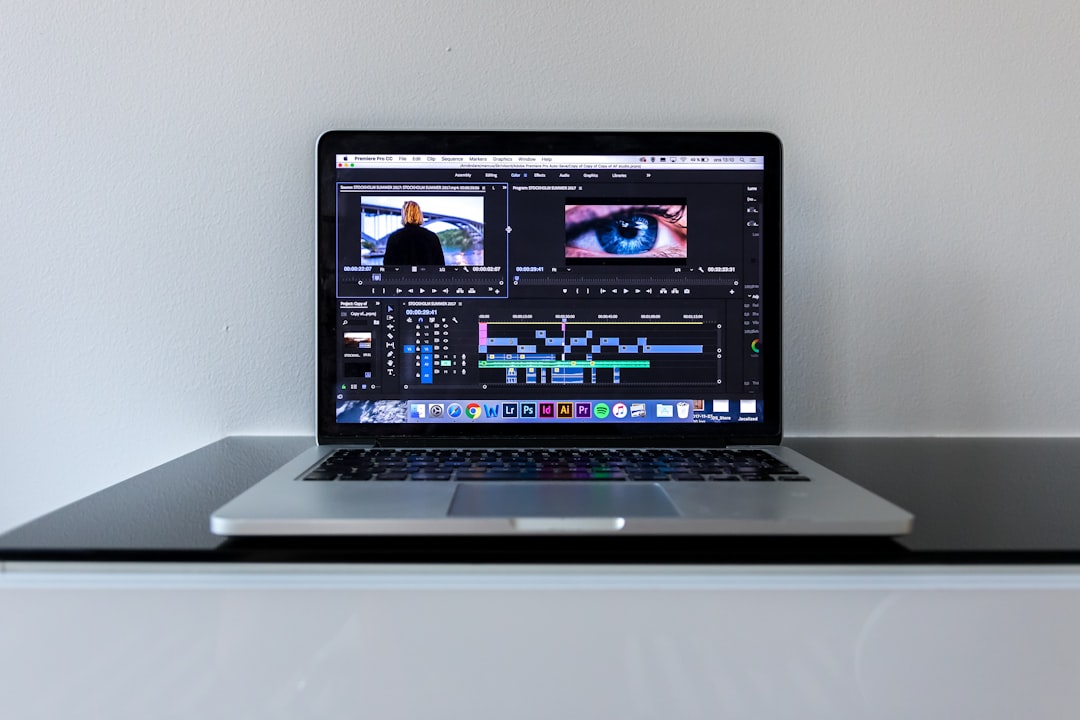
Plazmapunk is a browser-based AI tool that turns an audio track into a reactive, generative music video — you upload a song, describe a look, and it builds moving visuals timed to the sound. In this Plazmapunk review we walk through what it actually does, who it suits, where it stumbles, and the alternatives worth weighing before you commit. Short version: it is a fun, fast way to get a “good enough” clip for socials, but it is a stylistic tool, not a full production suite.
Violet Recording is reader-supported — we may earn a commission from links on this page, at no extra cost to you.
Verdict at a glance: our Plazmapunk review rating
Rating: 3.5 / 5 — A slick, genuinely enjoyable AI visual generator that nails the trippy, psychedelic aesthetic and gets a shareable clip out the door in minutes. It loses points for a narrow visual range, limited fine control, and the credit-metered model that most tools in this space use. Great for a quick visualizer or a Reel; less suited to a polished narrative video or precise brand work.
- Best for: electronic, hip-hop and indie artists who want a striking, abstract clip for Instagram, TikTok or YouTube.
- Not for: creators who need literal storytelling, exact lyric placement, or a specific reproducible style every time.
- Our all-in-one pick instead: Solmi if you want the song, the cover art and the video from one place.
Rather than stage a one-off test, this assessment is grounded in the tool’s design and its widely documented reception among creators. Treat the workflow notes above as the practical picture; for the finest details — exact render times, output resolution and current plan limits — check the developer’s own site, since these change often.
What Plazmapunk actually is
Plazmapunk sits in the “AI music video maker” bucket alongside tools like Specterr, Kaiber, Neural Frames and Vizzy. You feed it a track, choose or prompt a visual direction, and it generates footage that pulses and morphs in time with the audio. The output leans heavily into a signature look — think neon, liquid, dreamlike, slightly chaotic generative art rather than clean corporate motion graphics. That house style is the whole appeal: it makes ordinary bedroom-studio tracks feel like they belong to a moody, cinematic world without you touching After Effects.
Because it runs in the browser, there is nothing to install and no GPU to worry about — the heavy lifting happens on their servers. You sign in, upload, prompt, and wait for the render. That low barrier is a big part of why it caught on with independent musicians who have a finished song but zero video skills.
How it works, step by step
The workflow is deliberately simple, which is both a strength and a limit:
- Upload your track. Drop in the audio you want to visualize. The engine analyses the sound so the visuals can react to beats, drops and dynamics.
- Set the direction. You describe the mood or scene with a text prompt and/or pick from preset styles. This is where you steer it toward, say, a rain-soaked city or an underwater dreamscape.
- Generate. The tool renders a clip synced to the music. Depending on length and demand, this can take a few minutes.
- Review and iterate. If the first pass misses, you tweak the prompt and re-roll. Getting the result you want is often a couple of attempts rather than one perfect shot.
- Export. Download the finished video for posting. Aspect ratios and duration options depend on your plan.
If you have used any prompt-to-image tool, the mental model transfers directly: you are gardening a prompt, nudging it until the vibe lands, and accepting a degree of happy accident along the way.
What Plazmapunk does well
Three things stand out in daily use.
The aesthetic is genuinely good. Plenty of AI visualizers produce generic, jittery slop. Plazmapunk’s default look is coherent and stylish — it has a point of view. For the right genre, the output can look like something a small label might have paid a motion designer for.
Speed and simplicity. From a cold start to a downloadable clip is a matter of minutes, not an afternoon. There is no timeline to learn, no keyframes, no render farm to configure. For a musician who just wants something to post alongside a release, that friction-free path is the point.
Audio reactivity. The visuals move with the music rather than playing underneath it. When a drop hits, the imagery responds, which is exactly the sync that makes a clip feel intentional instead of decorative.
Where Plazmapunk falls short
The same choices that make it approachable also cap what you can do with it.
Narrow stylistic range. Everything tends to carry the Plazmapunk “signature.” That is a plus when it fits your track and a real problem when it does not. If you want clean, literal, on-brand visuals — a lyric video with legible text, or a product-style clean look — this is the wrong tool.
Limited fine control. You are steering with prompts, not directing shot by shot. You cannot reliably dictate exact scene changes, precise text placement, or a specific character appearing at second 42. For loose, mood-driven work that is fine; for storyboarded videos it is frustrating.
Consistency and the credit model. Like most tools in this category, results vary run to run, so you may burn several attempts to land a keeper. And it uses a credit-based, subscription approach common to AI video services — check current pricing before you plan a batch of videos, because heavy iteration can eat allowances faster than you expect.
It only does the video. Plazmapunk assumes you already have a finished, mixed track and just need visuals. If you are still writing the song, making a cover, or need cover art too, you will be stitching several tools together.
Pricing and what to expect
Plazmapunk runs on a freemium, subscription model with credit-metered generation — there is typically a way to try it, with paid tiers unlocking more renders, longer clips and higher-quality exports. Because plans and credit costs in this space change often, we are not going to quote figures that may be stale by the time you read this; check Plazmapunk’s current pricing page before committing. The practical thing to budget for is iteration: assume you will generate a clip more than once to get the look right, and pick a plan with enough headroom for that trial and error.
Plazmapunk vs the all-in-one route
Plazmapunk is a specialist — it makes one kind of thing very well. The trade-off is that a release usually needs more than one asset: the song itself, a cover image, a square clip for Instagram, a vertical cut for TikTok and Reels, maybe a lyric version. Bouncing between separate tools for each is where the time and money quietly add up.
That is the gap our recommended pick fills. Solmi is an all-in-one AI music suite that makes the music video, not just the song — it exports in 16:9, 9:16 and 1:1 so you get the widescreen, vertical and square cuts a single release needs. It also offers Suno-to-Video (paste a Suno or Udio track and get a finished video back), plus AI Cover, Lyric Video and AI Singing Video, all in the browser on desktop or mobile. Pricing is flat with a free tier and Pro from $9.99/month with no credit wall, so you are not rationing renders mid-project — though you should check the Solmi site for current terms, caps and export details.
The honest framing: if you specifically love Plazmapunk’s psychedelic house style and only need that one abstract clip, use Plazmapunk. If you want the song, the cover, the lyric video and every aspect ratio from one login without watching a credit counter, the all-in-one workflow saves real time. For a fuller breakdown, see our Solmi review.
How Plazmapunk compares to other tools
A quick lay of the land so you can place it: Specterr leans toward audio visualizers and lyric videos with a cleaner, more templated feel. Kaiber and Runway are broader AI video generators built for cinematic, transformable footage rather than music-reactive clips specifically. Neural Frames targets prompt-driven, evolving AI music videos with more scene control. Sondo and Freebeat aim at fast, mobile-first AI music videos. All of these are subscription or credit-based; confirm each one’s current pricing directly, since none of it is stable enough to memorise. Plazmapunk’s edge in this crowd is purely aesthetic — the signature generative look — rather than control or breadth. If you are choosing a generator, start from the style you want, not the feature list.
For the wider toolkit, our roundup of the best AI song generators and the Suno vs Udio comparison cover the song-creation side, and our free music visualizer and album cover art tools handle the assets around the video. You can browse everything in the AI music tools hub.
Who should use Plazmapunk
Reach for Plazmapunk if you are an electronic, hip-hop, ambient or indie artist who wants a striking, abstract clip fast and the house style genuinely fits your track. It is a great low-effort way to give a single or an EP some visual identity for socials. Skip it if you need literal storytelling, precise lyric or text placement, clean brand-safe visuals, or a reproducible style you can roll out across a whole catalogue. In those cases either a more controllable generator or an all-in-one suite will serve you better.
Frequently asked questions
Is Plazmapunk free to use?
Plazmapunk uses a freemium model, so there is generally a way to try it before paying, with subscription tiers and credit-metered generation unlocking more renders, longer clips and better exports. Pricing changes often, so check Plazmapunk’s current plans page rather than relying on any figure quoted elsewhere.
Can Plazmapunk make a vertical video for TikTok or Reels?
Aspect-ratio and export options depend on the plan you are on, so confirm what your tier allows before you rely on it. If getting 16:9, 9:16 and 1:1 cuts from one project matters to you, an all-in-one tool like Solmi is built to export all three aspect ratios so you are not re-rendering per platform.
Do I need my own music to use it?
Yes — Plazmapunk visualizes a track you supply, so you bring the finished, mixed audio and it makes the visuals. If you still need to create the song itself, pair it with an AI song generator, or use a suite like Solmi that can produce the track, the cover art and the video together, including turning a Suno or Udio link into a finished clip.



