
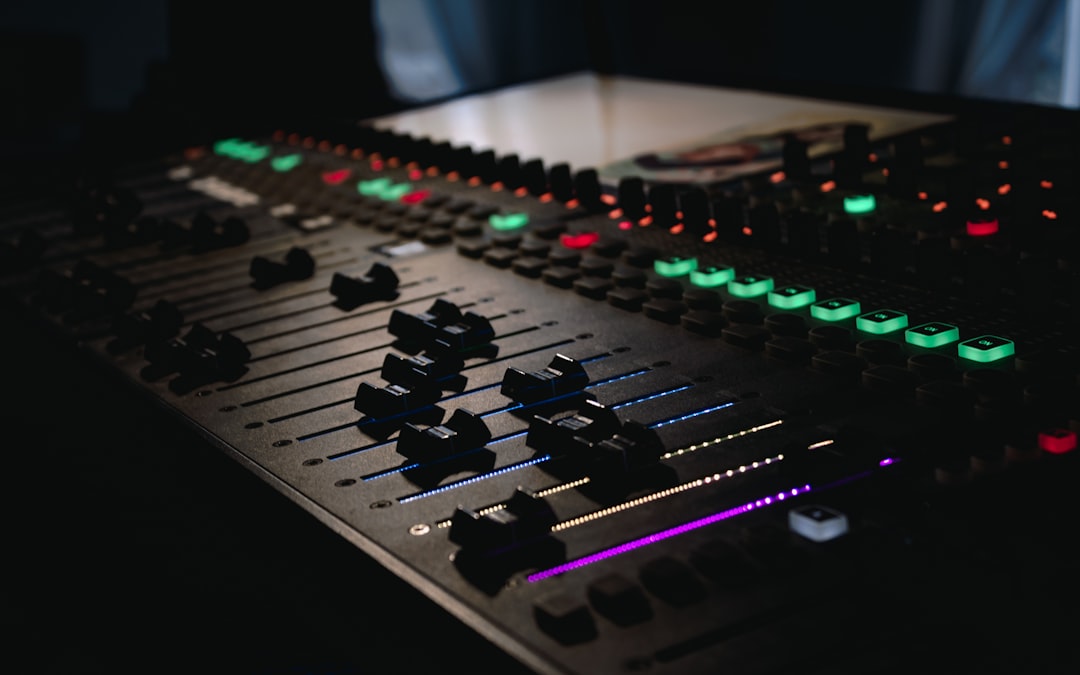
If you’re asking are waves plugins worth it in 2026, the short answer for most home-studio producers is yes — but with real caveats. The audio quality is excellent, the catalogue is enormous, and their frequent sales make individual plugins genuinely cheap. The friction is the licensing model, the constant upsells, and the fact that free and one-time-purchase competitors have closed much of the gap. Whether Waves is right for you depends on how you buy and how you like to work.
Violet Recording is reader-supported — we may earn a commission from links on this page, at no extra cost to you.
The short verdict
Our verdict: 4 out of 5. Waves delivers professional, record-ready sound and unmatched breadth, and its frequent sales make the value genuinely hard to beat — provided you buy on sale, pick only the tools you’ll actually use, and budget for the occasional WUP renewal.
Waves is one of the oldest and largest plugin developers in the business, and it shows in both directions. You get processors that have shaped countless hit records — the SSL channel emulations, the CLA and Scheps artist series, the L-series limiters — sitting alongside a purchasing experience that can feel like a used-car lot. If you go in knowing what you want and buy it on sale, the value is hard to beat. If you buy at list price or get talked into bundles you’ll never open, it’s easy to overspend. Below is the honest breakdown so you can decide before you check out.
Where to buy
Waves plugins are sold directly through the official Waves store and through the major plugin retailers. Wherever you buy, wait for a sale — the value case rests almost entirely on the discounted and bundle pricing, not the list price.
What Waves actually is
Waves Audio has been making digital signal processing plugins since the early 1990s, and it’s fair to say the company helped define what a software plugin even was. Today the catalogue runs to hundreds of individual titles covering essentially every job in a mix: equalizers, compressors, limiters, reverbs, delays, de-essers, saturation, pitch correction, metering, guitar amp sims, mastering tools, and a deep bench of “artist signature” plugins built with named mixing and mastering engineers.
The plugins run in every major DAW as VST, VST3, AU, and AAX, so compatibility is rarely the problem. What separates Waves from a boutique developer is sheer breadth — you can build an entire mixing and mastering chain out of Waves alone and never touch a stock plugin. Whether you should is a different question, but the option is there, and for a lot of engineers that one-stop-shop convenience is a big part of the appeal.
Sound quality and the plugins people actually keep
Let’s be clear about the thing that matters most: the audio quality is not in doubt. Waves’ emulations of classic hardware are widely used on professional records, and their bread-and-butter processors sound clean, predictable, and mix-ready. You are not buying a compromise on sound.
A few families come up again and again as the ones producers keep reaching for:
- Console and channel-strip emulations — the SSL-style channel and bus tools are staples for glue and quick, musical EQ moves.
- The L-series limiters — long-standing loudness and mastering workhorses that show up on an enormous number of masters.
- Artist signature series — the CLA, Scheps, and similar chains give you a fast, opinionated starting point when you don’t want to build a chain from scratch.
- Vocal tools — de-essers, tune/pitch correction, and vocal-rider style automation that speed up the most tedious part of a mix.
How it performs
In everyday use, the reputation holds up: these are processors engineers reach for because they behave predictably and sit in a mix without fuss. The channel-strip and bus tools are quick to dial in, the L-series limiters stay transparent at sensible settings, and the artist chains get you to a usable sound in a few clicks — which is exactly why so many of them have stayed on working templates for years. The interfaces can feel dated next to some newer developers, and CPU load ranges from featherweight to heavy depending on the plugin, but none of that undercuts the core strength: the sound is dependable and mix-ready.
The flip side of a catalogue this big is that a lot of it overlaps. You do not need three different vintage EQs and four compressors doing the same job. The skill with Waves is restraint: pick a small handful of tools that fit your workflow and ignore the rest, no matter how tempting the next sale looks.
Pricing, sales, and the WUP renewal model
Here is where the honest engineer earns their keep, because pricing is the single most misunderstood part of buying Waves. Two things are true at once. First, Waves plugins are almost never worth their list price — the “regular” prices exist mostly to make the sale prices look dramatic. Second, the actual sale and bundle prices are often excellent, sometimes bringing well-regarded plugins down to a few dollars each inside a larger bundle.
The practical rule is simple: never pay list. Waves runs frequent promotions, and patient buyers can assemble a serious toolkit for a fraction of the sticker total. For current pricing, bundle contents, and whatever sale is live, check the source directly — I won’t quote figures that go stale.
As a general guide, Waves sells both individual plugins and money-saving bundles, and it runs promotions frequently throughout the year — individual titles often land at a small fraction of their list price when bought inside a bundle. Plan and bundle names change over time, so check the Waves site for current terms, contents, and whatever sale is live before you buy.
The part that genuinely divides people is WUP — the Waves Update Plan. Your license lets you use the plugins you bought, but keeping them officially updated for new operating systems, DAW versions, and formats is tied to an update plan that lapses after a period and then costs money to renew per plugin or bundle. Your existing installs keep working; the friction shows up when your OS or DAW moves forward and an old, unrenewed plugin needs an update to stay compatible. For a producer who upgrades their machine every few years, budgeting for the occasional WUP renewal is part of the true cost of ownership — factor it in before you decide Waves is “cheap.”
How Waves compares to the alternatives
Waves doesn’t exist in a vacuum, and the competition in 2026 is fierce. Here’s an honest at-a-glance comparison of the trade-offs versus the kinds of tools most home producers weigh it against.
| Option | Strengths | Trade-offs | Best for |
|---|---|---|---|
| Waves | Huge catalogue, pro-grade emulations, deep sales, one-stop shop | WUP renewal model, aggressive upselling, overlapping tools | Bargain hunters who buy on sale and know what they want |
| Other paid developers (one-time license) | Often free lifetime updates, focused catalogues, strong support | Higher per-plugin base price, smaller ranges | Producers who hate renewal admin and want set-and-forget |
| Stock DAW plugins | Free, already installed, surprisingly capable now | Fewer vintage emulations, less “character” | Beginners and anyone learning the fundamentals first |
| Quality free plugins | No cost, genuinely good EQ/compression/synths available | Scattered quality, variable support and UI | Tight budgets and producers building slowly |
The honest takeaway: Waves wins on breadth and on sale-price value, but it no longer wins by default. Modern stock plugins in every major DAW are good enough to mix a professional-sounding record, and the free plugin ecosystem is strong. Before you spend, be sure you’re buying a tool that solves a problem your current setup can’t — not just chasing a name on a fader. Our guides to EQ and compression fundamentals and the beginner’s guide to mixing your first song will do more for your mixes than any single plugin purchase.
So, are Waves plugins worth it for you?
The answer comes down to how you buy and how you work. Waves is worth it if you’re disciplined about sales, you want specific emulations that competitors don’t match, and you’re comfortable factoring the occasional WUP renewal into your costs. It’s a poor fit if you’re a beginner who hasn’t yet learned to hear what a compressor or EQ is doing, or if the renewal model and constant marketing emails are the kind of friction that will genuinely annoy you.
If you’re still building out your room and signal chain rather than your plugin folder, spend there first — see our budget home-studio build and gear checklist. Plugins are the easy, fun purchase; acoustics and monitoring are the ones that actually change how your mixes translate. For loudness targets that matter more than any limiter brand, read LUFS explained. And browse more mixing coverage in our Mixing & Mastering hub.
The honest pros and cons
Pros:
- Professional, record-ready sound quality across the whole range.
- Enormous catalogue — you can cover every mixing and mastering job.
- Frequent sales make individual plugins extremely cheap.
- Broad DAW and format compatibility (VST, VST3, AU, AAX).
- Iconic emulations and artist chains that speed up decisions.
Cons:
- WUP renewal model adds an ongoing, easy-to-forget cost.
- Aggressive upselling and heavy marketing emails.
- Heavy overlap between products makes it easy to over-buy.
- List prices are meaningless — you must wait for sales to get value.
- Strong free and one-time-purchase competitors have narrowed the gap.
Recommended pick
If you want a single starting point rather than the whole catalogue, the SSL-style channel and bus tools together with the L-series limiters are the safest, most-used entry into the range — they cover EQ, glue compression, and loudness, and they turn up on countless professional records. Pair them with one of the artist signature chains (the CLA or Scheps series) if you want fast, opinionated vocal and mix presets. Buy whichever of these fills a real gap in your workflow, and buy it on sale.
Frequently asked questions
Do Waves plugins expire or stop working?
No — the plugins you’ve licensed keep working. What lapses is the Waves Update Plan (WUP), which covers official updates for new operating systems, DAW versions, and formats. Your existing installs run fine until a system or DAW change forces an update, at which point you’d renew WUP for the affected plugins.
Are Waves plugins good for beginners?
They can be, but they’re not the best starting point. A beginner will get more from learning the stock plugins in their DAW and understanding EQ and compression fundamentals first. Once you can hear what a processor is doing, Waves’ sales make it an easy and affordable way to expand.
Should I buy Waves plugins at full price?
Almost never. Waves runs frequent promotions and bundles, and the list prices exist mainly to make sales look larger. Wait for a sale, buy only the tools that fill a real gap in your workflow, and check current pricing at the source before committing.



