
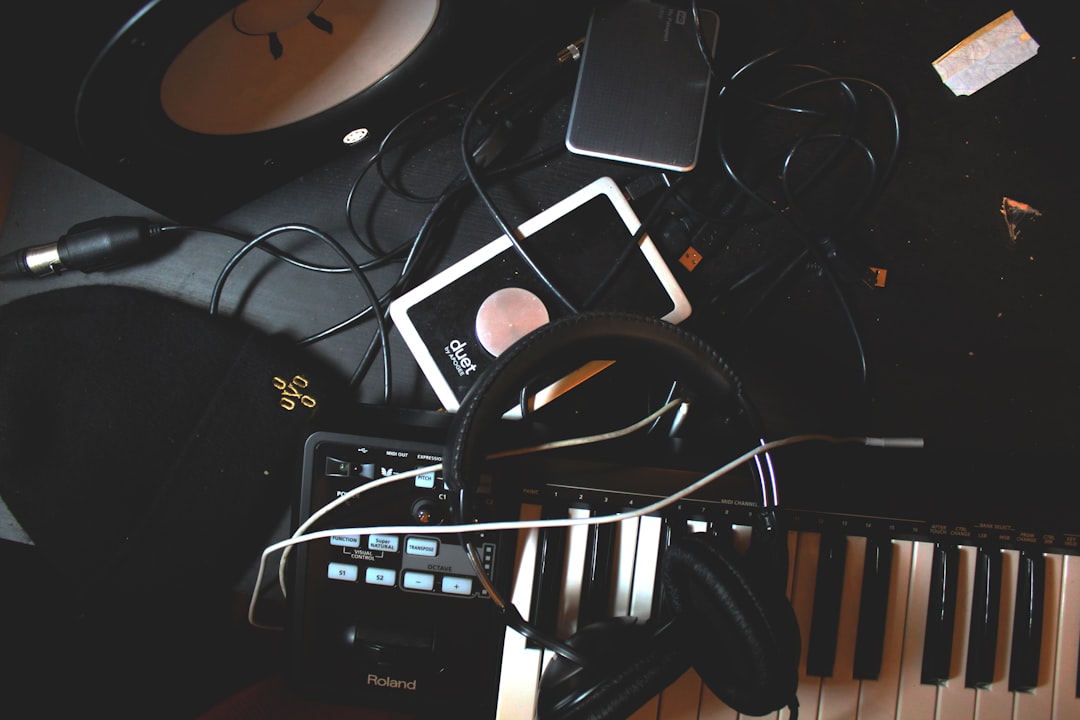
“Bass VST” means two different things, and knowing which you need saves a lot of wasted downloads. Some bass VSTs are virtual bass instruments you play from a MIDI keyboard when you do not own or can’t play a real bass; others are amp and tone plugins you run a recorded bass DI through. Finding the best bass VST for your track depends on that split. This guide covers both, names the tools worth your time, and walks through the programming and EQ moves that turn a thin, synthetic-sounding low end into a bass that actually anchors the mix.
Best bass VST instruments (for when you don’t play bass)
If you are a guitarist or producer who needs a believable bass line without a real four-string, a sampled or modelled bass instrument is the answer. A few stand out:
- IK Multimedia MODO Bass 2 — a physically-modelled electric bass rather than samples, so it responds to playing style, string choice, and fingering. Great realism and light on disk space; the trade-off is that modelling can sound slightly synthetic on very exposed lines if you don’t program dynamics.
- Ample Sound Ample Bass series — deeply sampled real basses (P-bass, jazz, and others) with excellent articulations. Very natural, though the libraries are large and you have to learn the keyswitches.
- Spectrasonics Trilian — a broad, high-quality bass library covering electric, acoustic, and synth basses in one instrument. It is a workhorse; the con is that it is a bigger investment and CPU load.
- Scarbee basses (in Kontakt) — long-loved for finger and slap electric tones with realistic release and fret noise.
The honest reality with any virtual bass: realism comes from programming, not the preset. Vary your MIDI velocities, add slides and ghost notes, quantize loosely rather than dead-on the grid, and use the instrument’s articulation keyswitches. A flat, robotic MIDI line will sound fake no matter how good the samples are.
Best bass VST for tone (amp and DI processing)
If you have a real bass, the “bass VST” you want is a tone chain: an amp sim, a DI blend, and processing. The strongest tones almost always come from blending a clean DI with an amped signal — the DI gives you the low-end fundamental and pick attack, the amp adds grit and midrange character. AmpliTube includes dedicated bass amps and cabs (the SVX bass models) and makes DI-plus-amp blending easy, which is why it is a common home-studio pick for both electric and bass tone. Neural DSP plugins (sold direct from Neural DSP, not third-party stores) like the Darkglass and Parallax suites are hugely popular for modern rock and metal bass, with excellent built-in DI/drive parallel routing. Free options such as Ignite Amps SHB-1 deliver a genuinely usable high-gain bass amp at no cost.
Recording and DI: get the source right first
No plugin fixes a poorly captured bass. Plug into the Hi-Z instrument input of your interface and record a clean DI peaking around -12 to -6 dBFS with no clipping. Keep that DI even if you amp it, because you can reprocess it later. If you are programming a virtual bass instead, still route it through a tone chain — a bare bass VST instrument usually needs a touch of amp or drive to sit in a band mix rather than floating on top of it.
EQ and compression moves for a punchy low end
Once you have a good source, a handful of moves make the difference between a muddy rumble and a punchy, defined bass:
- High-pass gently around 30–40 Hz to remove subsonic rumble that eats headroom without adding audible weight.
- Fundamental and body live around 80–120 Hz — boost lightly here for weight, but leave room for the kick drum.
- Clean up mud with a small cut around 250–400 Hz if the bass sounds boxy or thick.
- Add definition and string/pick attack around 700 Hz–1 kHz, and reach for 2–4 kHz to hear the note articulation on small speakers and phones.
- Compress firmly: a 4:1 ratio with a medium attack and 4–6 dB of gain reduction evens out the performance so no note disappears.
To make bass and kick coexist, carve a little pocket — if the kick owns 60–70 Hz, dip the bass slightly there and let the bass own 100 Hz, or vice versa. That complementary split is how the low end stays powerful without turning to mush.
Making a virtual bass sound real in a band
The gap between a demo-grade MIDI bass and a convincing one is almost entirely in performance detail. When you program a bass VST instrument, treat it like an instrument rather than a piano part written in the wrong octave:
- Follow the kick drum — line up your main bass notes with the kick’s rhythm so the low end reads as one connected pulse rather than two competing parts.
- Vary velocity so accented and passing notes differ; a wall of identical velocities is the fastest tell of a fake bass.
- Add slides, ghost notes, and short mutes using the instrument’s keyswitches to break up mechanical repetition.
- Nudge notes slightly off the grid and shorten sustained notes so the line breathes like a player, not a sequencer.
- Run it through an amp or light drive so it has the same midrange harmonics a real recorded bass would, helping it lock with the guitars.
Which bass VST should you choose?
If you cannot play bass, buy a modelled or sampled instrument — MODO Bass 2 for responsiveness, Ample Bass or Trilian for sampled realism — and put your effort into humanising the MIDI. If you play bass, focus your money on a tone chain that blends DI and amp, and keep a clean DI of every take. Many home studios end up owning one virtual bass instrument for demos and one amp-sim suite for real tracks. For the rest of your low end, see our guides on mixing bass and kick and recording a DI, and grab the free tuner and level meters in our audio tools hub.



