
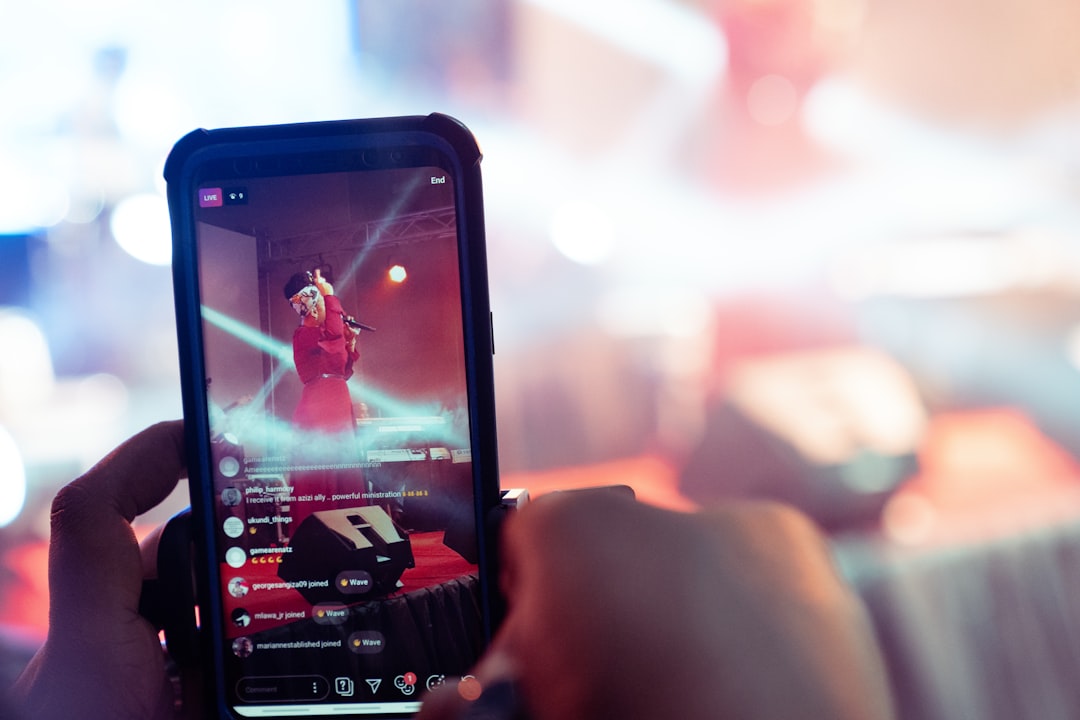
A good drum machine app turns your phone into a beat-making tool you can use anywhere, whether you prefer a step sequencer or tapping pads. Groovepad and FL Studio Mobile cover both iOS and Android, while iOS users get deeper options through AUv3 drum machines and hosts. This guide explains what matters and walks through the strongest drum machine apps so you can find the right fit.
Violet Recording is reader-supported — we may earn a commission from links on this page, at no extra cost to you.
| Pick | Best for |
|---|---|
| Groovepad | Easiest loop-based beats |
| FL Studio Mobile | Serious all-round beat-making |
| Koala Sampler | Drums from your own samples |
| AUv3 drum machines in AUM | Classic drum sounds on iOS |
| BandLab | Free beats inside a DAW |
Quick answer
- Easiest, most fun beats: Groovepad (iOS and Android).
- Full beat-making with arrangement: FL Studio Mobile (iOS and Android).
- Sample-based drums you record yourself: Koala Sampler (iOS and Android).
- Deep, classic-style drum machines on iOS: AUv3 drum apps hosted in AUM.
What makes a good drum machine app
- Platform: Confirm the app runs on your device. Many AUv3 drum machines are iOS/iPadOS only.
- Sequencer style: Step sequencers are fast for programming; pad grids suit finger-drumming and live feel. The best apps offer both.
- Sounds and kits: A solid library of drum kits, plus the ability to import your own samples.
- Swing and velocity: Control over groove and dynamics is what separates a stiff loop from a beat that feels alive.
- Effects and mixing: Per-pad EQ, compression and reverb help your drums sit right.
- Export and integration: Can you bounce the beat out, or run it inside a DAW?
For the basics of programming rhythm, see how to make beats on your phone. If you want a wider view of the category, our roundup of the best beat-making apps covers options beyond drums alone.
The best drum machine apps
Groovepad (iOS and Android)
Groovepad is built around tapping pads to layer loops by genre, which makes it the most beginner-friendly way to build a beat quickly. It is great for fun and quick ideas, less so for detailed, from-scratch programming. It runs on both platforms.
Best for: complete beginners on iOS or Android who want a great-sounding loop-based beat in minutes with no programming.
FL Studio Mobile (iOS and Android)
FL Studio Mobile pairs a proper step sequencer with a full production environment, so you can program drums and then build a whole track around them. It is the best all-rounder for serious beat-making across both platforms. See how to use FL Studio Mobile.
Best for: serious beat-makers on iOS or Android who want a real step sequencer plus the rest of a DAW in one paid app.
Koala Sampler (iOS and Android)
If you want drums made from your own sampled sounds, Koala lets you record a kick, snare or anything else, spread it across pads and sequence it. It is brilliant for unique, sample-based kits. Read how to use Koala Sampler.
Best for: producers on iOS or Android who want one-of-a-kind drum kits built from their own recorded sounds, at a very low price.
AUv3 drum machines in AUM (iOS / iPadOS)
iOS has a rich set of AUv3 drum machines that emulate classic hardware grooveboxes, which you can run and route inside AUM. This is the most powerful and flexible route, but it assumes some comfort with the iOS audio ecosystem. Our guide on using AUM to connect your music apps shows how it works, and what AUv3 apps are explains the format.
Best for: iOS users chasing a specific classic sound — Fingerlab’s DM1 and FunkBox both nail vintage drum-machine vibes, while Patterning is popular for circular, polyrhythmic sequencing inside an AUM rig.
BandLab (iOS and Android, free)
BandLab’s free drum machine and loop tools let you program beats inside a full, cross-platform DAW at no cost, and our walkthrough on how to use BandLab to make music covers getting started. It is a sensible starting point before you pay for a deeper app.
Best for: beginners and Android users who want to program beats for free inside a full DAW, with cloud saving, before paying for anything deeper.
How to choose
- Start with platform. On Android, focus on Groovepad, FL Studio Mobile, Koala and BandLab. On iOS you also unlock AUv3 drum machines.
- Match the workflow to you. Loop-tappers like Groovepad are fast and fun; step sequencers give you precise control.
- Decide if drums are the whole track or one part. A drum-only app is fine for loops, but a DAW lets you build full songs.
- Plan your wider rig. If you already host apps in AUM, an AUv3 drum machine fits in neatly.
Step sequencer vs pads: how each one works
Most phone drum apps give you one of two ways to enter a pattern, and understanding both helps you pick the right tool for the job. A step sequencer shows the bar as a row of cells — usually sixteen for a bar of sixteenth notes — and you switch each step on or off for a given drum. Because every hit lands exactly on the grid, it is quick to program tight, repeatable patterns, and it is easy to see the shape of a groove at a glance. This is why hi-hats, claps and four-to-the-floor kicks are so often programmed this way.
Pads work the other way round: you play the pattern in real time by tapping, and the app records what you do. That captures the small timing and velocity differences that make a part feel human, which suits live snares, fills and anything you want to feel played rather than placed. Many apps let you record on pads first and then tidy the result on the step grid afterwards, which gives you the best of both. If your taps drift off the beat, look for a quantise setting to pull them back onto the grid by a chosen amount.
Tips for better-sounding drums
- Use velocity so hits are not all the same volume.
- Add a little swing to loosen up stiff patterns.
- Leave space — gaps make a groove breathe.
- Mix your drums so the kick and snare are clear and the hats sit back; our guide on how to mix a song on your phone walks through balancing levels.
For style-specific patterns, see how to make trap beats on your phone.
Common mistakes to avoid
- Leaving every hit at full velocity. Uniform, maxed-out hits are the clearest giveaway of a programmed beat. Ease back the hats and ghost notes so the kick and snare lead.
- Over-filling the bar. Beginners often add a hit on every step. Strip the pattern back until only what the groove needs remains, then add detail sparingly.
- Ignoring tuning and length. A kick that clashes with the bassline, or a snare with too long a tail, will muddy a mix. Trim sample lengths and tune key drums to the track where the app allows it.
- Stacking too many effects. Heavy reverb or saturation on every pad smears the groove. Treat drums individually and keep the kick fairly dry so it stays punchy.
- Mixing on tiny phone speakers. They flatter the mids and hide the low end. Check your beat on headphones or proper monitors before you commit.
Frequently asked questions
What is the best free drum machine app?
BandLab is the strongest free option with full beat-making inside a DAW, and it works on both iOS and Android. Several others offer free tiers with optional paid sound packs.
Step sequencer or pads — which is better?
Step sequencers are faster and more precise for programming patterns; pads feel more natural and human for finger-drumming. The best apps let you use both, so pick whichever suits the part you are making.
Can I use a MIDI controller with a drum app?
Often, yes, especially on iOS. A pad controller makes finger-drumming far more expressive. See how to connect a MIDI keyboard to your phone, which covers pad controllers too.
Can I import my own drum samples?
Many apps let you, and it is one of the quickest ways to make your beats sound less generic. Koala Sampler is built entirely around recording and chopping your own sounds — if that approach appeals, our pick of the best sampling apps goes deeper — while FL Studio Mobile and most AUv3 drum machines also accept imported one-shots you can map across pads.
Do I need an audio interface to make beats on my phone?
No. You can program and export a full beat using only the apps above and the phone itself. An interface only becomes useful when you want to record live audio, such as your own drum samples or vocals, at higher quality than the built-in microphone gives.
What is the best drum machine app for Android?
FL Studio Mobile is our top Android drum machine app because it pairs a real step sequencer with a full production environment, so your beat can grow into a finished track. If you want something simpler, Groovepad is the easiest way to build loop-based beats, Koala Sampler covers drums made from your own recordings, and BandLab lets you program beats for free inside a full DAW.
What is the best drum machine app overall?
For most people it is FL Studio Mobile, because it combines precise drum programming with everything else you need to arrange and export a track, on both iOS and Android. iOS users who want authentic classic drum-machine sounds should also consider AUv3 apps such as DM1, FunkBox and Patterning, hosted inside AUM.
Can Android run AUv3 drum machines?
No. AUv3 is an Apple plugin format, so those drum machines and hosts like AUM only run on iOS and iPadOS. On Android, stick to standalone apps: FL Studio Mobile for step sequencing, Groovepad for quick loop-based beats, Koala Sampler for kits built from your own sounds, and BandLab for free beat-making with cloud saving.
