
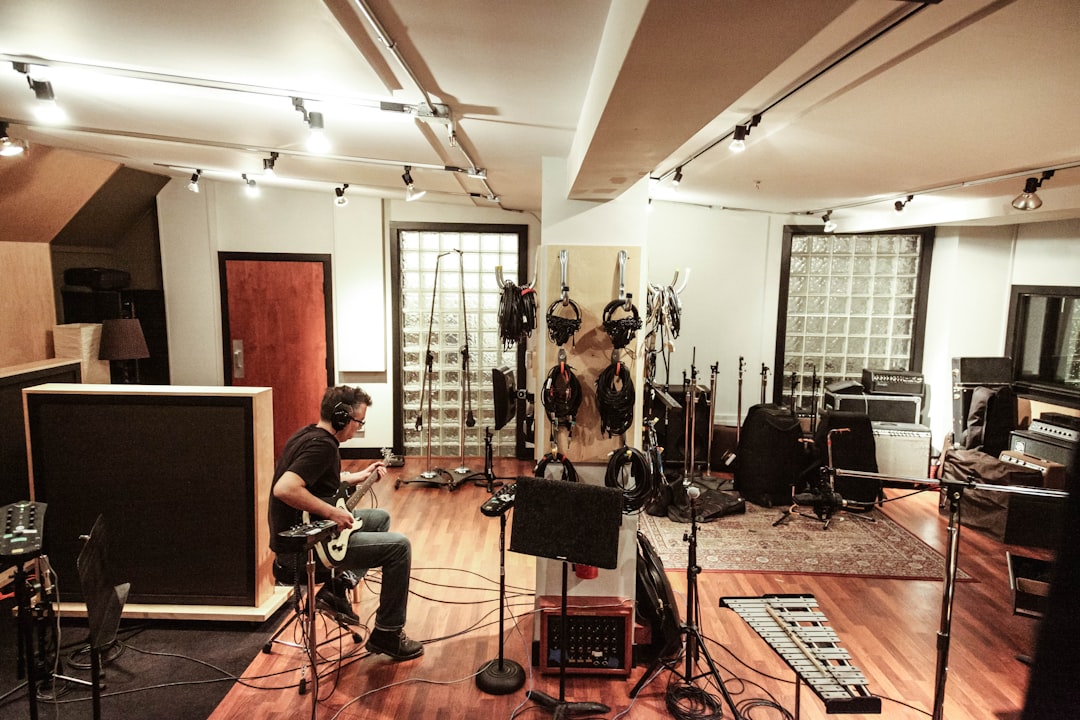
The best free amp sims have closed the gap with paid plugins to the point where you can record release-ready guitar tones without spending a penny. With a free amp, a free cab loader and a handful of impulse responses, a bedroom guitarist can build a complete recording rig inside any DAW.
Violet Recording is reader-supported — we may earn a commission from links on this page, at no extra cost to you.
Quick answer: the best free amp sims
Here is what to download first:
- Ignite Amps Emissary — a two-channel free amp that genuinely competes with paid high-gain plugins.
- Neural Amp Modeler (NAM) — an open-source modeller with a huge community library of free amp captures.
- LePou amp suite — a long-standing set of free amps (such as the popular high-gain head emulations) still loved for metal.
- Ignite Amps NadIR — a free, lightweight impulse response (cab) loader.
- Free IR packs — many cab makers and capture creators share no-cost impulse responses to get you started.
Why free amp sims are worth taking seriously
Free does not mean low quality here. Several of the best free amp sims were built by developers who also sell premium products, and the cab/IR stage — which carries most of the realism — works identically whether your amp plugin is free or paid. If you understand what impulse responses are, a free amp plus a great IR can rival far pricier setups.
What to look for in a free amp sim
Free does not mean you should grab everything blindly. The same criteria that separate good paid plugins apply here:
- External IR support. The single most important feature. An amp that lets you load your own impulse responses will always beat one with a fixed, fizzy stock cab.
- Channel options. A clean and a high-gain channel cover most needs; a tight high-gain channel is what makes a free amp genuinely useful for rock and metal.
- CPU efficiency. You will often stack instances for double-tracked rhythm parts, so a light plugin keeps your session running smoothly.
- Stability. Stick to plugins from reputable developers (Ignite Amps, the NAM project, LePou) so they load reliably across DAWs and updates.
The best free amp sims in detail
Ignite Amps Emissary
Emissary is the one most people recommend first. It has a clean channel and a tight high-gain channel, and it takes external IRs well. For modern rock and metal rhythm work it is hard to beat at any price, let alone free.
Neural Amp Modeler (NAM)
NAM is an open-source plugin that plays back amp “captures” — profiles of real amps shared freely by the community. Because anyone can create and upload captures, the library is enormous and constantly growing. You load a capture, add a cab IR, and you have a specific real-world amp in your DAW. It conceptually overlaps with what hardware does in our Kemper Profiler guide, but entirely in software and at no cost.
LePou plugins
The LePou suite has been a home-studio staple for years. The high-gain heads remain favourites for metal, and they pair naturally with a free cab loader.
Free cab loaders: Ignite Amps NadIR
Most free amps sound thin or fizzy without a proper cabinet stage. A free IR loader like NadIR lets you load impulse responses and blend two at once. This single step is the biggest tone upgrade you can make for free.
How to build a complete free rig
Stack these free pieces in your DAW signal chain in order:
- Noise gate (your DAW likely has one) to tame hum and hiss.
- Drive/boost if you want a tighter high-gain tone — a free Tube Screamer-style plugin works. See what a Tube Screamer is.
- Free amp sim (Emissary, NAM or LePou).
- Free IR loader with a quality impulse response.
- EQ and reverb from your DAW’s stock plugins.
Record a clean DI into this chain. Our guide to using amp sims walks through the whole process, and gain staging keeps your levels clean.
Other free tools worth grabbing
Beyond the amps themselves, a few free extras round out a no-cost rig:
- Free overdrive/boost plugins. A free Tube Screamer-style pedal in front of a high-gain amp tightens the low end dramatically.
- Free tuners and noise gates. Your DAW almost certainly includes both, so you do not need to buy them.
- Stock DAW EQ and reverb. The EQ and reverb that ship with your DAW are plenty for finishing a guitar tone.
- Free IR packs. Several cab makers and capture creators share starter impulse responses, which transform the cab stage.
With these, you can assemble a complete, release-ready chain without spending anything. Our guide to getting a good guitar tone shows how the pieces fit together.
How free amp sims compare to hardware
It is worth knowing where free software sits next to the hardware world. A free amp plus NAM captures and a good IR can rival units that cost a great deal, because the underlying tone technology — modeling and impulse responses — is the same. The difference is workflow and reliability: hardware modelers like those in the best amp modelers run without a computer and suit live use, while free plugins are studio-focused and unbeatable on price. For a bedroom recordist, the free route gives up very little in pure recorded tone.
Free vs paid: when to upgrade
Free amp sims will get you genuinely good tone. You might consider paying for plugins when you want:
- Tightly integrated effects and presets in one window.
- Artist-designed tones aimed at a specific sound.
- A faster workflow when tracking lots of parts.
When that day comes, compare options in the best guitar amp sims. Until then, the free route is a legitimate way to make finished records.
For paid amps, effects and virtual guitar instruments in one list, see our roundup of the best guitar VST plugins for your DAW.
Frequently asked questions
Are free amp sims good enough to release music with?
Yes. With a clean DI, a quality IR and careful gain staging, the best free amp sims can produce release-ready tones. The cabinet/IR stage matters as much as the amp itself, and good IRs are available free.
What is the difference between an amp sim and a capture in NAM?
A traditional amp sim models an amp circuit from the ground up. Neural Amp Modeler plays back captures, which are profiles of specific real amps. Both need a separate cab IR to sound finished.
Do I still need an audio interface for free amp sims?
Yes. You need an interface with a high-impedance instrument input to record your guitar cleanly. The amp sim software is free, but the hardware to get your guitar into the computer properly is not optional.



