
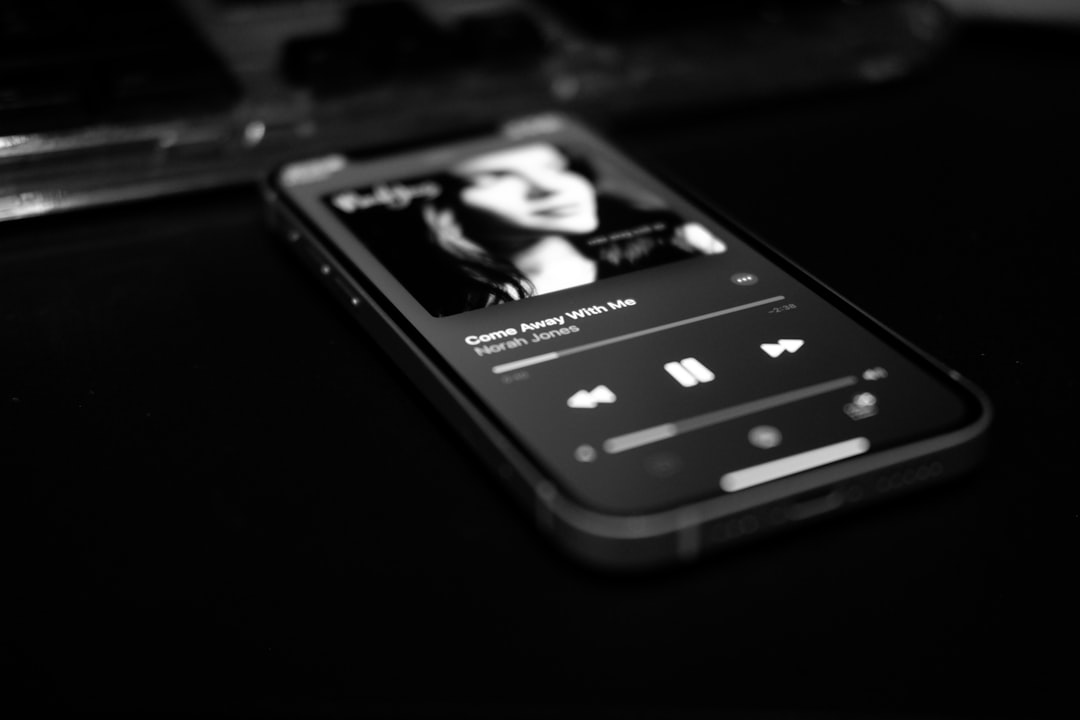
Yes — you can make professional music on a phone. Mobile apps like FL Studio Mobile, GarageBand, Cubasis and BandLab handle recording, sequencing, mixing and exporting to a standard high enough for release. The phone isn’t the limit; your skills, your room and a couple of cheap accessories matter far more. Here’s an honest look at what’s genuinely possible and where the real trade-offs are.
Worth knowing: Audigo (our hands-on review) pairs a pocket wireless mic with the free Audigo Studio app (a paid Studio+ subscription adds cloud sync and collaboration), so you can capture 24-bit multitrack audio anywhere — a cable-free step up from your phone’s built-in mic.
What “professional” actually means
Professional music isn’t about which device made it — it’s about the song, the performance, the arrangement and the mix. A great idea recorded on a phone beats a dull one made on a £5,000 setup every time. Phones now have fast processors, low-latency audio paths and serious apps, so the technical floor is more than high enough. Plenty of charting and sync-placed tracks have been written, sketched or finished on mobile.
What phones do brilliantly
- Production and beat-making. Programming drums, basslines, chords and melodies is fully professional-grade in apps like FL Studio Mobile. See how to make beats on your phone.
- Sampling and sound design. Tools like Koala Sampler and a stack of iOS synth apps rival desktop instruments. Browse the best synth apps for iOS.
- Songwriting and demos. Capturing ideas anywhere is a genuine creative advantage — see how to make a song from scratch on mobile.
- Multitrack recording. With an interface, you can track vocals and instruments cleanly — here’s how to record vocals on your phone.
Where phones have limits
Be realistic about a few things:
- Screen size. Detailed editing and mixing is fiddly on a small phone screen. A tablet helps a lot — see how to make music on an iPad.
- The built-in mic. Fine for sketches, not for professional recordings. An external mic is the single biggest upgrade.
- Monitoring. Phone speakers and cheap earbuds hide problems. You need decent headphones to mix anything seriously.
- Heavy projects. Very large sessions with many tracks and effects can push a phone’s limits, where a computer wouldn’t blink.
None of these are deal-breakers — they’re things you work around, mostly with a small amount of gear.
The gear that closes the gap
A few inexpensive accessories take mobile results from “good demo” to “release-ready”:
- A proper mic. A USB-C mic, a clip-on lavalier like a Rode SmartLav, or a phone-friendly mic like the Shure MV88 transforms recordings. See the best microphones for smartphones.
- An audio interface. An IK Multimedia iRig, Apogee Jam, or a Focusrite Scarlett with the right adapter lets you record studio mics and instruments. The best audio interfaces for iPhone and iPad covers options.
- Closed-back headphones for tracking and a flat reference pair for mixing.
- A MIDI keyboard to play parts naturally — connect one to your phone easily.
How to set up a phone for serious recording
Hardware only takes you so far — how you record matters just as much. A few habits make the difference between a phone track that sounds amateur and one that holds up next to commercial releases:
- Tame the room first. The single most audible flaw in mobile recordings isn’t the phone, it’s the room. Record in the most soft-furnished space you have, throw a duvet over a clothes rail behind the mic, and get the microphone close to the source so the room reflections sit lower in the balance. This costs nothing and matters more than any app — and there’s plenty more you can do to reduce noise when recording on a phone.
- Set sensible levels. Aim for peaks comfortably below clipping — roughly two-thirds of the way up the meter — so loud notes don’t distort. Once a phone recording clips, the digital distortion is permanent and no plugin will rescue it.
- Switch off processing at the source. Disable any automatic noise reduction, voice enhancement or normalisation in the phone’s OS or the app’s input chain. You want a clean, unprocessed capture so you keep full control during mixing.
- Use aeroplane mode and stay plugged in. Notifications, calls and background syncing can interrupt a take or cause audio glitches. Turning on aeroplane mode (and keeping Wi‑Fi off if you don’t need it) gives you a stable, uninterrupted session.
- Monitor with wired headphones. Bluetooth introduces latency that makes it hard to perform in time with a backing track. A wired pair, via the interface or a headphone adapter, keeps you locked to the beat.
Common mistakes to avoid
Most disappointing phone recordings come down to a handful of repeat offenders rather than the device itself:
- Relying on the built-in mic for finished tracks. It’s convenient, but it picks up the whole room and lacks detail. Treat it as a notepad, not a studio mic.
- Mixing on phone speakers or earbuds. Tiny speakers exaggerate the mids and hide the low end entirely, so your balance falls apart on a proper system. Always check decisions on headphones, and ideally compare on a second device too.
- Overloading the master. Pushing every track loud and slamming a limiter on the master is the fastest way to a flat, fatiguing mix. Leave headroom and let the arrangement create the impact.
- Skipping gain staging. Letting individual tracks run too hot before they hit the mix bus muddies everything. Pull faders down and build the balance from a quiet starting point.
- Chasing apps instead of skills. No app upgrade fixes a weak arrangement or an untreated room. Learn one app deeply before buying the next.
Getting to a release-ready mix and master
The last 10% is finishing. Mobile mixing apps and AUv3 effects give you EQ, compression, reverb and metering, and mastering apps can get a track to competitive loudness. Use good headphones, reference against commercial songs, and don’t overcook it. Our guides on how to mix a song on your phone and how to master a song on your phone take you through it.
The verdict
You can make professional music on a phone — full stop. The device is capable; the limits are screen size, monitoring and the built-in mic, all of which a little cheap gear and good technique solve. Treat mobile as a real studio, learn one app deeply, invest in a mic and headphones, and there’s nothing stopping you releasing music people take seriously.
Frequently asked questions
Have real artists released music made on a phone?
Yes. Many producers and artists write, sketch or fully finish tracks on mobile, and released, placed and charting music has come out of phone-based workflows. The tools are more than capable.
Is a phone enough, or do I need a computer eventually?
For many genres a phone is genuinely enough. Some producers move large or complex final mixes to a computer for screen space and headroom, but that’s a preference, not a requirement.
What’s the most important upgrade for professional results?
A proper external mic and a decent pair of headphones. Together they fix the two weakest links — capture quality and monitoring — far more than any app upgrade.
Does it matter which app I choose?
Less than you’d think. FL Studio Mobile, GarageBand, Cubasis and BandLab are all capable of release-quality results. Pick one that fits how you work, then commit to learning it properly — familiarity with one app beats owning five you barely understand.



