The best audio interface for iPhone or iPad is one that connects cleanly over USB-C (or Lightning), powers itself or your device without fuss, and offers the inputs you actually need — a quality mic preamp, a guitar input, or both. A good interface turns your phone or tablet into a proper recording rig with studio-grade sound, well beyond what the built-in mic can manage.
Violet Recording is reader-supported — we may earn a commission from links on this page, at no extra cost to you.
Quick answer
For most mobile recordists, a compact USB-C interface with one or two combo inputs and class-compliant iOS support is the sweet spot. IK Multimedia’s iRig range, Focusrite’s Scarlett and Vocaster lines, and Apogee’s Jam and Duet are the names that come up again and again because they work reliably with iPhone and iPad.
What an audio interface does for your iPhone or iPad
Your phone’s headphone-style or built-in mic input is fine for voice memos, but it lacks a real preamp, phantom power and proper conversion. An audio interface for iPhone adds:
- A dedicated mic preamp so condenser and dynamic mics sound full and quiet.
- Phantom power for condenser mics that need it — see our explainer on what phantom power is.
- A clean instrument (Hi-Z) input for guitar or bass.
- Lower latency monitoring so you can hear yourself without an annoying delay.
If you are still deciding whether you even need one, our overview of what you need to make music on your phone puts it in context.
How to choose: buying criteria
Connector and compatibility
Modern iPhones and iPads use USB-C, while older iPhones use Lightning. Check which your device has and whether the interface ships with the right cable or needs an adapter. Look for “class-compliant” or explicit iOS support — that means it works without special drivers.
Number and type of inputs
Solo vocalists or guitarists only need one input. If you record two sources at once (two singers, or a guitar and a vocal) you want two. Combo XLR/jack inputs give you the most flexibility.
Power
This is the detail people miss. Phones supply limited power, so some interfaces draw from the device, some are bus-powered with their own draw, and some need an external supply or battery — especially if you run a phantom-powered condenser. A mobile-focused interface is designed to keep your phone’s battery from draining too fast.
Monitoring and headphone output
A headphone jack with direct monitoring lets you hear your performance with zero latency, which matters when tracking vocals. Check our guide to audio latency if echoey monitoring has tripped you up before.
Build and portability
Mobile means it lives in a bag. Metal housings survive travel; tiny plug-in interfaces are great for run-and-gun recording but offer fewer features.
Our picks
Best all-rounder
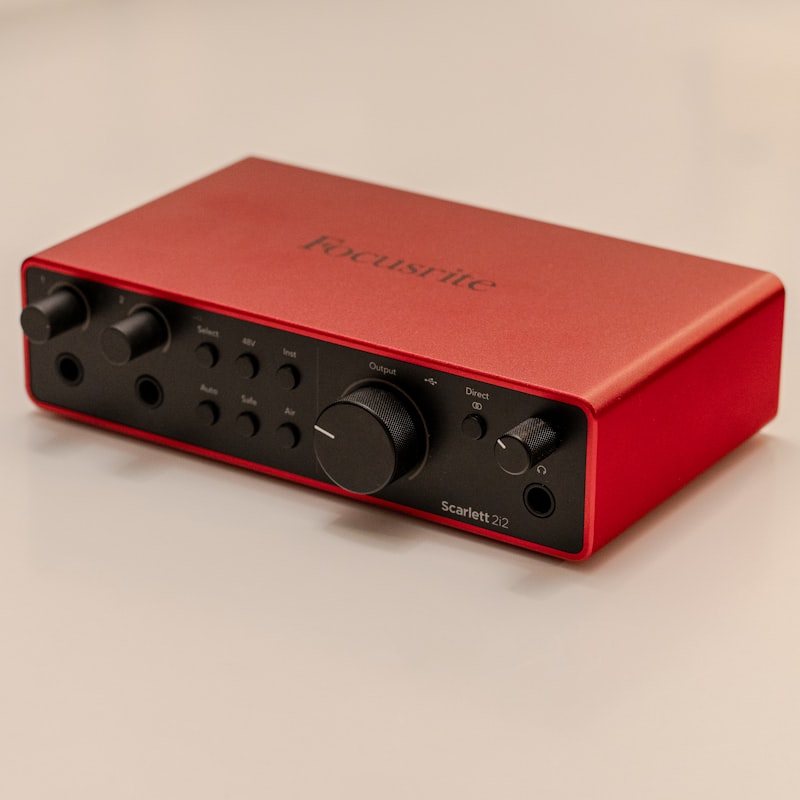
A two-input USB-C interface with quality preamps and reliable iOS support covers the most ground — solo recording today, a duet tomorrow. The Focusrite Scarlett line is the obvious reference point here for clean preamps and broad compatibility, and the Audient EVO 4 is a strong, compact alternative known for friendly auto-gain. Note that a Scarlett connects over USB, so on a Lightning iPhone or iPad you’ll likely need the Apple Camera Connection Kit, and on a newer device a simple USB-C cable or hub.
Best for guitarists on the go
A compact single-input or plug-in interface aimed at instruments keeps things tiny and travel-friendly. IK Multimedia’s iRig family and Apogee Jam are built for exactly this. The IK Multimedia iRig HD 2 is a pocket-sized pick for plugging a guitar straight into an iPhone or iPad, while the Apogee Jam+ is known for cleaner conversion if sound quality is the priority. Both ship with the cables you need for modern iOS devices.
Best for podcasters and voice
If you mostly record talking, a voice-focused interface with built-in processing and easy monitoring — like Focusrite’s Vocaster line — simplifies the whole chain. The Vocaster One is a sensible solo pick, with the two-input Vocaster Two for interviews and co-hosts. Both are built around podcasting, with one-touch presets and headphone monitoring, so there’s little to set up before you hit record.
Best premium / best sound
When conversion quality and preamp headroom matter most, a higher-end interface such as the Apogee Duet steps up. It’s a long-standing favourite for clean preamps and high-quality conversion, with the IK Multimedia iRig Pro Duo I/O a more portable two-input alternative that can also run on batteries. These cost more than entry-level boxes, but they’re the pick if pristine sound is the goal.
Setting it up
Most interfaces are plug-and-play on iOS: connect, open your recording app, and select the interface as the input. If you also record on a computer sometimes, the same principles in our desktop guide to setting up an audio interface apply. For app pairings, see the best apps to record vocals and the broader accessories for mobile music production.
Interface vs. a USB mic
If you only ever record one voice, a USB mic plugged into a USB-C adapter can be simpler and cheaper. An interface wins when you want to use professional XLR mics, switch sources, or grow your setup. We compare the two in USB mic vs. audio interface.
Frequently asked questions
Will any audio interface work with my iPhone?
Not every one. Look for class-compliant interfaces that explicitly list iOS support, and make sure you have the correct USB-C or Lightning cable or adapter. Power-hungry interfaces may also need their own supply when used with a phone.
Do I need phantom power?
Only if you use a condenser mic that requires it. Dynamic mics and most plug-in mobile mics do not. If you plan to use a studio condenser, choose an interface that can deliver 48V phantom power on iOS.
Can I monitor with headphones while recording?
Yes — pick an interface with a headphone output and direct monitoring. That lets you hear yourself instantly without the small delay you would get listening back through the app, which makes performing far easier.
Shop related gear
A compact interface for iOS recording: