
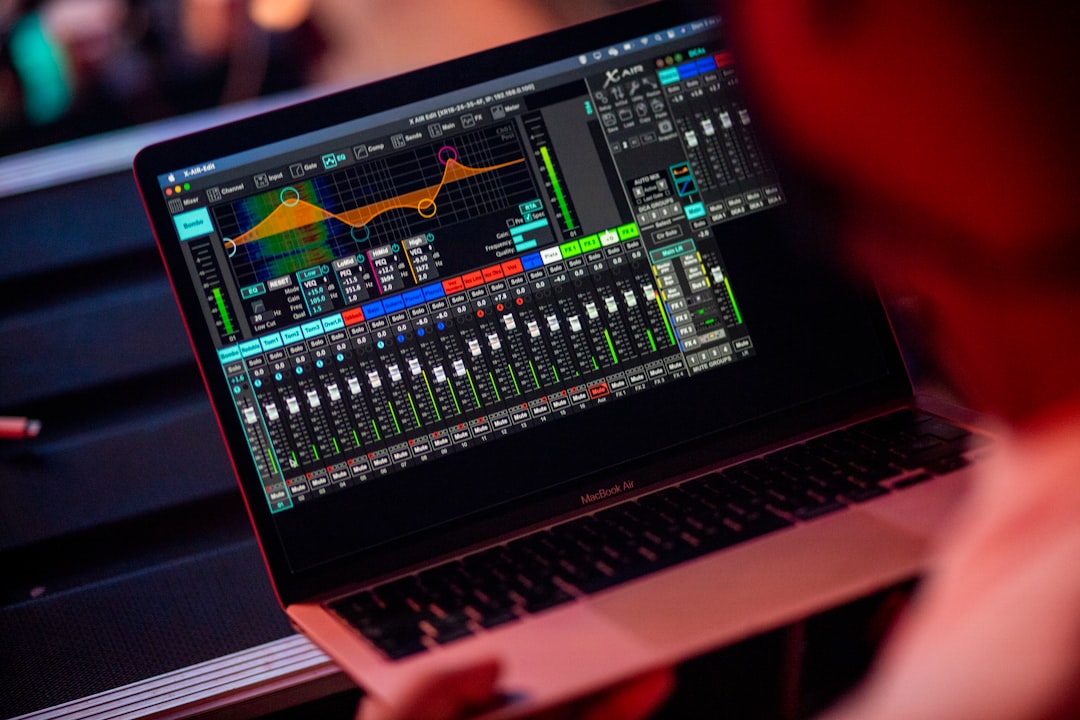
For most home studios, the short answer to do you need a mixer is no. A modern audio interface handles your inputs, preamps, and monitoring, and you do the actual mixing inside your DAW with a mouse. A hardware mixer is genuinely useful only in specific cases, like running a live band, multiple simultaneous performers, or a hybrid analog setup. Here is how to decide.
Mixer vs audio interface: what each one does
People often confuse the two because both have knobs and inputs. They do different jobs:
- An audio interface converts sound into digital audio your computer can record, provides mic preamps and phantom power, and sends playback to your speakers and headphones. It is the heart of a computer-based studio.
- A mixer blends multiple audio sources into a stereo output in real time, with hands-on level, EQ, and routing controls. It was essential in the tape era and is still vital for live sound.
In a DAW-based studio, the mixing happens on screen, so the mixer’s core job is already done in software. We compare the two in detail in audio interface vs mixer.
Why most home studios skip the mixer
When you record into a DAW, every track is captured separately and you mix afterwards with infinite recall — levels, EQ, and effects all save with the project. A hardware mixer cannot offer that. For solo producers and bedroom recordists, a good interface plus your DAW does everything a mixer used to, with more flexibility and less desk clutter. If you mostly record one source at a time — vocals, guitar, a synth — an interface is all you need. See how to set up an audio interface to get going.
It is worth being clear about why “mixing in the box” is so much more forgiving for a beginner. On a hardware mixer, every decision you make — how much top end you dial in, how loud the vocal sits, where the reverb level lands — is baked into the recording the moment it hits the tape or the stereo bus. If you change your mind a week later, you cannot undo it. In a DAW, none of that is permanent. You can pull a fader down, swap a plugin, or rebalance the whole song months after tracking, and you can save several versions of the same mix and compare them. For people who are still learning what a good balance sounds like, that ability to experiment without consequences is one of the biggest reasons software mixing has become the norm.
When a mixer actually helps
There are real situations where a mixer earns its place:
- Recording many sources at once. A full band, a drum kit with many mics, or several podcast guests may need more inputs than your interface has. Some mixers can send those channels to your computer over USB.
- Live performance or rehearsal. If you also play live or run monitors for a band, a mixer is purpose-built for real-time blending.
- Hybrid analog workflows. Engineers who run outboard gear and want hands-on summing or routing may prefer a mixer or a console-style interface.
- Hardware-heavy setups. Lots of synths, drum machines, and outboard effects can be easier to manage through a central mixer.
If you specifically run a podcast with several guests, our guide on how to record a podcast at home covers when a mixer-style device makes sense.
The middle ground: mixers with USB
Many modern mixers double as audio interfaces by connecting over USB. These can be handy if you want physical faders and the ability to record several channels at once. Just check whether it sends each channel separately (multitrack) to your computer or only a stereo mix — a stereo-only mixer locks in your balance at the source and removes the flexibility that makes DAW mixing so powerful.
The phrase to look for in the specifications is “multitrack USB” or a stated number of recording channels, such as a unit that records eight or sixteen separate streams. If a mixer only quotes a “2-in” or “stereo” USB output, it is fine for streaming or capturing a live blend, but it is not giving you the per-track control you would get from a multi-input interface. A second thing to weigh is the quality of the onboard preamps and converters: an inexpensive mixer with USB is not automatically a better recording front end than a dedicated interface at the same price, because the budget is spread across faders, EQ, and routing rather than focused on clean conversion.
Common mistakes when choosing
A few recurring errors trip up people shopping for their first setup:
- Buying a mixer to “get more inputs” without checking the USB output. If the mixer only sends a stereo mix to the computer, you still cannot separate the vocal from the guitar afterwards — you have simply added knobs, not tracks.
- Assuming a mixer improves sound quality. A mixer does not make recordings cleaner. Tone comes from the microphone, the preamp, the room, and your technique, not from having a channel strip in front of you.
- Double-processing the signal. Adding EQ and compression on the mixer and then again in the DAW makes problems hard to undo. When in doubt, record as flat and clean as possible and shape the sound in software.
- Spending the budget in the wrong place. Money that goes into a mixer you do not need is money not spent on a better interface, monitoring, or treating your room — the things that actually change how your recordings sound. Before you buy anything, it helps to map out roughly how much a home studio costs so the mixer competes fairly against everything else on the list.
How to decide
- Do you record more than two sources at the same time? If no, you almost certainly do not need a mixer — get an interface with the right number of inputs.
- Do you also do live sound? If yes, a mixer is worth owning, possibly alongside your interface.
- Do you want to mix in the box? If yes (and most beginners should), prioritise your interface, monitoring, and room — not a mixer.
For most people starting out, the smarter spend is a quality interface, decent monitoring, and acoustic treatment for your room. Our home studio gear checklist and budget build guide show where a mixer ranks against everything else (usually near the bottom of the priority list).
Frequently asked questions
Can I use an audio interface instead of a mixer?
Yes. For computer-based recording, an audio interface replaces the mixer entirely — it provides your preamps, inputs, and monitoring, and you mix inside your DAW. A separate hardware mixer is unnecessary for most solo home studios.
Do I need a mixer to record vocals?
No. To record vocals you need a microphone and an audio interface with a mic preamp and phantom power if you use a condenser. The mixing happens in your DAW afterwards, so a hardware mixer adds nothing for solo vocal recording.
When is a mixer worth buying for a home studio?
When you regularly record several sources at once, perform or rehearse live, or run a hardware-heavy hybrid setup. If none of those apply, spend the money on a better interface, monitoring, or room treatment instead.
Is a USB mixer the same as an audio interface?
Not quite. A USB mixer can act as an interface, but only some models send each channel to your computer as a separate track. If it only outputs a stereo mix over USB, you lose the ability to rebalance individual sources later, which is the main advantage of recording into a DAW. Check the recording-channel count before you buy.
Will a mixer make my recordings sound better?
On its own, no. Recording quality is driven by your microphone choice, preamp, room acoustics, and mic technique. A mixer adds routing and hands-on control, not inherent fidelity. If your goal is better-sounding recordings, invest in those fundamentals first.



