
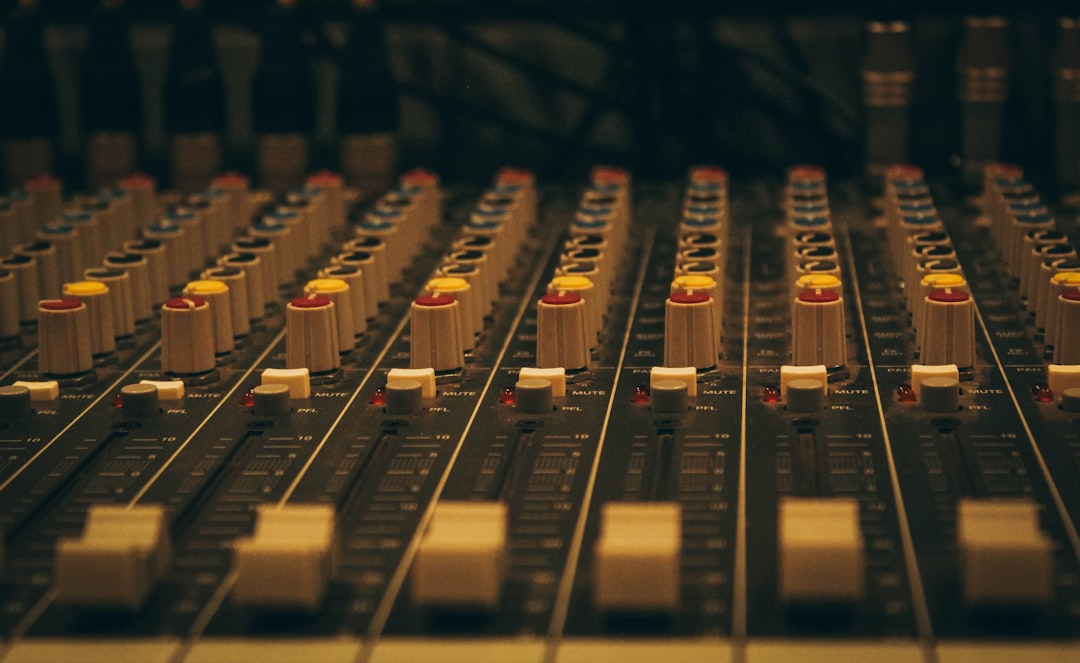
The graphic EQ vs parametric EQ question comes down to control. A graphic EQ gives you a fixed row of sliders, each tied to a set frequency band, so you shape sound by pushing faders up or down. A parametric EQ lets you place a band anywhere you like and dial in its exact frequency, gain, and width. Both do the same core job — boosting or cutting frequencies — but they trade speed and simplicity against precision and surgical control.
Violet Recording is reader-supported — we may earn a commission from links on this page, at no extra cost to you.
If you have ever stared at a plugin’s interface wondering whether those neat little sliders are better or worse than the draggable dots-and-curves version, this guide clears it up. We will walk through how each type works, what the controls actually do, where each one shines, and how to choose for a given task. By the end you will know which tool to reach for without second-guessing.
What a graphic EQ is and how it works
A graphic EQ splits the frequency spectrum into a fixed number of bands and gives each band its own slider. The name comes from the layout: the row of faders forms a rough “graph” of your frequency response, so you can see the shape you are creating at a glance. Push the 100 Hz slider up and you add low end; pull the 3 kHz slider down and you tame harshness in that region.
Common formats are the 10-band (roughly one slider per octave), the 15-band, and the 31-band (one slider per third-octave). More bands means finer resolution — a 31-band unit lets you nudge a narrow region without dragging its neighbours along, while a 10-band paints in broad strokes. The key limitation is that the frequencies are fixed. You cannot move the 1 kHz slider to 1.2 kHz; you work with the bands the designer gave you.
The centre frequency and the bandwidth of each slider are locked. On most graphic EQs the bands overlap and interact, so boosting two adjacent sliders creates a wider bump than the numbers alone suggest. That interaction is part of the character — it is why graphic EQs feel fast and musical for broad tonal moves, and why live-sound engineers reach for a 31-band across a PA system to notch out feedback and even up a room.
What a parametric EQ is and how it works
A parametric EQ hands you a small number of bands but makes every one of them fully adjustable. For each band you get three parameters — hence “parametric”: frequency (where the band sits), gain (how much you boost or cut), and Q (how wide or narrow the affected region is). Instead of fixed sliders, you place a band exactly where the problem lives and shape it to fit.
That Q control is the real difference-maker. A low Q gives a gentle, wide bell that lifts or dips a broad tonal region musically. A high Q gives a tight, surgical notch that can pull out a single ringing resonance while leaving everything around it untouched. Want to remove a 60 Hz hum or a nasal 900 Hz honk without dulling the whole track? A narrow parametric band does it cleanly.
Most modern parametric plugins also give you selectable band shapes: bell (peaking) bands for boosts and cuts in the middle of the spectrum, high-pass and low-pass filters to roll off the extremes, and shelving filters that lift or drop everything above or below a chosen point. A “fully parametric” EQ makes frequency, gain, and Q adjustable on every band; “semi-parametric” units fix the Q and only let you move frequency and gain. Nearly every EQ plugin built into a DAW today is parametric, usually with a draggable curve you shape with the mouse.
Graphic EQ vs parametric EQ: which should you use?
Here is the honest answer to the graphic EQ vs parametric EQ debate: for studio mixing, a parametric EQ is almost always the better tool, and it is what you already have. Its precision, its ability to cut narrow problems, and its visual curve make it the default for shaping individual tracks and buses. When you need to solve a specific frequency issue — boxiness at 300 Hz, sibilance around 7 kHz, a muddy low-mid buildup — nothing beats being able to sweep to the exact spot and set the exact width.
The graphic EQ still earns its place. Because every band is visible and one gesture, it is genuinely faster for broad, intuitive tonal shaping. Reach for a graphic EQ when you want a quick “more air, less mud” pass, when you are tuning a live PA to a room, or when you want the interactive, hands-on feel of physical faders on a hardware unit. Some engineers keep a graphic EQ on the master purely because the layout encourages gentle, big-picture moves rather than obsessive narrow cuts.
A useful way to frame it: a parametric EQ is a scalpel, a graphic EQ is a set of paint rollers. If the task is “fix this exact thing,” go parametric. If the task is “make the whole thing feel a bit brighter and cleaner, fast,” a graphic EQ is a pleasant way to work. Neither is wrong — they suit different moments. Many mixers use a parametric for corrective work and occasionally a graphic-style or fixed-band EQ for quick tonal colour. The fundamentals of subtractive and additive equalization apply to both, and if you are still building that foundation our guide to EQ and compression fundamentals is the place to start.
The controls that matter on each
On a graphic EQ, the only control per band is level — the slider. Your skill lies in knowing which sliders to move and by how much, and in resisting the urge to boost everything (that just raises your overall level and eats headroom). A smart approach is to cut the sliders that hold problem frequencies rather than boosting the ones you like; subtractive moves tend to sound more natural and protect your gain staging.
On a parametric EQ, the three controls work together. Set the frequency by sweeping — a classic trick is to temporarily boost a narrow band hard, sweep across the range until the problem jumps out, then pull that band down into a cut. Set the gain to taste, usually a couple of dB for musical moves and more only for surgical fixes. Set the Q to match the job: wide for tone, narrow for problems. Add a high-pass filter to clear out sub-rumble on anything that is not bass or kick, and you have covered most of what a mix EQ needs to do. These same moves drive our walkthrough on how to mix vocals.
Common mistakes with both types
The biggest mistake on either EQ is boosting too much and too narrowly. Big narrow boosts sound artificial and pile up resonances; gentle, wider moves almost always sound better. Second, mixing in solo: an EQ move that sounds great on a soloed track can vanish or turn harsh in the full mix, so judge your changes in context. Third, forgetting to compensate level — a boost makes things louder and “louder” fools you into thinking “better,” so match your before-and-after loudness before deciding.
With graphic EQs specifically, watch for band interaction: two adjacent boosts stack into a bigger bump than you intended. With parametric EQs, the trap is over-tweaking — because you can place a dozen precise cuts, it is tempting to chase every tiny imperfection until the track sounds over-processed and lifeless. Fewer, more decisive moves win. And on any digital EQ, extreme high-Q boosts near the top of the spectrum can introduce phase and ringing artefacts, so use them sparingly.
Free graphic and parametric EQ plugins worth trying
You do not need to spend anything to get a capable EQ. For a superb free parametric EQ, TDR Nova from Tokyo Dawn Records is a dynamic parametric that many professionals keep in rotation, and Voxengo Marvel GEQ is a clean, well-regarded free graphic EQ if you want the slider workflow. Your DAW’s stock EQ — Ableton’s EQ Eight, Logic’s Channel EQ, Reaper’s ReaEQ — is already a fully parametric EQ and is more than good enough to mix a whole record. Start there before buying anything.
When you are ready to move up to a premium parametric EQ with cleaner filters, dynamic bands, and mid/side processing, browse options at a store like Plugin Boutique, which regularly runs sales on the industry-standard equalizers. For a wider look at paid and free options, see our roundups of the best EQ plugins and the best free synth VSTs to round out your toolkit. If you are curious how EQ fits alongside dynamics on the master bus, the iZotope Ozone review shows a full mastering chain in action.
Frequently asked questions
Is a parametric EQ better than a graphic EQ?
For studio mixing, yes — a parametric EQ is more precise and flexible because you can place any band at any frequency and set its width, which is essential for corrective work. A graphic EQ is not “worse,” though; it is faster and more intuitive for broad tonal shaping and for live-sound tasks like tuning a PA. The better tool depends on the job, not on one being universally superior.
What does the Q control do on a parametric EQ?
Q sets the bandwidth of a band — how wide or narrow a slice of frequencies it affects. A low Q gives a broad, gentle curve good for musical tone shaping, while a high Q gives a tight, surgical notch for removing a specific resonance, hum, or ringing frequency without disturbing the sound around it. Graphic EQs have a fixed Q on every slider, which is why they are less precise.
Can I use a graphic EQ for mixing vocals?
You can, but a parametric EQ is the better choice for vocals because problems like sibilance, boxiness, and nasal honk sit at specific frequencies that vary from voice to voice, and you need to place a band exactly on them. A graphic EQ’s fixed bands make that harder. Use a parametric for corrective vocal work and save the graphic EQ for quick, broad tonal touches. Explore more in our mixing and mastering hub.



