
How to make a wobble bass comes down to one core trick: take a rich bass sound and modulate its filter cutoff with a tempo-synced LFO so the tone rhythmically opens and closes. That pulsing movement is the “wobble.” Add distortion for grit and you have the foundation of dubstep, riddim and bass-music growls.
You can build a wobble bass in Serum, Vital (free), Massive X or any synth with an LFO you can sync to tempo and route to the filter. Here’s the workflow.
How to make a wobble bass: build a rich bass tone
Wobble basses need harmonics to chew on, so start with a bright, full source. Two detuned sawtooths, or a wavetable with strong upper content, work well. Picking the right table is half the battle, so it helps to understand how wavetable synthesis works before you start scrolling positions. Layer a sine sub-oscillator underneath for low-end weight that stays constant while the wobble happens above it. If bass design is new, our guide on how to design a bass sound covers the fundamentals, and how to design sounds with a synth explains oscillators.
Route an LFO to the filter
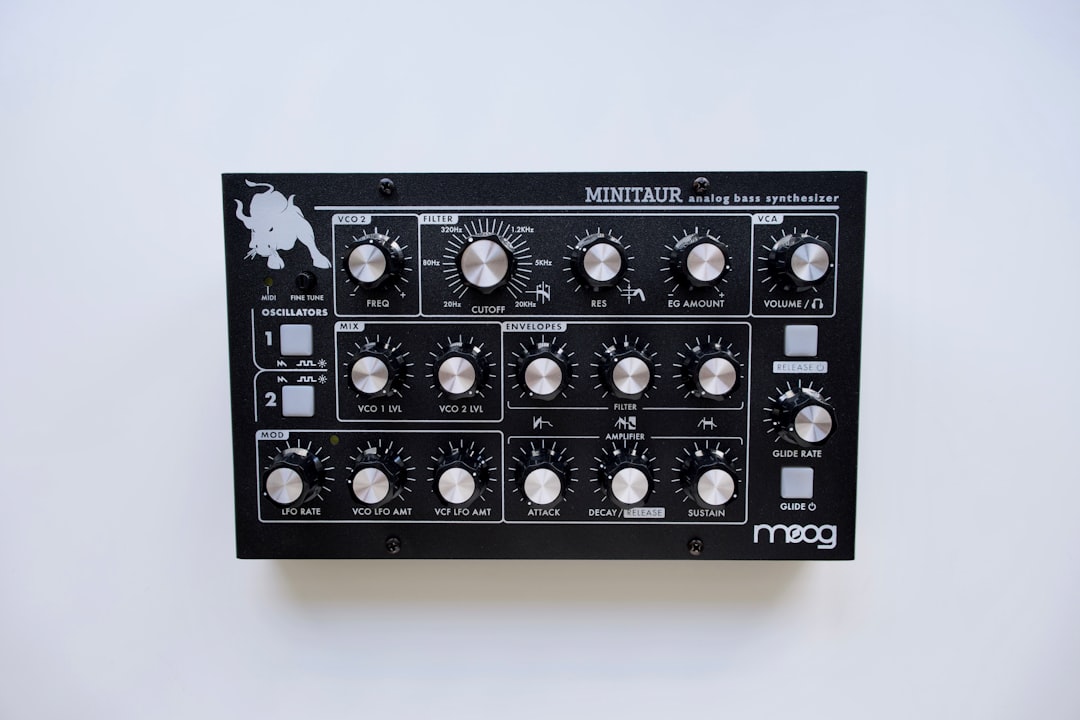
This is the wobble itself. Add a low-pass filter and route an LFO to the filter cutoff. Set the LFO to a tempo-synced rate — try 1/4, 1/8 or 1/16 note divisions — and the filter will open and close in time with the track. Faster divisions give a tighter, busier wobble; slower ones give a long, dramatic sweep. Add resonance so the cutoff frequency stands out as it moves. For routing depth, see how to use modulation for sound design.
Shape the LFO waveform
The LFO’s shape defines the wobble’s character:
- Sine LFO: smooth, rounded wobbles.
- Saw or ramp: a sharp pluck-into-fade rhythm.
- Square: a gated, on/off stutter.
- Custom LFO shapes: in synths like Serum and Vital you can draw your own multi-step shapes for complex, syncopated wobbles.
Drawing your own LFO is where signature growls come from — vary the rate and shape per note for that talking, rhythmic feel.
Add distortion and grit
A clean wobble sounds weak. Run the bass through distortion, saturation or a multiband effect like OTT to add aggressive harmonics and density. Distortion after the filter reacts dynamically to the wobble, intensifying the growl as the filter opens. Experiment with the order — distortion before vs after the filter gives very different textures. See how to use distortion for sound design for techniques.
Vary the rhythm
A wobble at one fixed rate gets boring fast. To keep it interesting:
- Automate the LFO rate so different notes wobble at different speeds.
- Use note length to change how many wobbles each note gets.
- Layer in resampling — bounce the wobble to audio, then chop and rearrange it. Our guide on how to resample sounds shows how.
Keep the low end clean
Make sure the sub layer stays mono and constant so the track keeps its weight even when the wobble filter closes. High-pass the wobble layer above the sub so the two don’t clash, then blend to taste. If you want that sub to also carry the tune, the same approach used to design an 808 from scratch works perfectly as the foundation under a wobble.
Dial in the filter for the right movement
The filter does most of the audible work, so it pays to set it up deliberately rather than leaving it at defaults. A few choices change the whole feel of the wobble:
- Filter type: a low-pass filter is the classic choice and gives the muffled-to-open sweep most growls rely on. A band-pass adds a hollow, vocal quality, while a high-pass wobble thins the body and works well for lighter, top-heavy patterns.
- Resonance: more resonance emphasises the frequency the cutoff is passing through, so the wobble whistles and sings as it moves. Too much and it can ring painfully — back it off until it sits just below harsh.
- Cutoff range: set the LFO depth so the filter never fully closes to silence. Leaving a little of the tone audible at the bottom of the sweep keeps the bass present and avoids gaps in the low end.
- Filter drive: many synth filters have their own drive or saturation stage. Pushing it adds harmonics right where the filter is moving, which makes the wobble feel more alive.
If your synth offers more than one filter, try splitting the signal — keep the sub clean through one path and route only the upper layer through the moving filter. That separation is the single biggest reason pro wobbles stay punchy in a busy mix.
Common mistakes to avoid
Most weak or muddy wobbles come down to the same handful of issues. Watch for these before you blame the synth:
- No tempo sync: a free-running LFO drifts against the beat and never locks in. Always switch the LFO to sync and pick a note division.
- Letting the sub wobble too: if the filter chops your low frequencies, the track loses weight every time the filter closes. Keep a constant sub underneath.
- Over-distorting: piling on saturation can flatten the dynamics and turn the wobble into a wall of fuzz. Add grit in stages and check the movement is still audible.
- Stereo sub: width on the low end smears the bass and causes phase problems on big systems. Keep everything below roughly 100–120 Hz in mono.
- One static patch for the whole drop: real interest comes from changing the rate, shape and note length across the bar. A single repeating wobble gets old within a few seconds.
Frequently asked questions
What synth is best for wobble bass?
Serum and Vital (free) are the most popular because they let you draw custom LFO shapes and have flexible filters and effects. Massive X and Phase Plant also work well. Any synth with a tempo-synced LFO routed to the filter can make a wobble.
Why does my wobble bass sound thin?
You likely lack a constant sub layer or enough distortion. Add a sine sub-oscillator for low-end weight, keep it mono, and drive the upper layer with saturation to add harmonic density and aggression.
How do I get the wobble in time with my track?
Set the LFO to tempo-sync and choose a note division like 1/8 or 1/16. The synth then locks the wobble rate to your project tempo so it pulses perfectly in time with the beat.
Can I make a wobble bass without a custom LFO synth?
Yes. You can get a convincing wobble using an auto-filter or filter plugin with a tempo-synced LFO placed on a sustained bass note. It is less flexible than drawing your own shapes, but routing any synced LFO to a filter cutoff is all the technique fundamentally requires.
Should I add distortion before or after the filter?
Both work and they sound different. Distortion before the filter generates harmonics that the filter then sculpts, giving a smoother result. Distortion after the filter reacts to the moving cutoff, so the growl intensifies as the filter opens. Try both and keep whichever suits the track.



