
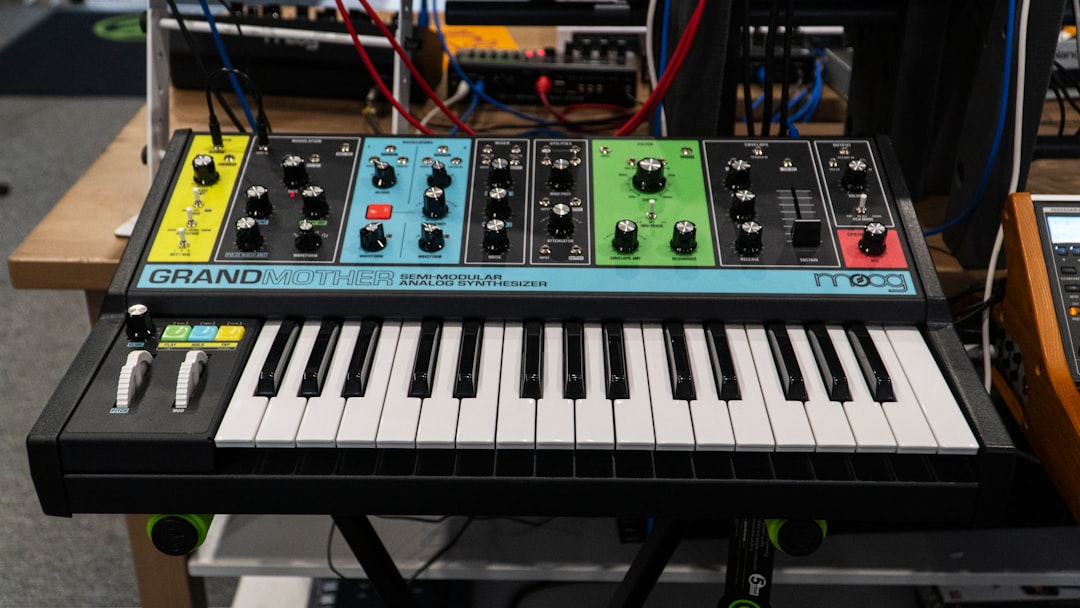
To design sounds with a synth, you start from a blank (init) patch and build the sound up one stage at a time: choose an oscillator for the raw tone, shape it with a filter, control its movement with envelopes and LFOs, then add effects. That’s the whole process. Once you understand how these stages connect, you can recreate almost any synth sound you hear. This guide walks through each stage and finishes with a complete first build.
How to design sounds with a synth: the signal flow
Sound flows through a synth in a logical order, and understanding that order is the key to everything:
- Oscillator generates the raw waveform.
- Filter removes frequencies to shape brightness.
- Amplifier controls volume, driven by an envelope.
- Modulators (envelopes, LFOs) move parameters over time.
- Effects add space and character at the end.
Any synth — Serum, Vital, Massive X, Arturia Pigments or your DAW’s stock synth — follows this flow. If the terms feel new, our sound design for beginners guide explains each in plain English.
Step 1 — Choose your oscillator
The oscillator sets the character. The classic waveforms each have a sound:
- Saw — bright and buzzy, full of harmonics. The workhorse for basses and leads.
- Square / pulse — hollow and reedy; narrowing the pulse width changes its tone.
- Triangle — soft and mellow, a touch brighter than a sine.
- Sine — pure with no harmonics, ideal for subs.
Modern synths add wavetable oscillators that morph through many waveforms, and FM for metallic and bell tones. Start with a single saw to keep things simple.
Step 2 — Shape it with the filter
The filter is your main tone control. A low-pass filter removes highs and rounds the sound; a high-pass removes lows and thins it; a band-pass focuses on a narrow band. Add resonance to emphasise frequencies right at the cutoff for a vocal, whistling edge. Sweep the cutoff while a note plays to hear exactly what it does — this single control shapes more of your sound than any other.
Step 3 — Control movement with envelopes
An envelope shapes how a parameter changes over the life of a note, using four stages (ADSR): attack (how fast it reaches full level), decay (the drop to the sustain level), sustain (the level it holds while the key is down), and release (the fade after you let go). The amp envelope controls volume; routing a second envelope to the filter cutoff gives you that classic “pluck opens bright then closes” motion.
Step 4 — Add life with LFOs
An LFO is a slow, repeating shape you assign to a parameter for automatic movement. Route it to:
- Pitch for vibrato (use a small amount).
- Filter cutoff for a wobble or rhythmic pulse.
- Amplitude for tremolo.
Sync the LFO to your project tempo for rhythmic effects. Even a tiny amount of modulation makes a patch feel alive instead of static.
Step 5 — Thicken and process
Two quick moves add polish. Unison stacks several detuned copies of the oscillator for a wide, fat sound — great for leads and supersaws. Then add effects: reverb for space (Valhalla reverbs are a favourite), light distortion for presence, and delay for width. Many of these live inside the synth itself.
A complete first build: a plucky lead
- Load an init patch and set the oscillator to a saw.
- Add a touch of unison (a few voices, light detune) for width.
- Add a low-pass filter and pull the cutoff back a little.
- Set the amp envelope to a fast attack and a medium release.
- Route a filter envelope with a short decay so each note opens bright then closes — the pluck.
- Add a synced delay and a small reverb for space.
That’s a usable lead built entirely from the core controls, and the same six steps are the backbone of building a pluck sound in any genre. To go further into specific sounds, see how to design a bass sound and the broader essential sound design techniques.
How to match a sound you hear by ear
Recreating a sound is the fastest way to improve, and it follows the same signal flow in reverse. Listen with a question in mind at each stage rather than twisting knobs at random:
- Pitch and tone first. Is it bright and buzzy (saw), hollow (square), or pure and round (sine or triangle)? That tells you the oscillator. Bell-like or metallic edges usually mean FM or a wavetable.
- Movement next. Does the brightness change as the note holds? That’s a filter envelope or LFO. A wobble in time with the music is a tempo-synced LFO on the cutoff.
- Shape of the note. Does it stab in instantly or swell in slowly? That’s the attack. Does it ring on after the key lifts? That’s release and reverb.
- Width and space last. A huge stereo sound is usually unison detune plus reverb and delay, not the raw oscillator.
Work top to bottom, get each layer close, then move on. You rarely need to be exact — getting 90 per cent of the way there teaches you far more than chasing a perfect copy.
Common mistakes to avoid
A few habits trip up almost everyone when they start designing sounds:
- Reaching for presets too early. Presets are fine in a session, but you only learn by building from an init patch. Tweaking someone else’s patch hides the signal flow from you.
- Over-modulating. Three LFOs, heavy detune and maximum resonance do not make a richer sound — they make a muddy, unstable one. Add one source of movement at a time and stop when it feels alive.
- Soloing the synth. A patch that sounds huge on its own often disappears or clashes in a mix. Audition new sounds against your drums and other parts, not in isolation.
- Ignoring level matching. Distortion, unison and resonance all change loudness. A sound can seem “better” simply because it got louder, so trim the output back and compare fairly.
- Skipping gain staging into effects. Pushing a hot signal into reverb or distortion can smear the result. Set a sensible oscillator level before the effects chain.
Frequently asked questions
Which synth should I use to design sounds?
Any capable synth works, and the principles transfer. Vital and Surge are free and excellent for learning because they show signal flow visually, and our roundup of the best free synths for sound design covers more options. Serum, Massive X and Arturia Pigments are popular paid options. Start with what you have before buying more.
Why do my synth sounds feel flat or lifeless?
Usually because nothing is moving. Add subtle modulation — an LFO on the filter, slight pitch drift, or unison detune — and a touch of reverb. Static patches sound dull; movement and space are what make a sound feel professional.
Should I learn subtractive synthesis before FM or wavetable?
Yes. Subtractive synthesis (oscillator, filter, envelope, LFO) teaches the core signal flow that every method builds on. Once that’s second nature, FM and wavetable extend your palette. Trying to start with FM often leads to confusion without that foundation.
How long should I spend on one sound?
When you are learning, slow and deliberate beats fast. Spending half an hour building one patch from scratch and understanding every control teaches you more than loading fifty presets. In a real production, though, work quickly — get a sound that fits the track and move on, because the song matters more than a perfect patch.



