
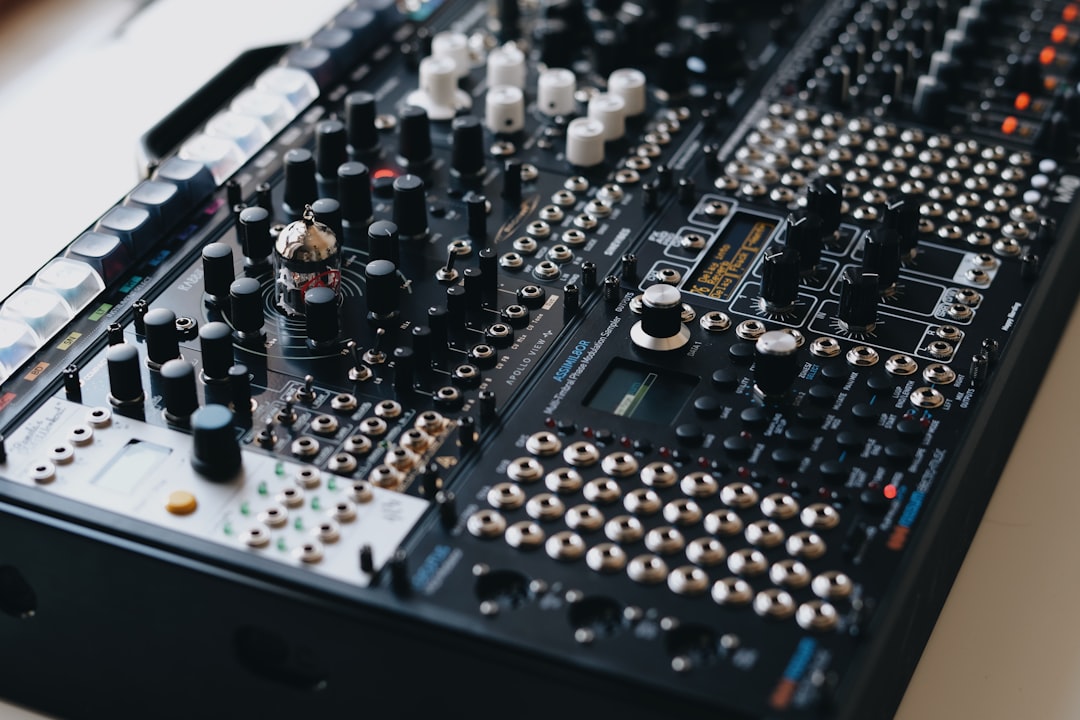
To make ambient soundscapes, you take simple sound sources — a held synth chord, a field recording, a single sample — and let them evolve slowly using long reverbs, modulation, granular processing and layering until they become a rich, immersive texture with no obvious rhythm. Ambient is about atmosphere and movement, not melody, and almost any sound can become the seed of a soundscape.
Whether you are scoring a calm scene, building a meditation track, or designing the background hum of a game level, the workflow is the same: pick a source, stretch it, add space, and keep it gently moving.
Start with a sound source
Ambient soundscapes can begin from almost anything:
- A synth pad: a slow-attack patch from Vital, Serum, or Arturia Pigments — if you are starting from scratch, our guide to designing sounds with a synth covers the basics.
- A field recording: wind, rain, a room tone, traffic — captured with a Zoom recorder or grabbed from Freesound.
- A single note or sample: a piano hit, a vocal “ah”, a struck glass — anything you can stretch.
The trick is that the source does not need to sound interesting on its own. Processing makes it interesting.
Step 1: Make a pad that evolves
The backbone of most soundscapes is a slow, evolving pad. Build one with a long attack and long release so notes bleed into each other, then assign an LFO to the filter cutoff so the tone breathes over several seconds. Add a second, slightly detuned oscillator for width. Our guide on making a pad sound walks through this patch in detail, and designing textures and atmospheres goes further into evolving timbres.
Step 2: Stretch and granulate textures
Granular processing is the secret weapon of ambient. Take any short sample and stretch it to many times its length using a granular tool — Ableton’s Granulator, the granular engine in Pigments, or a dedicated plugin. Suddenly a half-second piano note becomes a thirty-second shimmering drone. Learn the technique in our granular synthesis guide. Time-stretching field recordings the same way turns rain or wind into ghostly pads.
Step 3: Build depth with reverb and delay
Space is what turns sounds into a soundscape. Reach for long, lush reverbs:
- Big hall or shimmer reverbs (Valhalla Shimmer or VintageVerb) create endless tails.
- Long, filtered delays spread notes across the stereo field and into the distance.
- Freeze / hold functions let you sustain a reverb tail into an infinite drone.
Don’t be afraid to use far more reverb than you would on a normal mix. For the full approach, see how to use reverb for sound design.
Step 4: Layer for richness
A great soundscape usually has several layers at different “depths”:
- A low drone for foundation.
- A mid pad for harmony and movement.
- A high shimmer or texture for air.
- Occasional events — a distant bell, a swell, a recorded detail — so the listener’s ear has something to discover.
Combining these without clutter is a skill in itself; see how to layer sounds.
Step 5: Keep it moving
Ambient feels alive when nothing stays still. Automate filter cutoffs, panning, reverb size and volume over long stretches — 20, 40, even 60 seconds. Slow modulation prevents the loop from feeling static and keeps the listener subtly engaged. Modulation is core to this; our modulation guide shows how to assign LFOs and envelopes for constant motion.
How to choose your harmony and key
Because ambient has no strong rhythm to carry it, harmony does a lot of the emotional work, and a little planning here pays off. Pick a single key and stay in it. Slow, sustained drones expose tuning and clashing intervals far more cruelly than a busy track does, so a wrong note lingers for seconds rather than passing in a beat.
Simple, open voicings tend to work best. Try stacking fifths and octaves for a calm, spacious feel, or add a single colour tone — a major seventh or a ninth — for warmth and a touch of melancholy. Avoid dense, close chords full of thirds and sevenths piled together; they turn muddy once long reverb smears everything across time. A two- or three-note chord that changes once every fifteen or twenty seconds is often all a soundscape needs to feel like it is breathing.
If you want gentle motion in the harmony, change just one note at a time rather than swapping whole chords. Holding a common tone while the notes around it shift keeps the transition seamless and meditative.
Common mistakes to avoid
Most weak soundscapes fail for the same handful of reasons. Watch for these:
- Everything moving at once: if every layer is modulating quickly, the result feels seasick rather than calm. Let one or two elements drift slowly while the rest stay still.
- Loops that are too short: a four- or eight-bar loop becomes obvious and tiring fast. Build phrases that take 30 to 60 seconds to come around, or vary each repetition with automation.
- Too much low-end build-up: long reverb and multiple drones stack in the sub frequencies and turn boomy. High-pass the upper layers and keep just one element holding the bottom.
- No dynamic range: ambient that sits at the same level throughout feels lifeless. Allow long, gentle swells and dips so the piece has somewhere to go.
- Over-processing the source: piling on effects can scrub away the character that made a sound worth using. Sometimes a clean field recording with a touch of reverb says more than ten plugins.
Mixing and finishing a soundscape
Mixing ambient is less about punch and more about clarity and depth. Give each layer its own frequency range with broad, gentle EQ moves rather than surgical cuts, and lean on the stereo field — pan textures wide and keep the foundational drone centred so the low end stays solid. A slow, transparent compressor or a touch of limiting can glue the layers together without crushing the natural ebb and flow. Finally, listen back at a low volume and over a long stretch of time; soundscapes reveal their flaws over minutes, not seconds, so let the piece play for a while before you decide it is finished.
Frequently asked questions
What plugins do I need to make ambient soundscapes?
At minimum, a synth with a good pad engine (Vital is free and capable), a quality reverb such as a Valhalla plugin, and a granular tool. Ableton’s built-in Granulator and reverb get you a long way without buying anything extra, and our roundup of the best free synths for sound design points you to capable pad-friendly options that cost nothing.
How do I stop my soundscape from sounding muddy?
Use EQ to give each layer its own frequency range, high-pass the higher layers so they don’t pile up in the low mids, and avoid stacking too many busy elements. Space and restraint beat density in ambient music.
Can I turn a field recording into an ambient pad?
Absolutely. Time-stretch or granulate a recording of wind, rain or room tone, add long reverb, and filter it gently — the recognisable source dissolves into an evolving, atmospheric texture.
How long should an ambient soundscape be?
It depends on the use. A loopable game or meditation bed might only need a minute or two of well-crafted material that repeats seamlessly, while a standalone ambient track often runs five to ten minutes so it has room to evolve. Whatever the length, focus on slow change so the listener never feels stuck in a short, repeating loop.



