
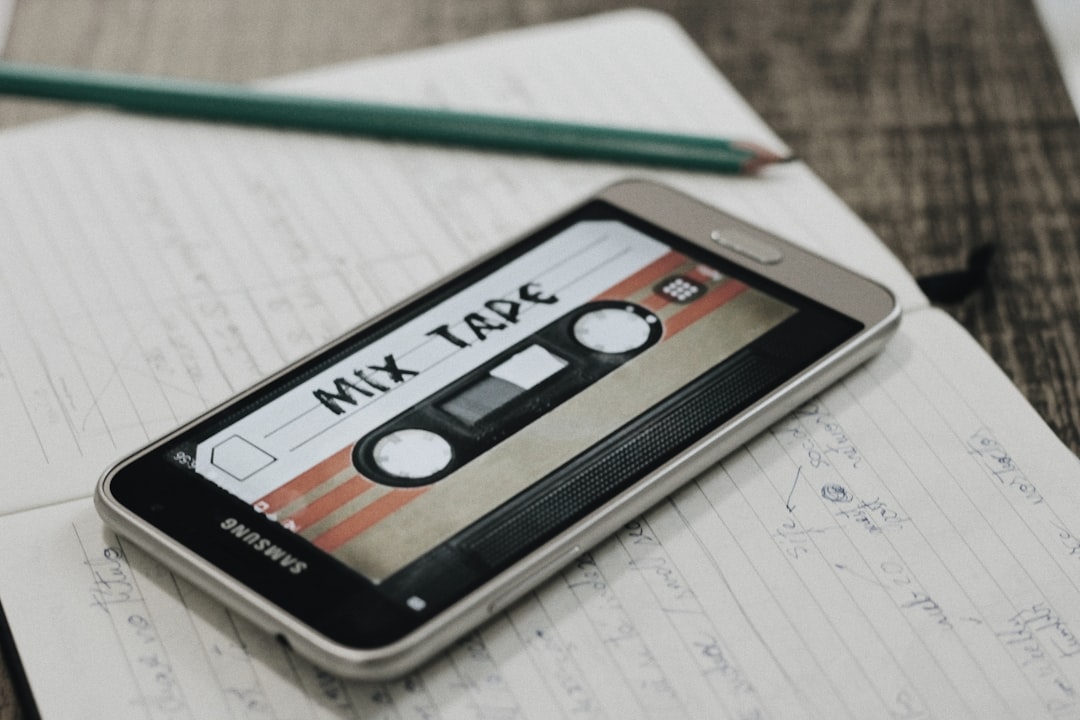
To make lo-fi on your phone, build a relaxed drum groove, lay down warm jazzy chords, add a simple melody or a chopped sample, then dirty it all up with vinyl crackle, a touch of detuning, low-pass filtering and gentle saturation. Apps like GarageBand, BandLab, FL Studio Mobile and Koala Sampler have everything you need to make that chill, dusty lo-fi sound without a computer.
What makes a beat sound “lo-fi”
Lo-fi hip-hop is built on a few signature ingredients. Before you make lo-fi on your phone, know what you are aiming for:
- Mellow, swung drums — soft, slightly loose, never too punchy.
- Warm jazzy chords — seventh and ninth chords, often a little out of tune.
- Texture and noise — vinyl crackle, tape hiss, room tone.
- A relaxed tempo — typically a slow, head-nodding pace.
- Imperfection — wobble, filtered highs and gentle distortion that make it feel human.
If you understand why each of these matters, the rest is just arranging. The genre grew out of dusty sampled records and cheap gear, so the “flaws” you hear — the hiss, the wobble, the muffled highs — are the whole point. Your job on a phone is to recreate that worn, comforting feel rather than chase a pristine, polished mix.
Step 1: Pick your app
Any capable mobile DAW works. GarageBand (iOS) has lovely Rhodes-style keys and easy effects; BandLab (iOS/Android) is free and beginner-friendly; FL Studio Mobile (iOS/Android) gives deep control; Koala Sampler is perfect for chopping samples. New to these? Start with the best music apps for beginners.
Step 2: Lay down a chilled drum groove
Program a simple beat — kick, snare or rimshot on the backbeat, and soft hats. Two things make drums feel lo-fi:
- Swing — nudge some hits slightly off the grid so it grooves rather than marches.
- Soft, dusty sounds — pick mellow kits and pull the volume back so drums sit under the music.
For more on programming rhythms, see how to make a beat on the go, and one of the best drum machine apps for phones will give you the mellow kits this genre loves.
Step 3: Add warm, jazzy chords
This is the heart of lo-fi. Use a Rhodes, electric piano or soft synth from one of the best piano and keyboard apps and play seventh or ninth chords — they sound rich and bittersweet. A four-chord loop is plenty. To make it feel nostalgic, detune the instrument very slightly or add a subtle pitch wobble so it drifts like an old tape.
Step 4: Sample or play a melody
Add a simple lead line over the chords, or chop a sample. Sampling is hugely popular in lo-fi — record a few seconds of an old-sounding loop and slice it. Koala Sampler makes this easy, and the best sampling apps lists more. Keep the melody sparse; space is part of the vibe.
Step 5: Dirty it up with effects
This is where a clean beat becomes lo-fi. Add these in your app’s effect section — see adding effects in mobile music apps for where to find them:
- Vinyl crackle / noise — a looping crackle or hiss layer for instant atmosphere.
- Low-pass filter — roll off the high frequencies so everything sounds warm and slightly muffled.
- Saturation or tape effect — gentle distortion to add warmth and glue.
- Reverb — a little space, not a cathedral. Use reverb and delay tastefully.
- Bitcrusher (sparingly) — a touch of digital grit on a sample or melody.
Want to give a finished track that washed-out, slowed lo-fi feel without opening a DAW? Drop it into our free Slowed + Reverb Generator — it adds reverb, warmth and a tempo drop right in your browser, then exports a WAV.
Step 6: Mix gently and export
Lo-fi mixes are soft and balanced rather than loud and aggressive. Sit the drums under the chords, keep the bass round, and avoid harsh highs. Our guide to mixing a song on your phone helps. When it feels right, follow how to export a song from a music app to bounce it out.
How to choose the right sounds
Picking instruments and samples is where a lot of beginner lo-fi falls flat, so it is worth slowing down here. A few simple choices keep your track sounding authentic instead of generic:
- Favour mellow timbres. Soft electric pianos, muted guitars, brushed drums and round upright-style bass all sit comfortably in lo-fi. Bright, plucky synths and crisp acoustic kits tend to fight the warm, hazy feel.
- Match the key and mood. Lo-fi leans melancholic and dreamy. Minor keys, suspended chords and gentle key changes carry that bittersweet feeling far better than bright major progressions.
- Mind your sample sources. Older-sounding loops with built-in noise are gold, but if you plan to release anything publicly, use royalty-free packs or material you have cleared. Sampling copyrighted records can cause real problems on streaming platforms.
- Leave headroom. Choose sounds that are not already maxed out in volume or brightness, so you have room to filter and saturate them afterwards.
Common mistakes to avoid
Once you know what to listen for, these are the slips that most often stop a phone-made beat from sounding the part:
- Overdoing the effects. A wall of crackle, heavy bitcrushing and drowning reverb does not equal “more lo-fi” — it just sounds messy. Reach for subtlety and let the music breathe.
- Quantising everything perfectly. Snapping every note to the grid kills the loose, human swing. Leave a little timing drift in on purpose.
- Mixing too loud. Pushing levels into the red flattens the gentle dynamics that make lo-fi relaxing. Keep peaks well below the ceiling.
- Cluttering the arrangement. Busy melodies and constant fills work against the genre. Two bars that loop well will almost always beat a packed, restless eight bars.
- Forgetting the low end. A thin beat sounds cheap. A round, simple bassline underneath the chords does most of the work to make a track feel finished.
Quick tips for an authentic vibe
- Leave imperfections in — slightly off-grid timing and detuning are features, not bugs.
- Less is more; a two-bar loop with great texture beats a busy arrangement.
- Layer background noise low in the mix so you feel it more than hear it.
- Reference tracks you love and match their warmth and tempo.
Frequently asked questions
What’s the best free app to make lo-fi on a phone?
BandLab is a great free choice on both iOS and Android, and GarageBand is free and excellent on iPhone and iPad thanks to its warm electric pianos and easy effects. Both have the chords, drums and processing you need to make lo-fi without spending anything.
How do I get that vinyl crackle sound?
Add a vinyl or noise effect from your app’s effects, or layer a looping crackle sample underneath the track at a low volume. Combine it with a low-pass filter and gentle saturation, and your clean beat will start to sound warm and dusty like an old record.
Do lo-fi beats need to be out of tune?
Not fully, but a slight detuning or pitch wobble on the chords or a sample gives that nostalgic, tape-worn character lo-fi is known for. Keep it subtle — a tiny drift sounds charming, while too much just sounds broken.
How long should a lo-fi beat be?
There is no fixed rule, but many lo-fi tracks sit around the two-minute mark, built from a short loop with a few small variations. Focus on getting one great loop, then add or remove elements every few bars to keep it gently evolving rather than stretching it out with filler.



