
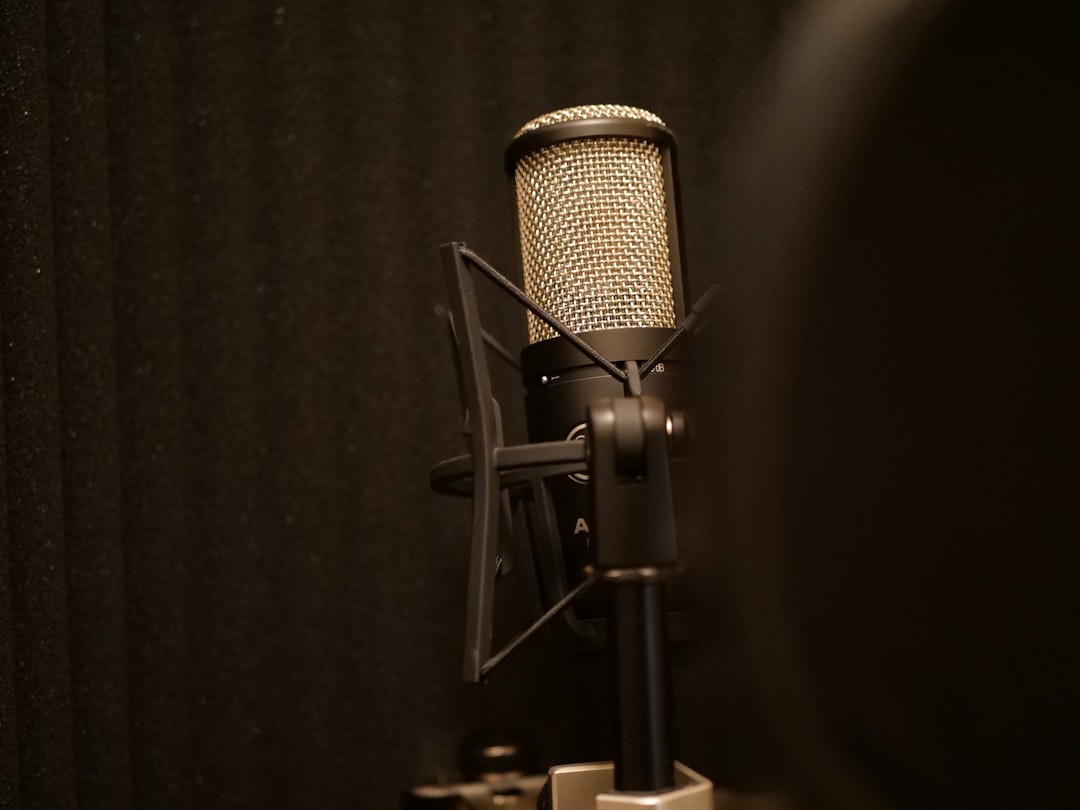
It’s one of the first decisions a beginner faces: grab a single USB microphone, or buy an XLR mic plus an audio interface? Both can sound good – the right call depends on where you’re headed.
The USB microphone route
A USB mic has a small interface built in, so it plugs straight into your computer. It’s the cheapest, simplest path and perfect for podcasting, voiceover and quick starts. The trade-offs: you can’t easily upgrade the mic, and recording a second source at once is awkward.
The interface + XLR route
An audio interface plus an XLR microphone costs a little more but unlocks better quality, the entire world of professional mics, multiple inputs, and a clear upgrade path. It’s the foundation of a real home studio. If you’re still weighing whether the extra box earns its place, it’s worth asking honestly whether you need an audio interface at all.
How the two actually differ
Underneath, both routes do the same job: they convert the analogue signal from a microphone capsule into digital audio your computer can record. The difference is where that conversion happens. With a USB mic, the preamp and analogue-to-digital converter are squeezed inside the mic body. With an interface, those components live in a dedicated box that you can keep and reuse even as you swap microphones over the years.
That single fact drives most of the practical differences:
- Upgrade path: with an interface, the mic and the converter are separate, so you can change one without throwing away the other. A USB mic is a sealed unit – outgrow it and you replace the whole thing.
- Channel count: most USB mics record one source. An interface with two or more inputs lets you capture a vocal and a guitar at the same time, or two people on separate tracks you can mix independently.
- Latency and monitoring: interfaces usually offer near-zero-latency direct monitoring through a headphone socket, so you hear yourself without the off-putting delay some USB mics introduce.
- Mic options: the XLR world spans dynamic, condenser and ribbon mics at every price point. USB locks you into whatever capsule the manufacturer chose.
Which should you choose?
- Just want to talk into a mic today (podcast, streaming): a good USB mic.
- Plan to record music or grow your setup: interface + XLR mic.
- Unsure but budget allows: interface + XLR is the more future-proof buy.
A useful way to decide is to picture your setup a year from now. If you can honestly see yourself recording only your own voice, one source at a time, a USB mic will serve you well and save money. If there’s any chance you’ll add instruments, record with another person, or chase better sound, the interface route avoids buying twice.
Budget shapes the decision too, but not always the way people expect. A USB mic looks cheaper on the shelf because it’s a single purchase. The interface route spreads its cost across a mic, the interface and a few accessories, yet much of that spend – the interface, the cable, the stand – carries forward to every future mic you own. Over a couple of years of growing a studio, the XLR path often works out as the better value rather than the more expensive one.
A simple way to test where you sit
If you’re genuinely torn, run through three quick questions before you spend anything:
- How many things will you record at once? If the honest answer is “just me, talking,” a USB mic covers it. Anything more than one source at the same moment points to an interface.
- How likely are you to upgrade? If you tend to buy once and keep gear for years without tinkering, a USB mic is fine. If you enjoy improving your kit over time, the modular interface route rewards that.
- What are you recording? Spoken word and casual content sit comfortably on USB. Vocals for music, acoustic instruments and anything you’ll mix seriously benefit from the headroom and mic choice an interface gives you.
If two of your three answers lean towards growth, treat that as a nudge to start with an interface even if a USB mic would do the job today.
Common mistakes to avoid
Whichever path you take, a few habits separate a clean recording from a frustrating one:
- Chasing the mic and ignoring the room. An untreated, echoey room will undermine even an expensive setup. A little soft furnishing and sensible mic placement often matter more than the gear itself.
- Setting levels too hot. Aim for healthy peaks with comfortable headroom rather than pushing the signal until it clips – digital clipping cannot be repaired afterwards.
- Buying more inputs than you need. A big multi-channel interface is wasted money if you only ever record one voice. Match the channel count to what you will realistically track at once.
- Forgetting the extras. An XLR mic needs a cable, a stand and often a pop filter, and many condensers need phantom power from the interface. Budget for the whole chain, not just the mic.
Frequently asked questions
Is a USB mic lower quality than an XLR mic?
Not inherently. A well-made USB mic can sound excellent for speech and even music. The quality ceiling is simply lower because you can’t pair it with a better converter or a higher-end capsule later. For many podcasters and streamers that ceiling is more than high enough.
Can I use a USB mic and an interface together?
Generally no, and you wouldn’t want to. A USB mic already contains its own interface, so plugging it into a separate audio interface achieves nothing – the interface expects an analogue XLR signal. Pick one route per microphone rather than trying to combine them.
Do I need phantom power?
Only for condenser microphones, which need 48V phantom power supplied by the interface to work. Dynamic mics don’t require it. Almost every modern interface has a phantom power switch, so it’s rarely a deciding factor – just remember to switch it on for a condenser.
If the delay you hear while monitoring bothers you, our guide to reducing latency when recording explains how to keep it in check on either route.
If you go XLR, our microphone guide and interface setup guide will get you recording cleanly.



