
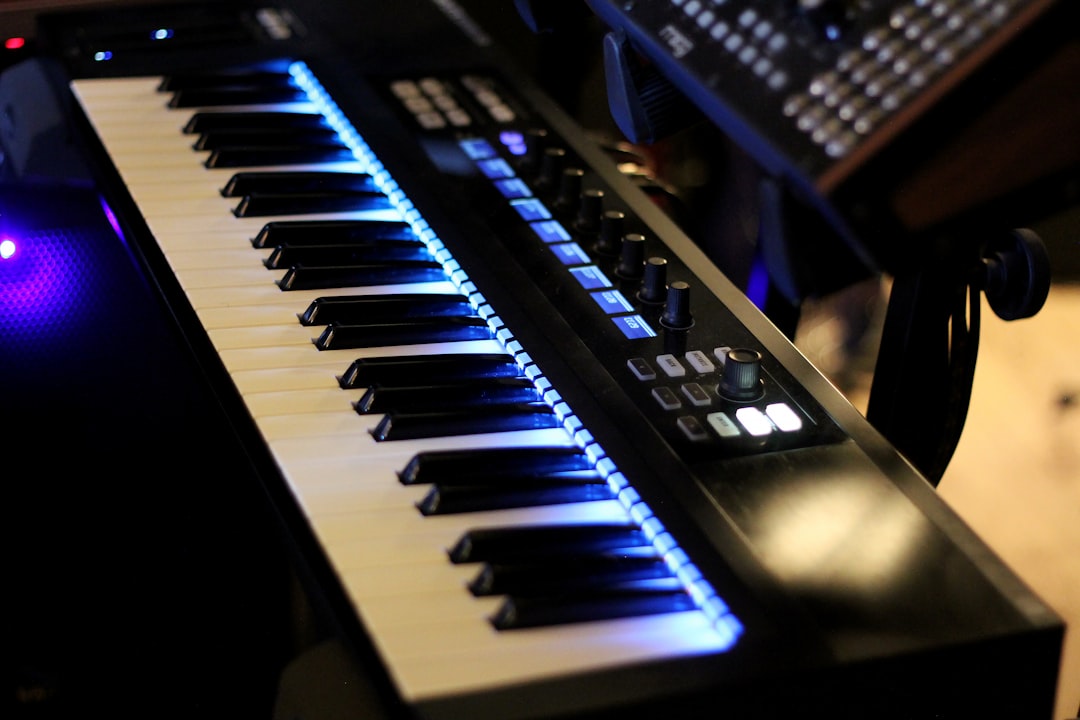
Arturia’s V Collection is one of the most complete virtual-instrument bundles you can buy: dozens of faithfully modelled vintage synthesizers, electric pianos, organs and string machines in one package. If you want the sound of classic hardware without hunting down and maintaining the real thing, it earns its reputation. This Arturia V Collection review explains what you get, where it shines, and who should skip it.
Violet Recording is reader-supported — we may earn a commission from links on this page, at no extra cost to you.
Arturia V Collection review: our verdict at a glance
Rating: 4.5 / 5. A deep, authentic and genuinely useful vintage-instrument bundle that has become a studio staple — the only real caveat is that it is overkill if you truly need just one or two sounds.
The short version: if you produce in more than one genre and value authentic vintage tone, the V Collection is close to essential. It replaces a rack of expensive, unreliable hardware with software that recalls instantly, integrates with your DAW, and updates over time. The breadth is the selling point — you are not buying one great synth, you are buying a curated museum of the instruments that shaped modern music, all playable from your controller.
Where it falls down is for producers who only need one or two sounds. If you make lo-fi hip-hop and only ever reach for a Rhodes, a single dedicated electric-piano plugin will cost far less. The bundle rewards range.
What the Arturia V Collection actually is
The V Collection is a bundle of software instruments — virtual recreations of famous analogue and digital synthesizers, plus electric pianos, organs, string machines and a few sampler-style workstations. Each one runs as a standalone application or as a plugin (VST, AU and AAX) inside any major DAW: Ableton Live, Logic Pro, FL Studio, Cubase, Studio One, Pro Tools and the rest.
Arturia builds these using physical modelling and circuit-level emulation rather than simple sampling. Instead of playing back a recording of a Minimoog, the software recreates the behaviour of the oscillators, filters and envelopes so the instrument responds dynamically the way hardware would — the same note played softly and hard sounds genuinely different, and the filter self-oscillates, drifts and distorts like the original. That modelling approach is the reason the collection has a better reputation for “feel” than most sample libraries of the same instruments.
The line-up spans several eras. You get iconic monosynths, big polyphonic analogue synths, early digital FM and additive synths, classic electric pianos and clavinets, tonewheel and transistor organs, orchestral string machines, and a couple of Arturia’s own hybrid instruments that combine sampling with synthesis. The exact instrument count and which titles are included depends on the version, and Arturia adds new instruments with each major edition — check Arturia’s site for the current edition’s full line-up.
Key features that matter in a mix
Beyond the raw list of instruments, a few things make the collection genuinely useful day to day rather than just a novelty pack.
A unified preset browser
Every instrument shares the same browser, so you can search by instrument type, by sound characteristic (bright, warm, aggressive), by genre, or by playing style, then audition presets across the whole collection without loading each synth blind. For anyone who thinks in terms of “I need a warm pad” rather than “I need the CS-80”, this is the single biggest time-saver.
Faithful modelling with modern extras
Arturia keeps the original panels intact — the knob layout looks and behaves like the hardware — but most instruments add an “advanced” panel with modulation, effects and features the vintage units never had. So you get the authentic core tone plus modern niceties like extra LFOs, better polyphony, built-in effects racks and a proper arpeggiator. You are not locked into 1978 ergonomics.
Deep effects and macros
Onboard effects (reverb, delay, chorus, drive and more) mean many presets are gig-ready or mix-ready straight away, and assignable macro controls let you sweep several parameters at once from a single knob — handy for live performance and for automation lanes in your DAW.
Standalone and plugin use
Running the instruments standalone is useful for practice, sound design or live playing without opening a full session; inside the DAW they behave like any other plugin with full automation and preset recall.
How it performs
By reputation the V Collection is the benchmark most other vintage-emulation bundles are measured against, and that standing is well earned by its design. The modelled instruments are widely praised for sounding characterful rather than sterile — the analogue synths in particular carry the drift, warmth and harmonic movement that make hardware emulations convincing in a busy mix. In practice the unified browser is what changes your workflow most: being able to search the entire library by vibe means you spend time choosing sounds instead of loading plugins one at a time.
The trade-offs are equally well documented and predictable from how the suite is built. The full bundle is a very large download and install, and the more complex instruments can be demanding on CPU, so older or lower-powered machines may struggle when you stack several instances. The sheer number of instruments is also a genuine learning curve — it takes time to discover which titles you reach for most. None of that undermines the core proposition; it simply means the collection rewards a capable machine and a bit of exploration.
How it sounds across genres
The strength of the collection is that it covers almost every “signature” keyboard tone in popular music. The big analogue polysynths deliver the lush, wide pads and brass stabs of synth-pop and film scoring. The classic monosynths give you fat basses and cutting leads for house, techno and hip-hop. The FM and digital instruments cover the glassy bells, plucks and metallic tones that defined late-’80s pop and modern trap. The electric pianos and clavinets handle soul, neo-soul, lo-fi and jazz. The organs and string machines round out gospel, funk and vintage rock.
Because everything is modelled, the instruments sit in a mix with real movement — the slight instability and harmonic richness of analogue circuits is what keeps them from sounding sterile. That said, no emulation is a perfect one-to-one copy of a specific vintage unit, and purists with a well-maintained original will still hear differences. For the overwhelming majority of producers, the gap is irrelevant and the convenience is enormous.
If you are still building your palette, our guides to the best free synth VSTs and the best free drum VSTs are a good place to compare what you already own against what the V Collection adds.
Pricing and value
The V Collection is sold as a one-time perpetual licence for the full bundle, with paid upgrades when major new versions land, and Arturia runs frequent sales and crossgrade discounts if you already own individual instruments or an earlier edition. It also appears in Arturia’s subscription offering alongside their other software, which can be a cheaper way to try everything before committing. Specific current pricing, sale status and subscription tiers change often, so check the Arturia site for current terms.
On value: bought outright, the per-instrument cost is very low compared with buying the equivalent standalone plugins separately, let alone the hardware. The catch is that you pay for breadth. If you will realistically only use three or four of the instruments, do the maths against buying those individually.
Pros and cons
- Pro — unmatched breadth: decades of classic synths, pianos, organs and string machines in one recall-able package.
- Pro — modelled, not just sampled: instruments respond dynamically and sit well in a mix.
- Pro — unified browser: search sounds across the whole collection by vibe, not by knowing the hardware.
- Pro — modern extras: effects, macros, extra modulation and better polyphony bolted onto authentic panels.
- Pro — perpetual licence option: buy once, own it; upgrades are optional.
- Con — overkill for narrow needs: if you only want one sound, a single dedicated plugin is cheaper.
- Con — large install and CPU: the full bundle is a big download, and some instruments are demanding on older machines.
- Con — a learning curve: the sheer number of instruments takes time to explore fully.
- Con — not a perfect clone: hardware purists will still hear small differences from specific vintage units.
Alternatives worth comparing
The V Collection’s closest rival in the “everything bundle” category is Native Instruments’ Komplete, which leans more toward sampled acoustic instruments, drums and modern sound-design tools alongside its synths — a different emphasis, and arguably the better pick if you need scoring libraries and sampled realism more than vintage keyboards. If you mainly want one modern do-everything synth rather than a vintage collection, a single flagship soft-synth (like a wavetable or hybrid instrument) may serve you better and cost far less.
For processing rather than sound sources, pair whatever you choose with solid mixing tools — see our best compressor plugins roundup and the iZotope Ozone review for the mastering side. For dialing in vocal tuning, our best autotune plugins guide covers the pitch side of a modern production chain.
Quick comparison
| Bundle | Strongest for | Sound approach | Our take |
|---|---|---|---|
| Arturia V Collection | Vintage synths, EPs, organs | Circuit/physical modelling | 4.5 / 5 — the benchmark vintage-instrument bundle for authentic classic tones across genres |
| NI Komplete | Sampled instruments, scoring, drums | Mostly sampling + synths | Strong all-rounder if you need acoustic realism and sound-design range |
| Single flagship synth | One modern workhorse sound | Wavetable / hybrid | More affordable when you only need one versatile synth |
Who the Arturia V Collection is for
Buy it if you are a producer, composer or keyboard player who works across styles and wants authentic vintage tones on tap without maintaining hardware. It is especially strong for anyone scoring to picture, making synth-pop, funk, soul or retro-flavoured pop, or building a professional template where recall and consistency matter. Session players and educators love it because so much history lives in one browser.
Skip it — or start with a single instrument instead — if you are on a tight budget, work in one narrow genre with one signature sound, or run an older laptop that will struggle with the heavier instruments. In that case, start with the free options in our best free synth VST guide, then add one paid instrument where you have a real gap. When you are ready to expand your whole software setup, our sound design hub and the best DAW for hip-hop guide can help you round out the rest of the chain.
Frequently asked questions
Does the Arturia V Collection work in my DAW?
Yes. Every instrument runs as a VST, AU and AAX plugin, so it works in Ableton Live, Logic Pro, FL Studio, Cubase, Studio One, Pro Tools and other major DAWs, as well as standalone. Check the current system requirements on Arturia’s site against your operating system version before buying.
Is the V Collection a one-time purchase or a subscription?
Arturia sells the full bundle as a one-time perpetual licence, with optional paid upgrades for major new versions. The same instruments are also available through Arturia’s software subscription, which can be a lower-commitment way to try them. Current prices and plans change often — check the Arturia site for current terms.
Is the V Collection good for beginners?
It can be, because the preset browser lets you find great sounds without understanding synthesis, and the panels invite you to learn by tweaking real hardware layouts. The main caution is that the size of the collection is a lot to absorb at once. Beginners on a budget may prefer to start with free instruments first, then graduate to the bundle when they know which sounds they reach for most.



