
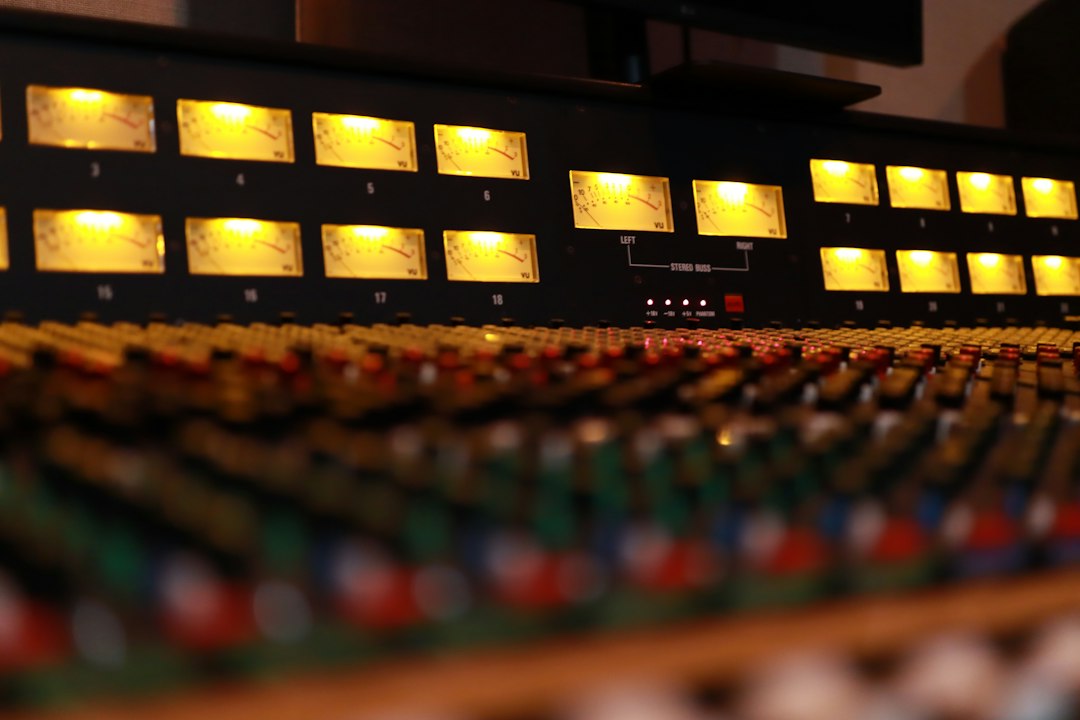
BandLab Mastering is good for what it costs, which is nothing. The free tier gives you four presets and unlimited WAV and MP3 downloads, and it will make a decent mix louder and more polished in under a minute. It is a solid choice for demos, social clips and quick releases, but it is not a replacement for a mastering engineer or for fixing a mix that has real problems.
Violet Recording is reader-supported — we may earn a commission from links on this page, at no extra cost to you.
What is BandLab Mastering?
BandLab Mastering is an automated, algorithm-driven mastering tool built into BandLab, the free music-making platform. You give it a finished stereo mix, pick a preset, and it applies the usual mastering moves for you: tonal balancing, compression, limiting and loudness. The aim is a track that sounds more even and competitive across phones, earbuds, car stereos and streaming services.
It runs in the browser at bandlab.com and inside the BandLab mobile app. Since 2023 the app can also master the audio in a video, so you can import a clip, apply a preset and export the video (or just its audio) for TikTok, Instagram Reels or YouTube Shorts. If you are new to the platform, our guide on how to use BandLab covers the basics.
Is BandLab mastering free? What you get on each tier
Yes. BandLab free mastering is genuinely free: no watermark, no trial clock and no cap on downloads. The free tier includes four presets:
- Universal: a balanced, all-purpose master that keeps dynamics and tone intact. BandLab positions it for rock, pop, electronic and alternative.
- Fire: punchier lows and a clearer midrange, aimed at trap, reggaeton and experimental styles.
- Clarity: brighter highs and more detail, suggested for R&B and classical material.
- Tape: warm tape-style saturation, pitched at indie, jazz, alternative and rock.
Paid BandLab memberships add more. In September 2026 BandLab restructured its mastering extras around two plans:
- BandLab Pro unlocks four bonus presets (Natural, Cinematic, Spatial and Punch) plus intensity controls, so you can push a preset lighter or heavier.
- BandLab Max adds everything in Pro, plus a three-band Mastering EQ for low, mid and high adjustments and Reference Matching, which analyses a track you upload and sets the preset, intensity and EQ to move your master towards its tonal character.
BandLab also offers a short free membership trial if you want to try the extras before paying. Plan prices vary by region and change often, so check the current pricing in your BandLab account rather than relying on third-party figures.
How to use BandLab Mastering
The flow is the same on web and mobile, and it takes a couple of minutes:
- Export your mix. Bounce a stereo WAV from your DAW (or from BandLab Studio) with no limiter on the master bus and some headroom left.
- Open Mastering. On the web, go to the Mastering section of BandLab; in the app, use the Mastering option from the create menu. Sign in with a free account.
- Upload the file. WAV is the better choice. MP3 input works, but you are mastering an already-compressed file.
- Pick a preset and preview. Toggle between the original and mastered versions. Try all four presets rather than trusting the genre labels.
- Download. Save as WAV for distribution or MP3 for quick sharing. On mobile, you can share directly from the app.
When you A/B the results, match the playback volume if you can. A louder version almost always sounds better at first listen, which makes it easy to pick the wrong preset.
Is BandLab mastering good? Strengths and limitations
For a free tool, the results are respectable. On a well-balanced mix, BandLab Mastering will give you more loudness, a tidier low end and a more “finished” sheen with almost no effort. That is exactly what most bedroom producers need for a SoundCloud upload or a demo sent to collaborators.
Pros
- Free, unlimited downloads with no watermark
- Very fast, with a simple preset-based workflow
- Works on web and mobile, including video mastering in the app
- WAV and MP3 output, suitable for distribution
- Paid tiers add genuinely useful control (intensity, EQ, reference matching)
Cons
- Free tier offers only four presets and no fine control
- No way to set a target loudness (LUFS) or true-peak ceiling yourself
- Stereo mixes only: it cannot rebalance stems or fix individual instruments
- Genre labels are broad, so some styles fall between presets
- Output is reported to be 16-bit, which is fine for streaming but not ideal for archiving a high-resolution master
The biggest limitation is the one every automated service shares: it can only polish what you give it. A harsh vocal, a muddy low end or a buried snare will still be there after mastering, often more obvious because everything is louder. For a wider look at where automated tools help and where they fall short, read is AI mastering any good?
Loudness and streaming: what to watch
BandLab does not publish a fixed loudness target, and the free tier gives you no LUFS readout or control. That matters because Spotify, Apple Music, YouTube and others normalise playback. A master pushed far louder than a platform’s reference level simply gets turned down, and you keep the side effects of heavy limiting (flattened transients, less punch) without any loudness benefit.
If you plan to release a BandLab master on streaming services, run the exported file through a loudness meter and check the integrated LUFS and true peak before distributing. If a preset sounds squashed, try a gentler one such as Universal or Clarity. Our explainer on how loud a master should be gives sensible targets for each platform.
How to prep your mix for BandLab Mastering
Because the free tier offers so little control, most of the quality comes from the file you upload. A few habits make a clear difference:
- Leave headroom. Keep peaks a few decibels below 0 dBFS (roughly -6 to -4 dBFS is a common guideline) so the mastering chain has room to work.
- Remove your master-bus limiter. Let BandLab handle final loudness. Stacking two limiters is a quick route to distortion.
- Export a high-quality WAV. Use 24-bit WAV at your project’s sample rate, not an MP3.
- Fix the mix first. Check the low end on headphones and small speakers, tame harsh frequencies and make sure the vocal sits where you want it.
- Trim silence and check the fades. Clean starts and endings save you re-editing the master later.
BandLab Mastering vs LANDR, eMastered and DIY
BandLab’s main advantage is price. Paid services such as LANDR and eMastered offer more control and more detailed processing options, while a DIY plugin chain gives you total control at the cost of time and skill.
| Service | Free option | Control | Best for |
|---|---|---|---|
| BandLab Mastering | Yes: 4 presets, unlimited WAV/MP3 downloads | Low on free; intensity, EQ and reference matching on paid plans | Demos, social clips, first releases on no budget |
| LANDR | Limited (trial-based) | Medium: style, loudness and EQ adjustments | Regular releases with a distribution workflow |
| eMastered | Free preview; paid to download | Medium: strength, EQ and reference-based options | Producers who want quick, adjustable masters |
| DIY plugins | Free plugins exist; paid suites cost more | Full | Producers willing to learn mastering properly |
For detailed breakdowns, see our LANDR review and eMastered review. If you want another free option to compare against, try our free AI mastering tool, which runs in your browser with no sign-up.
Verdict: who is BandLab Mastering for?
BandLab Mastering is ideal if you are a beginner, a hobbyist, a content creator mastering video audio, or a producer who needs quick references and demo masters. It is hard to argue with free, unlimited and fast. It suits you less well if you release commercially and want precise control over loudness, tone and dynamics, or if your mix needs corrective work. In that case, consider a paid tier, a more flexible service, or a human engineer for your most important tracks.
A practical approach: use BandLab for drafts and quick releases, then compare its result against another service before committing a single to streaming.
Frequently asked questions
Is BandLab mastering really free?
Yes. The four core presets (Universal, Fire, Clarity and Tape) are free with unlimited WAV and MP3 downloads and no watermark. Extra presets, intensity controls, Mastering EQ and Reference Matching require a paid BandLab Pro or Max membership.
Is BandLab mastering good enough for Spotify?
It can be, provided your mix is solid. Check the exported file’s loudness and true peak with a meter before distributing, and choose a gentler preset if the master sounds over-compressed. Streaming services normalise loudness, so louder is not automatically better.
Can I use BandLab Mastering on songs made in another DAW?
Yes. You can upload any stereo mix, whether it was made in BandLab Studio, GarageBand, FL Studio or anything else. If you are choosing between free DAWs, our GarageBand vs BandLab comparison may help.
Can BandLab Mastering fix a bad mix?
No. It processes the whole stereo file, so it cannot rebalance individual instruments or remove problems within the mix. Fix balance, harshness and low-end issues before you master.



