
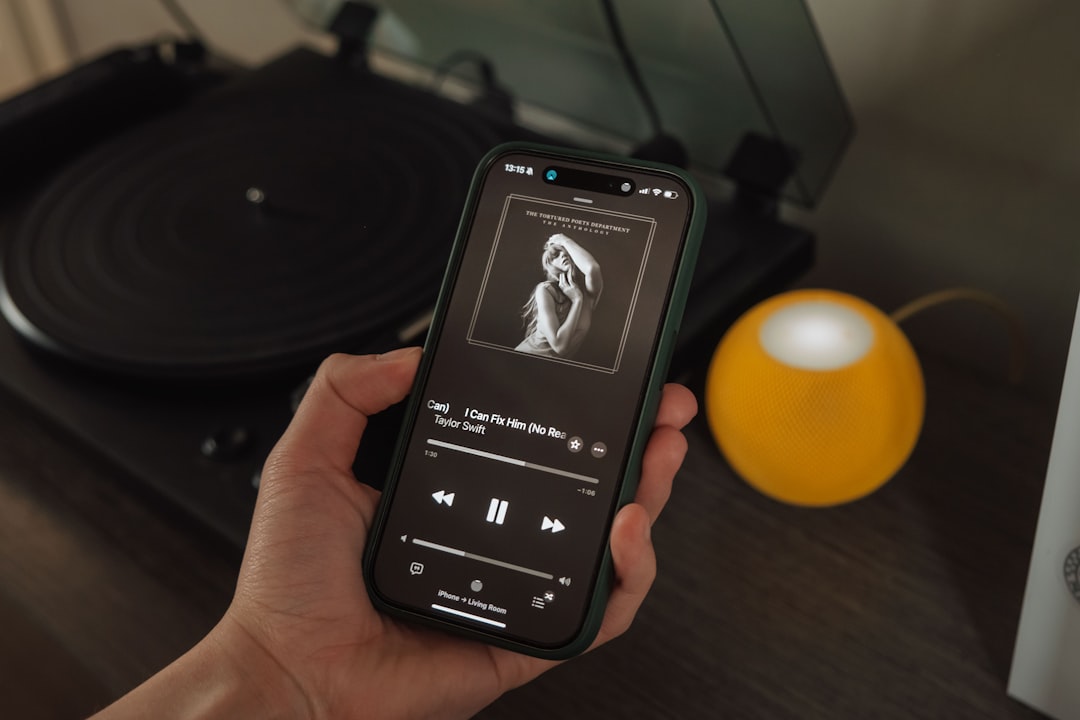
Wondering what you need to make music on phone hardware alone? Honestly, very little: a music app and a pair of headphones is enough to write, record and produce a full track on your phone. Everything else — a mic, a MIDI keyboard, an audio interface — is an upgrade you add when you hit a specific wall, not a requirement to start.
Worth knowing: Audigo (our hands-on review) pairs a pocket wireless mic with the free Audigo Studio app (a paid Studio+ subscription adds cloud sync and collaboration), so you can capture 24-bit multitrack audio anywhere — a cable-free step up from your phone’s built-in mic.
Here’s the complete picture, from the bare essentials to the optional gear that levels you up.
What you need to make music on phone setups: the two essentials
Strip it back and the list is short:
- A music app. This is your studio. It records audio, plays virtual instruments, sequences beats, and mixes — all in one place.
- Headphones. Phone speakers hide bass and detail, so you’ll make better decisions on headphones. Any decent wired pair works to start; wired avoids the latency that some wireless headphones add.
That’s it. With those two things you can make a finished song. If you want the broader workflow overview, see how to make music on your phone.
Choosing your app (and why platform matters)
Your phone’s operating system decides which apps you can run, so pick with that in mind:
- iOS / iPadOS: GarageBand (free), plus paid powerhouses like Cubasis, and a huge library of synth and AUv3 plugin apps. Apple devices have the deepest mobile music catalogue.
- Android: BandLab (free, also on iOS), FL Studio Mobile, n-Track Studio and Caustic. A strong set, though some iOS-only apps have no Android version.
If you’re still deciding which phone or tablet to use, our comparison of iPhone vs Android for music production lays out the trade-offs, and our roundup of the best music production apps covers the top choices on each platform.
When you’re choosing, don’t agonise over finding the “best” app first. Any of the free options above will take you from idea to finished track, and the muscle memory you build transfers easily if you switch later. A more useful filter is the kind of music you want to make: beat-driven and electronic styles suit step-sequencer apps with strong drum and synth engines, while song-based work with vocals and live instruments suits a more traditional multitrack recorder. Pick the one whose layout makes sense the first time you open it, and learn that one deeply rather than collecting half a dozen you never master.
Nice-to-have upgrades (add these as you grow)
A microphone — for recording vocals or instruments
If you want to record your voice or a real instrument rather than only using virtual ones, an external mic is the first worthwhile add-on. A phone-mount condenser or a clip-on lavalier connects easily and sounds far better than the built-in mic. See the best microphones for smartphones and our guide to connecting a microphone to your phone.
A MIDI keyboard — for playing instruments in
You can tap notes on the screen, but a small MIDI keyboard makes playing melodies, chords and basslines far more natural. Compact controllers from Akai and Korg connect over USB, and our pick of the best MIDI keyboards for iPad applies just as well to phones. Our walkthrough on connecting a MIDI keyboard to your phone shows how.
An audio interface — for studio-quality input
To plug in a professional XLR mic or a guitar with low latency, you’ll want a mobile-friendly audio interface — IK Multimedia’s iRig range, Focusrite Scarlett, or Apogee units all work with phones via the right adapter. Our roundup of the best audio interfaces for iPhone and iPad covers the models worth considering. This is a later-stage upgrade once your recordings outgrow the built-in input.
How to decide what to buy next
The trick with mobile setups is to let your music tell you what’s missing, rather than buying gear in case you need it. Work on a track until something genuinely frustrates you, then solve that one problem:
- Your vocals or guitar sound thin and distant. That’s a microphone problem — the built-in mic is the bottleneck, so a dedicated mic is your next buy.
- Tapping notes on glass feels clumsy and your parts sound stiff. A small MIDI keyboard fixes the feel and lets you play in proper dynamics.
- You hear a faint delay between playing and hearing the sound. That’s latency, and an audio interface designed for mobile is the cure.
- Your mixes sound great on your headphones but fall apart on a car stereo or laptop. That’s usually a monitoring and skill gap, not a gear gap — check your work on a few different sets of speakers before spending anything.
Common mistakes to avoid
A few habits trip up almost everyone starting on a phone:
- Buying before making. Gear bought before you’ve finished a single track usually sits unused. Make something first.
- Mixing on the phone’s loudspeaker. It flatters the midrange and hides the bass, so your balance decisions will be wrong. Always check on headphones.
- Recording in a noisy, reflective room. Once you add a mic, the room matters more than the mic. A small, soft-furnished space — even recording into a wardrobe of clothes — beats a big bare room.
- Chasing every new app. Hopping between apps resets your skill each time. Stick with one until you know it well.
- Leaving everything at default levels. Spend a little time learning how to set gain so signals are healthy but not clipping; it does more for your sound than most paid plugins.
What you don’t need
You don’t need an expensive phone, a computer, studio monitors, or a pile of plugins to begin. Mobile music apps include the instruments, drums and effects you need built in. Buying gear before you’ve made anything is the classic beginner trap — start with a free app and your existing headphones, finish a track, then let your frustrations tell you what to buy next.
A simple starter path
- Install a free app (GarageBand on iOS, BandLab on either platform).
- Make a short beat or loop to learn the interface — see how to make beats on your phone.
- Add headphones for better mixing decisions.
- When you want to record vocals or instruments, add a mic.
- When screen-tapping notes feels limiting, add a MIDI keyboard.
Frequently asked questions
Do I need to spend money to make music on my phone?
No. GarageBand (iOS) and BandLab (iOS and Android) are free and fully capable of producing a finished song. You only spend money when you want better mics, controllers or input quality.
Are headphones really necessary?
They’re the one upgrade worth making immediately. Phone speakers can’t reproduce bass or fine detail, so you’ll mix blind. Even modest wired headphones dramatically improve your results.
Can I make professional-sounding music with just a phone?
Yes. Plenty of released tracks are produced largely on phones and tablets. The limits are usually skill and the room you record in, not the device. See our piece on whether you can make professional music on a phone.
How much storage and battery does making music on a phone use?
Audio projects grow as you add tracks and recordings, so keep a few gigabytes free and back finished songs up to the cloud or a computer. Producing is also processor-heavy, which drains the battery quickly — for longer sessions it’s worth keeping the phone on charge and closing background apps so the app has the resources it needs.



