
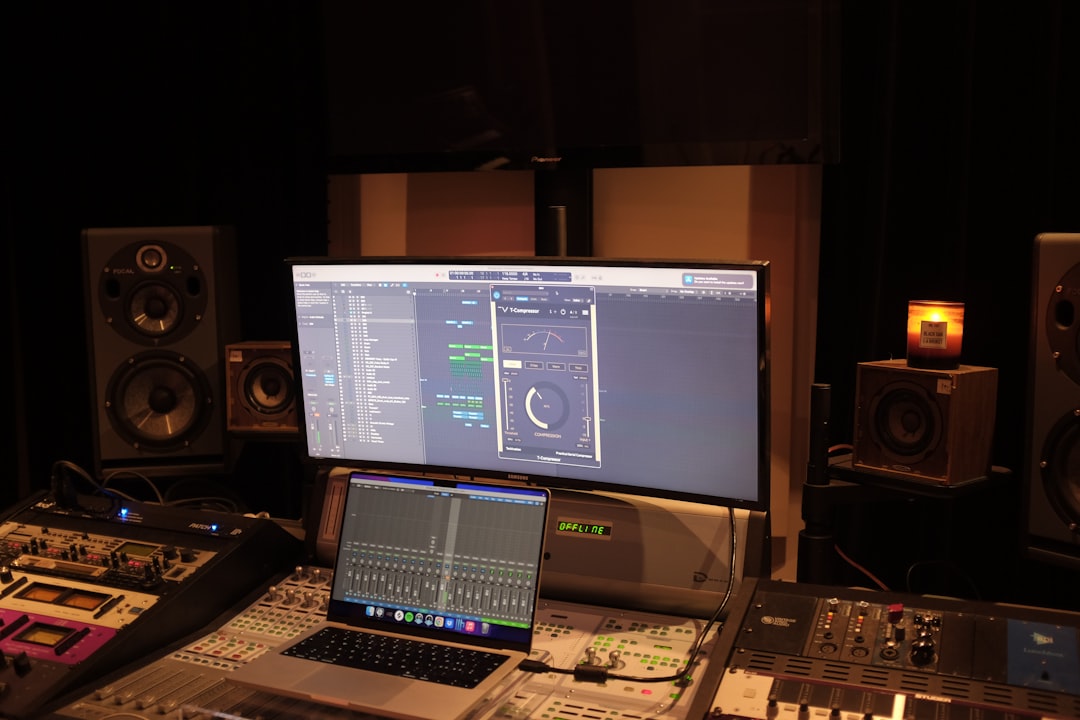
Monitor isolation pads decouple your studio monitors from the desk or stand they sit on, stopping vibrations from travelling into the surface and muddying your sound. The payoff is tighter, more accurate bass and a cleaner stereo image — which means your mix decisions translate better. This guide explains how they work, what to look for, and names dependable options.
What isolation pads actually do
When a monitor sits directly on a desk, its cabinet vibrations couple into the surface. The desk then resonates and re-radiates sound, smearing the low end and adding colouration you’ll mistake for part of your mix. Isolation pads sit between the monitor and the surface, absorbing those vibrations so you hear the speaker, not the furniture. The result is a tighter, more defined bass response and a more honest picture of your track. This pairs closely with where and how you place your speakers — see how to position studio monitors. A solid, well-built desk helps too, so it’s worth seeing the best home studio desks when you’re building out a desktop setup.
Foam pads vs decoupling stands
There are two main approaches:
- Acoustic foam pads: dense foam wedges the monitor sits on, often with a slight tilt option. Affordable, effective, and the most common choice for home studios.
- Engineered decoupling stands: mechanical isolators using springs or specialised materials that float the monitor more precisely. Pricier, but they can offer firmer support and consistent angling, useful for heavier monitors.
For most bedroom and home setups, good foam pads deliver the bulk of the benefit at low cost.
What to look for in isolation pads
- Density and load rating. The foam must support your monitor’s weight without fully compressing, or it stops isolating. Match the pad to your speaker size.
- Tilt and angle options. Many pads include a wedge or adjustable base to aim the tweeter at ear height — important for accuracy.
- Size fit. The pad should suit your monitor’s footprint so the speaker sits stably.
- Stability. Some isolation comes at the cost of a wobbly speaker; the best designs decouple while keeping the monitor secure.
- Surface type. Whether you’re on a desk, shelf, or stands changes how much isolation helps; desks benefit most.
Reliable isolation pad and stand picks
Auralex MoPAD is the long-running foam standard, with interchangeable wedges to set tilt and a low price that’s easy to recommend for a first upgrade. IsoAcoustics makes engineered stands (its ISO series) that decouple mechanically and let you fine-tune height and angle — a step up for those who want precision or have heavier monitors. Primacoustic Recoil Stabilizers combine a dense base with isolation foam for a firm, stable platform. Any of these is a meaningful improvement over placing monitors directly on a desk.
How to set up your pads correctly
Getting the most from isolation pads is partly about how you install them. A few minutes spent here pays off more than the choice of brand:
- Aim the tweeter at ear height. Use the pad’s tilt wedges so the high-frequency driver points straight at your ears when you’re seated in your mixing position. If the tweeter fires above or below you, the top end will sound dull or harsh even with perfect isolation.
- Keep both speakers identical. Use the same wedge configuration and tilt angle on the left and right monitor. Mismatched angles skew your stereo image and make panning decisions unreliable.
- Check the speaker is stable. Press gently on each corner of the cabinet. It should feel planted, not rock. A monitor that wobbles is sitting on too soft a pad for its weight.
- Leave breathing room behind rear ports. Many monitors have a bass port on the back. Don’t shove a ported speaker hard against a wall after fitting pads, or you’ll exaggerate the low end the pads were meant to clean up.
- Re-check your listening position. Pads can raise the monitor by an inch or two. Sit down and confirm the tweeters still line up before you start mixing.
Common mistakes to avoid
Isolation pads are simple, but a few habits undermine them. The most common is using foam that’s too soft for the monitor — if the pad compresses flat under the weight, the speaker is effectively coupled to the desk again. Another is treating pads as a fix for poor placement: a monitor crammed into a corner or sitting at the wrong height won’t sound right no matter what it rests on. Some people also pile pads on top of an already resonant surface, like a hollow shelf, and expect miracles; the pad reduces coupling, but a flimsy shelf can still ring. Finally, don’t expect pads to tame booming bass caused by the room itself — that’s a treatment problem better solved with proper bass traps, not a coupling one.
Pads vs treating the room
Isolation pads help, but they’re one piece of getting accurate sound. They fix vibration coupling, not room reflections or bass buildup in corners — those need acoustic treatment. Think of pads as an easy, cheap first step that works alongside positioning and treatment. If you’re weighing speakers against headphones for mixing, our guide on studio monitors vs headphones for mixing is worth a read, along with the wider studio monitors hub.
Frequently asked questions
Do monitor isolation pads really make a difference?
Yes, especially when monitors sit on a desk. Decoupling the speaker from the surface tightens the low end and reduces colouration from desk resonance, giving you a more accurate picture of your mix. The improvement is most noticeable in the bass.
Can I use DIY foam instead of proper isolation pads?
Dense foam can help, but generic packing foam often compresses too much under a monitor’s weight and stops isolating. Purpose-made pads are matched for density and load, and they often add useful tilt options, so they’re worth the modest cost.
Do isolation pads replace acoustic treatment?
No. Pads address vibration travelling into your desk or stand. They don’t fix room reflections or low-frequency buildup, which require acoustic panels and bass traps. Use both for the most accurate monitoring environment.
Do I need isolation pads if my monitors are on stands?
Stands already separate the speaker from your desk, so the benefit is smaller than on a desktop — but it isn’t zero. Vibration can still travel down a stand into the floor and back up, particularly on a suspended wooden floor. Adding pads on top of stands further decouples the cabinet and can sharpen the low end a little. Desktop users see the biggest improvement, while stand users get a smaller, still worthwhile refinement.



