The best studio monitors are the ones that tell you the truth about your mix in your room — flat, detailed and honest, not flattering. For most home studios that means a pair of active nearfield monitors with a 5-inch or 6.5-inch woofer, set up at ear height in a treated room. Get the size and placement right and almost any decent monitor will serve you for years.
This guide walks through how to choose, what specs actually matter and where each type fits, so you can pick the best studio monitors for your space and budget with confidence.
Quick answer
- Small room / desk (under ~10 m²): a pair of 5-inch active nearfields.
- Medium room or fuller low end: 6.5-inch nearfields, or add a subwoofer.
- Tight budget: a solid entry-level 5-inch pair beats expensive monitors in an untreated room.
- Most important upgrade: spend on acoustic treatment and correct positioning before chasing pricier speakers.
How to choose the best studio monitors
Studio monitors are designed to be accurate, not exciting. Consumer hi-fi speakers hype the bass and sparkle the treble to sound pleasing; monitors aim for a flat frequency response so problems in your mix are obvious. That neutrality is the whole point — if your mix sounds balanced on honest monitors, it will translate to phones, car speakers and earbuds. Here is what to weigh up.
Active vs passive
Active (powered) monitors have the amplifier built in, matched to the drivers, and you feed them a line signal straight from your interface. Passive monitors need a separate power amp. For a home studio, go active — there’s less to match, fewer cables, and you can run them straight from your interface outputs. See how to set up an audio interface for the signal chain.
Driver size and your room
The woofer size sets how much low end you get and how much room you need. A bigger woofer reaches lower but needs distance and space to breathe — push a 7- or 8-inch monitor into a tiny room against a wall and the bass turns into mud.
- 5-inch: the sweet spot for most bedrooms and small spare rooms. Tight, controlled, easy to place.
- 6.5-inch: more low-end extension for medium rooms; needs a little more space behind it.
- 7–8 inch: for larger or well-treated rooms only.
Match the monitor to the room, not your ambitions. A smaller monitor you can place properly will out-perform a big one you can’t.
Nearfield vs midfield
Nearfield monitors are designed to be listened to up close — roughly a metre away at your desk — which reduces how much of the room you hear and is exactly what most home setups need. Midfields are bigger and meant for larger control rooms. For the full breakdown, read nearfield vs midfield monitors. For nearly every home studio, nearfields are the answer.
Frequency response and flatness
Look at the quoted frequency range (e.g. 50 Hz–20 kHz) and, more usefully, the response curve if the maker publishes one. A flatter, wider curve is generally better, but don’t over-index on the lowest number — a 5-inch monitor claiming 40 Hz is usually doing it with a steep roll-off you can’t trust. What matters is a smooth, even response across the midrange where most of your mix decisions happen.
Connectivity
Check the inputs match your interface outputs. Balanced XLR or TRS jack connections are what you want — they reject noise over longer cable runs. Avoid relying on unbalanced RCA for a permanent setup. Many monitors also include rear trim controls (room/acoustic-space switches, shelf EQ) to compensate for placement near walls.
Room correction and trim controls
Some monitors include onboard DSP or a measurement mic to flatten the response for your room. These help, but they’re not a substitute for treatment — they can tame frequency-response bumps, not the time-domain reflections that smear your stereo image.
Don’t forget the room and placement
Here’s the part beginners skip: the room changes the sound more than the monitor brand does. A reflective, untreated room will ruin a great pair of speakers. Before you spend big on monitors:
- Set the tweeters at ear height and form an equilateral triangle with your listening position.
- Pull the monitors away from the rear wall where you can, and keep them symmetrical in the room.
- Treat first-reflection points and corners — our guide to positioning studio monitors covers this step by step.
If your room is small or shared, also weigh up the monitors vs headphones for mixing trade-off — good reference headphones can be the smarter first buy when treatment isn’t possible.
Do you need a subwoofer?
Usually not at first. A well-placed pair of 5- or 6.5-inch monitors covers enough low end for most genres, and a sub in an untreated small room often creates more problems than it solves. Add one later if you mix bass-heavy music and your room can handle it — and only after the main monitors and treatment are sorted.
Compared at a glance
| Pick | Why it stands out |
|---|---|
| Yamaha HS5 | The Yamaha HS5 is a 5-inch active nearfield that has become a default reference in home studios, descended from the… |
| PreSonus Eris E5 | The PreSonus Eris E5 is an affordable 5-inch active nearfield that punches above its tier, with a reasonably flat… |
| KRK Rokit RP7 G4 | The KRK Rokit RP7 G4 is a 7-inch active nearfield with onboard DSP and a built-in graphic EQ for matching the… |
| Adam Audio A7V | The Adam Audio A7V is a higher-end active nearfield built around the brand’s signature ribbon tweeter, prized for a… |
Full picks and details below.
Our picks for the best studio monitors
The picks below are organised by use case. Each is chosen for accuracy and value in a real home studio, not spec-sheet bragging rights.
Best overall for home studios
For most home recordists, a 5-inch active nearfield pair hits the balance of accuracy, low-end control and easy placement — the best studio monitors for the typical bedroom or spare-room setup.
Yamaha HS5
The Yamaha HS5 is a 5-inch active nearfield that has become a default reference in home studios, descended from the classic white-cone Yamaha monitors engineers have used for decades. It is voiced for a famously flat, unforgiving response that exposes problems rather than flattering them, with rear room-control switches to tame placement near a wall. A widely recommended choice for anyone who wants an honest 5-inch monitor that translates well across systems.
Best on a budget
If money is tight, a solid entry-level 5-inch pair gets you 90% of the way there. Put the saved cash toward acoustic treatment, where it does far more for your mixes.
PreSonus Eris E5
The PreSonus Eris E5 is an affordable 5-inch active nearfield that punches above its tier, with a reasonably flat response and rear acoustic-tuning controls for high and low frequencies. It offers balanced XLR and TRS inputs plus unbalanced RCA, so it slots into almost any desk. Popular with beginners who want an honest entry-level pair while saving budget for room treatment.
Best for slightly bigger rooms
For a medium room or fuller low-end extension without a sub, step up to a 6.5-inch nearfield. Give it room to breathe away from the wall.
KRK Rokit RP7 G4
The KRK Rokit RP7 G4 is a 7-inch active nearfield with onboard DSP and a built-in graphic EQ for matching the speaker to your room. Its extra woofer size gives fuller low-end extension suited to a medium room, and the included room-correction app and visual EQ make placement adjustments straightforward. A popular pick for those who want more bass reach and built-in tuning in a slightly larger space.
Best premium pick
If you’ve treated your room and want monitors you won’t outgrow, a higher-end nearfield with refined drivers and tighter tolerances earns its keep.
Adam Audio A7V
The Adam Audio A7V is a higher-end active nearfield built around the brand’s signature ribbon tweeter, prized for a smooth, detailed and airy top end. It pairs that with a 7-inch woofer and onboard DSP voicing options, delivering refined resolution and tight low-end control for a treated room. A widely respected choice for engineers who want monitors they can grow into rather than out of.
Setting up your new monitors
Once your pair arrives, position them carefully, set any rear trim controls to match how close they sit to the wall, and spend a week mixing on music you know well to learn how they sound. If you’re putting together a wider rig, our essential home studio gear checklist shows where monitors fit alongside your interface, mics and treatment. You can browse more options on the studio monitors hub.
Frequently asked questions
What size studio monitors should I get for a small room?
For most small rooms and desk setups, a pair of 5-inch active nearfields is ideal. They give tight, controlled low end and are easy to place. Save the 7- and 8-inch monitors for larger, well-treated rooms — in a small space they overload the room with bass you can’t trust.
Do I really need studio monitors if I have good headphones?
Not necessarily to start. If your room is untreated or you can’t play sound loud, good reference headphones may be the smarter first buy. Many people use both — headphones for detail and quiet work, monitors for stereo image and how a mix sits in a room. See our monitors vs headphones comparison to decide.
Are more expensive studio monitors always better?
No. Past the entry level, the room matters more than the price tag. A mid-range pair in a treated, well-set-up room will beat premium monitors crammed into a reflective box. Get accurate monitors that fit your space, then invest in placement and acoustic treatment before chasing pricier speakers.
Shop related gear
Our home-studio starting point for monitors:
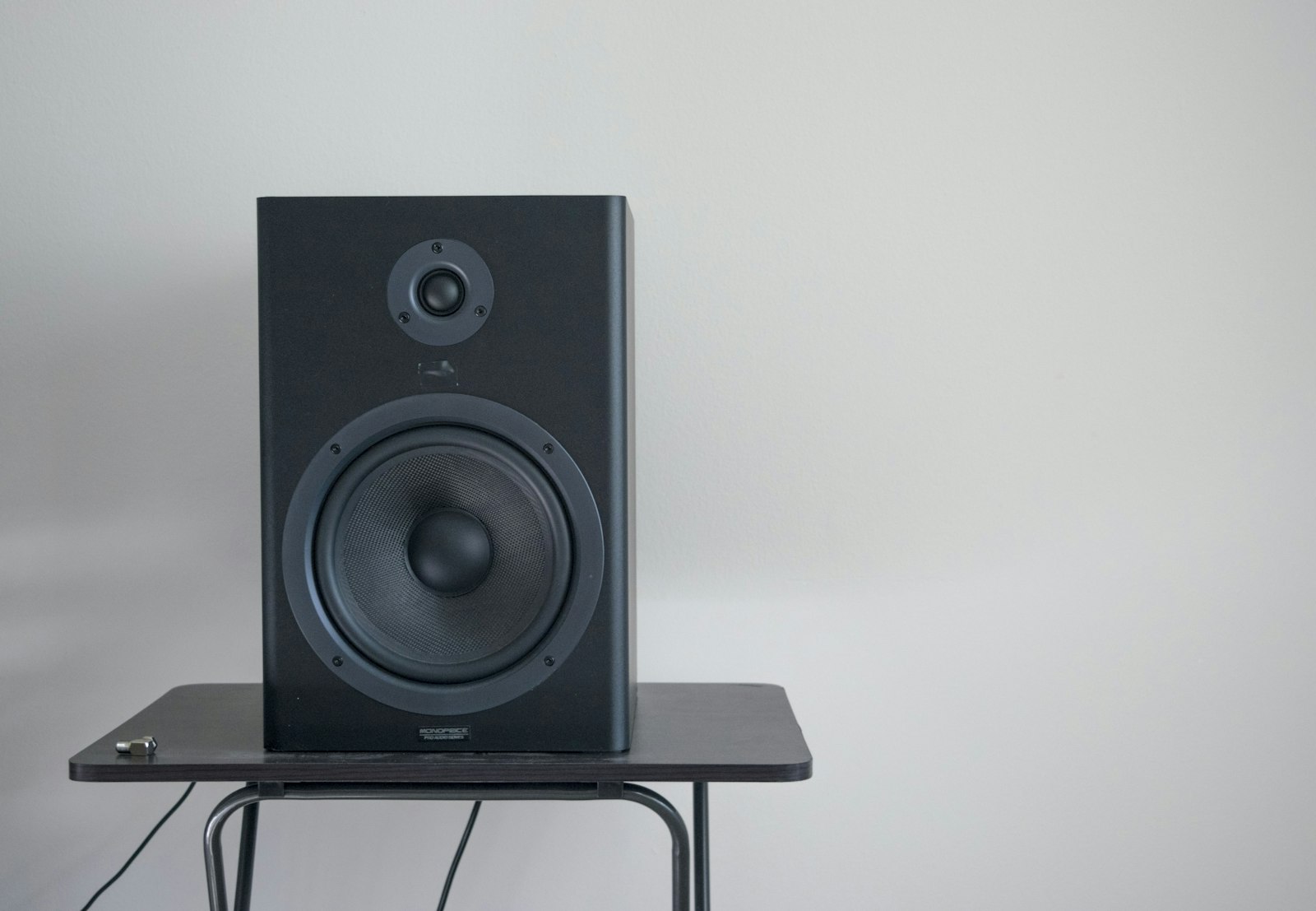
Versatile nearfield monitors — the home-studio standard for accurate mixing.