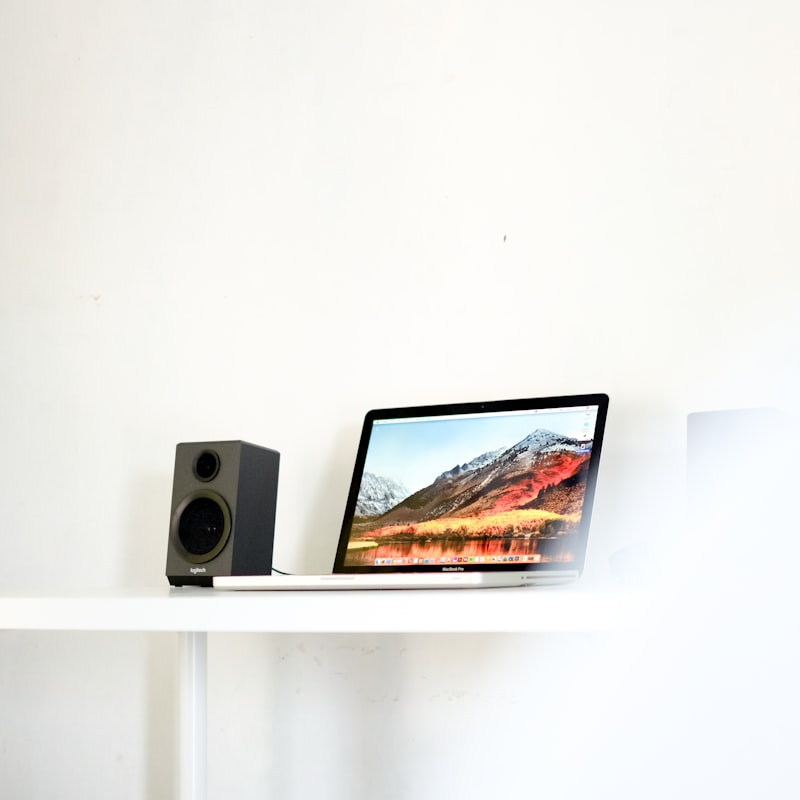
The best studio monitors under 300 for a pair give bedroom and home-studio producers an honest, detailed sound without the price climbing into pro territory. At this budget tier you can get clean, flat-leaning powered speakers that reveal what your mix is really doing, which is exactly what you need to make good decisions. Below is how to choose, then a shortlist of well-known monitors that consistently earn their place.
Violet Recording is reader-supported — we may earn a commission from links on this page, at no extra cost to you.
Quick answer
For most small rooms, a pair of 5-inch active monitors is the sweet spot at this budget. The JBL 305P MkII, Yamaha HS5, KRK Rokit 5 G4 and PreSonus Eris E5 are the names that come up again and again because they are accurate enough to mix on and widely supported.
How to choose studio monitors at this budget
A few factors matter far more than marketing copy:
- Active, not passive. Affordable monitors are powered (active), with the amp built in and matched to the drivers. You just feed them a balanced signal — no separate amplifier needed.
- Woofer size vs room size. In a small bedroom or spare room, a 5-inch woofer is usually ideal. An 8-inch monitor can overload a tiny room with bass and make mixes harder, not easier.
- Flat response over “exciting” sound. You want monitors that tell the truth, not ones that flatter every track. Hyped low end feels great but leads to thin masters.
- Room-tuning controls. Look for high/low trim switches so you can compensate for speakers placed near walls or on a desk.
- Inputs. Balanced XLR or TRS inputs are best. They connect cleanly to an audio interface and reject noise on longer cable runs.
Remember that the room matters as much as the speaker. Even great monitors need sensible placement and some acoustic treatment to perform.
Compared at a glance
| Pick | Why it stands out |
|---|---|
| JBL 305P MkII | A long-standing favourite at this tier. |
| Yamaha HS5 | The white-cone HS5 is practically the reference for “honest.” It is famously revealing and a little unforgiving,… |
| KRK Rokit 5 G4 | The Rokit line leans toward a punchy, bass-forward sound that many electronic and hip-hop producers like. |
| PreSonus Eris E5 | A clean, neutral monitor with genuinely useful Acoustic Tuning controls — high, mid and low adjustments plus an… |
| Mackie CR-X / smaller alternatives | If your space or budget is tighter, smaller 3- to 4-inch monitors exist, but a 5-inch pair is worth stretching for. |
Full picks and details below.
The best studio monitors under 300
JBL 305P MkII
A long-standing favourite at this tier. The 305P MkII pairs a 5-inch woofer with JBL’s waveguide tweeter, giving a wide, even sweet spot that is forgiving of less-than-perfect desk placement. The low end is fuller than you expect from a 5-inch driver. Balanced XLR and TRS inputs and boundary EQ switches round it out. A safe first pick for most home studios; if you are weighing it against Yamaha’s classic, our JBL 305P vs Yamaha HS5 comparison breaks down the differences.
Yamaha HS5
The white-cone HS5 is practically the reference for “honest.” It is famously revealing and a little unforgiving, which is the point — if a mix sounds good on HS5s, it tends to translate well elsewhere. Room Control and High Trim switches help tame placement issues. Choose these if you want analytical accuracy over a fun listening experience.
KRK Rokit 5 G4
The Rokit line leans toward a punchy, bass-forward sound that many electronic and hip-hop producers like. The G4 adds a built-in DSP room-correction system with an EQ graphic, plus an app to help you dial it in. Just be aware of the slightly enhanced low end and check your low frequencies on headphones too.
PreSonus Eris E5
A clean, neutral monitor with genuinely useful Acoustic Tuning controls — high, mid and low adjustments plus an acoustic-space switch. The Eris E5 is a sensible, no-drama choice for a desktop setup and pairs naturally with a PreSonus interface.
Mackie CR-X / smaller alternatives
If your space or budget is tighter, smaller 3- to 4-inch monitors exist, but a 5-inch pair is worth stretching for. If you genuinely cannot spend this much, our picks for the best studio monitors under $200 cover the cheaper end, and for very small rooms it is worth checking mixes on quality reference headphones as a second perspective.
How to match a monitor to your music and room
Once you have a shortlist, the final choice usually comes down to two things: the kind of music you make, and the space you make it in. None of these monitors is “wrong” — they simply emphasise different priorities.
- Genre matters less than people think. A flat, honest monitor works for any style, because the goal is to hear problems clearly, not to make the track sound exciting. If you mainly produce bass-heavy genres, a neutral monitor plus disciplined low-end checking beats a hyped speaker that lies to you.
- Untreated room? Favour a smaller woofer and a monitor with boundary or acoustic-space EQ. A 5-inch model close to a wall is far easier to live with than an 8-inch that excites room modes you cannot control.
- Desktop versus stands. If the speakers will sit on your desk, the high/low trim switches matter more, because the desk surface and nearby screen reflect sound back at you. Decoupling pads under the monitors also help reduce that smear.
- Listening distance. In a typical near-field setup you sit roughly a metre from each speaker. Sitting much closer than the drivers are designed for can make the tweeter and woofer sound disjointed; much further and the room dominates what you hear.
If you are still unsure, buy the most neutral pair you can place sensibly, then spend your remaining budget on treating the room rather than chasing a flashier speaker.
Common mistakes to avoid
Plenty of producers buy good monitors and still struggle, almost always for the same reasons:
- Buying too big for the room. An 8-inch monitor in a small, untreated bedroom usually makes mixing harder. The extra bass excites room modes and you end up second-guessing your low end. Match the woofer to the space.
- Mixing at high volume. Loud playback flatters everything and tires your ears fast. Mix at a moderate, consistent level and check key decisions quietly — a balance that holds up softly tends to translate everywhere.
- Ignoring placement. Even reference-grade monitors sound wrong shoved against a wall or set at the wrong height. Placement is free and often makes a bigger difference than upgrading the speaker.
- Skipping the room entirely. Hard, parallel walls smear the stereo image and exaggerate certain frequencies. A few panels at the first reflection points go a long way.
- Trusting one source only. No monitor is perfect. Cross-check on headphones and on a couple of everyday devices — phone, laptop, car — before you call a mix finished.
Setting them up properly
Whatever you buy, placement makes or breaks the result. Form an equilateral triangle with your listening position, get the tweeters at ear height, and pull the speakers away from the wall behind them. Our guide to positioning studio monitors walks through this step by step. If you are torn between speakers and cans, read studio monitors vs headphones for mixing, and browse more gear advice in the studio monitors hub.
Frequently asked questions
Are 5-inch monitors enough for mixing?
Yes, for most home studios. A 5-inch woofer covers enough low end to mix accurately in a small room, and it avoids the bass buildup that larger monitors cause in untreated spaces. Reference on headphones for the deepest bass.
Do I need a subwoofer with budget monitors?
Usually not at first. Learn your monitors and treat your room before adding a sub. A subwoofer adds extension but also complicates setup and is easy to misuse, leading to bass-heavy mixes — weigh it up with our take on whether you need a subwoofer in a home studio.
Can I connect these directly to my computer?
You can run a headphone-jack adapter in a pinch, but you will get better, quieter sound through an audio interface using balanced cables. See whether studio monitors need an interface for the details.
How long do studio monitors need to break in?
Any “break-in” effect is small and largely about your own ears adapting to a new sound. Far more important is spending time learning how your monitors render familiar reference tracks. Play music you know well across several genres until you can predict how a good mix should look on these speakers.
Should I buy used to get more for my money?
You can, and a clean used pair often stretches a budget nicely. Just listen for distortion at moderate volume, check both speakers power on cleanly with no hum, and inspect the cones and ports for damage. Buying the pair together also ensures the two units are properly matched.
Shop related gear
Affordable monitors in this range: