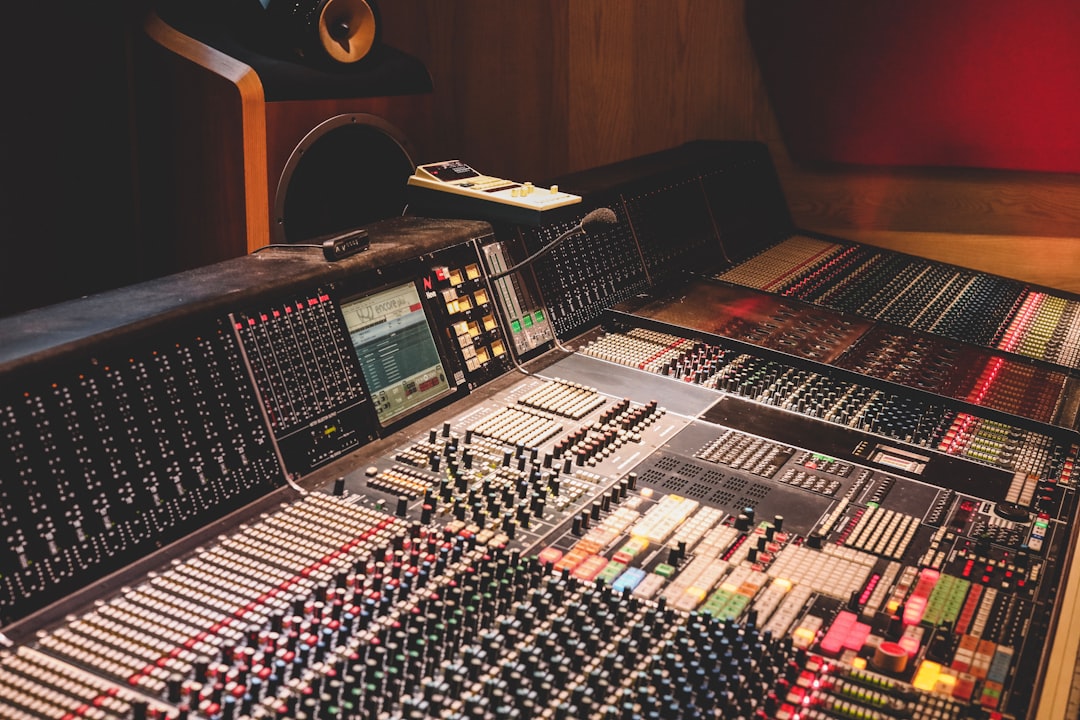
Most home-studio monitors roll off in the low bass, leaving you guessing at kick weight and sub frequencies. A studio sub fills in that bottom end so you can hear what’s really happening down low. The best studio subwoofers integrate smoothly with your monitors, give you a clean crossover, and don’t boom — here’s how to choose and set one up.
Quick answer
Match the sub to your monitor brand and room size. KRK and Yamaha (HS series) subs are popular for affordable setups; Adam Audio and Genelec subs suit higher-end rigs. The right sub is the one that crosses over cleanly with your monitors in your room, not the biggest one you can fit.
Do you actually need a studio sub?
A sub is most useful if you produce bass-heavy genres, work with 5-inch monitors that don’t reach low, or need to verify sub-bass content. It is not a fix for a bad-sounding room — in fact, an untreated room makes a sub harder to integrate. If your low end already feels accurate on your monitors, you may not need one. We weigh up the trade-offs in detail in do you need a subwoofer in your home studio. For a primer on monitor sizing, see nearfield vs midfield monitors, and if you’re upsizing your mains instead, the best 8-inch studio monitors guide covers larger drivers.
If your goal is enjoying records at home rather than checking mixes, see our pick of the best subwoofers for music listening.
How to choose a studio subwoofer
- Match the size to your room and monitors: Small rooms with 5-inch monitors pair with smaller subs (around an 8-inch driver). Oversized subs overload small rooms and create boom.
- Adjustable crossover: You want to set the frequency where the monitors hand off to the sub. Aim for a crossover near the point your monitors start rolling off.
- Level and phase/polarity control: These let you blend the sub level to your monitors and align it so the crossover region doesn’t cancel or pile up.
- Bass management and monitor passthrough: Many studio subs route your monitor signal through them and apply a high-pass to the monitors, simplifying integration.
- Brand matching: Pairing a sub with monitors from the same line often means voicing and crossover points are designed to work together.
- A bypass footswitch: Handy for A/B checking the mix with and without the sub.
Compared at a glance
| Pick | Why it stands out |
|---|---|
| KRK subwoofers | A common pairing for KRK Rokit owners and other budget setups. |
| Yamaha HS subwoofers | Designed to complement the popular HS monitor line, Yamaha’s subs are clean and controlled rather than flashy, which… |
| Adam Audio subwoofers | Adam’s subs pair well with their T and A series monitors and offer thoughtful bass-management features. |
| Genelec subwoofers | At the higher end, Genelec subs are known for accuracy and clean integration, especially within Genelec systems and… |
Full picks and details below.
The best studio subwoofers
KRK subwoofers
A common pairing for KRK Rokit owners and other budget setups. They offer adjustable crossover and level controls and deliver solid low end for the price, making them an accessible first sub for home studios.
Yamaha HS subwoofers
Designed to complement the popular HS monitor line, Yamaha’s subs are clean and controlled rather than flashy, which suits the HS philosophy of honest, uncoloured monitoring. A natural choice if you already run HS monitors — and if you’re still deciding between the mains themselves, our Yamaha HS5 vs HS8 comparison covers how driver size affects low-end reach.
Adam Audio subwoofers
Adam’s subs pair well with their T and A series monitors and offer thoughtful bass-management features. A good step up for studios that want tighter, more defined low-end extension.
Genelec subwoofers
At the higher end, Genelec subs are known for accuracy and clean integration, especially within Genelec systems and their calibration ecosystem. A strong long-term investment for treated rooms and critical work.
Integrating and placing your sub
Placement and room treatment make or break a sub. Bass builds up in corners and along walls, so where you put the sub dramatically changes what you hear. Treat the room first — our acoustic treatment guide and soundproofing vs acoustic treatment explain bass trapping. Then set the crossover and level by ear with familiar reference tracks, and check your monitor positioning in how to position studio monitors. The studio monitors hub has more on building an accurate listening setup.
Setting the crossover, level and phase
Three controls do most of the work when you blend a sub with your monitors, and getting them right matters far more than the model you bought. Take them in order and trust your ears over the numbers printed on the dial. If you want to go further, you can calibrate your studio monitors with a measurement mic to confirm the crossover region is even.
- Crossover frequency: Start by setting the crossover near the point where your monitors begin to roll off. As a rough guide, smaller 5-inch monitors hand over higher up, while 7- and 8-inch monitors can be crossed over lower because they already reproduce more of the low end on their own. Set it too high and the sub starts reproducing midbass it shouldn’t, which makes bass guitars and kicks sound thick and hard to localise.
- Level: Bring the sub up gently until the low end feels supported but you can’t consciously point to the sub as a separate source. If you can hear “the sub” as its own thing, it is too loud. A well-set sub should be felt more than heard, simply filling in weight your monitors were missing.
- Phase / polarity: Play steady bass material and toggle the phase or polarity switch. Choose the position that gives you the most low-end output, not the least — the wrong setting causes the sub and monitors to partially cancel each other in the crossover region, leaving a hole exactly where you need detail.
Once it’s dialled in, leave it alone. The temptation to keep nudging the level up over a long session is strong, and it almost always leads to bass-light mixes that fall apart on other systems.
Common mistakes with studio subs
- Buying a sub instead of treating the room: A sub in an untreated room exaggerates the peaks and nulls that were already there. Bass traps and sensible monitor placement come first.
- Running the sub too loud: The most common error. It feels impressive while you mix, then your bass ends up too quiet everywhere else.
- Setting the crossover too high: This smears midbass and makes the sub easy to locate, which breaks the illusion of a single, seamless low end.
- Putting the sub in a corner for convenience: Corners boost output but also worsen room modes. Use placement to smooth the response, not just to tuck the box out of the way.
- Never A/B-ing without it: Check your low end on your monitors alone too. If a mix only holds together with the sub switched on, it won’t translate to laptops, phones or earbuds.
Frequently asked questions
Will a subwoofer make my mixes better?
Only if your room is treated and the sub is integrated well. A sub reveals low-end detail you couldn’t hear before, but in an untreated room it can mislead you with boomy, uneven bass. Treat the room first, then add the sub.
What size subwoofer do I need for a small room?
For a typical small home studio with 5- to 7-inch monitors, a sub with an 8-inch (or thereabouts) driver is usually plenty. Larger subs can overpower the room and create more low-frequency problems than they solve.
Where should I place a studio subwoofer?
There’s no single rule, because room acoustics vary. A common method is the “subwoofer crawl”: place the sub at your listening position, play bass-heavy material, then move around the room to find where the bass sounds smoothest, and put the sub there.
Should I leave my subwoofer on all the time?
Many engineers keep the sub running but check mixes both with and without it. Leaving it on gives consistent low-end monitoring, but A/B-ing against your monitors alone confirms the mix still translates to systems that have no sub at all.
Shop related gear
Add low-end extension with a studio sub: