
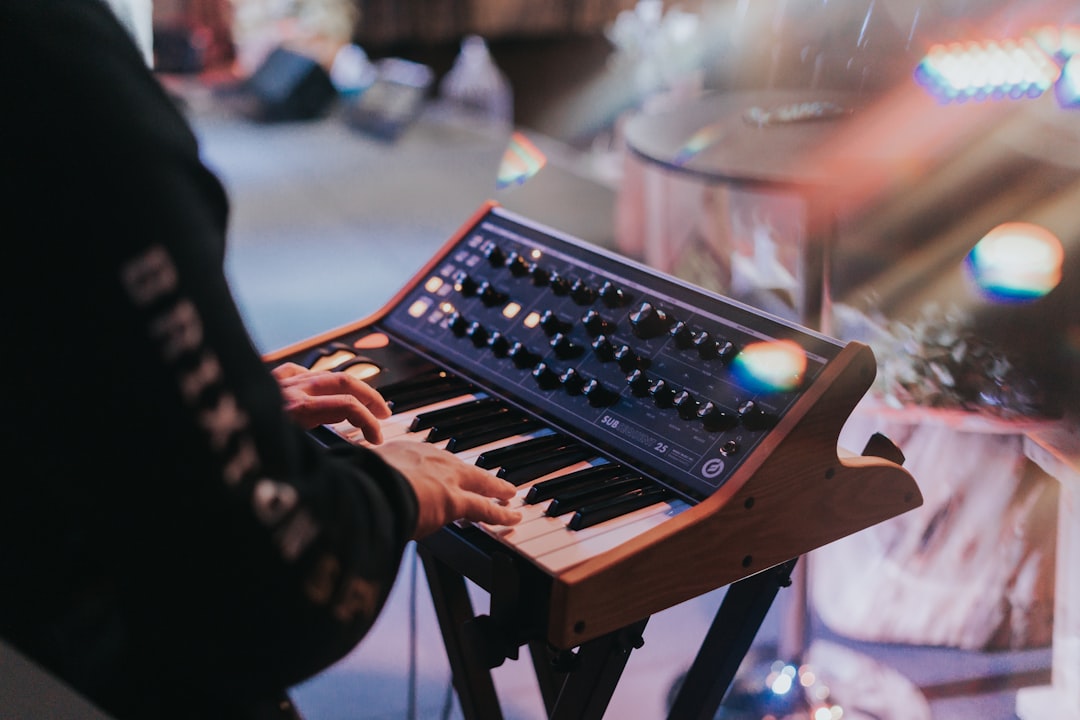
To make a pluck sound, take a bright oscillator and give it a fast attack with a short decay on both the amp and filter envelopes, so the note snaps in and fades quickly like a string being plucked. Add a touch of reverb or delay for space and you have a tight, percussive synth that works in everything from house to pop to ambient.
This works in any synth — Serum, Vital (free), Massive X, Arturia Pigments or Ableton’s Wavetable. If you do not own a paid synth yet, any of the best free synths for sound design will do the job. The key to a pluck is all in the envelopes.
To make a pluck sound, pick a bright oscillator
Plucks need transient detail, so start with a harmonically rich waveform — a sawtooth or a bright wavetable position. A square wave gives a hollower, more retro pluck. A single oscillator keeps things clean and snappy; add a second detuned voice if you want a little width and thickness. New to oscillators? Our guide on how to design sounds with a synth covers the basics.
Shape the envelopes for the snap
This is the heart of a pluck. On the amp envelope, set a near-instant attack, a short-to-medium decay, zero or very low sustain, and a short release. With sustain at zero, the note rings out and dies even while the key is held — exactly like a plucked string.
Then route a second envelope to filter cutoff with the same fast attack and short decay. Start the filter open at the attack and let it close as the note decays. That downward filter sweep on every note is what gives a pluck its characteristic “ptew” snap. Adjust the decay time to taste — shorter for tight stabs, longer for a more sustained pluck. For more envelope technique, see our essential sound design techniques.
Set the filter and resonance
Use a low-pass filter so the filter envelope has something to sweep. Add a moderate amount of resonance to emphasise the cutoff frequency as it moves — this adds the zappy, vocal quality plucks are known for. Too much resonance and it whistles, so dial it back if it gets piercing.
Add subtle modulation
Plucks are short, so heavy modulation is wasted, but small touches help. Velocity-to-filter-cutoff makes harder-hit notes brighter, adding playability and dynamics. A tiny pitch envelope (a fast downward blip at the start) adds attack and percussive bite. For routing ideas, read how to use modulation for sound design.
Process for space and groove
Because plucks have lots of silence between hits, effects fill that space:
- Delay: a tempo-synced delay (dotted eighth is a favourite) turns a simple pluck pattern into a rolling, rhythmic hook.
- Reverb: a short-to-medium reverb gives the pluck a tail and depth. See how to use reverb for sound design.
- EQ: high-pass to remove low rumble and keep the pluck crisp.
- Saturation: a little drive thickens the body.
For huge plucks, layer two — one bright and one with more low body — and combine them. Our guide on how to layer sounds explains the workflow.
A quick step-by-step from scratch
If you want a repeatable recipe, build a pluck in this order and you will get a usable sound in a couple of minutes:
- 1. Start with one saw oscillator. Leave it at the default octave and switch off any second voice for now, so you can hear exactly what each stage changes.
- 2. Set the amp envelope. Attack fully down, sustain fully down, then pull the decay up just enough that the note has a short ring rather than a click. This alone already sounds plucky.
- 3. Add the filter envelope. Drop a low-pass filter on the signal, close the cutoff partway, then route an envelope to the cutoff with a fast attack and a decay similar to the amp decay. The cutoff should snap open and close back down on every note.
- 4. Dial in resonance. Raise resonance until the snap has character, then back off slightly so it never whistles.
- 5. Add space. A short reverb and a tempo-synced delay, both kept fairly quiet, place the pluck in the mix without washing out the transient.
Once that template works, save it as a preset. Every future pluck — softer, brighter, longer, shorter — is just a tweak of the same two envelopes.
How to choose the right pluck for the track
There is no single “correct” pluck; the right one depends on the role it plays in the arrangement. A few guidelines:
- Lead or hook plucks sit forward, so keep them bright, fairly long in decay, and give them the delay so they carry a melody. If the pluck is doing the work of a topline, the same principles in our guide on how to design a lead synth sound apply.
- Background or arpeggiated plucks should be darker and shorter so they add movement without fighting the vocal or lead. Roll the cutoff down and shorten the decay.
- Bass-register plucks want very little resonance and a tighter filter so they stay clean and translate on small speakers — a lot of this overlaps with how to design a bass sound.
Match the decay length to the tempo too. At faster tempos a long decay smears one note into the next, so shorten it until each hit is distinct.
Common mistakes to avoid
Most disappointing plucks come down to a handful of fixable errors:
- Sustain left up. If the note holds instead of dying away, the amp sustain is too high — drop it to zero or near it.
- The filter envelope not actually moving. A pluck needs the cutoff to travel. If you cannot hear the sweep, increase the envelope amount or open the starting cutoff less so there is room to move.
- Too much reverb on the transient. Heavy reverb softens the very snap you worked to create. Use a shorter tail or high-pass the reverb return so the attack stays sharp.
- Over-detuning. A second detuned voice adds width, but pushed too far it turns the pluck into a supersaw and loses its tight, percussive feel.
Frequently asked questions
Why does my pluck sound dull?
Either the oscillator lacks harmonics or the filter is closed too far at the attack. Open the filter cutoff, make sure the filter envelope opens brightly on the attack, and choose a richer waveform like a saw.
How do I make a pluck more percussive?
Shorten the amp decay, drop the sustain to zero, add a fast pitch-down envelope at the start, and increase velocity sensitivity so transients pop. A touch of saturation adds extra attack.
What is the difference between a pluck and a stab?
They overlap. A pluck is usually a single-note, fast-decaying sound with a filter snap, while a stab is often a chord hit with a similar short envelope. Both rely on fast attack and short decay — a stab just plays multiple notes at once.
Can I make a pluck without a synth?
Yes. Take a sustained sample — a pad, a vocal note, even a guitar chord — and reshape it with a volume envelope or a gate so it has a fast attack and a short decay. Add a low-pass filter with a quick downward sweep and you get a sampled pluck with the same percussive character.



