
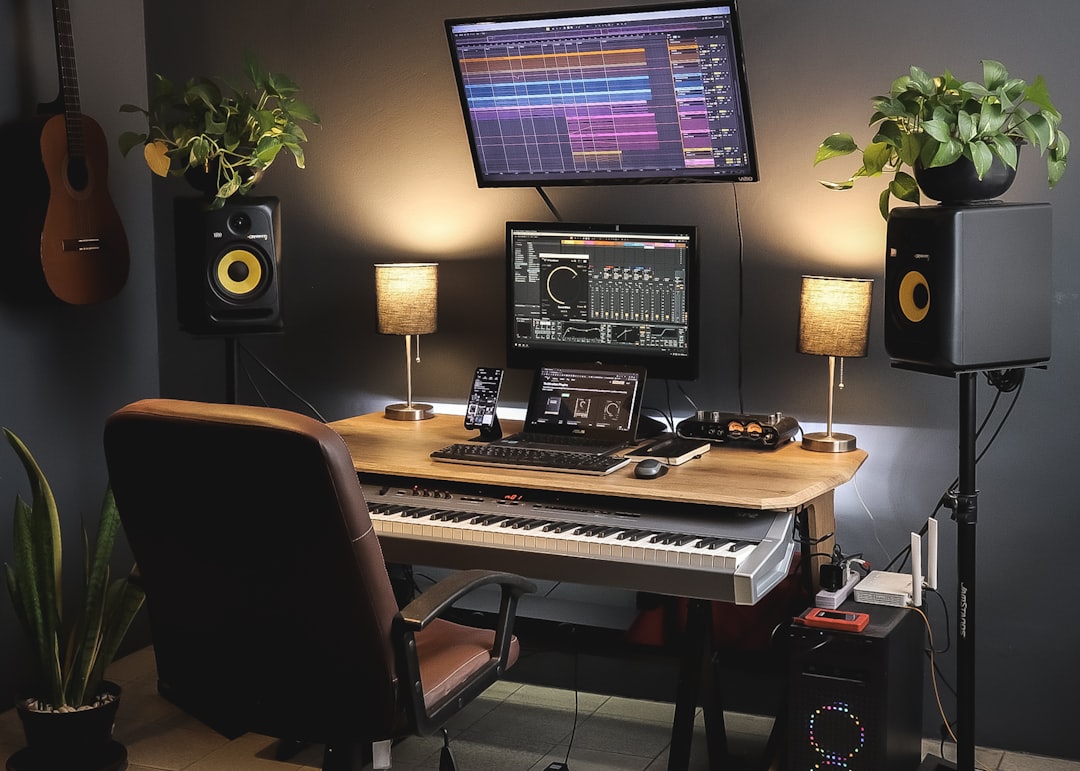
To make a beat on iPad, open a beat-making app like GarageBand, BeatMaker, or FL Studio Mobile, set your tempo, program a drum pattern on the step sequencer, add a bassline or 808, then layer a melody and arrange the loop into a full song. The iPad’s touchscreen makes drum programming fast and tactile, and everything you need — drums, synths, samples and mixing — lives in one app.
Violet Recording is reader-supported — we may earn a commission from links on this page, at no extra cost to you.
This guide walks a first-timer from an empty project to a finished eight-bar beat you can loop, export or sing over. You don’t need any outside gear — just the tablet in your hands, a pair of headphones, and about an hour. Below we cover choosing an app, laying down drums that groove, tuning an 808 that actually hits, adding swing so the pattern breathes, and arranging the whole thing so it sounds like a song instead of a two-bar loop.
What you’ll need before you start
- An iPad (any model from the last few years handles beat apps comfortably).
- A beat-making app — GarageBand is free and pre-installed; BeatMaker and FL Studio Mobile are paid alternatives with deeper sequencers.
- Wired or Bluetooth headphones so you can hear low-end 808s clearly.
- Optional: a cheap USB-C MIDI keyboard if you’d rather play melodies than tap them.
The five steps at a glance
- Pick an app and set the tempo and key.
- Program a drum pattern — kick, snare, hats.
- Add a bassline or 808 and tune it to your key.
- Layer a melody, chords or a sample.
- Arrange the loop into intro, verse, hook and outro, then mix and export.
Choosing the right app to make a beat on iPad
The app is your studio, so start here. GarageBand is the obvious first stop because it’s free, it comes with the iPad, and its Beat Sequencer and Live Loops grids are genuinely good for sketching ideas. It hides most of the technical detail, which is perfect while you’re learning and occasionally frustrating once you want fine control.
If you outgrow it, BeatMaker and FL Studio Mobile give you a proper step sequencer, per-pad tuning, deeper mixing and sampling that behaves more like desktop software. Koala Sampler is another favourite for chopping sounds and flipping samples in seconds. There’s no wrong answer — the best app is the one you’ll actually open every day. If you want a side-by-side rundown, our guide to the best beat-making apps compares the main contenders, and the mobile music production hub collects more tablet-focused tutorials.
Whichever you choose, do two things before you touch a drum. Set the tempo — 140 BPM is a safe home for trap and drill, 90 for lo-fi and boom-bap, 120–128 for house and pop. And pick a key; sticking to a single key (say, F minor) keeps your 808 and melody in tune with each other. If you’re unsure of a track’s tempo or want to tap one out, Violet Recording’s free browser audio tools include a BPM tapper and metronome you can run alongside the app.
Programming a drum pattern that actually grooves
Drums are the skeleton of the beat, so build them first. Almost every iPad app gives you a step sequencer: a horizontal grid where each column is a sixteenth-note and each row is a drum sound. Tapping a cell places a hit. A single bar is usually sixteen steps.
Start with the kick and snare, because they define the genre. For a classic trap or hip-hop feel, put the kick on step 1, then scatter one or two more kicks in the second half of the bar to create a bounce. Put the snare (or clap) on steps 5 and 13 — the “backbeat” — and you instantly have something that nods your head. That kick-on-1, snare-on-the-3 relationship is the backbone of most modern beats.
Building hi-hats with rolls and velocity
Hats are where a beat gets its energy. Lay a steady hat on every eighth-note first, then bring the pattern to life two ways. Add faster rolls — two, three or four hats crammed into a single step — in the gaps before a snare; this is the signature trap “stutter”. Then vary the velocity (how hard each hit plays) so some hats are loud and some are ghost-quiet. A flat, every-hit-identical hat line sounds like a machine; velocity variation sounds like a person. Most iPad sequencers let you drag a hit up or down to set its velocity, or draw it on a separate lane.
Don’t over-fill the grid. Space is what makes a beat hit hard. If everything is busy, nothing stands out. Program four bars, loop them, and listen — if your head isn’t nodding, simplify before you add.
Adding and tuning an 808 that hits hard
The 808 is the tuned bass-kick sound that carries the low end of nearly every modern beat, and it’s the part beginners get wrong most often. An 808 is a pitched instrument, not a drum you can bang randomly — every note has to sit in your key or the whole beat sounds sour.
Load an 808 onto a keyboard or sampler instrument, then play a simple bassline that follows your track’s key. Keep it sparse: one long note per bar, sliding or gliding into the next, does more than a busy run. If your app supports glide or portamento, turn it on for that signature 808 slide between notes. Then check tuning by ear against your melody — if it clashes, transpose the 808 up or down until the two lock together.
One producer trick: layer a short, punchy kick drum on top of the 808’s attack so you keep the click and transient even on small phone speakers, while the 808 supplies the sub weight underneath. Keep an eye on levels — two big low-end sounds fighting will muddy everything. If you want to understand why they clash and how to carve space, our primer on EQ and compression fundamentals translates straight to the iPad mixer.
Adding swing and groove so the beat breathes
A pattern programmed dead-on-the-grid can feel stiff and robotic. Swing fixes that. Swing nudges every other sixteenth-note slightly late, so the rhythm loosens and starts to feel human — it’s the difference between a drum machine and a drummer. Most iPad apps have a global swing or “groove” knob; dial in somewhere between 8% and 20% and listen to the hats loosen up. Lo-fi and boom-bap lean on heavier swing; trap and drill usually stay tighter.
You can also humanise manually by shifting a few hits a hair off the grid and varying velocities, as we did with the hats. The goal isn’t perfection — it’s feel. Loop the beat and let it play for a minute; the groove either pulls you in or it doesn’t, and your body will tell you before your eyes do.
Layering melodies, chords and samples
With drums and 808 locked, add the musical top. You have three routes. Play a melody on the app’s built-in synth or piano — a simple three- or four-note motif in your key is plenty; catchy beats melodies more than complexity. Lay down chords for a warmer, fuller bed, especially for lo-fi and R&B. Or flip a sample — chop a loop, pitch it, and build around it.
This is the step where a good loop library saves hours. Rather than programming every sound from scratch, you can drag in a professionally recorded melody loop, drum one-shot or vocal chop and build around it. A subscription service like Splice gives you a huge, royalty-cleared catalogue you can search by key and BPM and drop straight into your iPad project, so everything’s already in tune with your track.
Keep melodies in the same key you chose at the start. If you’re not confident about which notes belong together, stay on the black keys for a quick pentatonic scale — it’s very hard to hit a wrong note that way — or use your app’s scale-lock feature, which greys out the notes that don’t fit. For free one-shots and loops to practise with, our roundups of the best free drum sounds and Batch-26 sample guides are a good starting point.
Arranging the loop into a full song
A great four-bar loop is not a song — arrangement is what turns it into one. Think in sections: an intro that strips back to a couple of elements, a verse where the drums and 808 drive, a hook or chorus where you add your fullest melody and maybe a second hat layer, then breakdowns and an outro that peels things away again. Contrast is everything; if all sixteen bars are identical, the ear switches off.
The easiest way to build dynamics on iPad is to mute and unmute parts across sections. Drop the drums out for the last bar before the hook so it lands harder. Bring the melody in alone for the intro. Add a riser or a reversed sample to signal a section change. In GarageBand’s song view, or the arrange page of BeatMaker and FL Studio Mobile, you duplicate your loop down the timeline and then delete or add parts in each copy until the track moves.
Finally, do a quick mix. Balance levels so the kick and 808 sit under the vocals-to-be, pan hats and melodies slightly left or right for width, and add a touch of reverb to melodic parts so they don’t sound dry. Then export — most apps bounce to a WAV or share straight to your files. That’s a finished beat, made entirely on a tablet.
Turning your beat idea into a full song
Sometimes you’ve got the beat but not the topline, or you want to hear the idea finished before you spend a night tracking vocals. Solmi can turn a beat or a simple prompt into a complete, original song with vocals and structure — a fast way to audition where a loop could go, or to build a full track around the groove you just made. Try it at https://solmi.ai/ and use it as a springboard, then bring the parts you love back into your iPad project.
Once you’ve got tracks you’re proud of, the next step is getting them heard and paid for — our guide on how to start selling beats covers licensing, marketplaces and pricing for producers working entirely from a tablet.
Frequently asked questions
Can you make a professional beat entirely on an iPad?
Yes. Plenty of released, charting records were produced start-to-finish on iOS. The iPad runs full-featured apps with the same core tools as desktop software — sequencing, sampling, synths and mixing — and the touchscreen actually makes drum programming and finger-drumming faster than a mouse. The limitation is rarely the tablet; it’s practice and ear. A tight, well-arranged beat made on iPad will out-perform a sloppy one made on a $2,000 desktop rig every time.
What’s the best free app to make a beat on iPad?
GarageBand, because it’s free, pre-installed, and its Beat Sequencer and Live Loops make it genuinely quick to sketch ideas. It’s the best place to learn the fundamentals of drums, 808s and arrangement without spending anything. When you want a deeper step sequencer, per-pad tuning and better sampling, paid apps like BeatMaker or FL Studio Mobile are the natural next step — but there’s no rush to buy until GarageBand starts feeling limiting.
How do I make my iPad beat sound less robotic?
Three things: add swing so off-beats fall slightly late, vary the velocity of your hats and snares so hits aren’t all identical, and leave space instead of filling every step. A little imperfection is what makes programmed drums feel human. Loop the pattern for a minute and trust your body — if it’s not moving, simplify the grid and adjust the groove before you add anything new.
