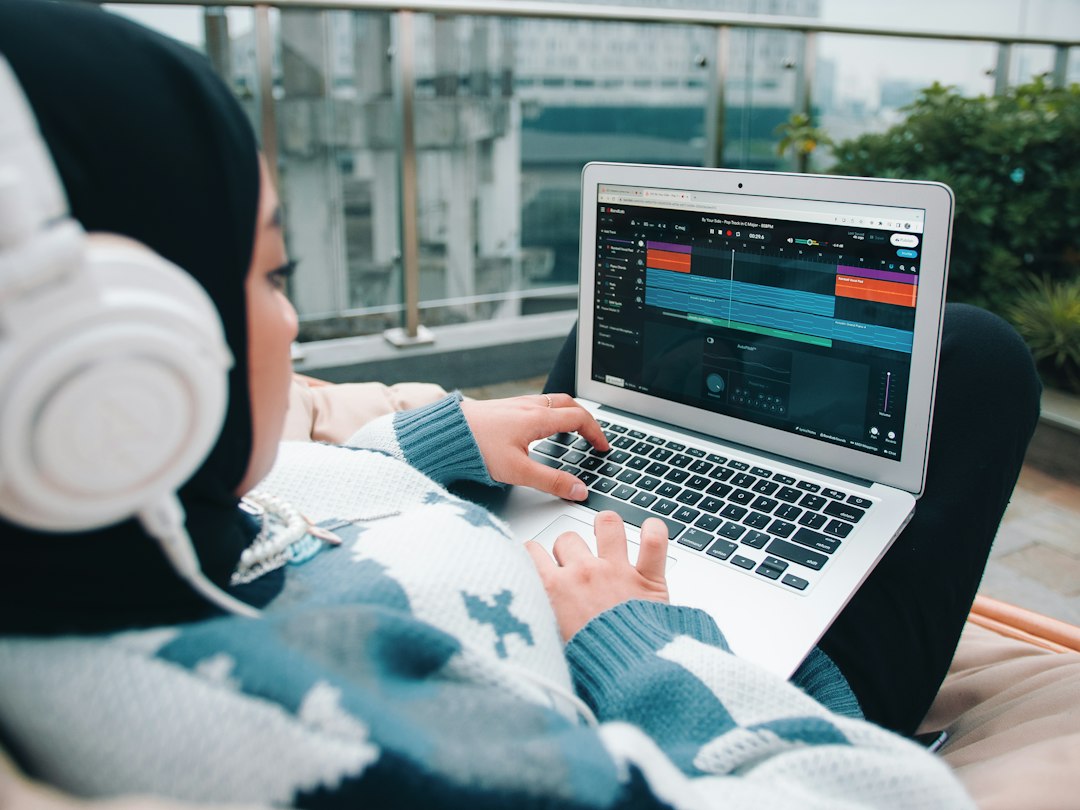

Mobile music production means writing, recording, mixing and finishing songs on a phone or tablet, and this guide is for beginners and working musicians who want to make real tracks without sitting at a desk. Modern phones run full multitrack apps, synths, drum machines and effects, and with the right accessories they can record surprisingly clean audio.
The limits are mostly practical: small screens, built-in mics, limited storage and battery life. Work around those and a phone becomes a capable sketchpad or even a complete studio. The sections below move from choosing a platform to recording, beat making, mixing and getting finished songs off the device.
Can a phone really make finished music?
Yes, with realistic expectations. Plenty of released songs started as phone sketches, and some were finished entirely on mobile. Our answer to whether you can make professional music on a phone explains where the ceiling is. The honest summary: the apps are capable, and the bottlenecks are recording quality and your ears, both of which you can improve.
If you are starting from zero, how to make music on your phone is the overview to read first, and what you need to start lists the short list of essentials. For a first project, follow making a song from scratch on mobile from first idea to export.
iPhone, Android or tablet?
The platform shapes what you can do. iOS has a deeper catalog of music apps and a plugin format that lets apps run inside each other, while Android has improved but still varies more between devices. iPhone vs Android for music production compares them directly, and there are dedicated walkthroughs for making music on an iPhone and making music on Android.
A tablet is the step up most mobile producers eventually take, because the larger screen makes editing and mixing far less fiddly. See making music on an iPad and the guide to tablets for music production.
On iOS, two concepts are worth learning early. AUv3 apps are instruments and effects that load inside a host app, much like plugins on a computer. And a mixer host lets you route several apps together; using AUM to connect your music apps shows how.
Choosing your apps
Start with one main app that records and arranges, then add specialist apps only when you hit a limit. That keeps your workflow simple and your storage free. The music production apps roundup covers the main options, and the free music-making apps list shows how far you can get before spending anything. Complete beginners may prefer the friendlier picks in music apps for beginners.
Specialist apps fill specific gaps:
- Loops and live layering: the looper apps are great for building ideas by ear.
- Sampling: the sampling apps let you chop any sound you capture.
- Synths: the synth apps for iOS rival many desktop instruments.
If you prefer one established workstation app, how to use Cubasis is a practical walkthrough of a full mobile DAW.
Recording vocals and instruments
The built-in mic is fine for capturing ideas, but it hears everything in the room. For better takes, move closer, record in a soft-furnished space and turn off notifications. Recording music on your phone covers the general approach, and recording vocals on your phone focuses on singing. Background hiss and room noise are the usual problems, so read reducing noise when recording on a phone before your first serious session.
The biggest quality jump comes from going external. A compact interface lets you plug in a proper microphone or guitar; the guide to audio interfaces for iPhone and iPad covers what works with mobile devices. If you just want to try recording in a browser, the free online audio recorder works on phones too.
Making beats on your phone
Beat making suits a touchscreen well, because pads and step sequencers are naturally tactile. Start with how to make beats on your phone, then compare the drum machine apps for phones. Genre-specific guides such as trap beats on your phone show how far a phone can go. You can also sketch a pattern instantly in our free online beat maker.
A small keyboard makes melodies and chords far easier than tapping glass. Connecting a MIDI keyboard to your phone explains the cables and settings. For more on drums, sampling and genre craft, our beat making guide picks up where this section stops.
Mixing, mastering and sharing
Mix on headphones you know well, and check the result on a phone speaker and in a car before calling it done. Keep effects simple: a little EQ, compression and reverb go a long way. Mixing a song on your phone and mastering on your phone walk through each stage.
Finally, get the song off the device in a format you can use. Exporting a song from a music app covers file types and sharing, and the free audio converter handles any format changes.
Explore the Making Music on Your Phone guide
Start here
How-to guides
- How to Record Music on Your Phone
- How to Use AUM to Connect Your Music Apps
- How to Connect a MIDI Keyboard to Your Phone
- How to Mix a Song on Your Phone
- How to Record Vocals on iPhone
- How to Make Beats on Your Phone
- How to Master a Song on Your Phone
- How to Reduce Noise When Recording on a Phone
Gear picks
- The Best Sampling Apps
- The Best Looper Apps
- The Best Audio Interfaces for iPhone and iPad
- The Best Tablets for Music Production
- The Best Free Music-Making Apps
- The Best Drum Machine Apps for Phones
Comparisons & reviews
Free tools
Frequently asked questions
What is the best free app to start making music on a phone?
Pick a free app that records audio, sequences drums and lets you arrange sections on a timeline. That combination covers most beginner needs. On iPhone, the app that comes with the device is a strong place to start. On Android, try a couple of free workstation apps and keep the one whose layout makes sense to you quickly.
Do I need an audio interface to record on my phone?
Not to start. The built-in mic is fine for ideas, demos and practice. An interface becomes worth it when you want to record a proper microphone, plug in a guitar, or get cleaner vocals for release. Check that it supports your phone’s connector and whether it needs separate power to run.
Is iPhone better than Android for music production?
For most producers, iPhone is easier, mainly because more music apps are available and audio performance is consistent across devices. Android can work well, especially on recent high-end phones, but app choice is narrower and latency varies more. If you already own an Android phone, try its free apps first before deciding to switch.
How do I avoid running out of storage while making music?
Audio recordings and sample libraries fill storage fast. Export finished songs and move old projects to cloud or computer storage regularly. Delete unused sample packs and apps you no longer open. Recording at a sensible quality setting, rather than the highest the app offers, also saves space without an audible difference for most projects.
Can I use Bluetooth headphones when making music on a phone?
Bluetooth headphones work for listening back, but they add noticeable latency, which makes playing drum pads, keys or recording in time difficult. Wired headphones, through a headphone jack or a USB-C or Lightning adapter, avoid that delay. Many mobile producers keep wired headphones for recording and use Bluetooth only for casual playback.
Can I move a phone music project into a desktop DAW?
A phone music project can usually move to a desktop DAW by exporting each track as a separate audio stem, plus MIDI files where the app supports them. Some mobile apps share a project format with a desktop version, which keeps the arrangement intact. Check the app developer’s site for supported export and project transfer options.
How do I stop my phone battery dying during a music session?
Keep the phone plugged in or use a power bank during long sessions, and turn on airplane mode to stop background syncing and interruptions. Close apps not being used and lower screen brightness. Some audio interfaces draw power from the phone, so a model with separate power or pass-through charging helps for longer recording sessions.
Will a USB-C microphone work with an Android phone?
Many USB-C microphones work with Android phones that support USB audio, but support differs between phone models and recording apps. The mic may also need more power than some phones supply. Check the microphone maker’s compatibility notes and test with the intended recording app before relying on the setup.
Can I release songs made with loops from a phone music app?
Loops and sounds included in music apps are often licensed for use in original songs, but the rules differ between apps and sound packs. Some restrict redistributing the loops on their own or require credit. Read each app’s license terms before releasing, and ask a music lawyer if a commercial release depends on it.