
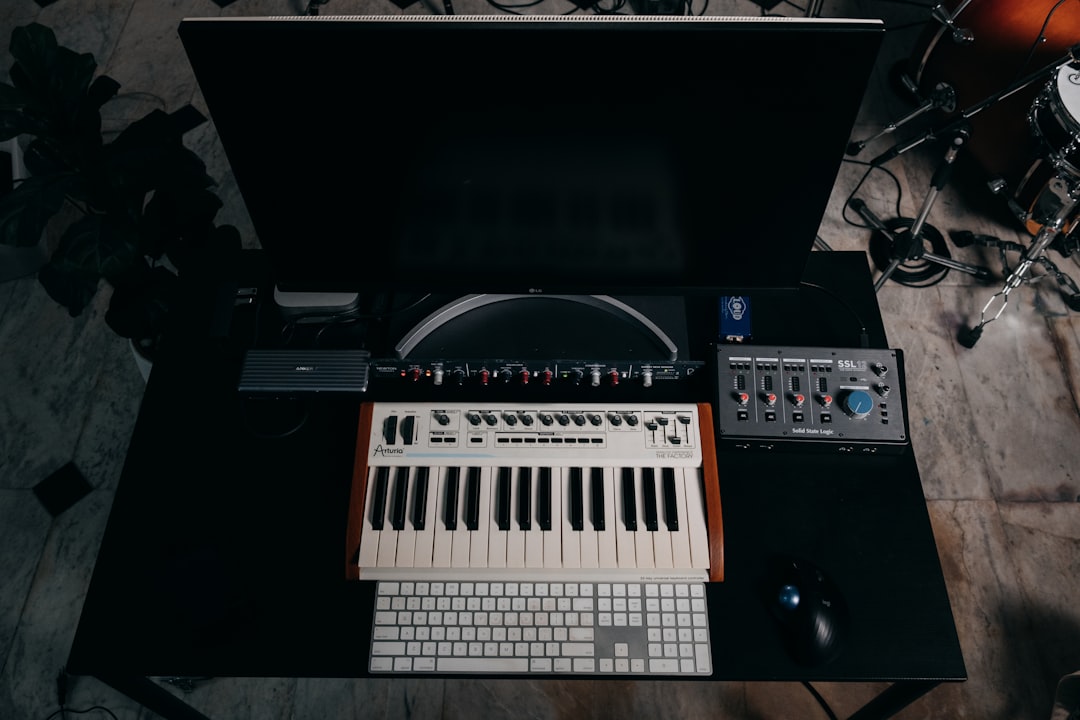
To sidechain in Ableton, drop a Compressor on the track you want to duck (usually the bass), unfold its Sidechain panel, turn Sidechain on, and choose your kick track as the trigger. As each kick hits, the compressor pulls the bass down and lets it breathe back — that rhythmic “pump” is the whole point. You do not need any extra plugins; Ableton’s stock Compressor handles it out of the box.
Violet Recording is reader-supported — we may earn a commission from links on this page, at no extra cost to you.
This guide walks through the exact steps in Ableton Live, then covers the Gate method, a creative Max for Live approach, and the timing problems that trip most people up. The workflow is the same across recent Live versions, though small label wording can differ, so I’ll describe what to look for rather than a fixed menu path.
What sidechaining actually does in a mix
Sidechaining lets one sound control a processor placed on a different sound. The classic use is ducking: every time the kick drum plays, the bass (or a pad, or a whole group) briefly drops in level, then recovers. This clears space in the low end so the kick punches through instead of fighting the bass for the same frequencies. In house, techno, and a lot of pop, that pumping motion is also used deliberately as a groove effect.
The “trigger” — the sound doing the controlling — is called the sidechain source. It is only used for detection; you never actually hear the trigger through the compressor. That distinction matters, because it means you can duck a bass with a kick even if that kick is muted or lives on a hidden track. If you are still fuzzy on how compression works before adding a trigger, it’s worth reading our primer on EQ and compression fundamentals first.
How to sidechain in Ableton with the stock Compressor
This is the method you’ll use 90% of the time. In this example we’ll duck a bass with a kick.
- Add a Compressor to the track you want to duck. Drag Ableton’s stock Compressor from the browser onto the bass track (not the kick). Everything happens on the track being ducked.
- Unfold the Sidechain panel. Click the small triangle on the left edge of the Compressor’s title bar to expand its extra controls. You’ll see a Sidechain section appear.
- Turn Sidechain on. Click the Sidechain button so it lights up. This tells the Compressor to listen to another track instead of its own input.
- Pick your trigger in the “Audio From” dropdown. Choose the kick or drum track. If your kick is a single track, select it here. If it lives inside a Drum Rack, you can drill down to that specific pad in the second dropdown.
- Set the tap point. The second dropdown lets you choose Pre FX, Post FX, or Post Mixer — where in the trigger’s chain the signal is grabbed. Post FX is usually fine; use Pre FX if effects on the kick are messing with the detection.
- Audition the source. Click the little headphone / audition button in the Sidechain section to hear exactly what the Compressor is reacting to. Turn it back off before you set levels.
- Dial in the ducking. Raise the Ratio to a firm setting, then lower the Threshold until the gain-reduction meter moves clearly on every kick hit. Set a fast Attack so the duck happens instantly, and adjust Release to control how quickly the bass returns.
Watch the gain-reduction display while you tweak — that moving meter is your best guide. If you want a hard, obvious pump, use a high ratio and slower release. For subtle “just get out of the kick’s way” ducking, a gentle ratio and quick release feels more natural.
Setting attack and release so the pump feels right
Timing is where a sidechain lives or dies. Attack controls how fast the level drops when the kick hits — keep it short so the duck lands on the beat, not late. Release controls how fast the bass comes back up, and it’s the single most musical control here. Too fast and you get a click or distortion at the bottom; too slow and the bass never fully recovers before the next kick, so it sounds thin.
A good habit is to time the release to your track’s tempo so the recovery finishes just before the next kick. If you’re unsure of the exact BPM of a loop or reference track, our free audio tools include a BPM finder that saves you counting by ear. Once you know the tempo, a release that ends a hair before the next downbeat gives that clean, breathing groove.
Using a ghost kick to trigger ducking
Sometimes you want the pumping motion without an audible kick — for example, ducking a pad or a whole group in a breakdown. The fix is a ghost kick: create a new MIDI track with a kick sample, program a steady four-on-the-floor pattern, then mute or fully turn down that track so you never hear it. Point your Compressor’s Audio From dropdown at that silent kick track and it becomes a pure timing trigger. This is also how many producers get a perfectly even pump — the trigger stays consistent even when the real drums vary.
Sidechaining with the Gate device instead
Ableton’s stock Gate also has a Sidechain section, and it opens up a different sound. Where the Compressor smoothly pulls a level down, a sidechained Gate can chop a sustained sound into rhythmic chunks driven by the trigger. Add a Gate to a pad or drone, unfold and enable its Sidechain the same way, pick a rhythmic trigger, and raise the threshold so the pad only passes when the trigger is present. It’s a great trick for turning a static chord into a pulsing, gated rhythm without drawing a single volume automation point.
Creative sidechain-style ducking with Max for Live and plugins
If your version of Live includes Max for Live (it ships with the Suite edition), the Envelope Follower device is a powerful alternative. Instead of a compressor, it reads the level of a trigger and maps that movement onto almost any parameter — a filter cutoff, a reverb send, a volume fader. That means you can duck a send, sweep a filter in time with the kick, or modulate things a compressor could never touch.
For tightly drawn, repeatable ducking curves, a dedicated volume-shaping plugin is a genuine upgrade over a compressor because you draw the exact shape of the dip by hand and lock it to tempo — no threshold guesswork. Cableguys VolumeShaper and Xfer LFO Tool are the go-to choices here, and you can grab either from Plugin Boutique.. For everyday kick-and-bass ducking, though, the stock Compressor is more than enough — reach for a third-party tool only when you want visual, drawn control.
Common sidechain problems and how to fix them
The trigger track isn’t in the dropdown. The Audio From menu only lists tracks that carry audio. Make sure your kick track actually contains a clip or an instrument, and that it isn’t frozen in a way that hides it.
You can’t hear any ducking. Your threshold is probably too high. Lower it until the gain-reduction meter clearly moves on each hit, and raise the ratio. Confirm the Sidechain button is actually lit — it’s easy to expand the panel but forget to switch Sidechain on.
The pump sounds late or sloppy. Shorten the attack. A slow attack lets the front of each note through before ducking, which smears the timing. Also check you’re tapping Pre FX if heavy effects on the kick are softening its transient.
The bass distorts or clicks. That’s usually a release set too fast, snapping the level back up mid-note. Slow the release slightly until the recovery is smooth.
Sidechaining is one of those skills that clicks the moment you see the meter move in time with the kick. Once you’re comfortable, try it on reverb tails, background vocals, and synth pads — anywhere a sound needs to step aside for something more important. For more on shaping a full mix around these moves, see our guide on how to mix vocals, and browse the wider home studio setup hub for related tutorials. New to the DAW entirely? Our Ableton Live review and roundup of the best free DAWs for beginners are good starting points.
Frequently asked questions
Do I need a plugin to sidechain in Ableton, or will the stock Compressor do?
The stock Compressor covers standard kick-and-bass ducking completely — no extra plugin required. You only need a third-party volume-shaper (like VolumeShaper or LFO Tool) when you want to draw an exact, tempo-locked ducking curve by hand rather than rely on threshold and release.
Why can’t I see my kick track in the Sidechain “Audio From” menu?
That menu only shows tracks carrying audio the Compressor can tap. Make sure the kick track has a clip or instrument on it and isn’t muted at the source in a way that removes it. If it’s inside a Drum Rack, expand the second dropdown to select the specific kick pad.
How do I stop the bass from distorting when it ducks?
Distortion or clicking on the return is almost always a release time set too fast, which snaps the level back up in the middle of a note. Slow the release until the bass rises smoothly, and use a fast but not instant attack so the initial duck stays clean.



