
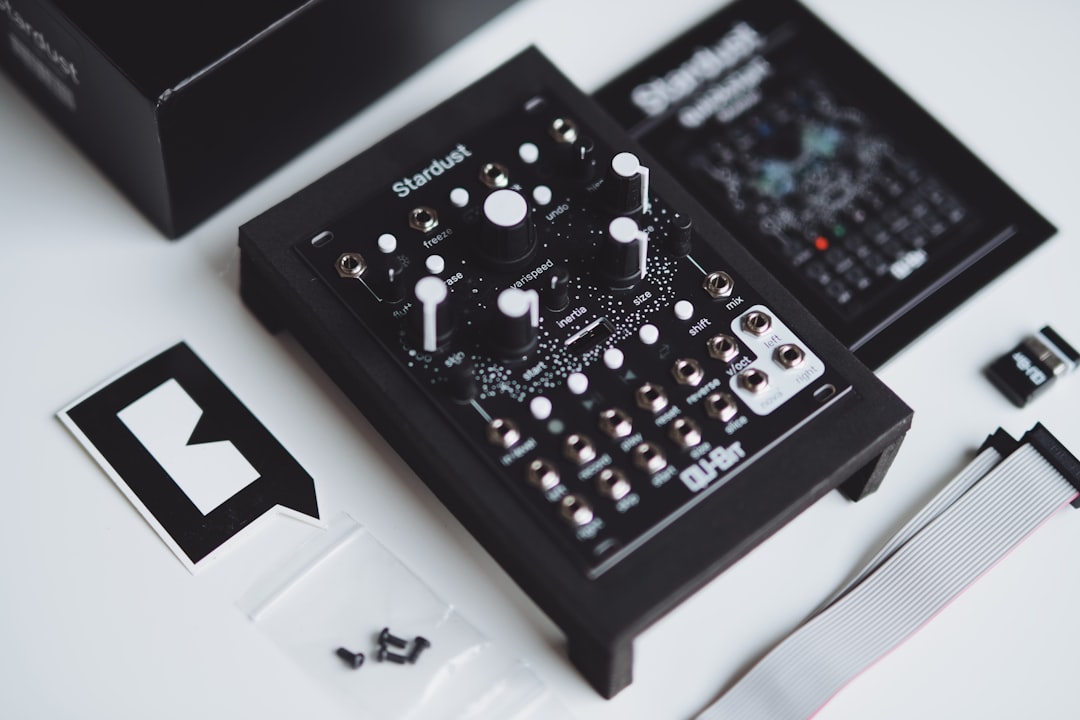
Want to know how to use samples in your music without your tracks ending up sounding like everyone else’s? The short answer: treat a sample as raw material, not a finished part. Pick sounds that fit your key and tempo, chop or re-pitch them so they feel like yours, layer them with your own elements, and always check the licence before you release. Do that and samples become one of the fastest ways to write, arrange and sound-design a record.
Violet Recording is reader-supported — we may earn a commission from links on this page, at no extra cost to you.
The quick version: from raw sample to finished track
- Choose with intent. Match the sample to your song’s key, tempo and mood before you commit.
- Make it yours. Chop, re-pitch, time-stretch, filter and re-arrange so it stops sounding like a stock loop.
- Layer, don’t lean. Stack a sample under your own sounds rather than letting it carry the whole track.
- Mix it in. EQ and process the sample so it sits with everything else instead of fighting it.
- Clear the licence. “Free” and “royalty-free” are not the same thing — read the terms before release.
Samples come in a few flavours, and knowing which is which changes how you use them. Loops are ready-made phrases — a drum groove, a chord progression, a bassline — designed to repeat. One-shots are single hits (a kick, a snare, a stab) you trigger yourself. Construction kits bundle the separate stems of a short idea so you can mute, swap and rearrange parts. And then there are found sounds and vocal chops, which are where a lot of the character in modern productions actually comes from.
Choosing samples that fit the song, not the other way round
The most common mistake is building a track around whatever loop sounded exciting for ten seconds. That’s backwards. Start with a rough idea of the song — key, tempo, energy — and then go hunting for sounds that serve it. If your track is at 140 BPM in F minor, browse with that filter on. Most sample libraries tag key and tempo, and your DAW will warp audio to your project tempo anyway, but a loop that’s already close will hold its quality far better than one you’ve dragged two keys and 30 BPM out of place.
Audition in context. Drop a candidate sample under the part you already have and loop eight bars. A sound that’s stunning in isolation often clashes once your drums and bass are playing. Trust the arrangement, not the solo button. And resist grabbing five loops that each do the same job — one strong rhythmic element and one strong melodic element will get you further than a pile of half-used clips.
How to use samples the right way: chop, re-pitch and re-arrange
This is the heart of it. The difference between a track that leans on a loop and a track that’s genuinely yours is what you do after you drag the sample in. Here’s how to use samples so they become your own material rather than someone else’s leftovers.
Chop it. Slice a loop into its individual hits or phrases and rebuild the pattern. Take a two-bar drum break, cut it at every transient, and program a new groove from the pieces. You keep the character of the original recording but the rhythm is now yours. This is the whole foundation of hip-hop, jungle and a huge chunk of electronic music.
Re-pitch and time-stretch. Shifting a melodic sample up or down changes its key and its feel — a soul vocal pitched down an octave becomes something moody and unrecognisable. Stretching a sample well past its native tempo introduces artefacts you can use deliberately for texture. Formant shifting on a vocal chop can turn a recognisable line into an abstract instrument.
Filter and process. Roll off the top with a low-pass filter and a bright loop becomes a warm background pad. Add saturation, reverb or a bitcrusher and you push the sample into new territory. The goal is that a listener could never A/B your version against the source and call it a copy.
Rearrange the structure. Reverse a phrase, drop a beat, move the downbeat, mute the parts you don’t need. A “construction kit” is basically an invitation to do this — strip it back to one element and build outward with your own sounds.
Layering samples with your own sounds
Samples work best as one ingredient, not the whole meal. Layer a punchy one-shot kick under your main kick to add weight it was missing. Stack a vinyl-crackle or field-recording sample under a section to glue it together and add atmosphere. Put a subtle percussion loop low in the mix beneath your programmed drums to make a stiff pattern feel human.
The principle is the same every time: the sample fills a gap in your own production rather than replacing your creativity. When you layer, watch for phase issues on kicks and sub-bass — nudge one sample a few milliseconds or flip its polarity if the low end goes hollow. And carve space with EQ so two layered sounds aren’t both fighting for the same frequency band.
Fitting a sample into the mix
A dropped-in sample almost never sits right on its own, because it was recorded and processed in a different context to your track. High-pass anything that doesn’t need low end so it stops muddying your bass. Match its brightness to the rest of the arrangement with EQ. If a loop already has heavy reverb baked in, you may need to work around it — or embrace it and dry out everything else. A touch of the same reverb or delay send used across your other elements helps a foreign sample feel like it belongs in the same room.
If you’ve grabbed a full loop and only want one element from it — say the hi-hats out of a drum loop — a stem separator can pull the parts apart so you can process them independently. Our free stem splitter tool is handy for exactly that when you don’t have the isolated multitrack.
Where to find good samples — free and paid
You don’t need to spend a fortune to start. Plenty of solid free sources exist: producer forums and communities share packs constantly, plugin makers bundle sample content with their instruments, labels and artists put out free promo packs, and companies like Cymatics regularly release free starter packs to get you onto their list. Splice itself offers free packs alongside its subscription catalogue. If you’re chasing free instruments to pair with your samples, our roundups of the best free drum VSTs and best free synth VSTs are a good place to start, and free synths for sound design pairs nicely with chopped-up textures.
When you want depth and consistency, a subscription service like Splice is the standard most producers land on — a huge, searchable, tagged catalogue where you pull individual sounds as you need them rather than buying whole packs. If you’re ready to stop hunting through scattered free folders and want pro-quality sounds on tap, that’s the upgrade to make.
And if you’d rather generate an original backing track from scratch instead of building on someone else’s loop, Solmi can spin up original music you own outright. For mobile producers, our guide to the best sampling apps covers chopping and flipping samples on the go.
How to use samples legally: licensing and clearance
This is the part people skip and later regret. A sample being downloadable for free does not make it free to use in a commercial release. Every pack ships with a licence, and you need to read it. Most subscription and commercial sample libraries grant a royalty-free licence, which means you can use the sounds in your own tracks and release them without paying per stream — but even then there are usually conditions, like not reselling the samples themselves as a competing pack.
The bigger trap is sampling from existing commercial records — a bar of a famous song off a streaming service is a completely different situation to a royalty-free loop. That requires clearance: written permission from whoever owns the master recording and the composition, usually for a fee or a cut of royalties. Skipping it is how tracks get pulled and producers get sued.
Practical rules: check the licence text in every pack you download; keep the licence file so you can prove your rights later; when a pack says “free,” confirm whether that includes commercial use or only personal use; and never assume something is royalty-free just because it was easy to get. When in doubt, use libraries that state their terms plainly.
Frequently asked questions
Is it legal to use samples in my music?
Yes — as long as you have the right licence. Samples from royalty-free libraries and packs are made for exactly this, provided you follow their terms. Sampling directly from a released commercial song is different and needs clearance from the rights holders. Always read the licence that comes with a pack, and keep it on file.
How do I make a sample sound like my own?
Process it until it no longer resembles the source. Chop it into new patterns, re-pitch or time-stretch it, filter and saturate it, and layer it with your own sounds. The more you transform and combine a sample, the more it becomes part of your production rather than a recognisable borrowed part.
Are free samples good enough for a professional release?
Plenty are. There’s excellent free content from forums, plugin bundles and label freebies, and a well-chopped free sample beats a lazily-used premium one. The catch is time — free sources are scattered and inconsistent, which is why many producers move to a subscription like Splice for a large, reliable, well-tagged library once they’re releasing regularly.
Samples are a tool, not a shortcut around writing music. Choose them to serve the song, transform them until they’re yours, mix them in with care, and stay on the right side of the licence. For more on building sounds from the ground up, browse the rest of our sound design guides.



