
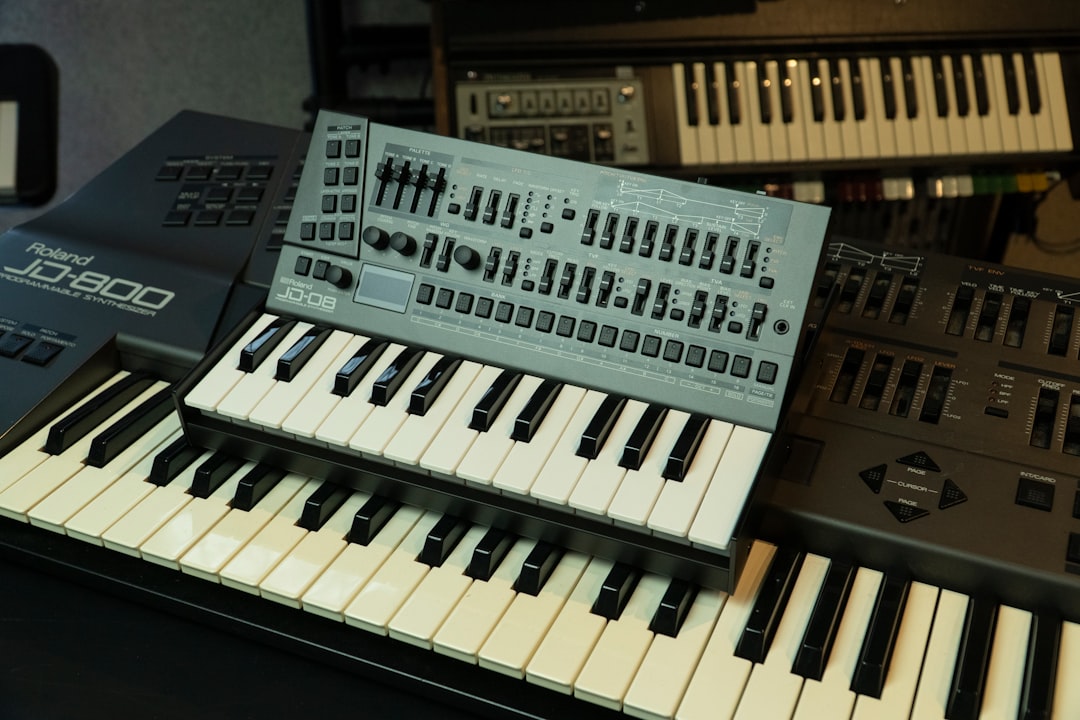
A patchbay for synths brings all your gear’s connections to one tidy front panel so you stop crawling behind the desk to re-cable, while a hardware mixer blends several synths into a stereo signal and adds effects sends and level control. As soon as you own more than a couple of synths, these two boxes are what turn a cable mess into a workable studio.
Violet Recording is reader-supported — we may earn a commission from links on this page, at no extra cost to you.
This guide explains what each does, when you need them, and what to look for as your synth setup grows.
Quick answer
- Too few interface inputs for your synths: a mixer submixes them down to a stereo pair.
- Constantly re-patching the same gear: a patchbay brings every connection to the front.
- Want hands-on level and effects control while jamming: a hardware mixer.
- A few synths and one interface: you may not need either yet.
Patchbay vs mixer: what each one does
They solve different problems and often work together:
| Patchbay | Mixer | |
|---|---|---|
| Main job | Reroute connections from the front | Blend sources, set levels, add FX sends |
| Changes the sound? | No — it just routes | Yes — levels, EQ, pan, effects |
| Best when | You re-patch the same gear a lot | You want a stereo submix and control |
When you need a mixer
A hardware mixer earns its place in two situations:
- Not enough interface inputs. If you own more synths than your interface has inputs, run them into a mixer and feed a stereo submix to two inputs. You lose separate tracks, but you can record a whole jam at once. See the best audio interfaces for synths for when extra inputs beat a mixer instead.
- Computer-free (dawless) jamming. A mixer is the hub of a dawless rig — blend synths and a drum machine, ride levels by hand and send to shared reverb or delay.
For how a mixer compares to an interface as your front end, read audio interface vs mixer.
What to look for in a synth mixer
- Enough channels for your synths, counting stereo synths as two.
- Line-level inputs — synths are line sources, so you want clean line channels with headroom, not just mic preamps.
- Aux/effects sends so several synths can share a reverb or delay.
- Clean gain staging, since stacking many line sources can build up noise. Our gain staging guide applies directly.
When you need a patchbay
A patchbay shines once you’re constantly swapping the same connections — sending different synths to an effects unit, into the interface, or to each other. Instead of reaching behind the gear, you make a short patch on the front panel.
- Saves wear on the jacks of your interface and synths, since the patchbay takes the repeated plugging.
- Makes routing visible, so a complex studio is easier to reason about and label.
- Speeds up sessions — reconfigure in seconds rather than minutes.
Normalled, half-normalled and thru
Patchbays can be wired in different modes, and understanding them avoids surprises:
- Normalled: top and bottom jacks connect automatically until you insert a cable, breaking the connection.
- Half-normalled: the signal passes through but inserting a cable in the top also taps the signal without breaking it — handy for sending one source two places.
- Thru (open): no automatic connection; each pair is independent.
Most studios favour half-normalled for flexibility. Match the patchbay’s connector type (often quarter-inch TRS) to your gear, and keep the bay set to line level for synths.
A note on CV patchbays for modular
If you run Eurorack, you’ll mostly patch CV and gate inside the case with the usual 3.5mm cables. Some players add a breakout that brings a few key CV points to the edge of the case for easier access, but a traditional audio patchbay is aimed at line-level audio between full instruments, not Eurorack-level signals. Our guide to patching a modular synth covers in-case routing.
How they fit a growing setup
You rarely need a patchbay or mixer on day one. The usual path: start with one or two synths into your interface, add a mixer when you outgrow your inputs or go dawless, then add a patchbay when re-cabling becomes a chore. Our guide to building a hardware music setup places both in a sensible buying order, and connecting a synth to your DAW covers the basics they build on.
Our picks
Best mixer for a synth setup
Enough line channels for several synths, clean headroom and useful aux sends for shared effects.
A Mackie 1402 or 1604VLZ, or an Allen & Heath ZED, gives you plenty of line channels, clean headroom and aux sends for shared effects, which suits a setup with several synths. These are workhorse mixers that hold up well in a home studio.
Best compact mixer (small rig / dawless)
A small-footprint mixer for blending a couple of synths and a drum machine into a stereo pair.
A small Mackie or Behringer Xenyx mixer blends a couple of synths and a drum machine into a stereo pair without taking much space, which suits a compact or dawless rig. For Eurorack and performance use, a small line mixer from WMD, Befaco or Endorphin.es is worth considering.
Best patchbay for synths
A flexible, half-normalled patchbay that brings your studio’s connections to the front panel.
A half-normalled patchbay from Behringer, Samson or Neutrik brings your studio’s connections to the front panel, so re-cabling is a matter of patch leads rather than reaching behind your gear. Half-normalling lets you tap a signal without breaking the default routing.
Best value pick
The most routing or mixing capability per dollar for a home synth setup.
A Behringer Xenyx mixer or a Behringer patchbay delivers a lot of mixing or routing capability for the money, covering the essentials of a home synth setup without overspending. It is a practical way to add channels or tidy your cabling on a budget.
Frequently asked questions
Do I need a patchbay for my synths?
Only once you’re frequently re-cabling the same gear. A patchbay brings every connection to the front panel, saving you from reaching behind the desk and protecting your gear’s jacks from wear. With just a couple of synths, you can skip it.
What’s the difference between a patchbay and a mixer?
A patchbay only reroutes connections — it doesn’t change the sound. A mixer blends multiple synths into a stereo signal and gives you level, pan and effects-send control. Many studios use both: a mixer to blend and a patchbay to route.
Can I use a mixer instead of a multi-input interface?
Yes. Run several synths into a mixer and send its stereo output to two interface inputs. You can record a whole jam at once, but everything lands on one stereo track rather than separate tracks for each synth.



