
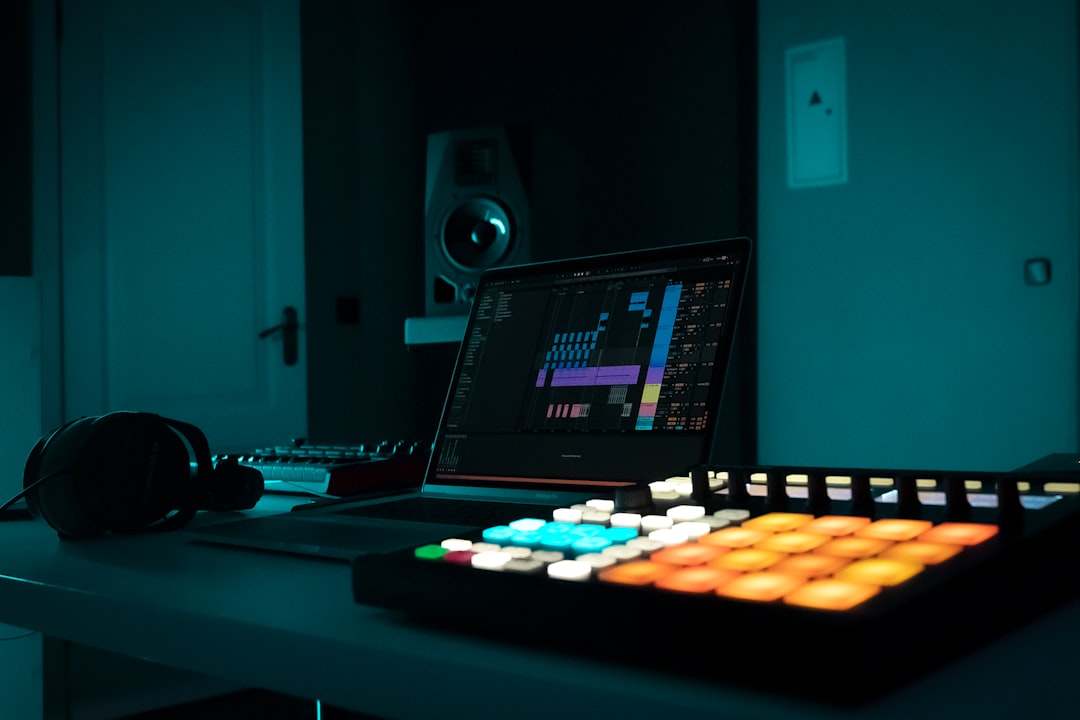
The short answer: in specterr vs Vizzy, both turn your audio into a reactive music visualizer, but they aim at different jobs. Specterr leans toward polished, template-driven visualizers and lyric videos you can brand and export in bulk. Vizzy leans toward flexible, node-and-scene control for people who want to tweak how every element reacts to the sound. Pick Specterr for fast, clean results; pick Vizzy for hands-on customisation.
Violet Recording is reader-supported — we may earn a commission from links on this page, at no extra cost to you.
Specterr vs Vizzy at a glance
Here is the quick-pick before we get into the detail. Neither tool is “best” for everyone — it depends on whether you want speed or control, and whether a bar-and-waveform visualizer is actually enough for what you are posting.
| Specterr | Vizzy | |
|---|---|---|
| Best for | Fast, branded visualizers & lyric videos | Deep per-element customisation |
| Approach | Templates you fill in and tweak | Scene/layer editor with reactive controls |
| Learning curve | Gentle | Steeper, more powerful |
| Runs in | Browser | Browser |
| Pricing model | Subscription / credit-based — check current pricing | Subscription / credit-based — check current pricing |
| Output type | Audio visualizer video | Audio visualizer video |
One thing to flag up front: both of these are visualizers. They react to your waveform with bars, particles, spectrums and text. If what you actually need is a proper music video — real scenes, an AI cover, a singing avatar, or a vertical clip for Reels — a visualizer is the wrong tool, and the all-in-one pick further down does that job instead.
What Specterr does well
Specterr built its name as a browser-based audio visualizer, and that focus shows. You drop in a track, choose a template, and Specterr generates a reactive video where spectrum bars, waveforms and particle effects move to the music. Because it is template-led, you can go from upload to a decent-looking export without touching a timeline.
Where it earns its keep for working musicians is branding and repeatability. You can drop a logo, set colours, add a lyric or title layer, and reuse the same look across a whole release so every track on the EP feels like part of one campaign. That consistency matters more than any single fancy effect when you are posting a run of singles.
The trade-off is ceiling. Template-driven tools are fast precisely because they make decisions for you, so if you want a specific element to react in a specific, unusual way, you can hit the edge of what the presets allow. For most YouTube-audio-track uploads, Spotify-style loops and lyric clips, though, that ceiling is high enough that you will not notice it.
What Vizzy does well
Vizzy comes at the same problem from the opposite direction. Instead of “pick a template and go,” it gives you a scene made of layers and lets you wire each one to react to the audio. You decide what pulses on the kick, what sways with the vocal, how the background shifts with amplitude. That is more work, but it is genuinely yours.
This makes Vizzy the better fit for creators who think visually and want a signature look rather than a recognisable-template look. If you have ever watched a visualizer and thought “I could do that but weirder,” Vizzy is built for exactly that instinct. Producers doing generative or abstract visuals, in particular, get a lot more room here.
The cost is time and a steeper learning curve. You will spend a session or two understanding how reactivity, layers and keyframes fit together before your output looks intentional rather than busy. If you only need one clean visualizer for one track this week, that investment may not pay off — which is the whole tension in specterr vs Vizzy: speed versus control.
Where both visualizers fall short
Here is the honest limitation that neither tool advertises: a visualizer is not a music video. Bars reacting to your waveform look great for an audio upload or a loop, but they will not carry a narrative, show a face, or feel like a “real” video on TikTok or Reels where the audience expects motion and story, not a spectrum analyser.
You also get format friction. Most visualizer workflows are built landscape-first, so squeezing a clean 9:16 vertical or 1:1 square out of them for social can feel like an afterthought. And if you want lyrics, an AI cover of your track, or a singing avatar, you are now stitching together several separate tools — the visualizer plus a video editor plus something else — instead of finishing in one place.
The all-in-one alternative that actually makes the video
If your real goal is a finished music video rather than a reactive waveform, Solmi is the pick I point most musicians to, because it does the job Specterr and Vizzy structurally cannot. Solmi is an all-in-one AI music suite that turns a song into an actual music video in 16:9, 9:16 and 1:1 — so the landscape YouTube cut, the vertical Reel and the square post all come out of one place instead of three tools.
The features that matter for this batch of work: Suno-to-Video, where you paste a Suno or Udio track and get a finished video back; an AI Cover feature; a Lyric Video maker; and an AI Singing Video that puts a performing face on screen rather than just bars. It runs in the browser on desktop and mobile, and pricing is flat — there is a free tier, and Pro starts at $9.99/month with no credit wall, so you are not rationing renders mid-project.
I would not oversell it as a like-for-like visualizer swap — if you specifically want abstract, node-wired reactive art, Vizzy still wins on that narrow craft. But for the far more common brief of “I have a track and I need something postable on every platform by tonight,” Solmi finishes the whole job. For exact free-tier caps, export resolution and commercial-rights terms, check the Solmi site for current details, since those can change.
How to choose between Specterr and Vizzy
Match the tool to the deliverable. If you are shipping a run of audio uploads and lyric clips and want them to look consistent and on-brand with minimal fuss, Specterr’s template approach gets you there fastest. If you are building one distinctive, hand-crafted visual identity and enjoy tweaking, Vizzy’s control repays the time you put in.
If, on the other hand, you read this whole comparison thinking “I don’t actually want bars, I want a video,” take that as a sign both visualizers are solving a smaller problem than the one you have — and reach for a full video generator instead. When you are ready to work on the music itself, our guide to the best AI song generators and the Suno vs Udio comparison are the natural next steps, and you can browse everything in the AI music tools hub.
Frequently asked questions
Is Specterr or Vizzy easier for beginners?
Specterr is the gentler start. Its template-first workflow means you can produce a clean, branded visualizer without learning a layer-and-reactivity editor. Vizzy is more capable but expects you to invest time up front, so beginners who just want a quick result usually get there faster with Specterr. If you want to see the wider field first, our roundup of the best music visualizer software covers more options.
Can Specterr or Vizzy make a real music video, not just a visualizer?
Not really — both are audio visualizers at heart, so you get reactive bars, waveforms and particles rather than scenes, faces or narrative. For an actual music video in 16:9, 9:16 or 1:1, including Suno-to-Video, lyric videos and AI singing video, an all-in-one tool like Solmi is the better fit. See our full AI music video generators guide for the wider comparison.
How much do Specterr and Vizzy cost?
Both use subscription or credit-based pricing that changes over time, so I won’t quote figures that could be stale — check each tool’s current pricing page before you commit. If flat, predictable pricing matters to you, note that Solmi runs a free tier plus Pro from $9.99/month with no credit wall, which is a different model from most visualizer tools.



